Active threads
Showing topics posted in for the last 365 days.
- Past hour
-
armbianmonitor -u in the link it shows : https://paste.armbian.com/uzudezufit Linux version 6.12.74-current-sunxi64 (build@armbian) (aarch64-linux-gnu-gcc (Ubuntu 13.3.0-6ubuntu2~24.04) 13.3.0, GNU ld (GNU Binutils for Ubuntu) 2.42) #6 SMP Thu Feb 19 15:29:56 UTC 2026
-

How to use OrangePi 5 Plus's NPU for Image Generation?
usual user replied to Johson's topic in Beginners
This is what my software stack looks like: My kernel is build as a generic one, hence my OS is working on any device equipped with a VeriSilicon VIPNano, a Rockchip RK3588 or an Arm Ethos-U65/U85 NPU. The application can be written NPU-agnostic, as long as a model.tflite file suitable for the NPU is used.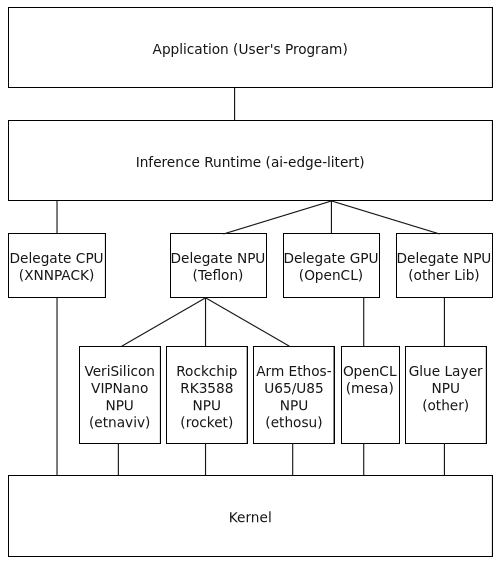
- Today
-
Vendor kernel will stay for awhile (this year for sure) as mainline is not on this level yet. This part might not be part of the release - you can grab it from nightly release - but most likely it won't have any affect to this topic.
-
Welcome to the latest Armbian Newsletter, your source for updates, community highlights, and behind-the-scenes news from the world of open-source ARM and RISC-V computing. Streamlining the ecosystem This past quarter development has taken a significant step forward for Armbian. We've been busy cleaning up and optimizing our codebase, merging over 150 improvements primarily focused on advancing kernel support for Rockchip and Allwinner platforms. A significant secondary effort was dedicated to modernizing the project's infrastructure and build tools, driven largely by a core group of dedicated contributors. Hardware support continues to expand. We're thrilled to introduce new LTS kernel v6.18 based images and support for exciting new boards like the SpacemiT MusePi Pro, Radxa Rock 4D, Orangepi RV2, Odroid M2, ... We've also brought back KDE Neon desktop builds and added RISC-V XFCE desktop support for those exploring new territory. Our user tools have received major upgrades too. Armbian Imager now features faster decompression, enhanced security with code signing for macOS and Windows, AI-powered translations, and a new settings panel with developer options. Behind the scenes, we've strengthened our build infrastructure to keep everything running reliably as we grow. Whether you're trying the new stable kernel or experimenting with our latest builds, this update reinforces our commitment to delivering a professional, accessible Linux experience for ARM and RISC-V hardware. Join Armbian at Embedded World 2026. Meet us in Hall 3, Booth 3-556 (Seeed Studio), where we’ll be showcasing the Armbian build framework and how it powers reliable, production-ready Linux for ARM devices. Download the latest release and experience Armbian today. SPONSORED Join us in making open source better! Every donation helps Armbian improve security, performance, and reliability — so everyone can enjoy a solid foundation for their devices. Release v26.2.1 · armbian/buildChanges sunxi: refactor full patchset. by @EvilOlaf in armbian/build#9219 “get completely rid of dead code toolchain stuff”, pt2. by @rpardini in armbian/build#9218 “get completely rid of dead cod…GitHubarmbianForget third-party utilities: meet Armbian ImagerArmbian Imager eliminates the guesswork from flashing SBC images. Real-time board detection, persistent caching, and built-in safety make installation fast, simple, and risk-freeArmbian blogDaniele BriguglioArmbian 2025: by the numbersOpen hardware is growing faster than ever and breaking in new ways. 2025 has been a productive year for the Armbian project. As the Single Board Computer ecosystem continues to fragment and expand, Armbian has consolidated its position as the universal glue holding the open-source hardware world together. Our missionArmbian blogMichael RobinsonThe Evolution of SBCsThe Evolution of SBCs: From Hobby Boards to Edge Computing Over the past two decades, single-board computers (SBCs) have transformed from experimental maker tools into the backbone of modern embedded and edge systems. What started as a handful of affordable hobby boards has grown into a diverse ecosystem powering automation,Armbian blogMichael RobinsonView the full article
-
Hi all, I've spend a few evenings playing with the Armbian build-system and OPI4a, mainly trying to get Ethernet working reliably. There are two issues I've found: (almost) every second boot there are errors with PHY access (as if there was a race somewhere), neither DHCP nor static IPs are working (in scnerios when there are no issues with PHY). I've mainly focused on comparing Devicetrees to OrangePis' sources, and from newbie perspective, at least Ethernet part seems pretty complete. The next logical step would be to focus on the driver, but I figured, I'd ask if maybe someone has also been trying to work it out, and proceeded further? I'd appreciate any ideas of what I should check next.
-
Thanks to whom it may concern. I downloaded the today's version and it did connect..
-

Armbian doesn't detect Orange Pi 4 lts all 4GB of ram
Kamar replied to Kamar's topic in Orange Pi 4 LTS
Yeah i wanted to switch to noble minimal but it did not boot at all. noble i installed using armbian imager + online install. I think the problem is there are 3gb versions of opi 4 lts also and maybe all images are designed for those 3gb versions for compatability? Maybe there is some way to manually change that ram size config? inside device tree i could not find memory reg. Maybe it is related to uboot. Just adding i tested with noble desktop and it booted but still shows 3gb -

Gaming experience with Orange Pi 5 (RK3588) on Armbian
KhanhDTP replied to KhanhDTP's topic in Orange Pi 5
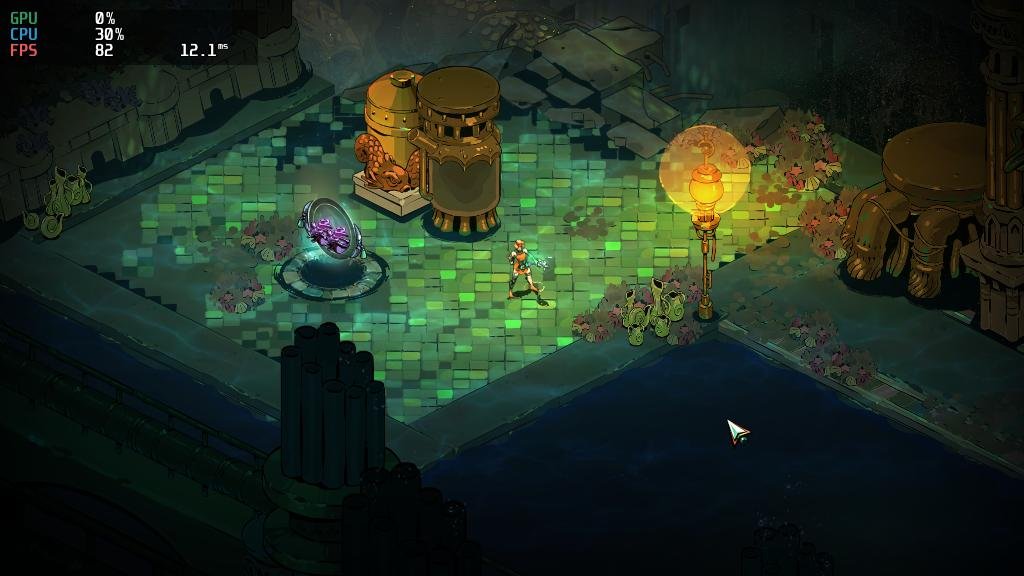
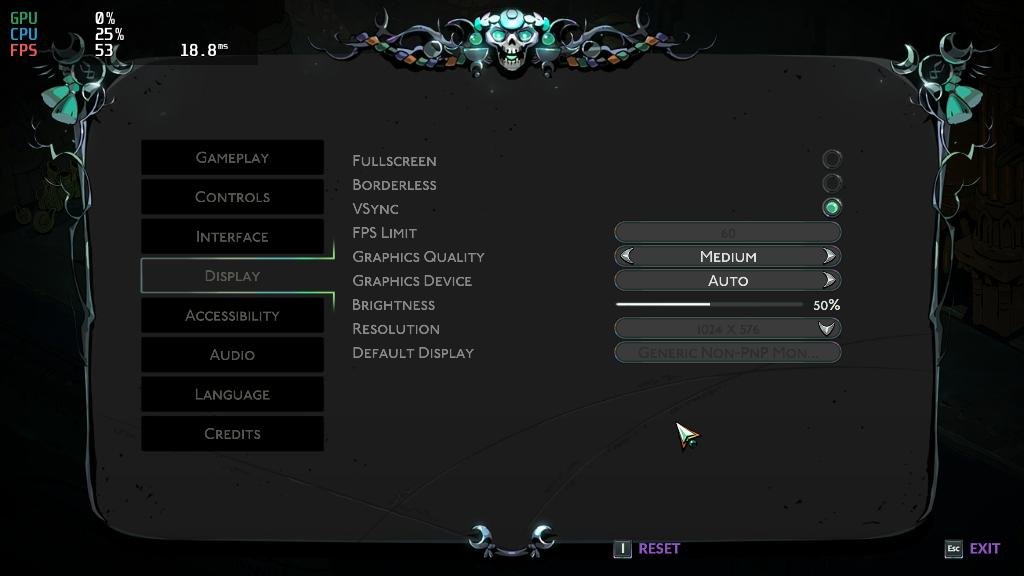
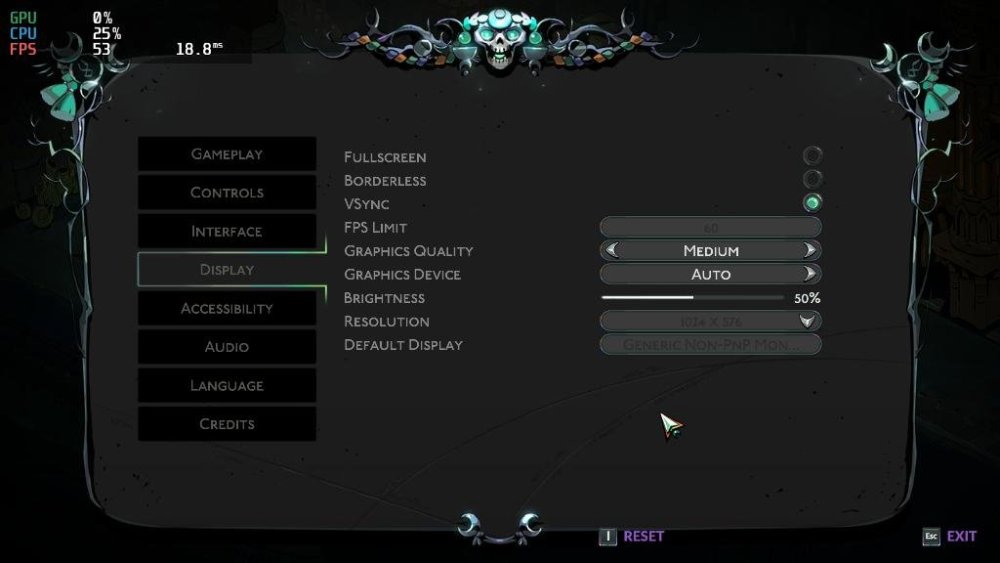
Armbian 25.11.2 Noble XFCE (BSP Kernel: 6.1.115) + PanVk - mesa 26.0 (https://launchpad.net/~ernstp/+archive/ubuntu/mesaaco) + Box64 arm64 v0.4.1 ed9827920 (https://ryanfortner.github.io/box64-debs/) + wine-11.3-staging-tkg-amd64-wow64 (https://github.com/Kron4ek/Wine-Builds/releases/tag/11.3) + vkd3d-1.19 (wine's built-in) ~60fps@1024x576 (medium settings) Hades 2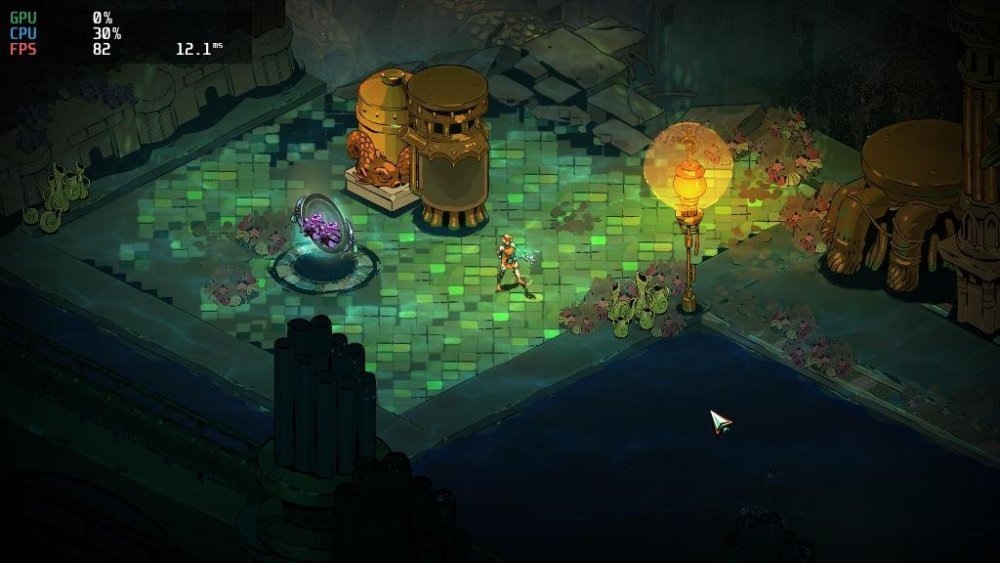
-

Missing keys when running apt-update
technik007_cz replied to Luna the Deer's topic in Libre Renegade
Hi, I redownloaded the key and replaced it, and it works! - Yesterday
-

Clarification on GPL 2.0 License Applicability
tparys replied to Clark McCauley's topic in Off-topic
GPL requires source code be offered for any software distributed. Changes to the build system probably aren't covered, but a modified DTB probably is. The final image also has the Linux kernel and other GPL components, so that definitely is. Bottom line is that GPL is supposed to be permissive. DTS is easily gotten from DTB. And you're probably good as long as you're not being a jerk about it. If that bothers you, you could also make a overlay (dtbo) and just patch the DTB on boot. You'd avoid the custom image and also make it more clear that your DTB is tweaked. -

Has anyone had any luck with the Radxa Cubie a5e and Armbian?
Meestor_X replied to Meestor_X's topic in Allwinner sunxi
While attempting, using AI, to see if there were DTS changes that could help this (spoiler: there aren't), it came up with some DTB changes that it claims need to be made for the board's stability. Maybe someone who understands these things can see if they got it right? Also, does the new allwinner update for armbian help/fix any of the cubie's USB/Power issues? https://github.com/armbian/build/pull/9381 a5e-armbian-DTS.patch -
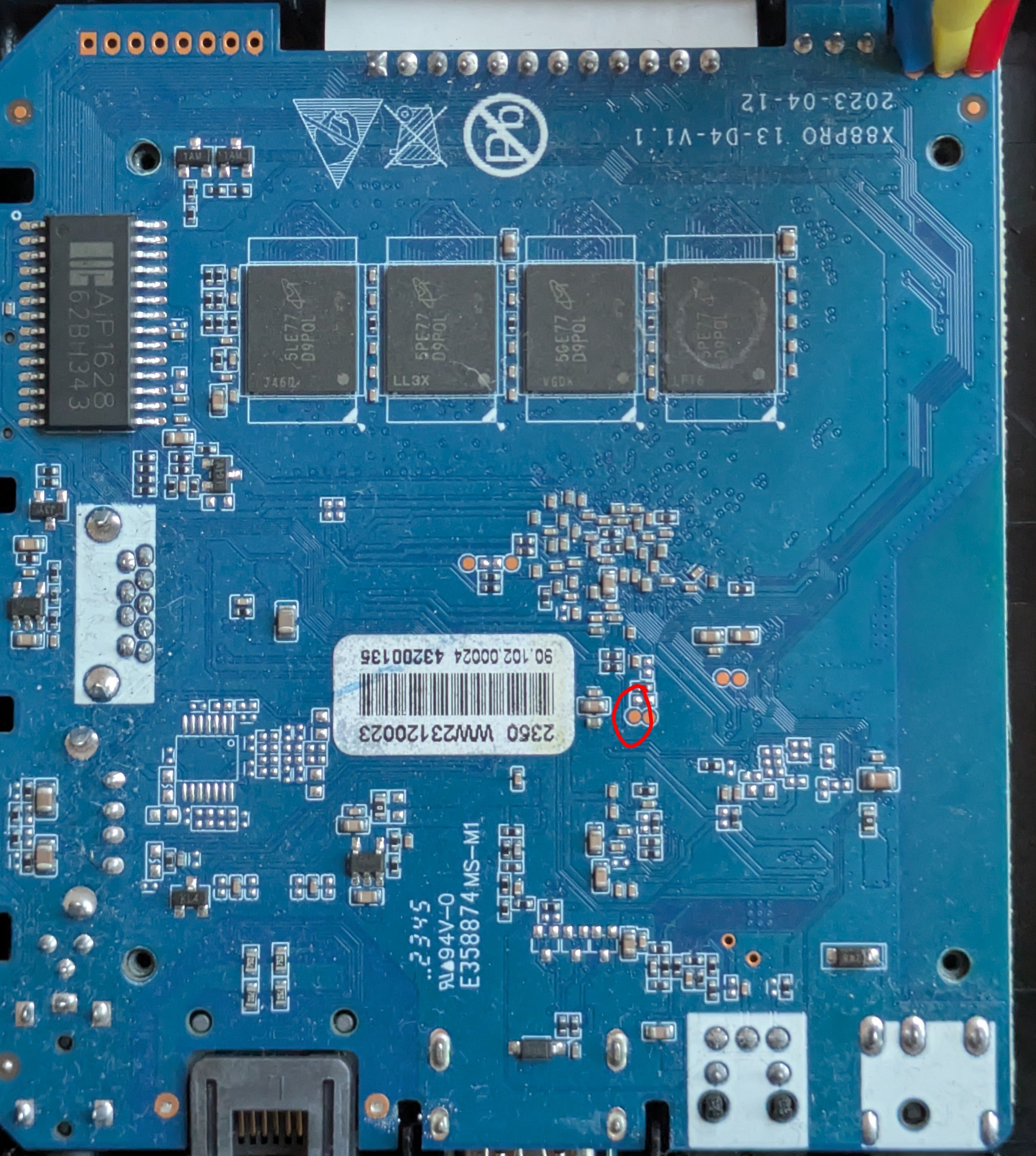
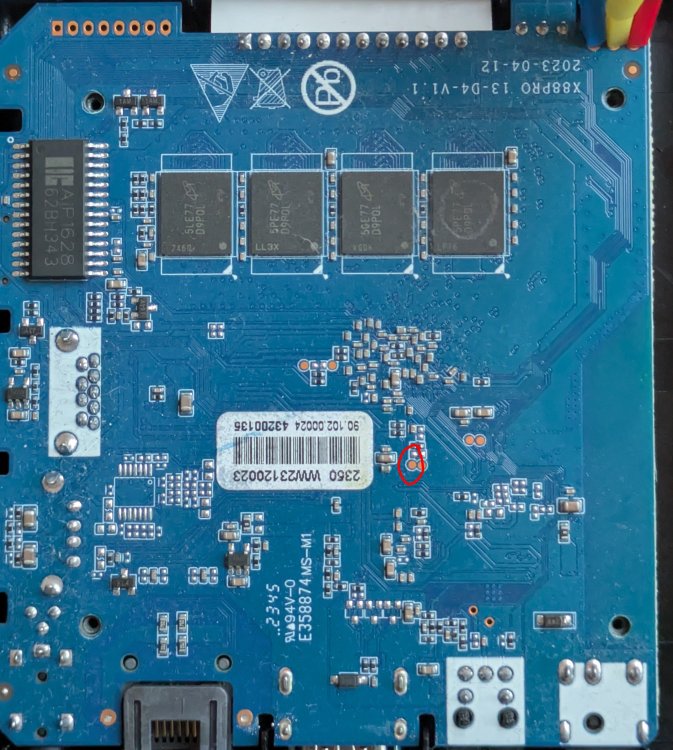
I finally managed to boot in Maskrom mode by shorting the clock pin (red circle on the picture) to ground, then loading the loader (rk3528_spl_loader_v1.07.104.bin) and u-boot with rkdeveloptool.
-

Is the NanoPC-T6 Plus compatible with the NanoPC T6 LTS image ?
magic_sam replied to magic_sam's topic in NanoPC T6 LTS
Dear @Werner , I have just created an issue on Github to keep track of this discussion: https://github.com/armbian/build/issues/9446 Is it safe to try possibly unsupported images on the NanoPC-T6 Plus ? It's a relatively expensive piece of kit and I'd rather not take any chances (new LPDDR5 RAM: possibly new memory timings, etc.) Best regards, Samuel -

Timezone for Iceland
Igor replied to Björn Eiríksson's topic in Framework and userspace feature requests
... problem is elsewhere. This is running: sudo dpkg-reconfigure tzdata in CLI (Armbian Noble), choosing region Atlantic, then: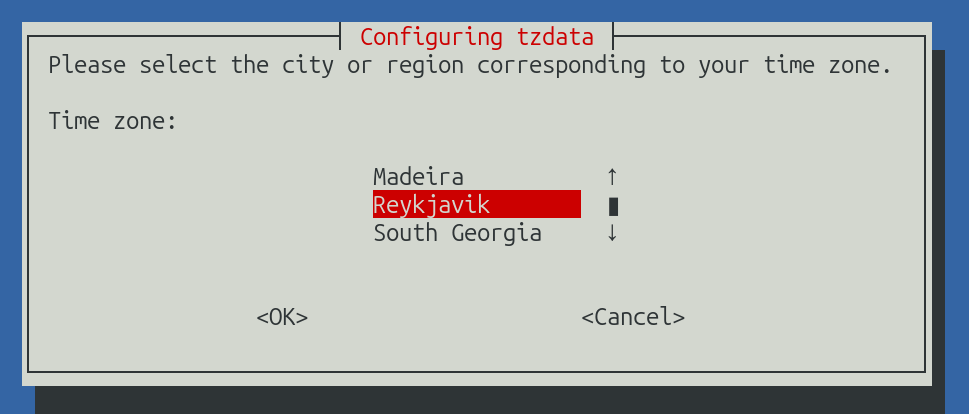
-
 So I need to know what I have to do to get MIDI messages into my music app that I'm working on. I developed a cli synth app on Manjaro using SDL3 and Jack. Jack I used to connect to MIDI aka 'MIDI-Bridge' or MIDI Through and an external program to produce MIDI messages sent to MIDI Through. I am currently trying to do the same on the actual device I wish to use which is the OrangePi 4 LTS I have spare with just bare bones Armbian Server, no desktop. I have audio working through Pipewire. I am used to Jack just being available because Pipewire intercepts and handles the calls behind the scenes. I noticed that on Armbian I think I have to use the 'pw-jack' program or jack-play goes into an eternal and uninterruptible error loop (I have to kill it through another terminal). Note: I am developing this program in Zig. Am I doing all of this the wrong way? Is there some system process I have to start? Or something I haven't installed?
 -
@Ryzer pcduino definitely works fine with dwc2. I cannot get OTG to work without it. I am not qulified to make any comments on whether this makes sense or is a coincidence, but if I don't load the module, it's doesn't work. For some reason, the mass storage gadget is still a little unstable in Windows (sometimes the File Explorer window shuts down for no reason), but on a Linux laptop, it is rock stable. It has also been running for two days in my car and doesn't seem to miss a beat there either (Linux host).
-
I'm putting together a build for a 3D printer, rk3308b-s board that has no ethernet, just a Fn-link wifi chip that is a knock-off of an rtl8192fs. I pulled the OEM dts and it describes the chip as an rtl8192cs. I'm pretty sure this is an out of kernel driver and my searches indicate I put source in userpatches. What do I need to add in the board/*.csc file to build to an image with the kernel module(s)? I do have a ralink ra2400, a mt7201 and some supported realtek dongles and If connected, I could git the code build and moprobe the module to test. Ideally, I would like to incorporate the driver via dkms in a armbian build. Can someone point me to the process?
-
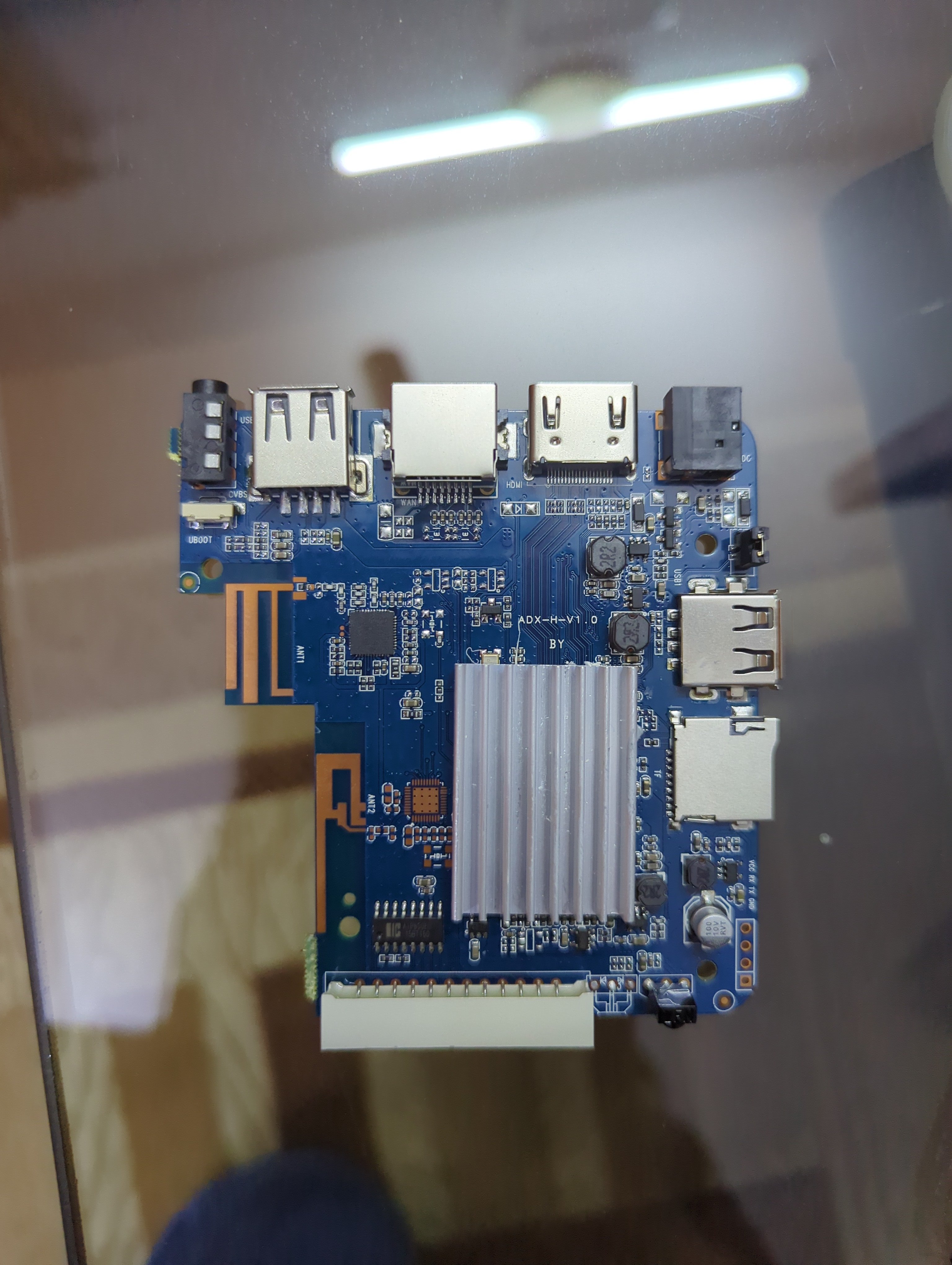
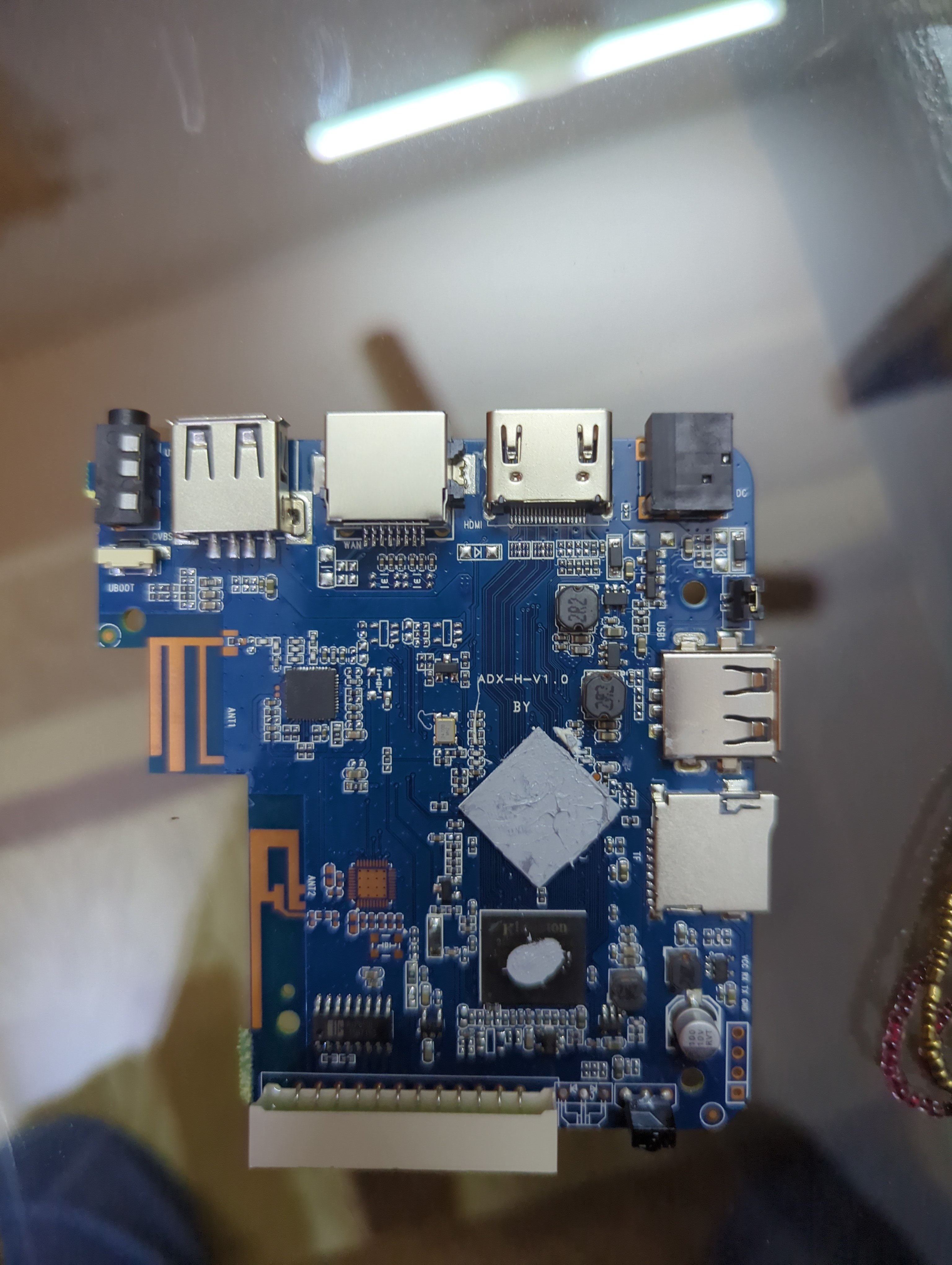
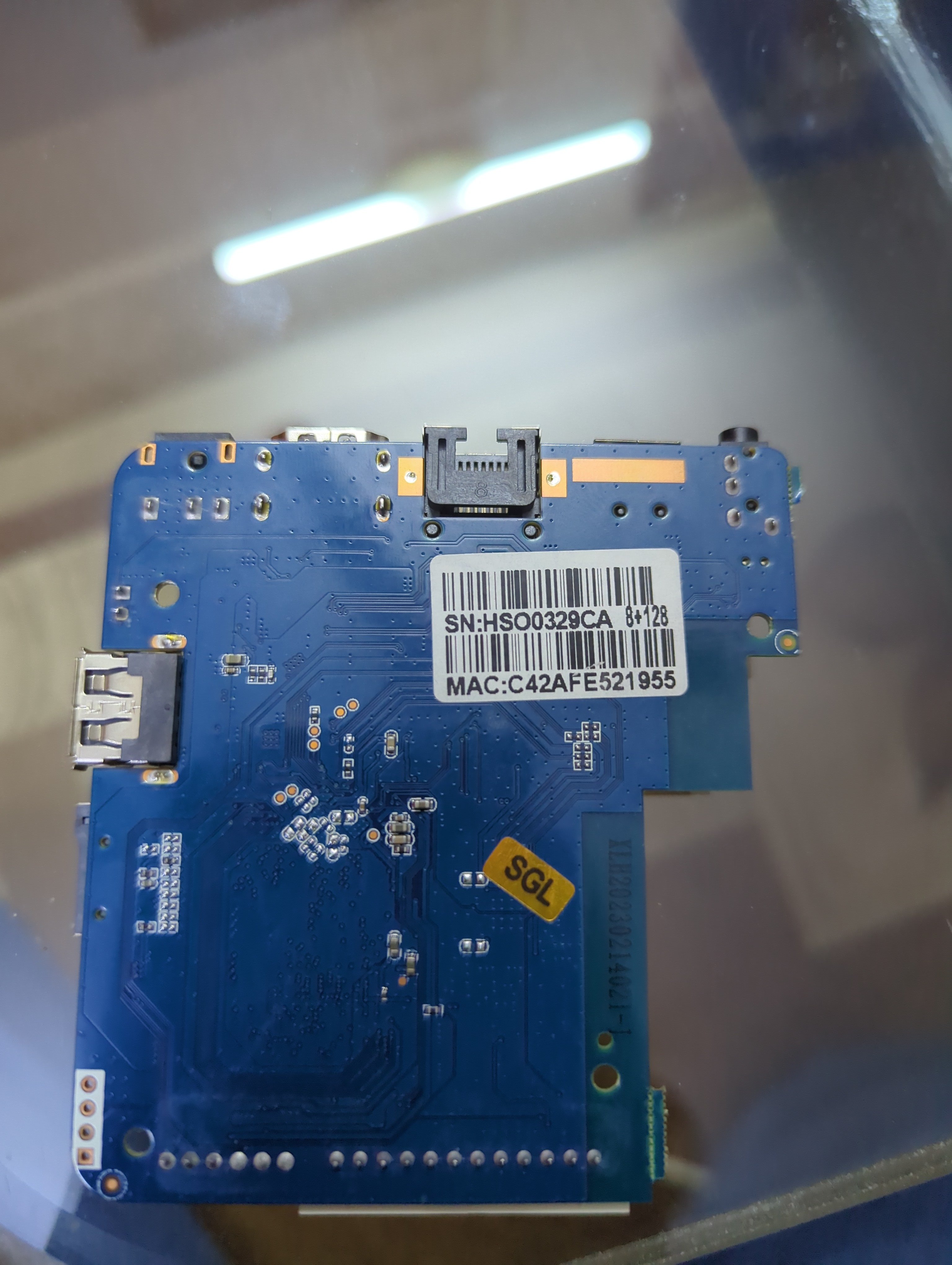
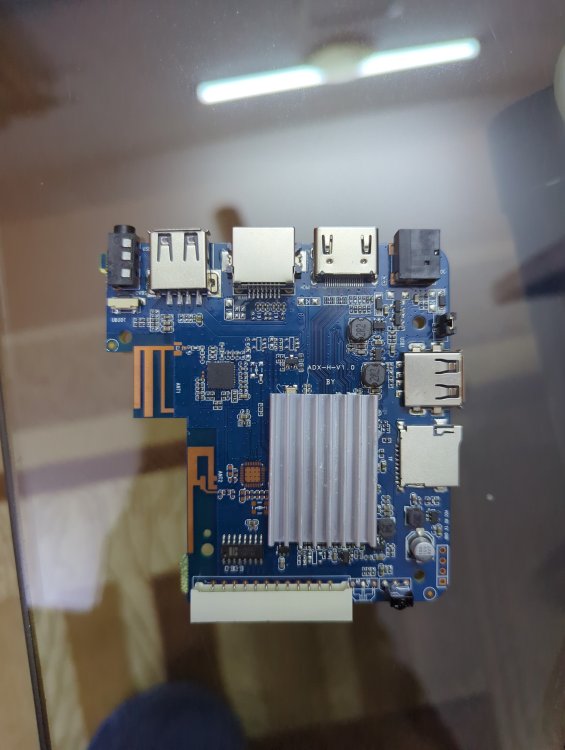
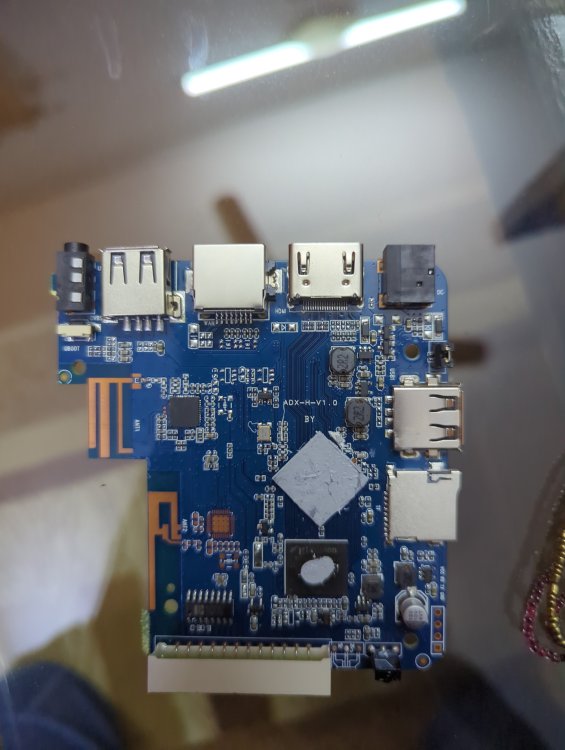
Basically it has 1 gb ROM 8gb ram h3 chip and I HAVE put many img files on SD card NONE of them boot and as soon as I take the SD card out it boots into android perfectly fine... I'm lost on words and what to do I have also tried FEL mode on linux but the request times out with error -7 power supply is 5v 2a which is fine for this so not that and I'm using a 256gb a1 rated SD card. This is from a generic Chinese tv box called meecom and it has ADX-H-V1.0 written on it. I also changed the dtb files a lot but it still gave no display or sign that it was booted into armbian idk what to do help ( btw I repasted it that's why it has no thermal putty on it)
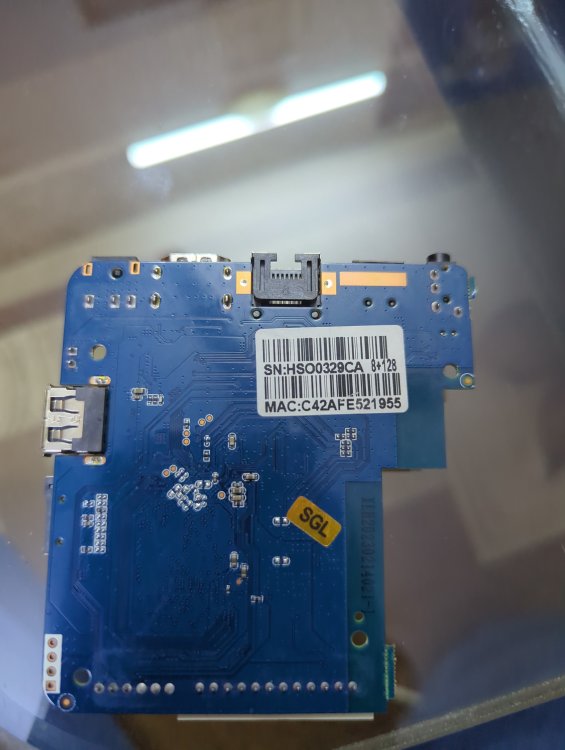
-
- Last week
-
 I haven't got my head around what the differences are with -copy options. I'm able to use drm-copy but it produces a small stutter when watching 1080p hevc content whereas drm is very smooth. As previously mentioned, drm-copy does allow mpv to display videos with problematic file widths instead of just a black screen. I don't understand it all enough to know why that is.
 -
I think building a new image is probably beyond me at the moment. I uninstalled the existing headers, rebooted and installed the updated headers and rebooted. The issue persists. I'm just going to give up on it. I don't really need to LCD display to work. I just wanted confirmation I wasn't missing something stupid. Thanks.
-

Orange Pi Zero 3 WiFi Issues (unisoc_wifi Driver)
ValdikSS replied to Thomas Waterfall's topic in Allwinner sunxi
I found a workaround: disabling BSS transition management from AP to STA seems to work. There won't be roaming on AP's request obviously. wpa_cli set disable_btm 1 or in Debian's interfaces configuration file: iface wlan0 inet dhcp wpa-ssid YourSSIDJere wpa-psk blablabla post-up wpa_cli set disable_btm 1 Regular roaming (device-initiated) still works fine. -

oops when I restart - works fine if I shut down and cold boot.
xsetiadi replied to jondowd's topic in Orange Pi 5
how do you solve this man? im also have this issue using v25.11.2 for Orange Pi 5 running Armbian Linux 6.1.115-vendor-rk35xx im using official power adapter. so i guess nothing wrong with my power. can we fix this without reinstalling the entire os? i have several running container and services. -

Vontar KK MAX / HK1 RBOX R2 / R3 - RK3566 4GB/32GB(or 64GB)
Deoptim replied to Deoptim's topic in Rockchip CPU Boxes
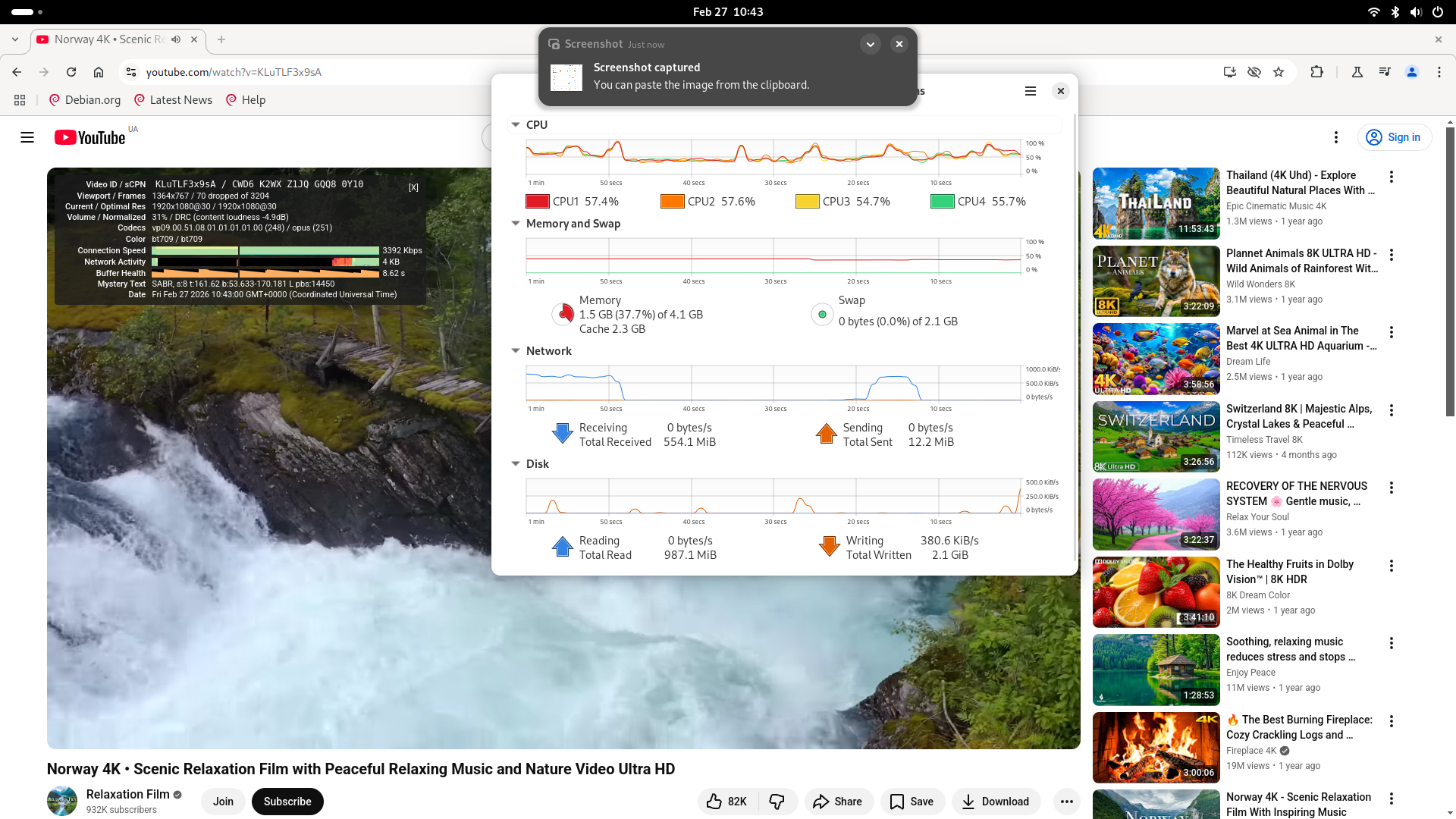
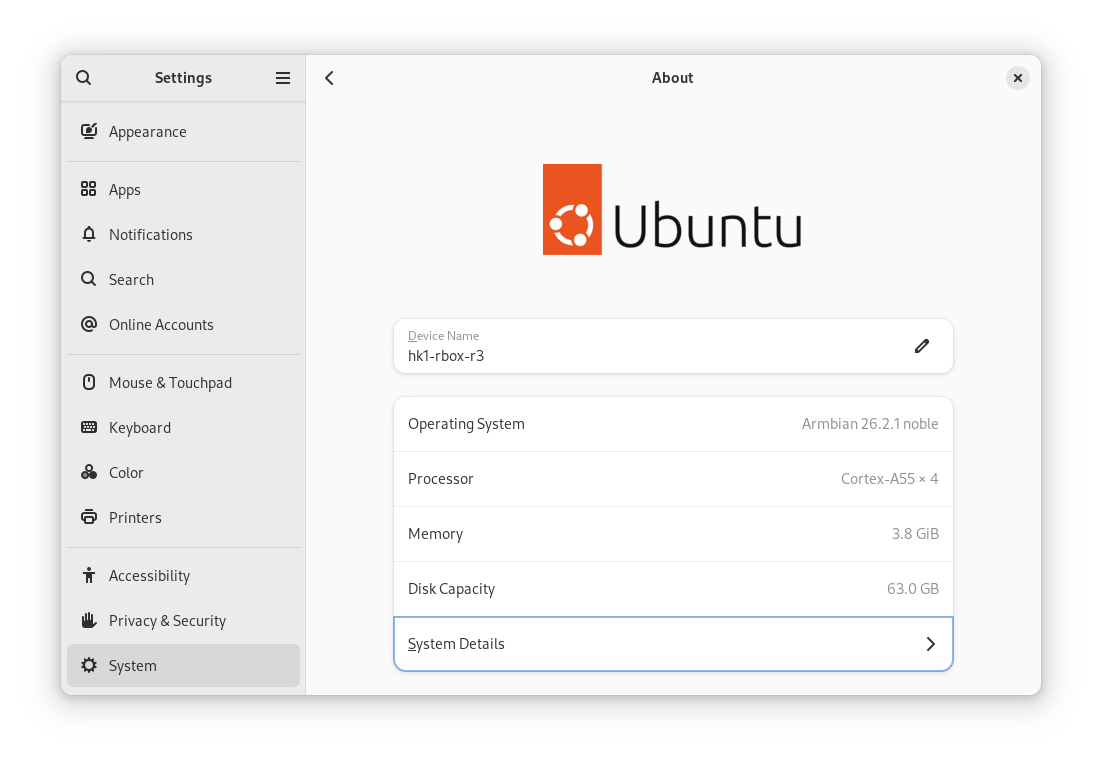
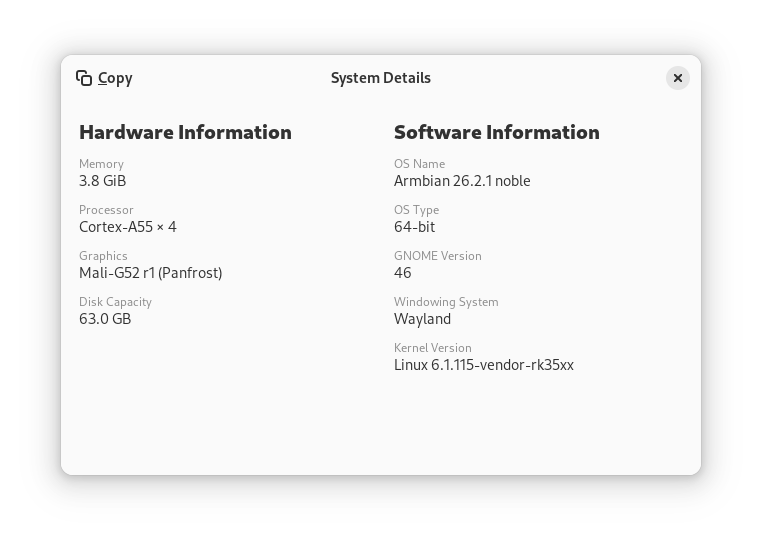
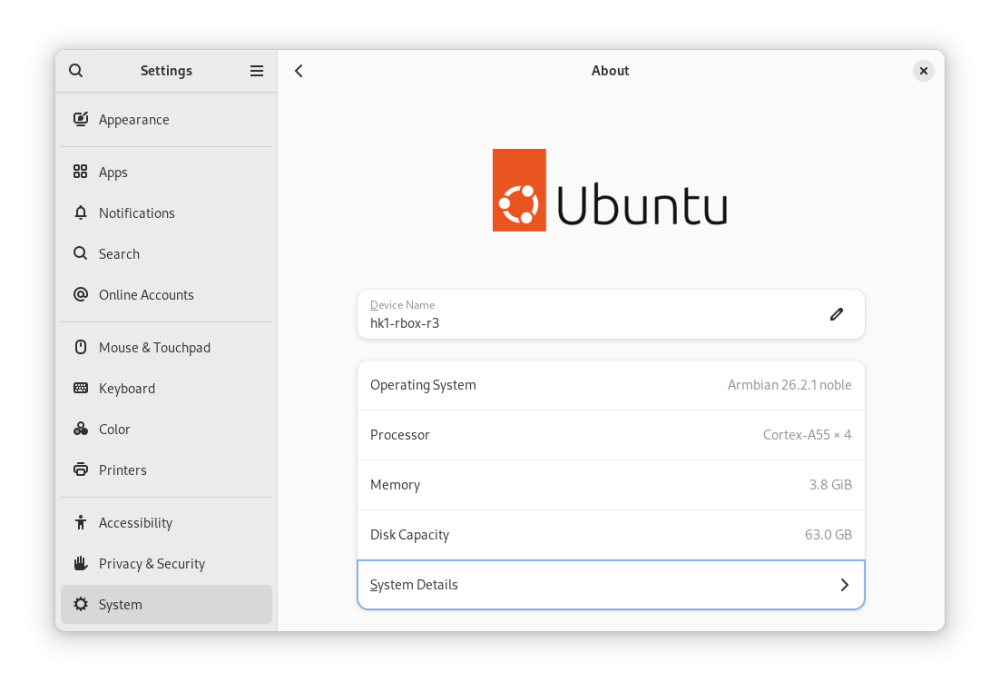
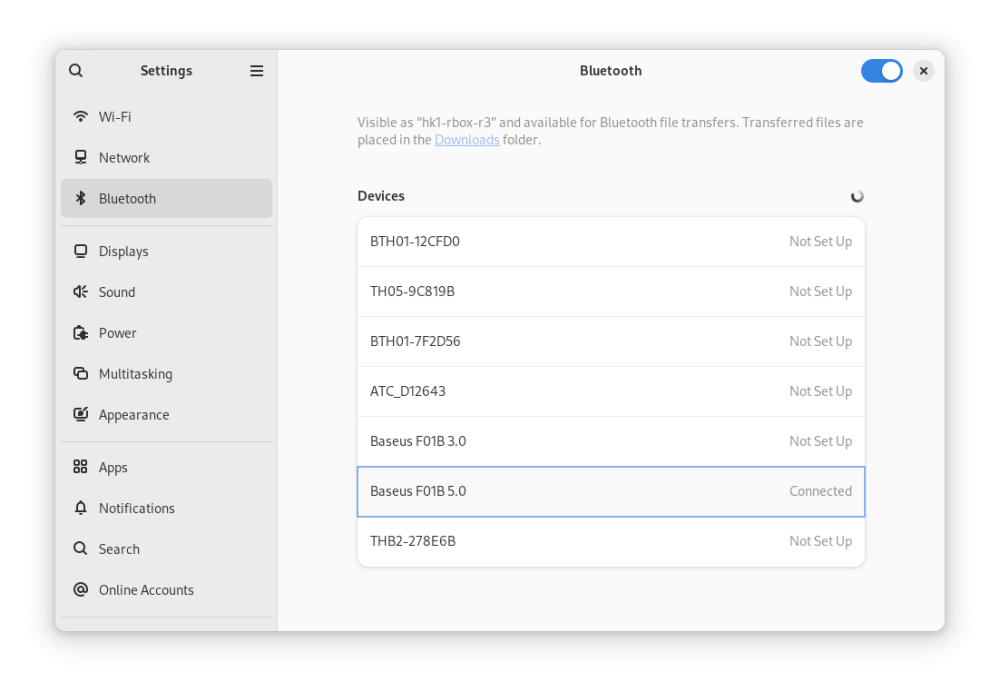
Here are the modified latest official Armbian-supported images for Radxa Zero 3W/3E. Everything works for me, including hardware-accelerated YouTube playback in Chromium (however, with a caveat): Armbian_26.2.1_hk1-rbox-r3_trixie_vendor_6.1.115_minimal.img.xz Armbian_26.2.1_hk1-rbox-r3_noble_vendor_6.1.115_gnome_desktop.img.xz MD5: 28654e87a39ac3e0b2bec4ce4211f5ca *Armbian_26.2.1_hk1-rbox-r3_noble_vendor_6.1.115_gnome_desktop.img.xz ce74829c43c6d27b02bdf314580c4dc4 *Armbian_26.2.1_hk1-rbox-r3_trixie_vendor_6.1.115_minimal.img.xz What you MUST do after installing Armbian: Freeze auto-updates for the bootloader and DTB (kernel updates are OK, except for these two packages since we use a different bootloader, not for Radxa Zero 3): sudo apt-mark hold linux-u-boot-radxa-zero3-vendor linux-dtb-vendor-rk35xx Install dependencies for hardware-accelerated playback Youtube in Chromium: sudo apt update sudo apt install chromium-codecs-ffmpeg-extra ffmpeg In Chromium, install the enhanced-h264ify extension. Then, in the extension's options, leave only AV1 disabled (i.e., enable VP8 and VP9). Screenshots: Instructions on how to modify any Armbian image yourself: Source: 4PDA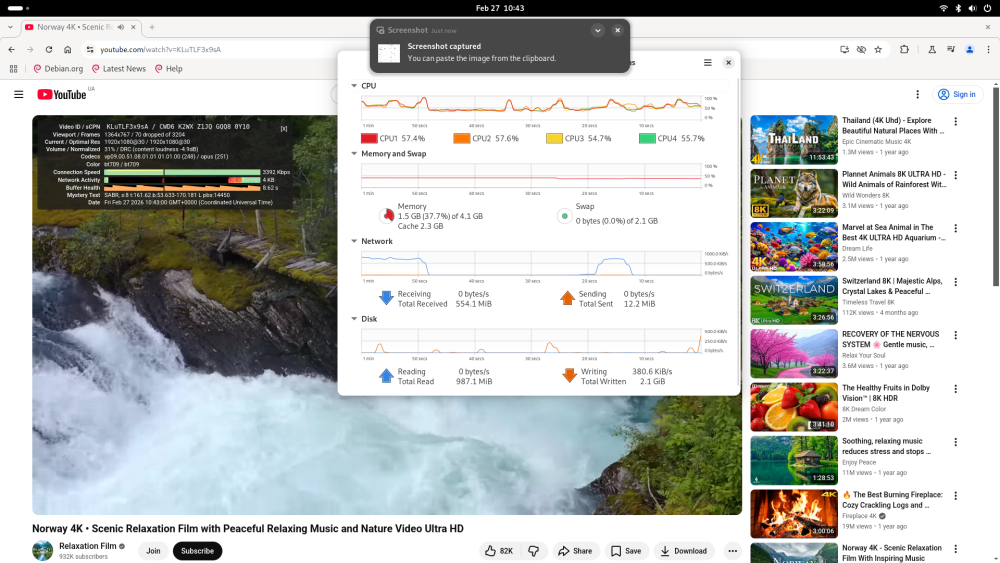
-

Armbian Debian suggestion
Fabricio Martínez Tamayo replied to Fabricio Martínez Tamayo's topic in Off-topic
I always use minimal CLI and deploy k3s. Might be the request amounts are too many or who knows. But the service hangs and stops working. Just my 2 cents.