Active threads
Showing topics posted in for the last 365 days.
- Past hour
-
I know of a way to install a specific kernel version: sudo apt install linux-image-edge-sunxi64=25.5.1 --> installs linux 6.14.8 But how do you install specifically linux 6.15.4? Also, have you checked if the newest linux version requires a dtbo to be activated in armbian-config? If you still can: compare the output of lsmod under 6.15.4 and under 6.16.8
-
 Hello Armbian team, I am working with the TQ mba8mpxl-ras314 (i.MX8MP) board and trying to use an LVDS display: AUO G150XAN02.0 (1024×768). I have built Armbian from source using: ./compile.sh build \ BOARD=mba8mpxl-ras314 \ BRANCH=current \ RELEASE=jammy \ BUILD_DESKTOP=yes \ BUILD_MINIMAL=no \ DESKTOP_ENVIRONMENT=xfce \ DESKTOP_ENVIRONMENT_CONFIG_NAME=config_base \ KERNEL_CONFIGURE=no I created a custom LVDS DTS overlay with the correct timing from the display datasheet (65 MHz pixel clock, 1024×768, proper porch and sync settings), and added it to However, after booting the image, the LVDS output still stays at 1280×800, which is the default panel configuration for the Tianma panel used in TQ’s reference device tree. The expected resolution 1024×768 does not apply, even though: The overlay compiles correctly The .dtbo file is present The build finishes successfully I am unsure whether: My overlay is not being applied The correct panel node name is different from &display Another overlay overrides mine The i.MX8MP LVDS binding needs a different structure Armbian’s mba8mpxl-ras314 base DTS is overriding the timing
 -

Driving the ili9488 LCD (4.0 inch cheap chinese clone)
robertoj replied to robertoj's topic in Allwinner sunxi
Can you share the DTS you used, to have success with the waveshare LCD? The only thing we need to extract from it are the gpio pins. And I am curious how you made a waveshare LCD work. The gpio formatting in your DTS looks very weird. Can you start with the DTS I shared? Share also which armbian and Linux version you are using. (I can only help with a Linux 6.11 or newer). If you only get a white LCD screen, it means that the LCD is not getting the right control signals in the correct pins. You don't need to try XFCE at this point. It won't work. -
Orange Pi Zero 3 Sound Problem(Lineout-Analog Codec)
robertoj replied to Taha YILDIRIM's topic in Allwinner sunxi
Can you try: * activate "analog-codec" within armbian-config * run: sudo apt install alsa-utils * run: alsamixer (text user interface to increase volume by individual output) * basic mp3 player: "sudo apt install mpg123" (instructions for orange pi zero LTS, but it may still work for opiz3) What do you mean by "image became distorted", and "kernel artifacts"? Can you build your own armbian OS with armbian build? (with Linux edge version) -
Orima, Ubuntu 22.04 is recommended, but I have no problem installing armbian build in Linux Mint 22.0. I think Debian Trixie in your laptop is too new to have the right requirements and versions for armbian build. You can build Debian Trixie for your orange pi, with no problems. Don't try to fill all the parameters in a single command line. Just download the armbian zip, "git clone" it in a new directory. Then run "./compile.sh". You will be presented with all the text user interfaces to make your board selections, linux and debian versions, etc.
- Today
-
Hello, Could you please tell me which image does not have netplan? I want to compare how much resources it uses. Thanks
-
Anyone knows how enable usb 3.0 with Radxa cubie a5e? I found cubie-a5e-enable-usb3.dts from radxa's git but could apply it. Currently I am running 26.2.0-trunk.22.
-

Getting vlc to play nice with pulseaudio
Popolon replied to Reluctant Linux User's topic in Radxa Rock 5 ITX
I'm not sure vulkan is the best solution, RK3588, as most ARM SoCs has a dedicated video engine, vulkan is mainly needed on hardware without dedicated engine, using graphic card to decode, as it's often the case in x86_64 worlld. You can then including it's decoding in vulkan if you want. Don't know wich version of kernel/mesa/video decoder you use. The best, is to remove all dedicated package, and use system one, today, everything work fine with standard linux kernel, as armbian one, standard video tools, rockchip specific libs/video tools was used with rockchip made tools, until everything was mainlined. I don' use VLC, that needs specific libs, but mpv, or several other video players (including firefox one), and everything plays fine. -
I dont know how to do that, sorry!
-
 Thanks Robertoj All the documentation for the board is here https://github.com/zharijs/zmxxxp-re But the LCD is not an himax-hx8394. The screen is a "MTF0397SWI-06" using the chip OTM8019A. It just that I am starting from this driver to port the sunxi driver: sl698ph_720p. I will now look at your links.
 -
 Tried this with a Ubuntu PC today, and have the same result. lsblk shows one partition.
 -

Yoka TV kb2 pro installation instructions
Atorres replied to Jamie Swoish's topic in Amlogic CPU Boxes
I followed your tutorial, and it works! I did it with a server image instead. But I was not able to make Wifi work. Did you manage to connect to the Wifi? -
 Thanks! This fixed the issue!
 -
Hi again, So sorry to have left this hanging, due to lack of time. I have been trying successive updates since posting this, without the issue being resolved, but have now confirmed that this is kernel or device-tree related. Using armbian-config to load kernels, I can say that the problem originated some time between kernel 6.1.104 (02/02/2025) and 6.6.750 (03/02/25). dmesg output looks similar with and without the problem, as does /proc/device-tree, but I can post any specific output here if anyone can suggest what to look for. 6.6.750 keeps the backlight and a noisy/gray screen, while the screen is black (with backlight showing in the corners) with later kernels, suggesting a further change around 6.12 (tbc) Unfortunately I can't see where to find any armbian intermediate kernels / device-trees, so would be very happy if someone could point me at a repo. where they might be available. Failing that I can try to locate kernels from alternative sources, or compile my own, but it would be good if I could keep as much the same as possible (including any Armbian patches and the armbian dt packages.)
-
Installation Instructions for TV Boxes with Amlogic CPUs
John Taylor replied to SteeMan's topic in FAQ
Furthermore, today I built an Ubuntu desktop PC, and flashed a build onto an SD Card. The resultant installation has only ONE partition. No Windows involvement whatsoever Same with a USB flash drive (to eliminate the SD card adapter). So where do we go from here? -
 Thank you! I've been unable to give this a crack over the last couple of days, but I'm hoping to try this weekend. I'll post back here with how I go
 -

How to use OrangePi 5 Plus's NPU for Image Generation?
usual user replied to Johson's topic in Beginners
FWIW, on my rk3588 devices the NPUs are working with recent mainline releases: [ 5.967316] [drm] Initialized rocket 0.0.0 for rknn on minor 0 [ 5.975499] rocket fdab0000.npu: Rockchip NPU core 0 version: 1179210309 [ 5.978652] rocket fdac0000.npu: Rockchip NPU core 1 version: 1179210309 [ 5.985602] rocket fdad0000.npu: Rockchip NPU core 2 version: 1179210309 This script runs the Mesa example with the latest available working versions: And with this script, the Mesa example runs, with a small adjustment, also with the TFLite successor LiteRT: A MediaPipe sample can also be set up easily: But unfortunately, the MediaPipe framework does not support the extended delegate functionality of LiteRT (TFLite). And therefore no NPU support. classification-3.11-tflite.logclassification-3.13-litert.logobject_detection-3.12-litert.log -
you may actually want to extract the dtb file on the android side of the tvbox you have just to get the OS to get recognize that chipset (but may not work due to missing driver).The odds for this kind of tv box to have a working wifi chipset is a lottery, most likely you better off not waste that effort and just buy a USB WiFi dongle instead, at least it works far better than a SDIO based wifi chipset like that.
- Yesterday
-
I'll try. So far, just booting the board did not work. I suppose it does need mainline uboot. Need to figure out this fdt stuff somehow too...
-
Wonderful.
-
 Yes. We should add `pahole` as a dependency of the linux-headers package, otherwise during headers install, the `.config` is different from the image build, leading to all kinds of sad. While we might fix the future, unfortunately, installing pahole manually (and removing/re-installing the linux-headers package) is the only way forward for versions already out of the door.
 -
@Mayuyu, Here is the download link for the MiniArch-20231112-6.6.2-board-h313.x96_q-SD-Image.img file. It will remain available for 7 days: https://www.transfernow.net/dl/20251204LnfNp5iz
-
Previously we provided Cinnamon. Which we find out, few days before release, that is broken (beyond quick repair). I just delete already prepared images, nothing else could be done. General problem is that we don't have anyone keeping an eye on desktops. It is vanilla Debian - we only add branding. I personally use Ubuntu LTS Gnome and that's I fix in case something shows up.
-
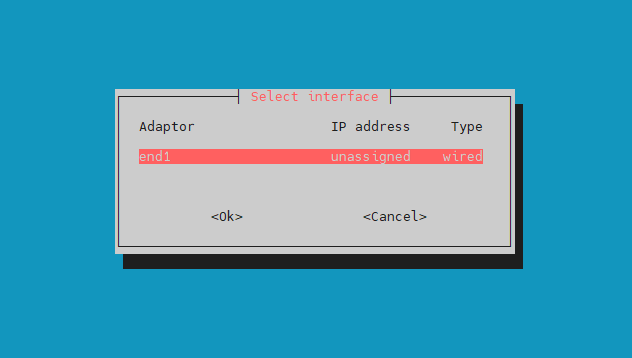
So, I bought a good TTL adapter and managed to capture the boot log after flashing the device. I hope I can get some help now! don't know if this is correct or not. For some reason, the device isn't receiving an IP address on the local network. Is there a DHCP client issue? Another device, a Luckfox Pico Pro Max, receives an IP address without any problems after a firmware update with the same firmware installed. root@luckfox-lyra-ultra-w:~# ip a 1: lo: <LOOPBACK,UP,LOWER_UP> mtu 65536 qdisc noqueue state UNKNOWN group default qlen 1000 link/loopback 00:00:00:00:00:00 brd 00:00:00:00:00:00 inet 127.0.0.1/8 scope host lo valid_lft forever preferred_lft forever inet6 ::1/128 scope host noprefixroute valid_lft forever preferred_lft forever 2: end1: <BROADCAST,MULTICAST> mtu 1500 qdisc noop state DOWN group default qlen 1000 link/ether 02:95:55:d5:00:1c brd ff:ff:ff:ff:ff:ff altname enx029555d5001c root@luckfox-lyra-ultra-w:~# root@luckfox-lyra-ultra-w:~# ip route root@luckfox-lyra-ultra-w:~# sudo ip address add 192.168.1.111/24 dev end1 root@luckfox-lyra-ultra-w:~# sudo ip link set end1 up RTNETLINK answers: Cannot allocate memory root@luckfox-lyra-ultra-w:~# root@luckfox-lyra-ultra-w:~# free total used free shared buff/cache available Mem: 502048 61416 312852 1120 140100 440632 Swap: 251020 0 251020 root@luckfox-lyra-ultra-w:~# sudo ip route add default via 192.168.1.1 Error: Nexthop has invalid gateway. root@luckfox-lyra-ultra-w:~# root@luckfox-lyra-ultra-w:~# dhclient -bash: dhclient: command not found root@luckfox-lyra-ultra-w:~# dhcpcd -bash: dhcpcd: command not found root@luckfox-lyra-ultra-w:~# nmcli device status -bash: nmcli: command not found root@luckfox-lyra-ultra-w:~# rfkill ID TYPE DEVICE SOFT HARD 0 bluetooth bt_default blocked unblocked LOG dmesg root@luckfox-lyra-ultra-w:~# dmesg [ 12.347098] systemd[1]: netplan-ovs-cleanup.service - OpenVSwitch configuration for cleanup was skipped because of an unmet condition check (ConditionFileIsExecutable=/usr/bin/ovs-vsctl). [ 12.348163] systemd[1]: systemd-hibernate-clear.service - Clear Stale Hibernate Storage Info was skipped because of an unmet condition check (ConditionPathExists=/sys/firmware/efi/efivars/HibernateLocation-8cf2644b-4b0b-428f-9387-6d876050dc67). [ 12.378655] systemd[1]: Starting systemd-modules-load.service - Load Kernel Modules... [ 12.405293] systemd[1]: Starting systemd-network-generator.service - Generate network units from Kernel command line... [ 12.406603] systemd[1]: systemd-pcrmachine.service - TPM PCR Machine ID Measurement was skipped because of an unmet condition check (ConditionSecurity=measured-uki). [ 12.407623] systemd[1]: systemd-tpm2-setup-early.service - Early TPM SRK Setup was skipped because of an unmet condition check (ConditionSecurity=measured-uki). [ 12.440229] cpu cpu0: bin=0 [ 12.440299] cpu cpu0: leakage=4 [ 12.440367] cpu cpu0: Failed to get reg [ 12.440386] cpu cpu0: soc version=0, speed=0 [ 12.440498] cpu cpu0: failed to set opp config [ 12.440514] cpu cpu0: failed to init opp info [ 12.446781] systemd[1]: Starting systemd-udev-load-credentials.service - Load udev Rules from Credentials... [ 12.478445] systemd[1]: Starting systemd-udev-trigger.service - Coldplug All udev Devices... [ 12.543552] cpu cpu0: bin=0 [ 12.543616] cpu cpu0: leakage=4 [ 12.543688] cpu cpu0: Failed to get reg [ 12.543707] cpu cpu0: soc version=0, speed=0 [ 12.543811] cpu cpu0: failed to set opp config [ 12.543825] cpu cpu0: failed to init opp info [ 12.546917] systemd[1]: Mounted dev-mqueue.mount - POSIX Message Queue File System. [ 12.548819] systemd[1]: Mounted run-lock.mount - Legacy Locks Directory /run/lock. [ 12.557284] systemd[1]: Mounted sys-kernel-debug.mount - Kernel Debug File System. [ 12.561114] systemd[1]: fake-hwclock-load.service: Deactivated successfully. [ 12.565736] systemd[1]: Finished fake-hwclock-load.service - Restore the current clock. [ 12.626730] systemd[1]: Finished kmod-static-nodes.service - Create List of Static Device Nodes. [ 12.646891] cpu cpu0: bin=0 [ 12.646961] cpu cpu0: leakage=4 [ 12.647033] cpu cpu0: Failed to get reg [ 12.647052] cpu cpu0: soc version=0, speed=0 [ 12.647166] cpu cpu0: failed to set opp config [ 12.647182] cpu cpu0: failed to init opp info [ 12.647807] systemd[1]: modprobe@configfs.service: Deactivated successfully. [ 12.650302] systemd[1]: Finished modprobe@configfs.service - Load Kernel Module configfs. [ 12.655510] systemd[1]: modprobe@drm.service: Deactivated successfully. [ 12.658127] systemd[1]: Finished modprobe@drm.service - Load Kernel Module drm. [ 12.665290] systemd[1]: modprobe@efi_pstore.service: Deactivated successfully. [ 12.668129] systemd[1]: Finished modprobe@efi_pstore.service - Load Kernel Module efi_pstore. [ 12.672568] systemd[1]: modprobe@fuse.service: Deactivated successfully. [ 12.675374] systemd[1]: Finished modprobe@fuse.service - Load Kernel Module fuse. [ 12.682766] systemd[1]: Finished systemd-modules-load.service - Load Kernel Modules. [ 12.687615] systemd[1]: Finished systemd-network-generator.service - Generate network units from Kernel command line. [ 12.694297] systemd[1]: Finished keyboard-setup.service - Set the console keyboard layout. [ 12.697519] systemd[1]: Finished systemd-udev-load-credentials.service - Load udev Rules from Credentials. [ 12.704996] systemd[1]: Reached target network-pre.target - Preparation for Network. [ 12.706087] systemd[1]: sys-fs-fuse-connections.mount - FUSE Control File System was skipped because of an unmet condition check (ConditionPathExists=/sys/fs/fuse/connections). [ 12.712801] systemd[1]: Mounting sys-kernel-config.mount - Kernel Configuration File System... [ 12.713450] systemd[1]: systemd-fsck-root.service - File System Check on Root Device was skipped because of an unmet condition check (ConditionPathExists=!/run/initramfs/fsck-root). [ 12.737667] systemd[1]: Starting systemd-remount-fs.service - Remount Root and Kernel File Systems... [ 12.750229] cpu cpu0: bin=0 [ 12.750306] cpu cpu0: leakage=4 [ 12.750383] cpu cpu0: Failed to get reg [ 12.750404] cpu cpu0: soc version=0, speed=0 [ 12.750519] cpu cpu0: failed to set opp config [ 12.750537] cpu cpu0: failed to init opp info [ 12.758268] systemd[1]: Starting systemd-sysctl.service - Apply Kernel Variables... [ 12.781710] systemd[1]: Starting systemd-tmpfiles-setup-dev-early.service - Create Static Device Nodes in /dev gracefully... [ 12.840144] systemd[1]: Mounted sys-kernel-config.mount - Kernel Configuration File System. [ 12.853542] cpu cpu0: bin=0 [ 12.853637] cpu cpu0: leakage=4 [ 12.853712] cpu cpu0: Failed to get reg [ 12.853733] cpu cpu0: soc version=0, speed=0 [ 12.853846] cpu cpu0: failed to set opp config [ 12.853863] cpu cpu0: failed to init opp info [ 12.892411] EXT4-fs (mmcblk0p1): re-mounted. Quota mode: disabled. [ 12.900244] systemd[1]: Finished systemd-remount-fs.service - Remount Root and Kernel File Systems. [ 12.912688] systemd[1]: systemd-hwdb-update.service - Rebuild Hardware Database was skipped because of an unmet condition check (ConditionNeedsUpdate=/etc). [ 12.913688] systemd[1]: systemd-pstore.service - Platform Persistent Storage Archival was skipped because of an unmet condition check (ConditionDirectoryNotEmpty=/sys/fs/pstore). [ 12.922292] systemd[1]: Starting systemd-random-seed.service - Load/Save OS Random Seed... [ 12.922949] systemd[1]: systemd-tpm2-setup.service - TPM SRK Setup was skipped because of an unmet condition check (ConditionSecurity=measured-uki). [ 12.938881] systemd[1]: Finished systemd-sysctl.service - Apply Kernel Variables. [ 12.956894] cpu cpu0: bin=0 [ 12.956960] cpu cpu0: leakage=4 [ 12.957030] cpu cpu0: Failed to get reg [ 12.957050] cpu cpu0: soc version=0, speed=0 [ 12.957152] cpu cpu0: failed to set opp config [ 12.957167] cpu cpu0: failed to init opp info [ 13.018349] systemd[1]: Finished systemd-tmpfiles-setup-dev-early.service - Create Static Device Nodes in /dev gracefully. [ 13.020159] systemd[1]: systemd-sysusers.service - Create System Users was skipped because no trigger condition checks were met. [ 13.033094] systemd[1]: Starting systemd-resolved.service - Network Name Resolution... [ 13.054629] systemd[1]: Starting systemd-timesyncd.service - Network Time Synchronization... [ 13.060388] cpu cpu0: bin=0 [ 13.060461] cpu cpu0: leakage=4 [ 13.060544] cpu cpu0: Failed to get reg [ 13.060569] cpu cpu0: soc version=0, speed=0 [ 13.060693] cpu cpu0: failed to set opp config [ 13.060713] cpu cpu0: failed to init opp info [ 13.088211] systemd[1]: Starting systemd-tmpfiles-setup-dev.service - Create Static Device Nodes in /dev... [ 13.163561] cpu cpu0: bin=0 [ 13.163630] cpu cpu0: leakage=4 [ 13.163703] cpu cpu0: Failed to get reg [ 13.163724] cpu cpu0: soc version=0, speed=0 [ 13.163836] cpu cpu0: failed to set opp config [ 13.163854] cpu cpu0: failed to init opp info [ 13.266907] cpu cpu0: bin=0 [ 13.266976] cpu cpu0: leakage=4 [ 13.267049] cpu cpu0: Failed to get reg [ 13.267070] cpu cpu0: soc version=0, speed=0 [ 13.267184] cpu cpu0: failed to set opp config [ 13.267200] cpu cpu0: failed to init opp info [ 13.274715] systemd[1]: Finished systemd-udev-trigger.service - Coldplug All udev Devices. [ 13.289922] systemd[1]: Finished systemd-tmpfiles-bin=0 [ 13.473591] cpu cpu0: leakage=4 in=0 [ 13.473591] cpu cpu0: leakage=4 in=0 [ 13.473591] cpu cpu0: leakage=4 in=0 [ 13.473591] cpu cpu0: leakage=4 [ 13.473658] cpu cpu0: Failed to get re[32m[ 13.473658] cpu cpu0: Failed to get re[32m[ 13.473658] cpu cpu0: Failed to get re[32m[ 13.473658] cpu cpu0: Failed to get re[32m[ 13.473658] cpu cpu0: Failed to get re[32m[ 13.473658] cpu cpu0: Failed to get re[32m[ 13.m[ 13.473677] cpu cpu0: soc version=g [ 13.473677] cpu cpu0: soc version=g [ 13.473677] cpu cpu0: soc version=g [ 13.473677] cpu cpu0: soc version=g [ 13.473677] cpu cpu0: soc version=g [ 13.473677] cpu cpu0: soc version=g [ 13.473677] cpu cpu0: soc version=0, speed=0 [ 13.473789] cpu cpu0: fa] systemd[1]: systemd-binfmt.service - S13.735411] systemd[1k_gmac-dwmac ff4d0000.ethernet: Idded device: zram1ndystemd-binfmt.service - S13.735411rk_gmac-dwmac ff4d0000.ethernet: Can not read property: tx_delay.stemd-binfmt.service -[ 14.659770] rk_gmac-dwmac ff4d0000.ethernet: set tx_delay to 0xffffffffmac ff4d0000.eth9783] rk_gmac-dwmac ff4d0000.ethernet 14.659829] rk_gmac-dwmac ff4d0000.ethernet: rk_gmac-dwmac ff4d0000.ethernet: rk_gmac-dwmac ff4d000014.659842] cannot get clock mac_clk_rxbecause of an unmeet Up Additional Binary Formats was skipped because of an unme[ 14.659842] cannot get clock mac_clk_rxd because of an unmeet Up Additional Binary F[ 14.659842] cannot get clock mac_clk_rx Additional Binary Formats was skipped becaus[ 14.659842] cannot get clock mac_clk_rxthIsMountPoint=/proc/sys/fs/binft condition c[ 14.659842] cannot get clock mac_clk_rxfs/binft condition check (ConditionPathIsMoun[ 14.659842] cannot get clock mac_clk_rx(ConditionPathIsMountPoint=/proc/sys/fs/binft[ 14.659842] cannot -dwmac ff4d0000.ethernet: cannot get clock m3mrk_gmac-dwmac ff4d0000.ethernet: cannot get clock m3mrk_gmac-dwmac ff4d0000.ethernet: cannot get clock m3mrk_gmac-dwmac ff4d0000.ethernet: cannot get clock m3mrk_gmac-dwmac ff4d0000.ethernet: cannot get clock m3mrk_gmac-dwmac ff4d0000.ethernet: cannot get clock m3mrk_gmac-dwmac ff4d0000.etherneition check (ConditionFirstBoot=yhine-id-commit.service - Savservice - Journal Service.[WLAN_RFKILL]: Enter rfkill_wlan_init [ 18.132686] systeservice - Journal Service._parse_dt: uart_rts_gpios is no-in-use. [ 18.132686] systeservice - Journal Service. [ 18.132686] systeservice - Journal Service. [ 18.132686] systeservice - Journal Service. [ 18.132686] systeservice - Journal Service. [ 18.132686] systemd-journald[441]: Received client request to flush runtimemd-journald[441]: Received client request to flush runtimemd-journald[441]: Received client request to flush runtimemd-journald[441]: Received client request to flush runtimemd-journald[441]: Received client request to flush runtimemd-journald[441]: Received client request to flush runtimemd-journald[441]: 19.662697] systemd-journald[441]: journal. [ 19.662697] systemd-journald[441]: journal.ut/input0 [ 19.662697] systemd-journald[441]: journal.ut/input0 [ 19.662697] systemd-journald[441]: journal.ut/input0 [ 19.662697] systemd-journald[441]: journal.ut/input0 [ 19.662697] systemd-journald[441]: journal. bound 14.996070] rockchip-drm display-su[ 19.662697] systemd-journald[441]: Received client request to relinquish /var/log/journal/c2gsubsystem: bound 14.996070] rockchip-drm display-subsystem: bound 14.996070] r[ 25.083239] platform ff4a8000.sai: defg6070] rockchip-drm display-subsystem: bound f[ 25.083239] platform ff4a8000.sai: defg [ 25.083239] platform ff4a8000.sai: defg: first-boot-complete.target - First Boot Com[ 25.083239] platform ff4a8000.sai: deferred probe pendingomplete was skipped becauseroot@luckfox-lyra-ultra-w:~# erred probe pending=yes). root@luckfox-lyra-ultra-w:~# erred probe pending root@luckfox-lyra-ultra-w:~# erred probe pending root@luckfox-lyra-ultra-w:~# erred probe pending root@luckfox-lyra-ultra-w:~# erred probe pending root@luckfox-lyra-ultra-w:~# erred probe pending root@luckfox-lyra-ultra-w:~# erred probe pending root@luckfox-lyra-ultra-w:~# erred probe pending root@luckfox-lyra-ultra-w:~# erred probe pending root@luckfox-lyra-ultra-w:~# erred probe pending root@luckfox-lyra-ultra-w:~# erred probe pending root@luckfox-lyra-ultra-w:~# erred probe pending root@luckfox-lyra-ultra-w:~# erred probe pending root@luckfox-lyra-ultra-w:~# erred probe pending root@luckfox-lyra-ultra-w:~# erred probe pending root@luckfox-lyra-ultra-w:~# erred probe pending root@luckfox-lyra-ultra-w:~# erred probe pending root@luckfox-lyra-ultra-w:~# erred probe pending root@luckfox-lyra-ultra-w:~# erred probe pending root@luckfox-lyra-ultra-w:~# erred probe pending root@luckfox-lyra-ultra-w:~# erred probe pending root@luckfox-lyra-ultra-w:~# erred probe pending root@luckfox-lyra-ultra-w:~# erred probe pending root@luckfox-lyra-ultra-w:~# erred probe pending root@luckfox-lyra-ultra-w:~# erred probe pending root@luckfox-lyra-ultra-w:~# erred probe pending root@luckfox-lyra-ultra-w:~# erred probe pending root@luckfox-lyra-ultra-w:~# erred probe pending root@luckfox-lyra-ultra-w:~# erred probe pending root@luckfox-lyra-ultra-w:~# erred probe pending root@luckfox-lyra-ultra-w:~# erred probe pending root@luckfox-lyra-ultra-w:~# erred probe pending root@luckfox-lyra-ultra-w:~# erred probe pending root@luckfox-lyra-ultra-w:~# erred probe pending root@luckfox-lyra-ultra-w:~# erred probe pending root@luckfox-lyra-ultra-w:~# erred probe pending root@luckfox-lyra-ultra-w:~# erred probe pending root@luckfox-lyra-ultra-w:~# erred probe pending root@luckfox-lyra-ultra-w:~# erred probe pending root@luckfox-lyra-ultra-w:~# erred probe pending root@luckfox-lyra-ultra-w:~# erred probe pending root@luckfox-lyra-ultra-w:~# erred probe pending root@luckfox-lyra-ultra-w:~# erred probe pending root@luckfox-lyra-ultra-w:~# erred probe pending root@luckfox-lyra-ultra-w:~# erred probe pending root@luckfox-lyra-ultra-w:~# erred probe pending root@luckfox-lyra-ultra-w:~# erred probe pending root@luckfox-lyra-ultra-w:~# erred probe pending root@luckfox-lyra-ultra-w:~# erred probe pending root@luckfox-lyra-ultra-w:~# erred probe pending root@luckfox-lyra-ultra-w:~# erred probe pending root@luckfox-lyra-ultra-w:~# erred probe pending root@luckfox-lyra-ultra-w:~# erred probe pending root@luckfox-lyra-ultra-w:~# erred probe pending root@luckfox-lyra-ultra-w:~# erred probe pending root@luckfox-lyra-ultra-w:~# erred probe pending root@luckfox-lyra-ultra-w:~# erred probe pending