All Activity
- Past hour
-
 That is at least the same base release (2024.01) from U-Boot as my Allwinner H3 boards, but old 32-bit ones. If it would be something like 2017.09 that would point to vendor legacy as older Rockchips might still use that. So I think you would need to look at live kernel logs at power-on and see where it stalls. It might be for example a swap in mmcblk numbers (SD-card v.s. eMMC), just an example. I have also seen many things related to powering as well, or some clock wrong (maybe too high for storage HW, whatever). USB serial console/debug cables cost about 1 euro nowadays, so I once just ordered 10-pack, standard connected one to most SBC's.
 -
 root@bpim2u:~# sudo dd if=/dev/mmcblk0 count=32k | strings | grep "U-Boot SPL" U-Boot SPL 2024.01_armbian-2024.01-S866c-P7738-Hadc5-Vc46c-B2eb2-R448a (Feb 20 2026 - 04:58:43 +0000)
 - Today
-
It would save you (and others) a lot of time if you would have a USB serial console/debug cable and with verbosity=7 in armbianEnv.txt I actually only got triggered because of 'Btrfs' in the topic title, but it might be a totally unrelated issue. Also note that besides the kernel provided .dtb file (is in /boot/dtb but and same file is also somewhere in /usr/lib/linux-image-<KVER> ), U-Boot has its own DeviceTree version/variant. Might be older, newer, broken, incomplete, vendor, mainline, patched, custom. So what U-Boot is loaded/used, also is important to know. Extract that info from SD-card where the U-Boot blob is written (sits at fixed sector offset, between partition table and 1st partition). You can look into U-Boot writing scripts to get to know the offset for Allwinner, but something like this is quicker:
-
thanks, it is settled now, apt-get update behaves normally.
-
Hello @VBB, those log snippets show no reason why system can freeze. Recompling bcmdhd internal SDIO Wifi driver on kernel updates works as intended. Disabling lightdm and enabling gdm3 is part of the spacemit-gpu-addon.sh you run - gdm3 is the display-manager to use if you want a DM with Wayland (b/c only Wayland works with those closed source GPU stuff). If it's stuck, just rise the loglevel= in /boot/extlinux/extlinux.conf for more output or simply download one of my images and retry running that script (Image -> https://privat-in.de under "Downloads"). HTH // Sven-Ola
-
thanks, after sudo dpkg --remove-architecture i386 it sped up a little bit, can be marked solved? (it still takes too long, but that may be realted to the sbc or the software installed.) Es wurden 378 kB in 2 min 25 s geholt (2.606 B/s).
-
dont understand what you mean, was i posting AI? sudo apt-get update on my sbc takes 2min 22sec to complete, and it queries i386 packages, which are not called for, since the sbc is arm64. sudo rm -r /etc/apt/sources.list.d/ armbian-config.sources armbian.sources ubuntu.sources cat /etc/os-release PRETTY_NAME="Armbian 26.2.1 noble" NAME="Ubuntu" VERSION_ID="24.04" VERSION="24.04 LTS (Noble Numbat)" VERSION_CODENAME=noble ID=ubuntu ID_LIKE=debian HOME_URL="https://www.armbian.com" SUPPORT_URL="https://forum.armbian.com" BUG_REPORT_URL="https://www.armbian.com/bugs" PRIVACY_POLICY_URL="https://www.armbian.com" UBUNTU_CODENAME=noble LOGO="armbian-logo" ARMBIAN_PRETTY_NAME="Armbian 26.2.1 noble" uname -a Linux pine64 6.12.58-current-sunxi64 #3 SMP Thu Nov 13 20:34:41 UTC 2025 aarch64 aarch64 aarch64 GNU/Linux
-
 meco any update on this? dual NVME also does not work on non vendor kernels as well as second HDMI port.
 - Yesterday
-
I am getting closer to resolving this issue ... I took the latest image Armbian_community_26.2.0-trunk.732_Bananapim2ultra_noble_current_6.18.22_xfce_desktop.img.xz, flashed it, and it hung on Begin: Running /scripts/local-premount ... Scanning for Btrfs filesystems Removed microsd and replaced file sun8i-r40-bananapi-m2-ultra.dtb in /boot-dtb folder with file supplied with linux-image-6.1.24-sunxi kernel. And do you know what ? It successfully booted up after this change!
-
 @Sergioclr I remember someone was able to get Ethernet working by changing 16 to 0. There's two locations ethernet-phy@16 and reg = <16>; +&mdio1 { + rmii_phy: ethernet-phy@0 { + compatible = "ethernet-phy-ieee802.3-c22"; + reg = <0>; + }; +};
 -

SV6256P WiFi Now Working on Linux 6.x (Armbian Tested)
Vinicius Guastala replied to Kevin su's topic in Allwinner CPU Boxes
45mbps Down / 4.5mbps UP with device more closer to the router root@rk322x-box:~# speedtest Retrieving speedtest.net configuration... Testing from Vivo (REDACTED)... Retrieving speedtest.net server list... Selecting best server based on ping... Hosted by Redel Internet (Balneário Camboriu) [424.68 km]: 23.94 ms Testing download speed................................................................................ Download: 45.84 Mbit/s Testing upload speed...................................................................................................... Upload: 4.46 Mbit/s -
SV6256P WiFi Now Working on Linux 6.x (Armbian Tested)
Vinicius Guastala replied to Kevin su's topic in Allwinner CPU Boxes
here is the module driver files only for the 6.18.23-current-rockchip kernel. It works for the rk3228a cpu, but it might work for other CPUs that can run the rk32xx-box as well... Download files from https://github.com/viny182/ssv6x5x_compiled_for_6.18.23-current-rockchip then: # 1. Install Firmware and Driver sudo cp ./ssv6x5x-wifi.cfg /lib/firmware/ sudo cp ./ssv6x5x-sw.bin /lib/firmware/ sudo cp ./ssv6x5x.ko /lib/modules/$(uname -r)/kernel/drivers/net/wireless/ sudo depmod -a # 2. Force Firmware Path and Reload echo 'options ssv6x5x stacfgpath="/lib/firmware/ssv6x5x-wifi.cfg" cfgfirmwarepath="/lib/firmware/ssv6x5x-sw.bin"' | sudo tee /etc/modprobe.d/ssv6x5x.conf sudo rmmod ssv6051 2>/dev/null sudo rmmod ssv6x5x 2>/dev/null sudo modprobe ssv6x5x # 3. Make it permanent cat <<EOF > /etc/modprobe.d/armbian_ssv6x5x.conf blacklist ssv6051 ssv6x5x EOF # 4. Reboot # 5. Coonnect using nmtui or nmcli… -
This likely means the I2S overlay doesn’t exist yet. Someone would need to implement it and add it upstream (or just here to Armbian build framework). You can try enabling it manually via the Device Tree editor: https://docs.armbian.com/User-Guide_Armbian-Config/System/#device-tree-editor No guarantees it will work — hardware descriptions are often incomplete or inaccurate, and that’s outside our control.
-
SV6256P WiFi Now Working on Linux 6.x (Armbian Tested)
Vinicius Guastala replied to Kevin su's topic in Allwinner CPU Boxes
Hey, After around 3h of gemini-vibe-coding, a completely noob like me was able to compile this sv6256p for the 6.18 kernel! I just download the last trunk community image release (Armbian 26.2.0-trunk.732 trixie) for the rk322x-box for my Frankeinstein mxq box that has the rk3228a cpu (armv7l instead arm64). Before starting compilation, I have apt updated/upgraded my installation to Armbian 26.2.0-trunk.778 trixie. I've got ~35mbps download connected to a 5GHz Network, but to be fair, the router was a bit far away from the device... (#update: 45mbps/4.5mbps down/up with device closer to the router) root@rk322x-box:~# uname -a Linux rk322x-box 6.18.23-current-rockchip #3 SMP Sat Apr 18 08:45:02 UTC 2026 armv7l GNU/Linux root@rk322x-box:~# lsb_release -a No LSB modules are available. Distributor ID: Debian Description: Armbian 26.2.0-trunk.778 trixie Release: 13 Codename: trixie root@rk322x-box:~# ip a show dev wlan0 5: wlan0: <BROADCAST,MULTICAST,UP,LOWER_UP> mtu 1500 qdisc noqueue state UP group default qlen 1000 link/ether 30:8e:7a:XX:XX:XX brd ff:ff:ff:ff:ff:ff altname wlx308e7ac32730 inet 192.168.182.119/24 brd 192.168.182.255 scope global dynamic noprefixroute wlan0 valid_lft 86156sec preferred_lft 86156sec root@rk322x-box:~# lsmod | grep ssv ssv6x5x 512000 0 mac80211 864256 1 ssv6x5x cfg80211 757760 2 mac80211,ssv6x5x root@rk322x-box:~# speedtest Retrieving speedtest.net configuration... Testing from Vivo (REDACTED)... Retrieving speedtest.net server list... Selecting best server based on ping... Hosted by Redel Internet (Balneário Camboriu) [424.68 km]: 25.337 ms Testing download speed................................................................................ Download: 35.23 Mbit/s Testing upload speed...................................................................................................... Upload: 10.10 Mbit/s root@rk322x-box:~# Here is the patches I did in order to compile to 6.18 Kernel ( @Kevin su perhaps you can create a new branch with those?) Follow the instructions https://github.com/cdhigh/armbian_sv6256p repo, but dont run the Make command yet. Run these commands from inside your driver's source code directory to patch the code, compile it, and install it on modern Linux kernels (>= 6.15): # 1. Fix Makefile Include Paths sed -i '1i ccflags-y += -I$(src)/include -I$(src)' Makefile # 2. Patch Kernel Timer API Changes (Kernel 6.15+) find . -type f -name "*.[ch]" -exec sed -i 's/del_timer/timer_delete/g' {} + sed -i '1i #include <linux/timer.h>' smac/dev.c sed -i 's/from_timer(sc, t, house_keeping)/container_of(t, struct ssv_softc, house_keeping)/g' smac/dev.c # 3. Patch mac80211 API Changes sed -i 's/int ssv6200_config(struct ieee80211_hw \*hw, u32 req)/int ssv6200_config(struct ieee80211_hw *hw, int action, u32 req)/' smac/dev.c # 4. Patch obsolete/removed Kernel Headers sed -i '1s/^/#define FB_EVENT_BLANK 0x09\n/' smac/ssv_pm.c find . -type f -name "*.[ch]" -exec sed -i 's|#include <net/lib80211.h>|//#include <net/lib80211.h>|g' {} + sed -i '1s/^/#define IEEE80211_CRYPTO_TKIP_COUNTERMEASURES (1 << 1)\n/' smac/sec_tkip.c sed -i '1s|^|#include <linux/interrupt.h>\n|' hwif/hwif.h # 5. Compile the Driver (For 32-bit ARM) make ARCH=arm KSRC=/lib/modules/$(uname -r)/build # 6. Install Firmware and Driver sudo cp ./ssv6x5x-wifi.cfg /lib/firmware/ sudo cp ./ssv6x5x-sw.bin /lib/firmware/ sudo cp ./ssv6x5x.ko /lib/modules/$(uname -r)/kernel/drivers/net/wireless/ sudo depmod -a # 7. Force Firmware Path and Reload echo 'options ssv6x5x stacfgpath="/lib/firmware/ssv6x5x-wifi.cfg" cfgfirmwarepath="/lib/firmware/ssv6x5x-sw.bin"' | sudo tee /etc/modprobe.d/ssv6x5x.conf sudo rmmod ssv6051 2>/dev/null sudo rmmod ssv6x5x 2>/dev/null sudo modprobe ssv6x5x # 8. Make it permanent cat <<EOF > /etc/modprobe.d/armbian_ssv6x5x.conf blacklist ssv6051 ssv6x5x EOF # 9. Reboot #10. Coonnect using nmtui or nmcli… for some reason I had to manually add the main router: sudo ip route add 192.168.182.0/24 dev wlan0 proto kernel scope link src 192.168.182.119 ... And here is the explanation for each patch, according to Gemini: Anyway, in the next post I will upload the compiled/generated ssv6x5x.ko, ssv6x5x-wifi.cfg and ssv6x5x-sw.bin files, only for the 6.18.23-current-rockchip kernel and the rk3228a. It might work for other armv7l CPUs using the trunk rk-322x box images, but it certainly not work for any other kernel. -
Is it possible to enable the I2S service (for audio) on BananaPim2pro? In the program configuration: armbian-config / manage device tree overlays...there are no entries for: I2S. Maybe someone already knows what to enter or how to enable it 🙂
-
Does sway eat a lot of RAM? Can it be used fine in a 640x480 display? I've been staying with my labwc setup, because it's known to be minimalistic. Orange Pi Zero3 and Raspberries with 1GB RAM can run it fluidly.
-
Hi, I upgraded to the stable version of Debian (Trixie) Armbian Linux 6.18.23-current-rockchip64. And the USB 3.0 port stopped working. Other USB 2.0 works fine. orangepi3b:~$ lsusb Bus 001 Device 001: ID 1d6b:0002 Linux Foundation 2.0 root hub Bus 001 Device 002: ID 152d:0578 JMicron Technology Corp. / JMicron USA Technology Corp. JMS578 SATA 6Gb/s Bus 002 Device 001: ID 1d6b:0002 Linux Foundation 2.0 root hub Bus 003 Device 001: ID 1d6b:0001 Linux Foundation 1.1 root hub Bus 004 Device 001: ID 1d6b:0002 Linux Foundation 2.0 root hub Bus 005 Device 001: ID 1d6b:0002 Linux Foundation 2.0 root hub Bus 006 Device 001: ID 1d6b:0001 Linux Foundation 1.1 root hub Bus 007 Device 001: ID 1d6b:0003 Linux Foundation 3.0 root hub orangepi3b:~$ sudo dmesg|grep usb6 [ 2.474823] usb usb6: New USB device found, idVendor=1d6b, idProduct=0001, bcdDevice= 6.18 [ 2.474852] usb usb6: New USB device strings: Mfr=3, Product=2, SerialNumber=1 [ 2.474867] usb usb6: Product: Generic Platform OHCI controller [ 2.474881] usb usb6: Manufacturer: Linux 6.18.23-current-rockchip64 ohci_hcd [ 2.474893] usb usb6: SerialNumber: fd840000.usb orangepi3b:~$ sudo dmesg|grep usb7 [ 2.416665] usb usb7: We don't know the algorithms for LPM for this host, disabling LPM. [ 2.416917] usb usb7: New USB device found, idVendor=1d6b, idProduct=0003, bcdDevice= 6.18 [ 2.416940] usb usb7: New USB device strings: Mfr=3, Product=2, SerialNumber=1 [ 2.416956] usb usb7: Product: xHCI Host Controller [ 2.416969] usb usb7: Manufacturer: Linux 6.18.23-current-rockchip64 xhci-hcd [ 2.416983] usb usb7: SerialNumber: xhci-hcd.1.auto [ 5.223412] usb usb7-port1: connect-debounce failed
-
SV6256P WiFi Now Working on Linux 6.x (Armbian Tested)
Vinicius Guastala replied to Kevin su's topic in Allwinner CPU Boxes
that is huge! Congrats @Kevin su!!! I'll give it a test with my rk3228a box... Actually I have spent the last weekend building a noble release with the legacy 4.4 kernel... wish I had seen your post earlier hahaha root@bisonho:~# lsb_release -a No LSB modules are available. Distributor ID: Ubuntu Description: Armbian 26.2.1 noble Release: 24.04 Codename: noble root@bisonho:~# uname -a Linux bisonho 4.4.194-legacy-rk322x #1 SMP Sat Nov 14 09:27:12 UTC 2020 armv7l armv7l armv7l GNU/Linux root@bisonho:~# uptime 11:29:11 up 2 days, 1:45, 1 user, load average: 0.00, 0.01, 0.03 root@bisonho:~# -
@humanus Which A7S image are you using? Mind sharing it? I'm only getting a Mixed score of 1700+ with my script on the official A7S image.
-
I updated to my self-build 6.6.135 [1] kernel today. I soft-rebooted, and the issue did not reappear. Hopefully it stays this way. [1] https://github.com/armbian/build/pull/9705
-

Can Armbian use the SPI on the Cubie a5e?
RoganDawes replied to Meestor_X's topic in Allwinner sunxi
Also interested in this. Was able to install using `sudo ./sunxi-fel -p spiflash-write 0 u-boot-sunxi-with-spl.bin`, where the u-boot image came from the Armbian I downloaded (scp'd it off). That makes use of a patch submitted to the sunxi-tools repo (https://github.com/linux-sunxi/sunxi-tools/pull/232), which does actually work. It is quite happy to boot the image from SD card, and runs even when there is no SD card installed, which is great! However, I don't see any SPI or mtdblock messages in dmesg, and naturally, none exist in /dev/. Am I missing something? Or is SPI not enabled currently for some reason? -

Gaming experience with Orange Pi 5 (RK3588) on Armbian
KhanhDTP replied to KhanhDTP's topic in Orange Pi 5
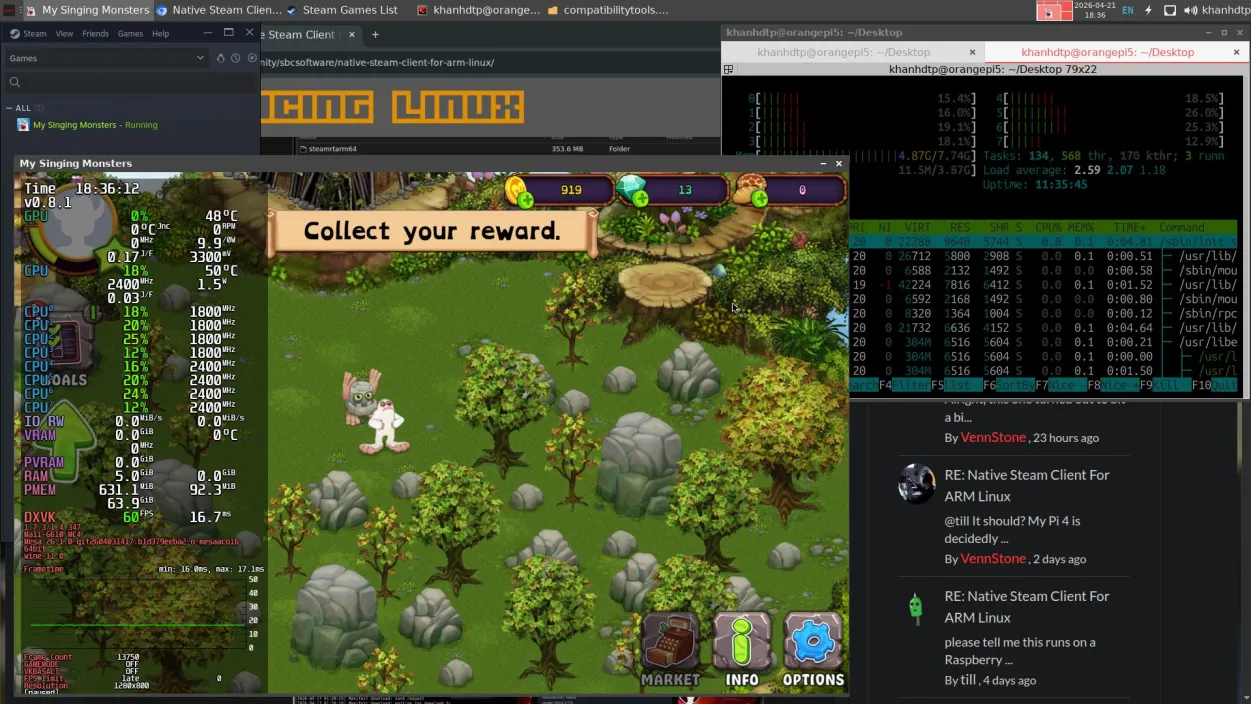
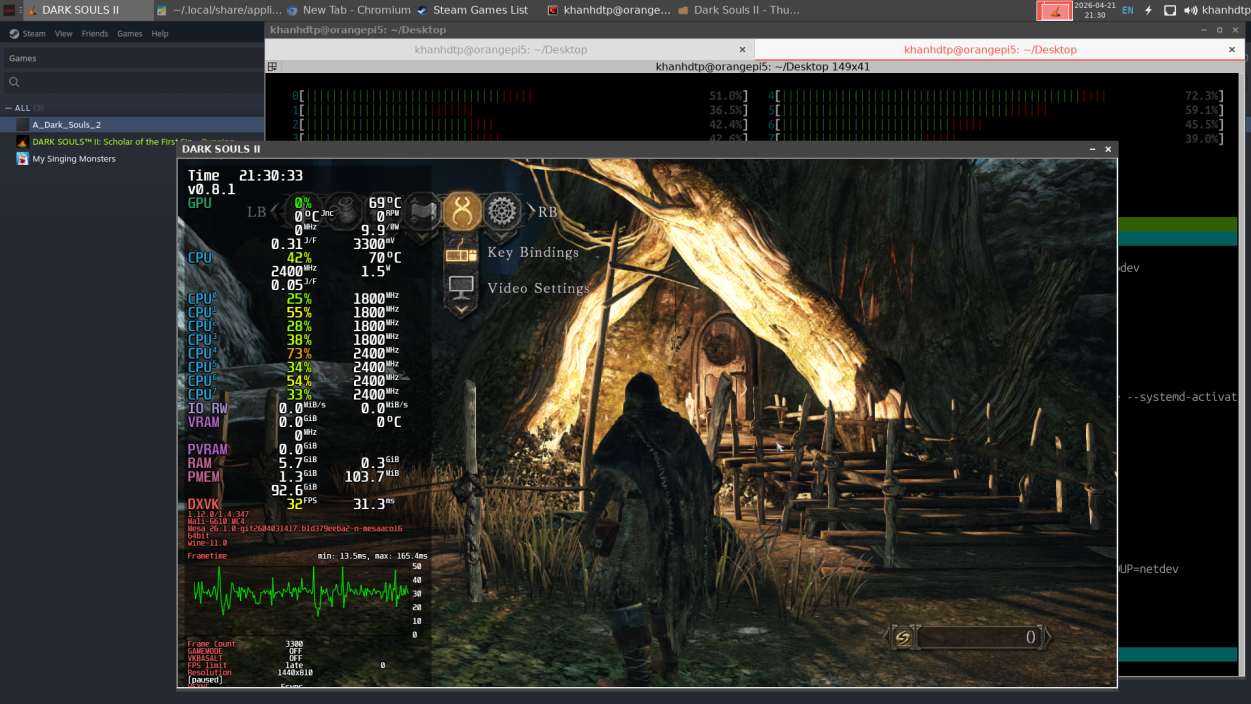
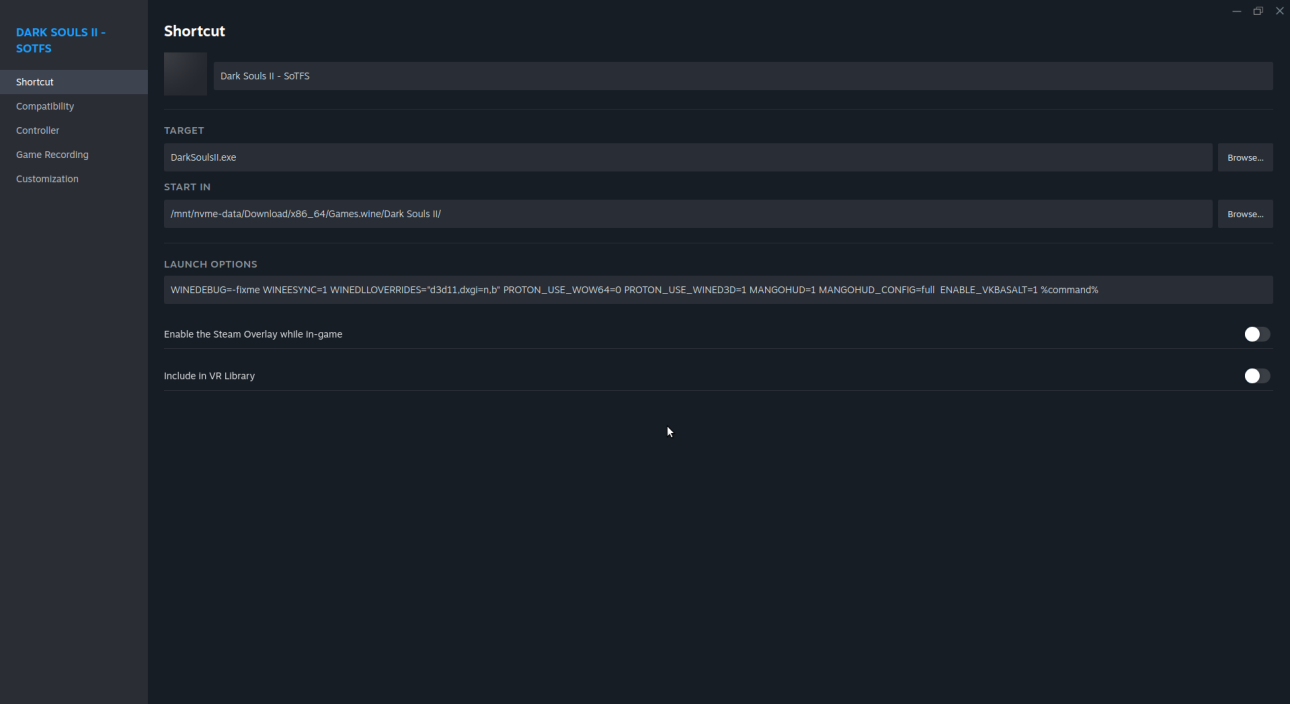
Native Steam Client For ARM Linux https://interfacinglinux.com/community/sbcsoftware/native-steam-client-for-arm-linux/ I have tested: the Steam client works (+ Proton11-ARM64 works). The memory usage was much reduced. Non-Steam games also work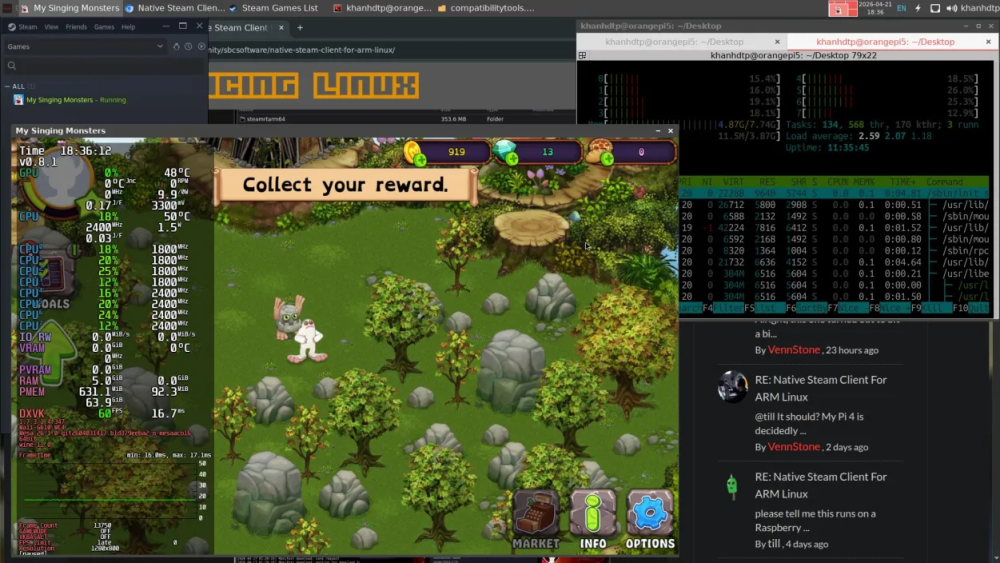
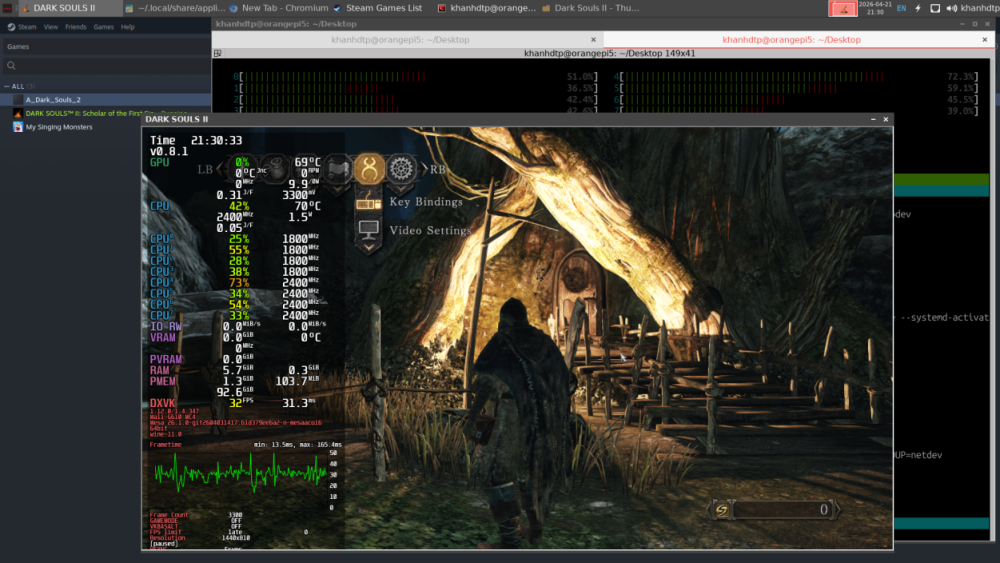
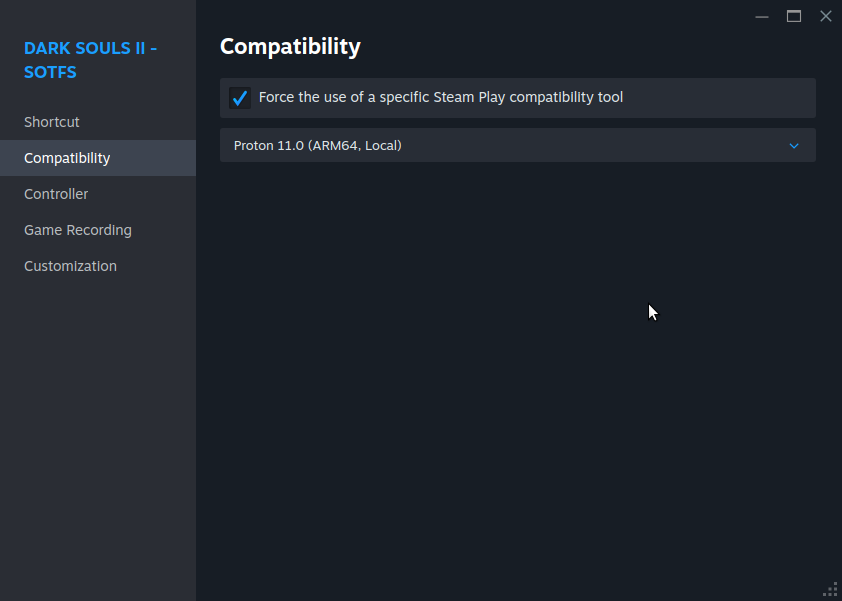
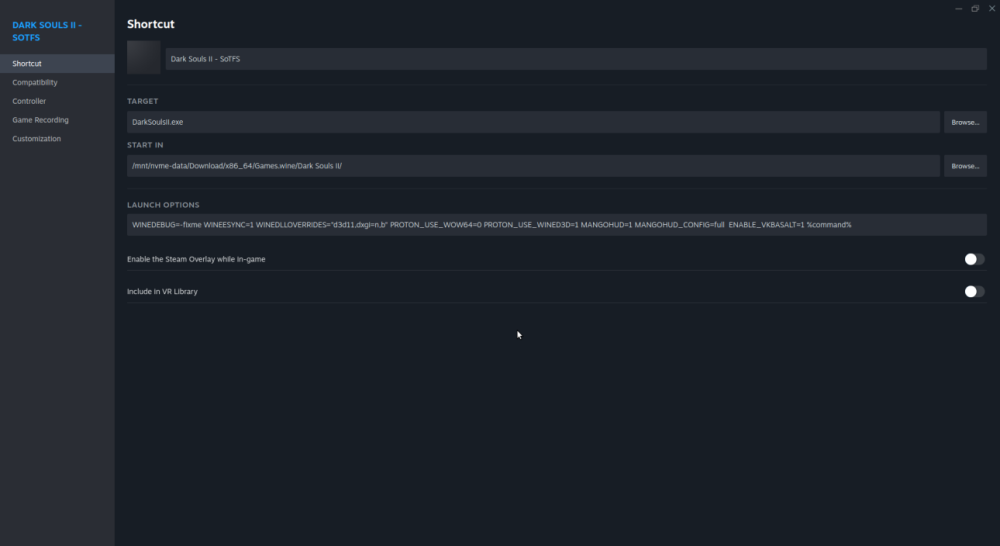
-
Upstream support for rk3588 is still wip. For desktop usage I suggest to either try "edge" which may have the feature you want already merged in or try "vendor" kernel which is based on Rockchip BSP.
-

Rupa X88 Pro 13 - RK3528 board with images
sr4armbian replied to fedes_gl's topic in Rockchip CPU Boxes
@DaBo Thanks for sharing this. Are you able to run Armbian on this? Is LAN, HDMI, etc working fine on this? -

The microphone (on Android) does not work after installing Armbian?
KAHrel replied to KAHrel's topic in Orange Pi 5 Plus
Hello, good evening. I'll check again tomorrow; I don't remember which version of Armbian I have installed, but the microphone works without any problems in Armbian. I simply installed the Armbian version and didn't have to modify anything.