All Activity
- Past hour
-
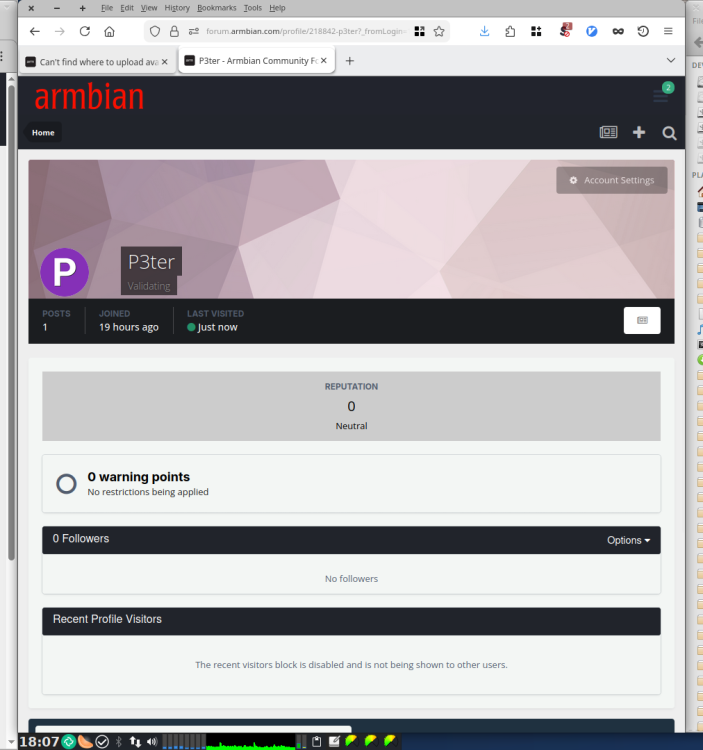
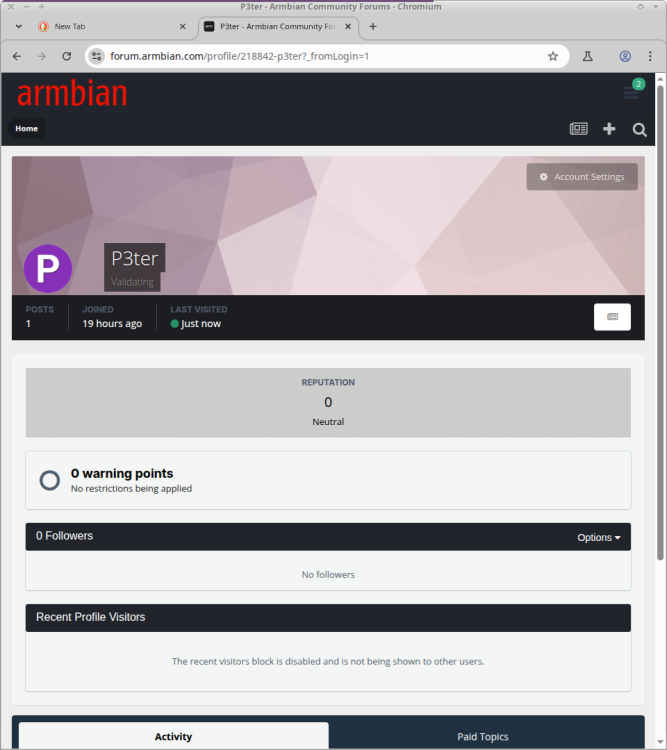
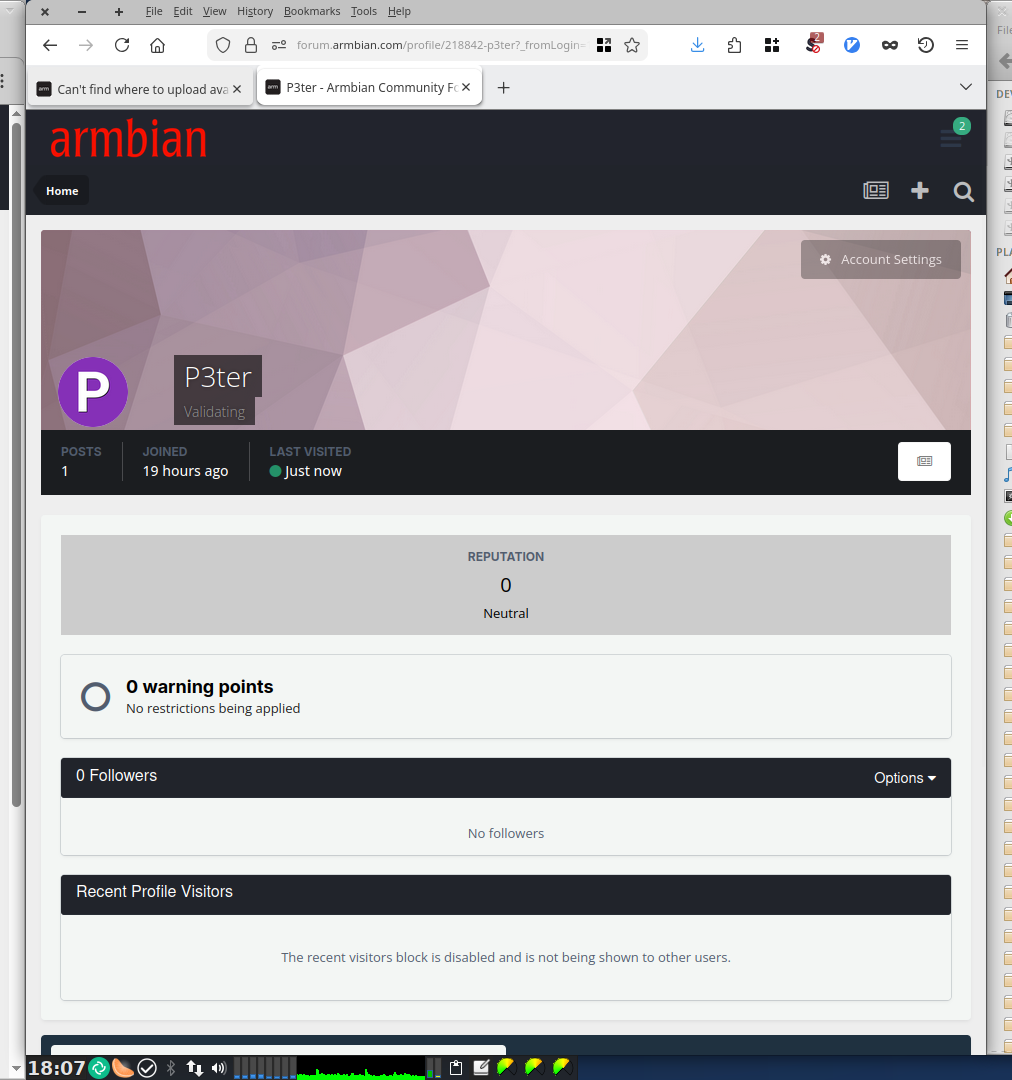
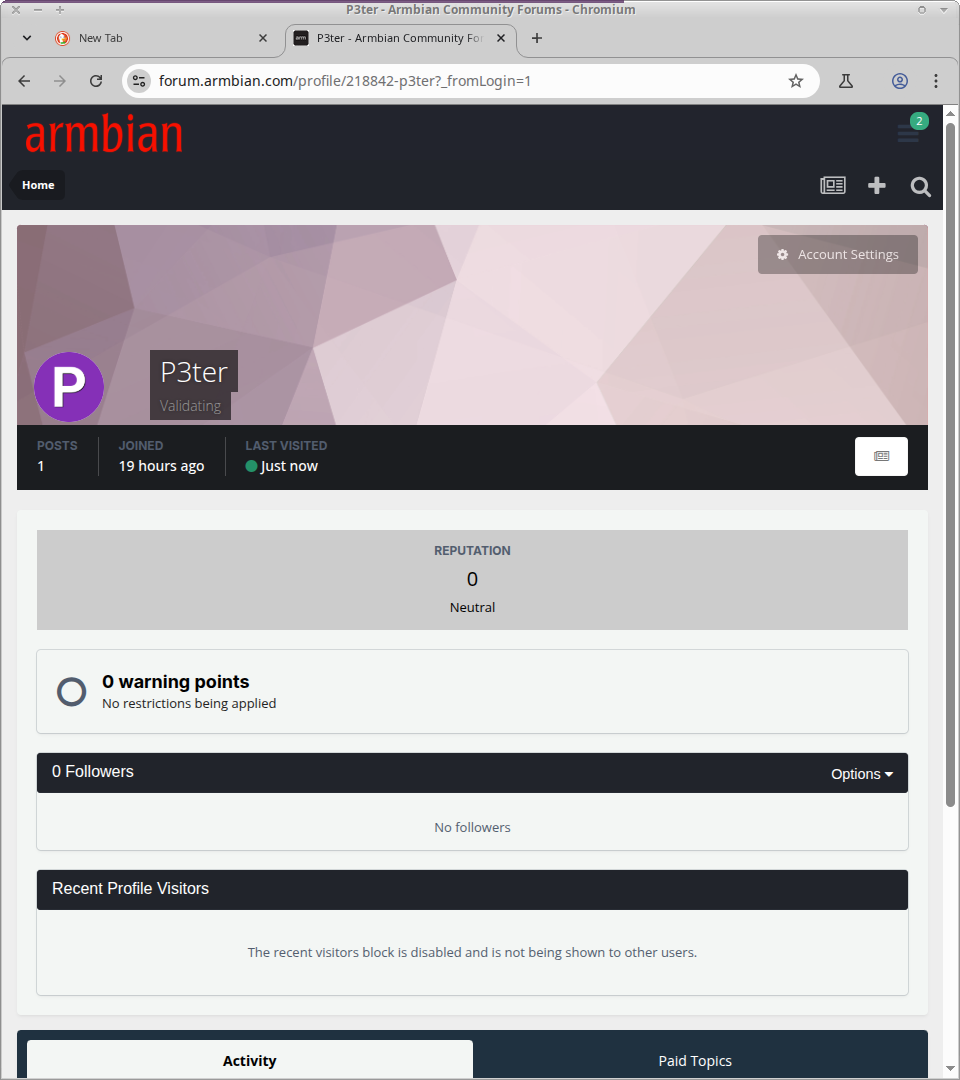
Thanks @Werner for the button-descriptions, but I simply don't see anything you're describing. Tried in 2 different browsers (LibreFox, Chromium). It still says "P3ter: Validating" next to my "P"-Icon. Maybe I don't have the rights yet?
- Today
-
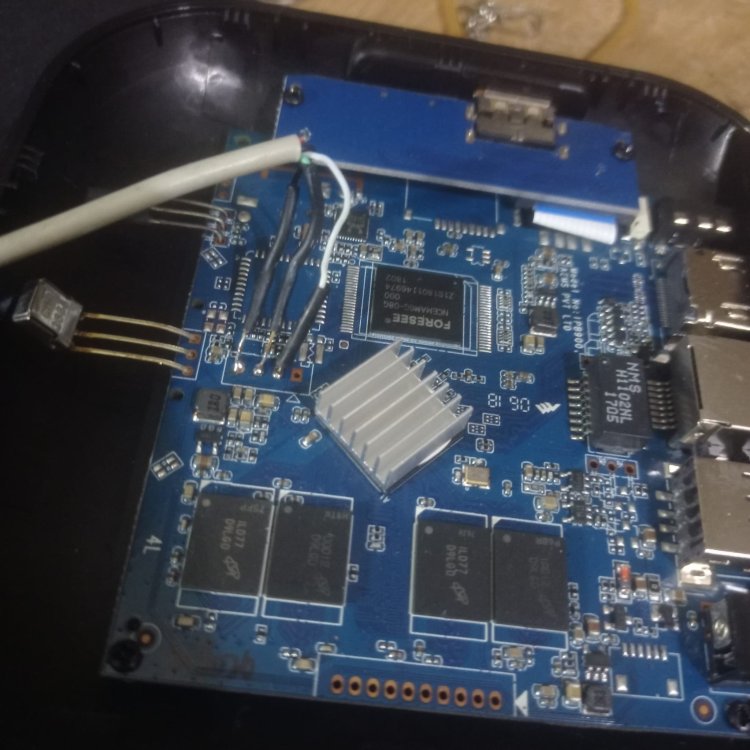
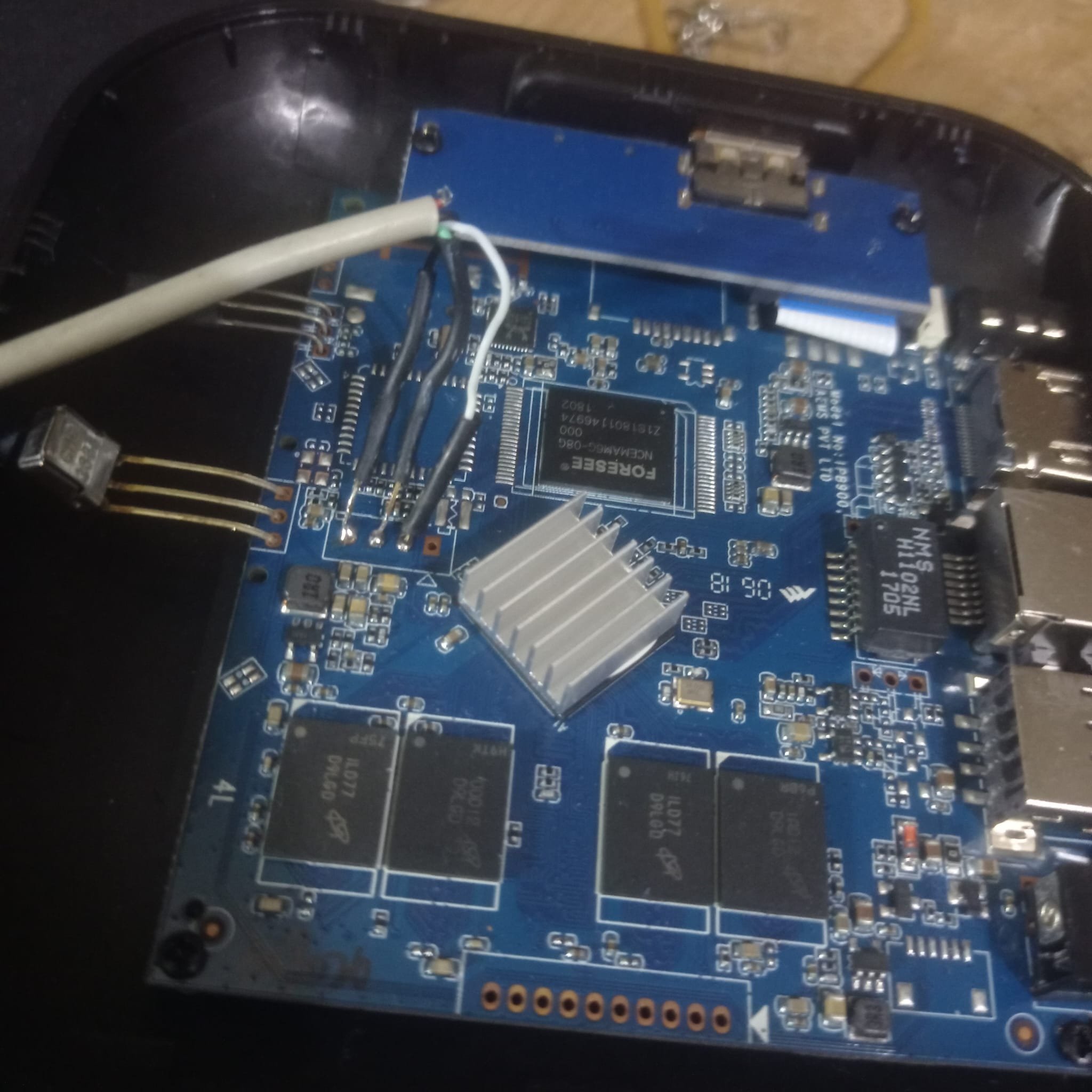
@Jerry Falken I am pretty sure you jumped in this 3ad without reading all of it, and this is unfair . You are right, it is huge, but such question you ask have been already answered in the past many times , and I will answer just as a form of courtesy , but will not go back in the future on the same question again If you look at your board you can spot 3 pads : tx rx gnd . That is all is needed, no 5 volts just tx rx gnd Those pads are the "uart" , in other words there you will see ALL that happens when the board starts, if is a rk 322x or other fake print, if it is ddr3 or ddr2 manyyyyy manyyy infos to debug the whole process. For me it is a 3229 with ddr3 memory but uart will tell you Go find in the 1st post the speed of uart to use with putty or minicom ( spoiler :1500000 🙃 ) just for sake of coriousity, this si the setting I have in my lab: ALWAYS and I repeat ALWAYS a uart connected to debug what is going so if you need answer.. post the right questions and not generic ones g on
-
Output of the USB TTL converter or of another chip? the one's I've seen online have 5 pins, but you only mentioned three places for the pins to go to, that is unless the 5v and 3.3v lines aren't needed for this specific use case. For curiosity's sake, what should i expect to see from something like that? I'll need to purchase that, so while it arrives, is there any chance that the CPU simply had an incorrect print, and i need another version of Multitool? Sorry for asking so many questions, just that i have little experience doing this.
-

Gaming experience with Orange Pi 5 (RK3588) on Armbian
晓飞丁 replied to KhanhDTP's topic in Orange Pi 5
I've read your DXVK-stripped code on github. Looks like your code is far behind the original one. Is your code can match the release "stripped 2.7.1" libs you provide? Thanks you so much! -
@JuanEsf sunxi-edge is now on 6.18. You can add your patches for t527 there.
-
Gaming experience with Orange Pi 5 (RK3588) on Armbian
晓飞丁 replied to KhanhDTP's topic in Orange Pi 5
I noticed that some games are using DXVK while some are using wined3d, what is the reason? It that a way that force every game using DXVK? -
Gaming experience with Orange Pi 5 (RK3588) on Armbian
晓飞丁 replied to KhanhDTP's topic in Orange Pi 5
Sure. However, I am in PRC, Google is blocked. I cannot login in on my SBC since I am using Google account to login. I have to use my laptop which has vpn. I will find a way this weekend. -

Gaming experience with Orange Pi 5 (RK3588) on Armbian
KhanhDTP replied to KhanhDTP's topic in Orange Pi 5
Do you mind sharing some screenshots + your settings ? -
Gaming experience with Orange Pi 5 (RK3588) on Armbian
晓飞丁 replied to KhanhDTP's topic in Orange Pi 5
Sorry I missed the "dxvk-stripped", Now it works fine! thank you so much! -
Gaming experience with Orange Pi 5 (RK3588) on Armbian
KhanhDTP replied to KhanhDTP's topic in Orange Pi 5
You should try other Kron4ek's Wine-Builds wine/proton versions. It's easier to set up! -
Gaming experience with Orange Pi 5 (RK3588) on Armbian
晓飞丁 replied to KhanhDTP's topic in Orange Pi 5
I am trying to use umu-launcher, using this cmd : umu-run "./VampireSuvivors.exe", the steamrt & wine did start up. However, it stucked in "g_proton.winserver_bin" and nothing happened. -
@Jerry Falken Never seen such board, you need usb-ttl converter , connect to tx-rx-gnd and grab the output
-
Gaming experience with Orange Pi 5 (RK3588) on Armbian
KhanhDTP replied to KhanhDTP's topic in Orange Pi 5
You have to use umu-launcher https://github.com/Open-Wine-Components/umu-launcher -
Gaming experience with Orange Pi 5 (RK3588) on Armbian
晓飞丁 replied to KhanhDTP's topic in Orange Pi 5
How do you use GE-proton? I see no wine dir in the released tar.gz but a bunch of python script. When I try to run the "proton", comes out "Proton: No compat data path?" -
Hello, i have a screen thats bigger than what I could see (frame). on a raspberry, i change the config with overlay adjustment. But i dont know how to do this for the banana pi.. Someone Here could redirect me the rijgt pad where to fix it?
-
HI, this setting isn't in your account settings but embedded in your profile. https://forum.armbian.com/profile/218842-p3ter There is a button at the bottom left of the "P" what is now your avatar. Also at the bottom right you should have buttons like "Edit Profile" or "Cover Photo".
-
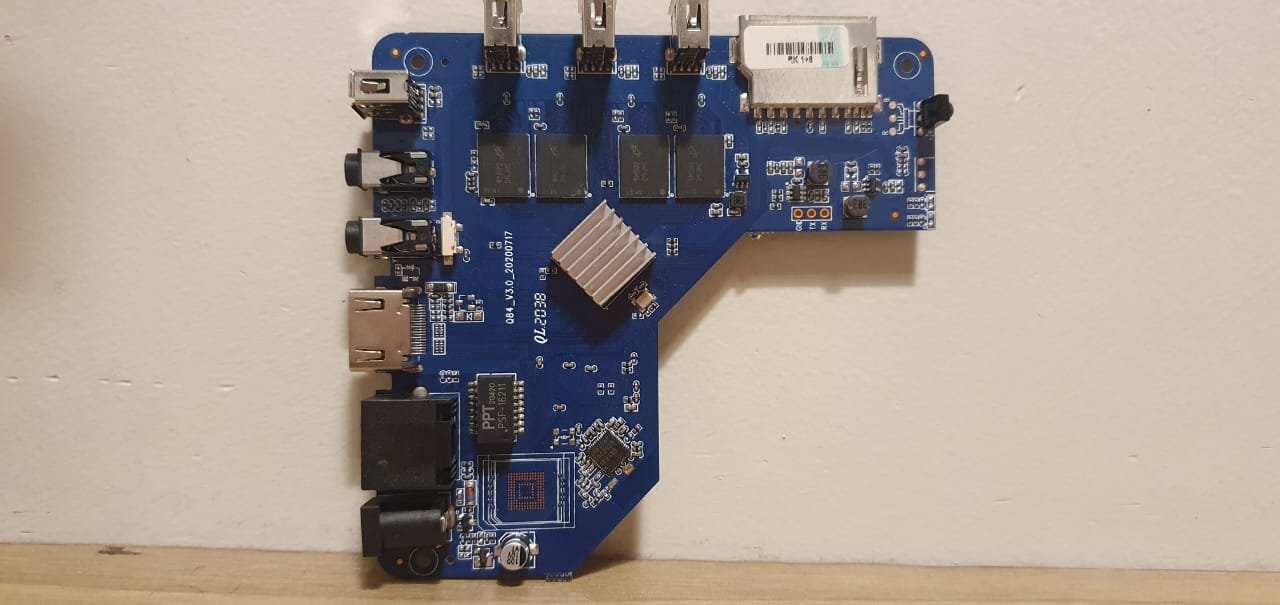
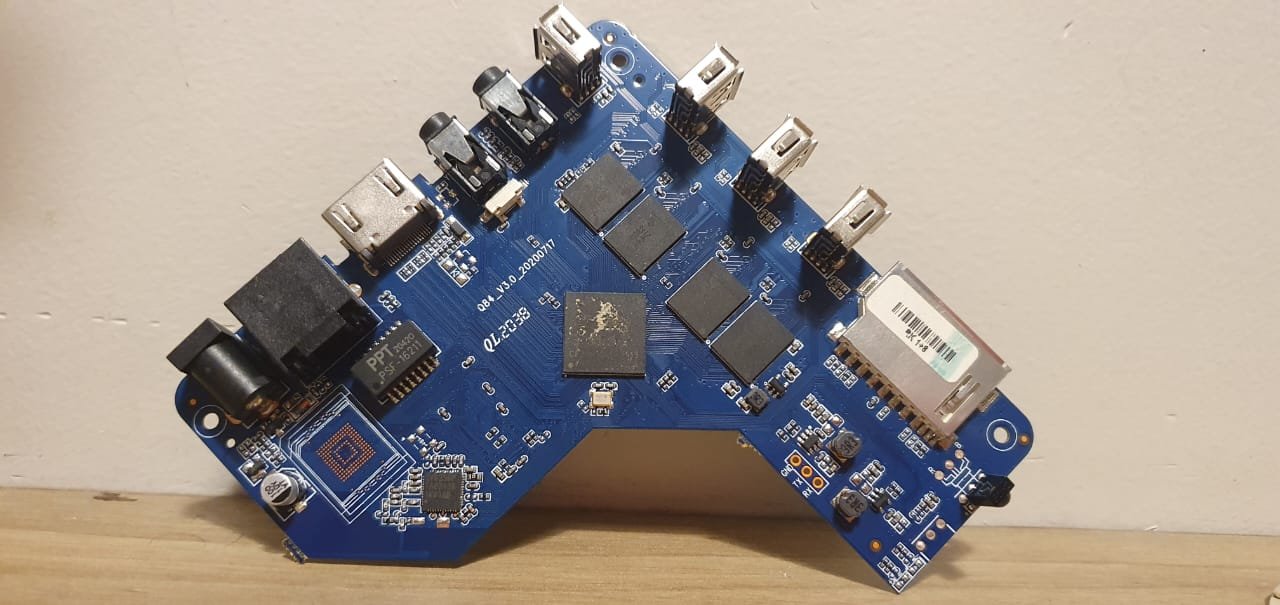
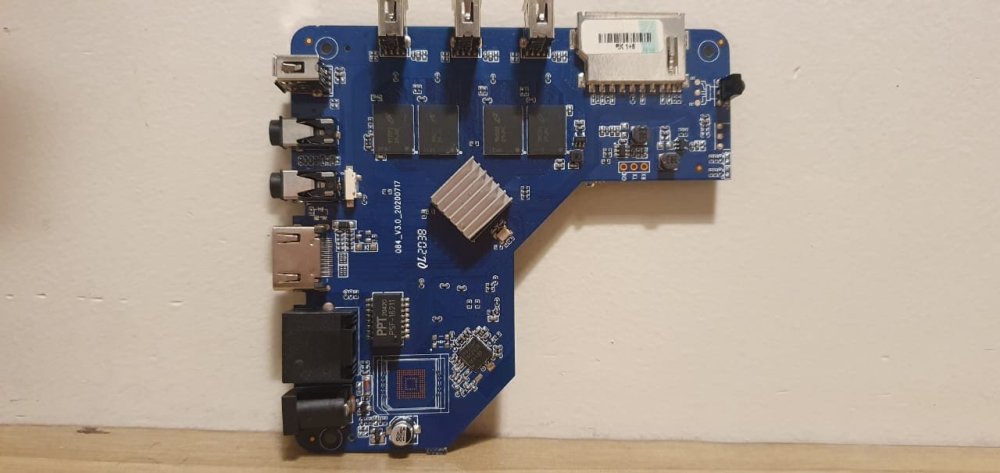
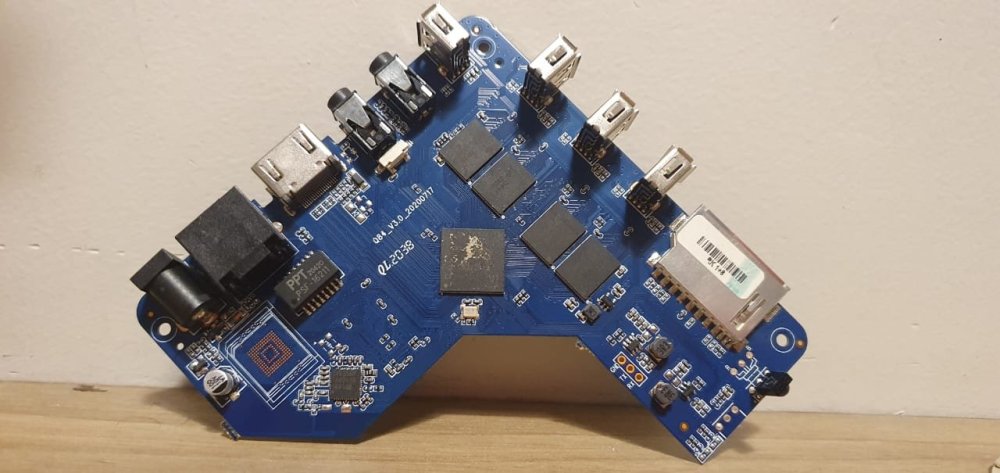
I have once again returned to this post in need of assistance. I have recently acquired from my tech wizard father a MXQ Pro 5G 4K TV box, which not even he managed to get working. According to him, its eMMC. Attached are photos of the motherboard, i did some looking at previous recent pages, so i have my suspicions, if someone though knows if this is a false print, or a just a freak motherboard please do tell. The problem itself is that it wont boot to the SD card, sometimes it will boot in sometimes not, but every time it boots if i try to access the files or sd card the Android freezes up. CPU: According to the print, RK3228A If any questions about any other components arise, please circle them in a photo because my knowledge on hardware electronics is limited.
.thumb.jpeg.ebaf917b4ff2f527571860f29193ffaa.jpeg)
- Yesterday
-
@PH Ph You need to find the correct GPIO# for your emmc. Extract the boot.bin from your original Android to get the device tree (DTS). Follow the steps in this link. https://forum.armbian.com/topic/29794-how-to-install-armbian-in-h618/#findComment-187672
-
Hi everyone! I'm obviously new here, and I simply wanted to give my profile a picture, but failed to find that option in the "profile > account settings". I assume it's easy, and to be honest I like to take the time to ask a real person here. Is there an option to upload an avatar image? Thank you!
-

OrangePi Zero LTS ili9341 TFT LCD (and later OrangePi Zero 3)
Jeffrey replied to robertoj's topic in Allwinner sunxi
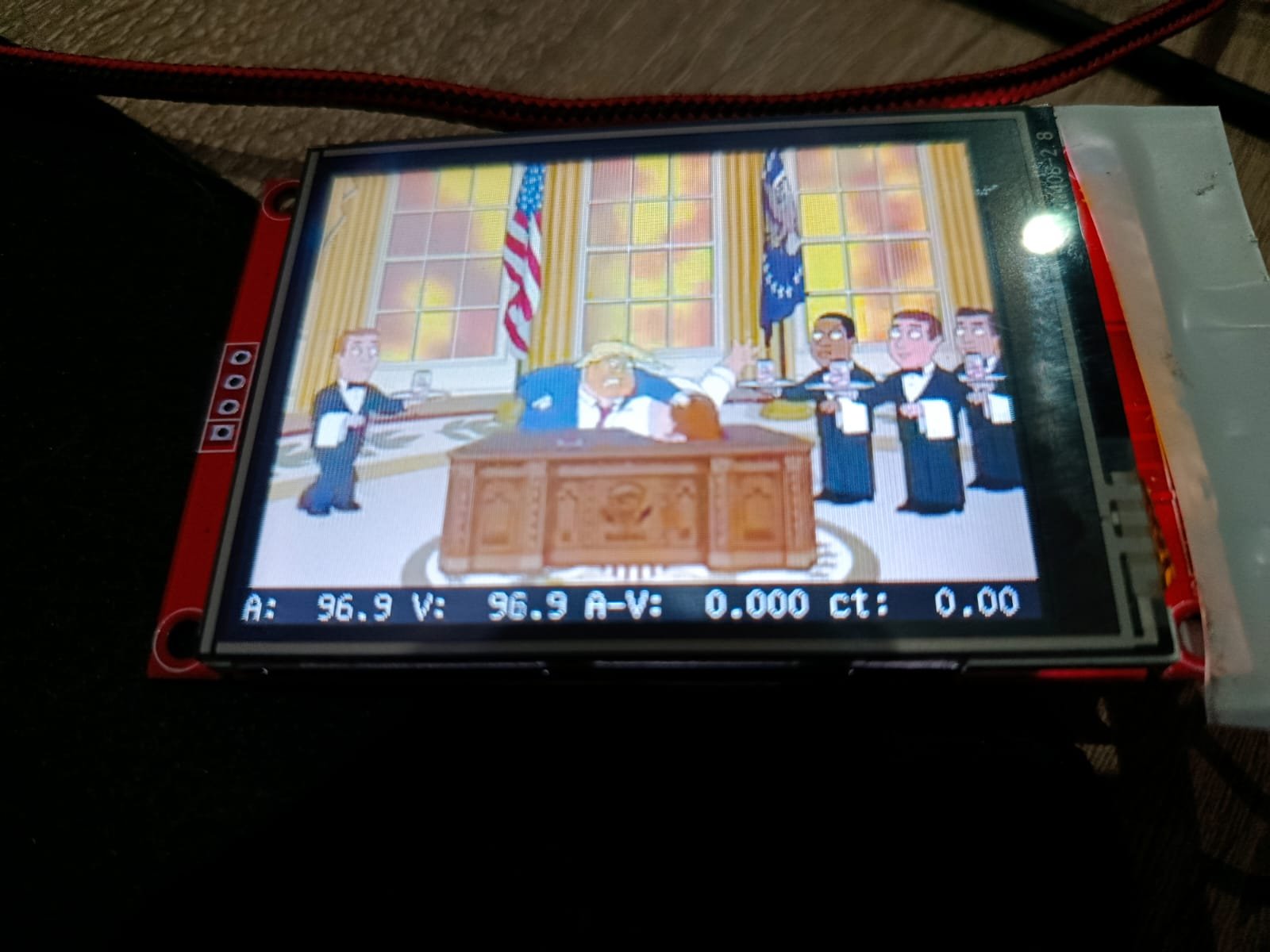
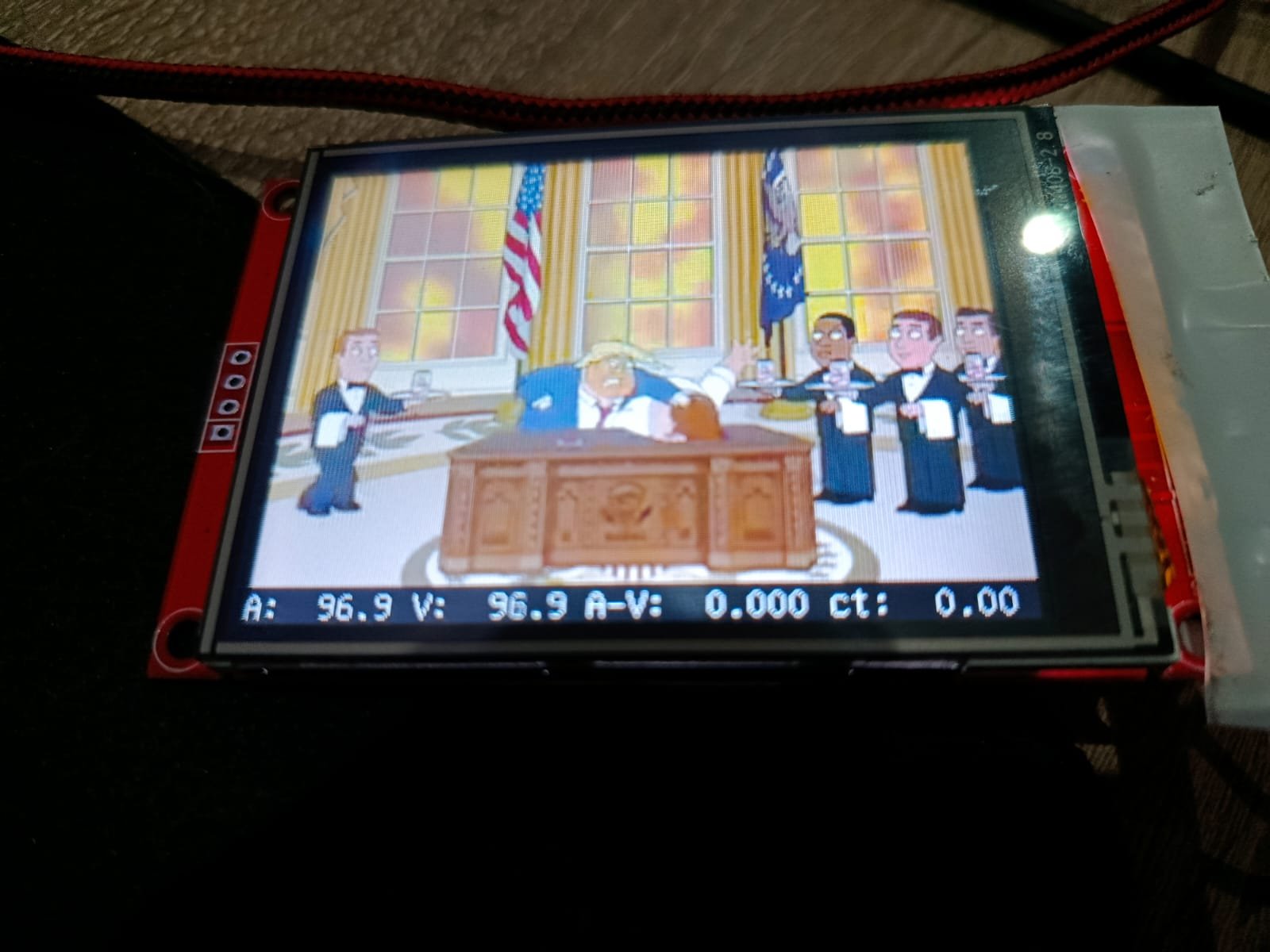
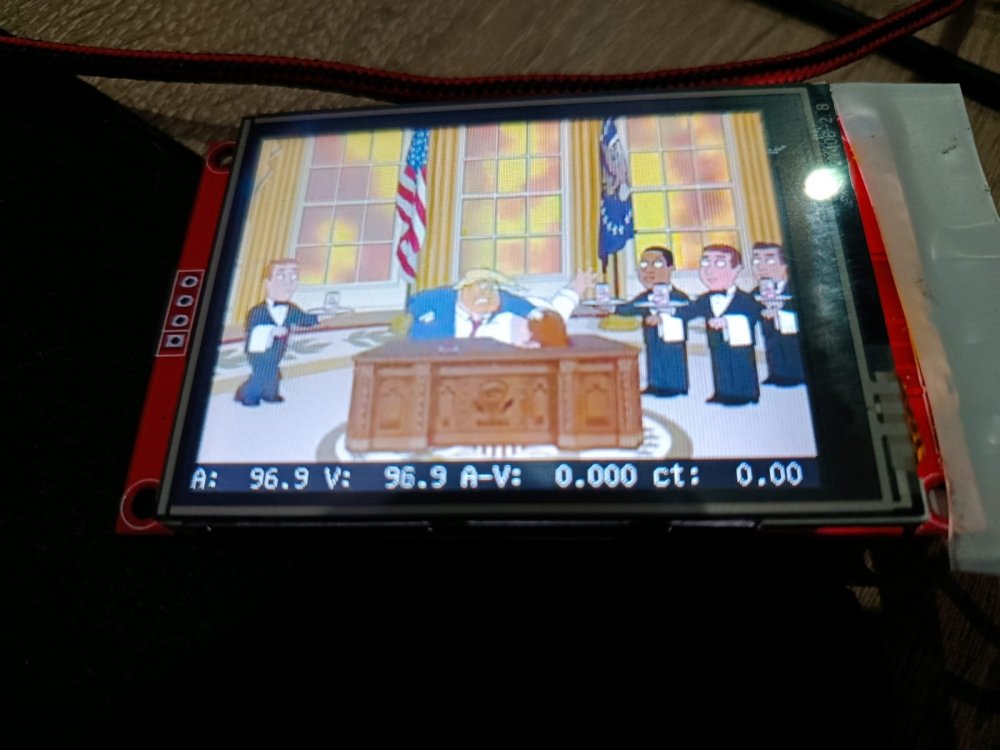
I will definitely look into that. "mplayer -vo fbdev2:/dev/fb0 videofile.mp4" with desktop disabled worked perfectly by the way, no issues. I've used both X11 and wayland though and also there is nothing in the logs which I find extremely weird. However I will look into it further the upcoming week, I am most definitely missing something.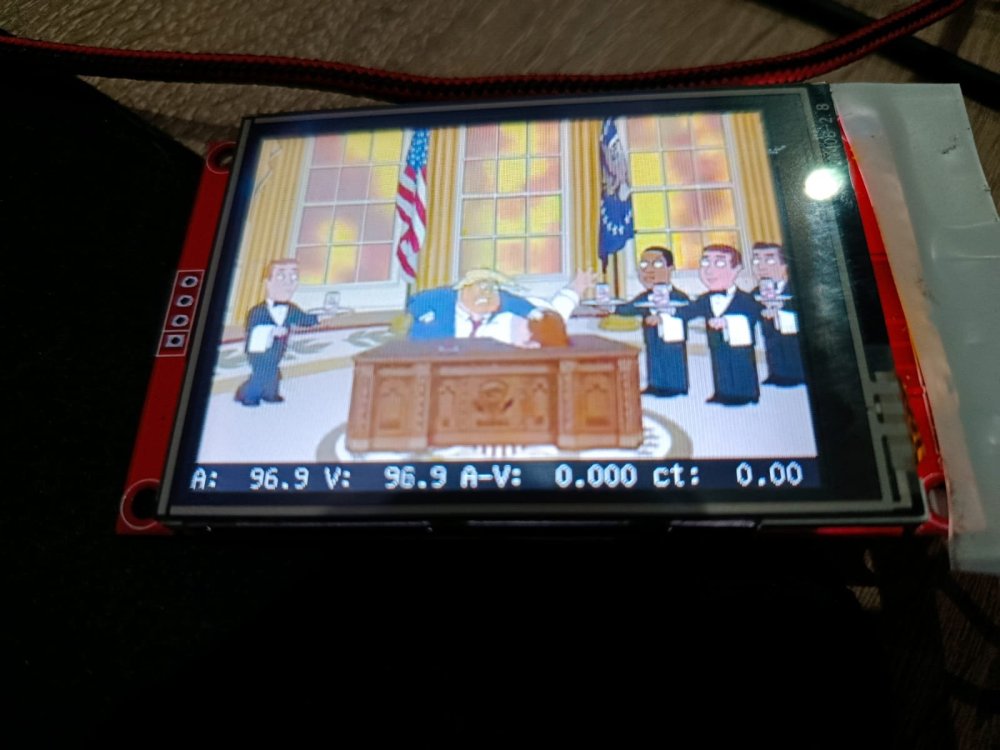
-
Hi @tmb Helios64 and Armbian are still very relevant in 2025! Thanks to this amazing community! I used mine with OpenMediaVault until a couple of MOSFETs failed and some drives stopped to spin up. Unfortunately, the original components were quite cheap. Even though I found better replacements, I didn’t want to pay for micro-soldering services, which can be pricey compared to the parts themselves (just a few euros). Instead, I built my own NAS using an Intel N100. It’s now a low-power device running a dozen Docker containers, using Home Assistant image as base. I’m totally in unsupported territory, but it works great! With this setup, OpenMediaVault can go into sleep mode when needed, and so far, it’s been working really well for me.
-
 If you learn yourself a strategy not to wipe existing installation, but dist-upgrade it and also have a flexible backup and restore for yourself, you don't need lists or so as the same set of software keeps being there. I clone installations from 1 computer to the other, so do not use new images. With tasksel you can remove and add Desktop Environments, sudo systemctl set-default <target> to changes from GUI to CLI and vice-versa. Make sure you have a serial console cable working (for CLI and no HDMI/kbd/mouse connected). But you can use 'sudo apt list --installed' on Debian systems. Cloning on x86 is easy, for ARM, you need change bootloader and kernel and some other packages. Until also all ARM computers come with UEFI bootloader/firmware. https://www.debian.org/releases/trixie/release-notes/upgrading.en.html#preparing-apt-sources-files https://digint.ch/btrbk/doc/readme.html https://btrfs.readthedocs.io/en/latest/Send-receive.html
 -
Good afternoon. Thank you for your reply. Unfortunately, I haven't had a positive experience. My apologies for misleading you, but my motherboard originally had a 618 processor. I tried creating an image for the 616 many times until I noticed that my processor was a 618. After several attempts, I was able to create an image for the 618. After receiving an image for the 618 with the panel-mipi-dbi module, I tried connecting a screen with an ili9488 chip. I can say I've taken the first step toward implementing this project. Now I need to get the screen working with the resulting image.
-
Posting this interesting event, in case someone can see why it worked: Banana Pi M4 zero (H618) gained HDMI audio when upgrading to Linux 6.12.30 https://forum.armbian.com/topic/50773-bpi-m4-zero-hdmi-audio/ But in this thread, there's a report that upgrading to 6.16.8 (from 6.15.4) lost HDMI audio
-
Can you clarify that you made a custom H618 board ?? (not exactly Orange Pi Zero 3?). If I remember correctly, you had previous success with an ili9341 and the same linux board? You need to compare the DTS that worked for you (with ilitek, ili9341, right?) and the new DTS you are trying to modify (with panel-mpi-dbi, for ili9488). Make sure you haven't changed the GPIO in the DTS, and the connections in the LCD and your Linux board. If the ili9341 was working for you with the H616 armbian configuration, changing to H618 might need changes in the LCD DTS from that change.... to make those SPI pins to be addressed correctly. That previous H616 armbian configuration... what Linux board was it meant for? Change back to the configuration that made your board work with the ili9341.





.jpeg.ba67f7e70a7159d858f3bebba1d8cdf6.jpeg)