All Activity
- Today
-
 I want to compile a matching build for: https://armbian.com/boards/odroidhc4 Debian 13trixie Minimal (CLI)—current6.18.33 https://dl.armbian.com/odroidhc4/Trixie_current_minimal Matching the img is fine (rather than the img.xz). I haven't compiled a matching build yet. I am doing this to debug my issue with the stock builds. Running: ./compile.sh BOARD=odroidhc4 BRANCH=current RELEASE=trixie BUILD_MINIMAL=yes BUILD_DESKTOP=no KERNEL_CONFIGURE=no Logs forthcoming.
 -
I have the same on my 2 year old HA Supervised install I did once on a Debian Bookworm installation (Aarch64). I actually first did the same as you, not on a real HW Lepotato SBC, but as a KVM QEMU U-Boot. One only needs to change boot.scr in the (Amlogic) image, the kernel runs on virtio devices. I can confirm the 15-min waiting, or longer, I haven't looked at it, is a bit strange, but it magically still works this Supuervised. I did restore a backup from my Debian HA install, so very little effort. But it shows as problem that the OS is unsupported and also unsupported install method. The later is known and on HA Wiki/docs, supervised it not mentioned anymore, only the own HAOS en Container. I think 'Add-ons' are now called 'Apps' and also Container does not seem to support it. So for MQTT I anyhow have mosquito as Debian package installed. But teh Zigbee bridge is then a showstopper I see / I think. But also check yourself. I have no ZigBee HW and also HA is only testing for mee, see it it does things better than my current home automation softwares (mostly Node-RED based). The only option I see then is to put HAOS as KVM on Lepotato. It is 4x Cortex-A53 I see, so it can work. But not sure how RAM will work out. If 1GB RAM, then maybe 512M host and 512M guest. I have done that on RPI3 to run a router instance using VLANs.
-
But if you haven't run armbian-install to actually install the new boot loader, it is only sitting there waiting to be installed. Armbian does not automatically install new versions of the boot loader when apt pulls the new package, that is a manual step Edit: I should have read all the posts as I see Werner already said this
-

Hardware video acceleration with recent armbian/mainline kernel (Kodi)
MMGen replied to XXXBold's topic in Orange Pi 5
Results of my testing of prebuilt images with the Nano Pi M6: Armbian vendor kernel image (Gnome/resolute): no HW acceleration, even with Chromium. HDMI sound works but headphone output doesn’t. HDMI sound incorrectly identified as “Analog Output”. Armbian mainline kernel image (Gnome/resolute): HW acceleration works with Chromium but not with mpv. No sound, period. An audio device is identified and VU meter is active in the mixer, but both HDMI and headphones are silent. Official Friendlyelec image (Gnome/trixie): HW accel works with every media player I tested. Sound works perfectly, with devices correctly identified. System appears to be stable, with no crashes so far. Results of my testing of prebuilt images with the Rock Pi 5B: Armbian vendor kernel image (Gnome/resolute): no HW acceleration, even with Chromium. HDMI and headphone sound both work. HDMI sound incorrectly identified as “Analog Output”. Armbian mainline kernel image (Gnome/noble): HW acceleration works with Chromium. No sound. Clicking on the sound icon on the taskbar crashed the system and corrupted the filesystem, making the image unbootable. Official Radxa image (KDE/bookworm): HW accel and sound work for all media players I tested. There are issues with the ethernet driver and occasional video crashes when switching to fullscreen mode. Otherwise, the system appears to be stable. Verdict: if you want a usable RK3588-based workstation, use the images provided by the manufacturers. Armbian still has a long way to go. -
Oh well, that's quite some time ago. The patchset used back then has been removed/renamed already to move on. Look at 6df6d0d607abfd59169a0ef2fddbed5fcd5b58f9 The question is has this introduced upstream or with one of the patches Armbian puts on top. Quite a journey to dig through that.
-
Hardware video acceleration with recent armbian/mainline kernel (Kodi)
MMGen replied to XXXBold's topic in Orange Pi 5
@robertoj: Yes, it truly is the vanilla mpv. All packages are from debian.org, not Friendlyelec. $ apt list mpv mpv/stable,now 0.40.0-3+deb13u1 arm64 [installed] $ apt list ffmpeg ffmpeg/stable,now 7:7.1.5-0+deb13u1 arm64 [installed,automatic] $ mpv --version mpp[949]: mpp_platform: client 18 driver is not ready! mpv v0.40.0 Copyright © 2000-2025 mpv/MPlayer/mplayer2 projects libplacebo version: v7.349.0 FFmpeg version: 7.1.2-0+deb13u1 (runtime 7.1.3-3rockchip) FFmpeg library versions: libavcodec 61.19.101 libavdevice 61.3.100 libavfilter 10.4.100 libavformat 61.7.100 (runtime 61.7.103) libavutil 59.39.100 libswresample 5.3.100 libswscale 8.3.100 $ cat /etc/issue Debian GNU/Linux 13 \n \l $ uname -a Linux NanoPi-M6 6.1.141 #16 SMP Thu Dec 4 14:51:28 CST 2025 aarch64 GNU/Linux $ apt-cache show mpv Package: mpv Version: 0.40.0-3+deb13u1 Maintainer: Debian Multimedia Maintainers <debian-multimedia@lists.debian.org> Architecture: arm64 ... Filename: pool/main/m/mpv/mpv_0.40.0-3+deb13u1_arm64.deb Size: 1270108 SHA256: ab039661c5016d96161fb9649b99cdde34ec4dfc83248ed9e42abb30318ac901 -
This may be an issue. I know from the past Armbian and petitboot don't work well together. You need to wipe your spi to get rid of it. Then everything should work just fine. Having this package installed means nothing about the actual used boot loader. This package only provides the binaries to rewrite the boot loader if actually necessary. It is updated with package install/upgrade because doing so is rarely necessary. armbian-install can update the boot loader and will use the binaries from the package.
-
On my version of the ROCK3A, I need to put a jumper across 2 pins so that the clock of the SPI chip is grounded/disabled. So the SoC has to read the bootloader from SD-card (I have no eMMC module). It is very clear that that works as intended and my only way to temporarily switch between old legacy U-Boot in SPI and some latest/newer mainline based. Anyway, as Werner says, that old dated 2015 U-boot is certainly not Armbian, so unsupported by Armbian and you need to figure out yourself. Also the word 'feels' makes no sense; you need to be sure and show proof, else no-one is gonna do anything for you anymore. Armbian specific Amlogic kernel, as installed on images, also runs directly in a ARM64 KVM if loaded by the generic QEMU u-boot.bin you find on standard Debian systems. It just needs a proper set of commandline args of qemu-system-aarch64. I have done that several times for people having trouble with images (Amlogic, Allwinner) although I have none of these 2 64-bit SoC's, only Broadcom and Rockchip. Yes sure, but the binary u-boot.bin or so is not written automatically to your hardware, it only is in the image (as package you show) and in the first sectors of the image. So not used if SPI-flash have another bootloader and if that has higher prio at power-on and has no chainloading mechanism (for loading the one from the image in eMMC or SD-card).
-
Hi. I'm not sure if this is the right place to ask. I was basically running my Radxa Rock 5 ITX home server on Armbian, on the edge upstream kernel for a long time. Somewhere during the 6.19 release candidate kernel series an instability arised, where the machine would hard lock "at random", so I switched to the current kernel since, which to this day remains on unaffected 6.18. But from time to time I try with edge again, and the instability is still present with the 7.1 upstream kernels. Moreover, with the load the machine has I can consistently trigger the lock up just by ssh-ing into the machine once it's been up for 10 minutes or so. I've since enabled the HW watchdog timer, which helps a bit mitigate the frustration here... I guess at some point current will move past 6.19, and I really would like to have the improved hardware support for newer kernels anyway. I would like to be able to bisect the kernel sources to find out where things broke down. I think I understand enough of the build system to generate edge kernel packages, but I don't know how to do so while bisecting the upstream kernel sources. I also couldn't find documentation about how to trigger the build system to build the kernel at a particular commit. Is there any particular guidance on how to go with this? Thanks.
-
@Werner I only installed Armbian (written image through BalenaEtcher to emmc card) I reflashed Petitboot on SPIFlash a few weeks ago since I broke it while testing but the kernel update was broken months before that. Don't think they affect each other. I boot PetitBoot through the physical switch on the board itself (So SPIFlash) so it should have it own separate U-Boot. @eselarm I think on my board you can physically switch if SPI-flash or eMMC is used. If I set the switch the eMMC it should take the bootloader on the eMMC? https://wiki.odroid.com/odroid-n2/software/boot_sequence It feels more like the boot format changed from 6.12.xx to 6.18.xx? If I look at my installed packages I do have the latest available u-boot btw linux-u-boot-odroidn2-current: Installed: 26.5.1 Candidate: 26.5.1
-
This is from Hardkernel, I don't have an Amlogic SBC, but I once saw petitboot is sort of boot-selection and/or OS installer (menu driven) thing. Same as for Rockchips where old RK35xx mostly 2017.09 based U-Boot does not work with newer mainline based kernel, you can expect the same here. So wherever that U-Boot is stored (SPI-flash, eMMC), you need to make sure it is not used, so wipe it or bypass it or overwrite it with the U-Boot binary that comes with the Armbian image you try to boot. In your currently running system, so with old kernel but new userspace, you should be able to use armban-config to flash the current and kernel 6.18 matching U-Boot to the specific storage where petitboot is now stored. But means overwriting, I would first save it, done that for some other ARM boards (also smartphones) at least as you never know if you might need the exact old/vendor firmware/bootloader for fixing some problem many years from now. So make sure you know the right sector numbers for that Amlogic SoC where it look for bootloader at power on. Can be found in docs (Hardkernel) or see /usr/lib/u-boot/platform_install.sh
-
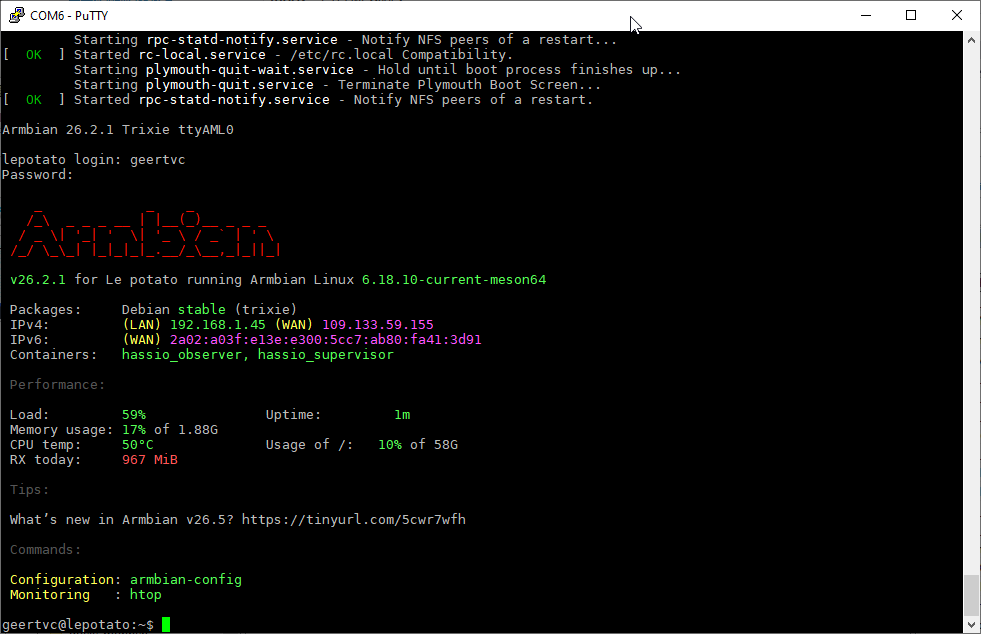
Update: if I wait long enough, then I finally see the Reboot screen. After reboot, I can go to http://<IP_address_Le_Potato>:8123 and I do see the Home Assistant intro screen. After creating an account, giving the location parameters and so on, I finally get the Home Assistant screen. I see in the command terminal that the following containers are available: hassio_observer hassio_supervisor See attached image. However, when I go to Settings, I don't see the Add-ons section. I admit I'm not a Home Assistant expert yet (first steps into HA) but I thought that the superviisor was just to have the Add-ons section available to the user? That's the reason I tried the Armbian Home Assistant image, hoping the Add-ons section would be available. Do I have to make myself a "supervisor" (again, I'm not a Home Assistant expert yet...)? If so, how can this be done? I need MQTT and Zigbee2MQTT, hence the need for the Add-ons section, which I currently don't have... Best, --Geert
-
Where did you get this uboot? I strongly believe this is not from Armbian, hence support is impossible.
-
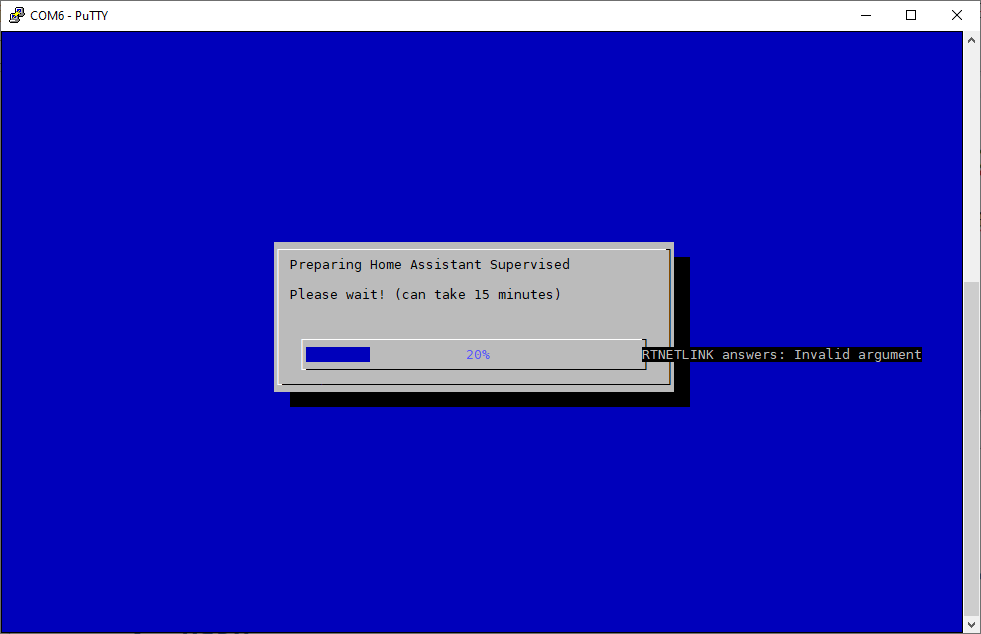
Hi, First post here. I'm fairly new with Armbian. I have a LibreComputer Le Potato that I want to use for Home Assistant. To avoid all the hassle of setting up Home Assistant with docker, I used the Armbian imager to install the Armbian 26.2.1 Home Assistant on an SD card. Once the SD card was flashed, I put it into the Le Potato board. The board starts up fine, asks for the root password, creates a new user and so on. Later on, the Preparing Home Assistant Supervised window appears. However, after the first round to 100% I get a "RTNETLINK answers: Invalid argument" on the screen. The preparation goes on and on, moving the progress bar over and over to 100%. But the installation seems to never stop. See the image attached for the error I get. Anyone any idea? Best, --Geert
-
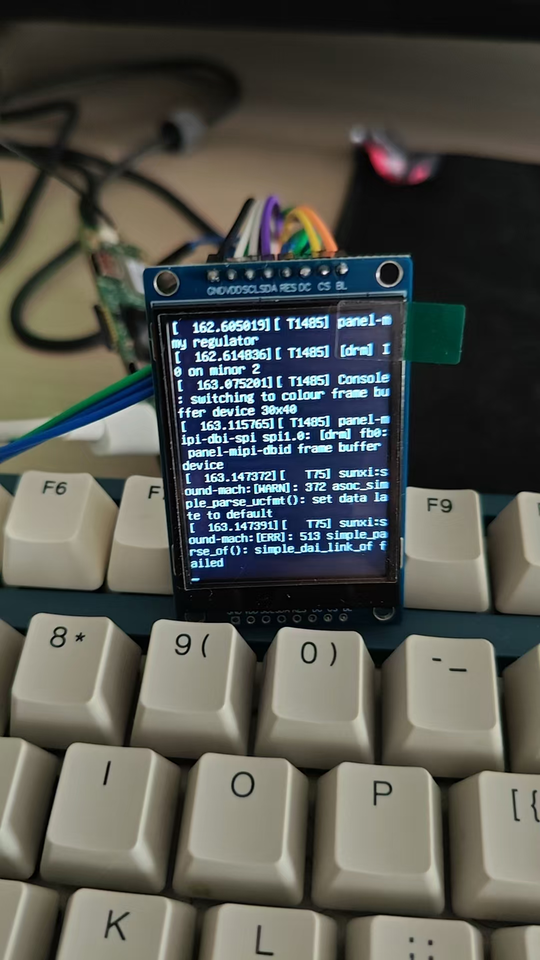
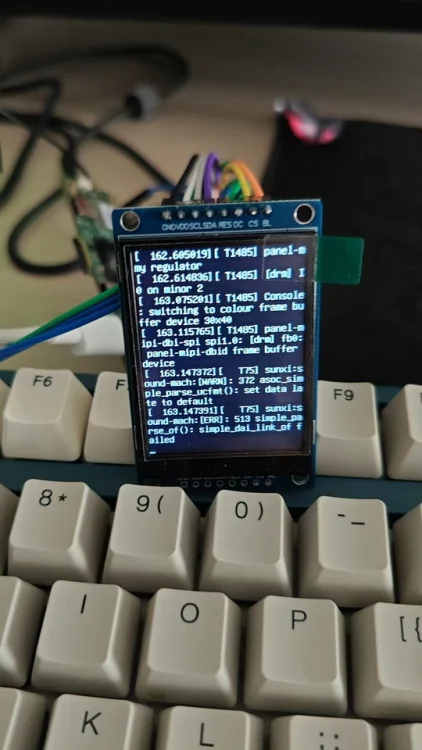
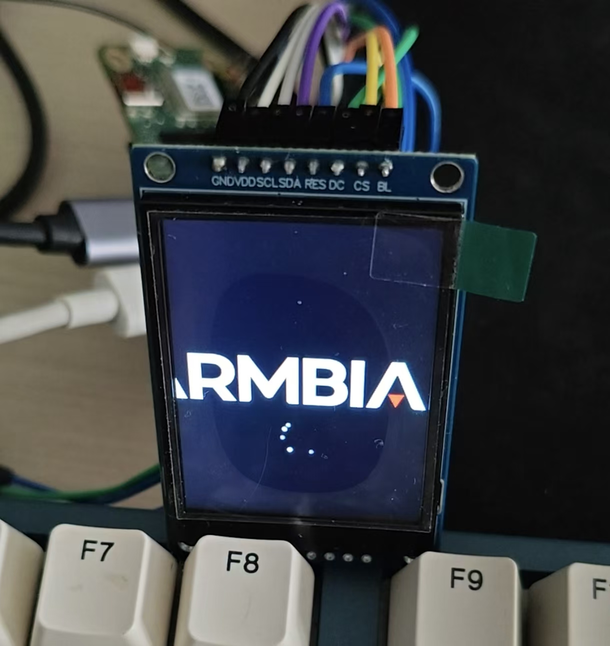
Thanks for the great work Nick. I recently bought a SPI screen and managed to drive it with panel-mipi-dbi in the newer kernel (apparently this module didn't exist in Radxa's official image with kernel 5.15). The panel was a ST7789V 240*320 TFT LCD and I have a A7Z, with the `Radxa-cubie-A7a-a7z-v0.6.4` server image installed. And I have put the work on [Github](https://github.com/parker-int64/sun60i-a733-dtoverlays). During the experiment, I discovered that the PWM (used for display backlight) in the allwinner BSP seems to have a bug. The Allwinner Sunxi PWM driver may incorrectly reverts the PWM pin to GPIO input immediately after switching the pinctrl state. Thus I can control the PWM with the file nodes but can't attached it to related pins. For example, I'm using the `sun60i-a733-pwm1-7.dtso` overlay, which is supposed to enable the PJ25. After enabling the overlay, I noticed that the PWM nodes were created and I can controll these nodes. But the pinctrl suggest that it was unclamied: $ cat /sys/kernel/debug/pinctrl/2000000.pinctrl/pinmux- pins | grep PJ25 pin 313 (PJ25): UNCLAIMED Later on, AI found out that the `devm_pinctrl_put(pctl);` in bsp/drivers/pwm/pwm-sunxi.c may have been incorrectly called on the clean stage of the `sunxi_pwm_pin_set_state`: 520 static int sunxi_pwm_pin_set_state(struct device *dev, char *name) 521 { 522 struct pinctrl *pctl; 523 struct pinctrl_state *state = NULL; 524 int err; 525 526 pctl = devm_pinctrl_get(dev); 527 if (IS_ERR(pctl)) { 528 sunxi_err(dev, "pinctrl_get failed\n"); 529 err = PTR_ERR(pctl); 530 return err; 531 } 532 533 state = pinctrl_lookup_state(pctl, name); 534 if (IS_ERR(state)) { 535 sunxi_err(dev, "pinctrl_lookup_state(%s) failed\n", name); 536 err = PTR_ERR(state); 537 goto exit; 538 } 539 540 err = pinctrl_select_state(pctl, state); 541 if (err) { 542 sunxi_err(dev, "pinctrl_select_state(%s) failed\n", name); 543 goto exit; 544 } 545 546 exit: 547 /* 548 * devm_pinctrl_put() releases the last pinctrl reference, 549 * causing pinmux_disable_setting() to restore the pin to 550 * its default GPIO function. The devres framework will 551 * release this resource automatically when the device is 552 * destroyed. 553 */ 554 devm_pinctrl_put(pctl); 555 return err; 556 557 } Also it gives me a workaround `sunxi-pwm-child-pinctrl.c`, introduces an additional pinctrl reference, preventing `devm_pinctrl_put()` from reducing the reference count to zero. Both the patch file and the workaround source is available on Github. However I only tried the workaround since I have some trouble compile the full kernel at the moment, will try some time later and update more details on Github. And at last the pwm-backlight worked as expected and my LCD light up.
- Yesterday
-
Finally got an UART device for logs U-Boot 2015.01 (Sep 01 2020 - 18:41:51) DRAM: 3.5 GiB Relocation Offset is: d6eeb000 spi_post_bind(spifc): req_seq = 0 register usb cfg[0][1] = 00000000d7f83da8 MMC: aml_priv->desc_buf = 0x00000000d3edb7c0 aml_priv->desc_buf = 0x00000000d3eddb00 SDIO Port C: 0, SDIO Port B: 1 co-phase 0x3, tx-dly 0, clock 400000 co-phase 0x3, tx-dly 0, clock 400000 co-phase 0x3, tx-dly 0, clock 400000 emmc/sd response timeout, cmd8, status=0x1ff2800 emmc/sd response timeout, cmd55, status=0x1ff2800 co-phase 0x3, tx-dly 0, clock 400000 co-phase 0x1, tx-dly 0, clock 40000000 aml_sd_retry_refix[983]:delay = 0x0,gadjust =0x12000 [mmc_startup] mmc refix success [mmc_init] mmc init success In: serial Out: serial Err: serial vpu: error: vpu: check dts: FDT_ERR_BADMAGIC, load default parameters vpu: driver version: v20190313 vpu: detect chip type: 9 vpu: clk_level default: 7(666667000Hz), max: 7(666667000Hz) vpu: clk_level = 7 vpu: vpu_power_on vpu: set_vpu_clk vpu: set clk: 666667000Hz, readback: 666666667Hz(0x100) vpu: set_vpu_clk finish vpu: vpu_module_init_config vpp: vpp_init vpp: g12a/b osd1 matrix rgb2yuv .............. vpp: g12a/b osd2 matrix rgb2yuv.............. vpp: g12a/b osd3 matrix rgb2yuv.............. cvbs: cpuid:0x29 cvbs_config_hdmipll_g12a cvbs_set_vid2_clk ** File not found boot-logo.bmp.gz ** ** File not found boot-logo.bmp ** movi: not registered partition name, logo movi - Read/write command from/to SD/MMC for ODROID board Usage: movi <read|write> <partition|sector> <offset> <address> [<length>] - <read|write> the command to access the storage - <offset> the offset from the start of given partiton in lba - <address> the memory address to load/store from/to the storage device - [<length>] the size of the block to read/write in bytes - all parameters must be hexa-decimal only [OSD]check dts: FDT_ERR_BADMAGIC, load default fb_addr parameters [OSD]set initrd_high: 0x3d800000 [OSD]fb_addr for logo: 0x3d800000 [OSD]check dts: FDT_ERR_BADMAGIC, load default fb_addr parameters [OSD]fb_addr for logo: 0x3d800000 [OSD]VPP_OFIFO_SIZE:0xfff01fff [CANVAS]canvas init [CANVAS]addr=0x3d800000 width=5760, height=2160 cvbs: outputmode[1080p60hz] is invalid vpp: vpp_matrix_update: 2 set hdmitx VIC = 16 config HPLL = 5940000 frac_rate = 1 HPLL: 0x3b3a04f7 HPLL: 0x1b3a04f7 HPLLv1: 0xdb3a04f7 config HPLL done j = 6 vid_clk_div = 1 hdmitx phy setting done hdmitx: set enc for VIC: 16 enc_vpu_bridge_reset[1319] rx version is 1.4 or below div=10 Net: dwmac.ff3f0000 Hit Enter or space or Ctrl+C key to stop autoboot -- : 0 ## Attempting fetch boot.ini in mmc:0... ** File not found boot.ini ** ## Executing script at 04000000 Wrong image format for "source" command ## Attempting fetch boot.scr in mmc:0... ** File not found boot.scr ** ## Executing script at 04000000 Wrong image format for "source" command ## Attempting fetch /boot/boot.ini in mmc:0... 5578 bytes read in 5 ms (1.1 MiB/s) ## Executing script at 04000000 0 bytes read in 3 ms (0 Bytes/s) Found mainline kernel configuration HDMI cable is NOT connected 178 bytes read in 5 ms (34.2 KiB/s) ** File not found uImage ** 42404352 bytes read in 1187 ms (34.1 MiB/s) ** File not found dtb/amlogic/meson-g12b-odroid-n2-plus.dtb ** 83033 bytes read in 29 ms (2.7 MiB/s) ** File not found uInitrd ** 22881405 bytes read in 642 ms (34 MiB/s) ee_gate_off ... Wrong Image Format for bootm command ERROR: can't get kernel image! [rsvmem] get fdtaddr NULL! rsvmem - reserve memory Usage: rsvmem check - check reserved memory rsvmem dump - dump reserved memory rsvmem check failed ee_gate_on ... ## Attempting fetch /boot/boot.scr in mmc:0... 8133 bytes read in 3 ms (2.6 MiB/s) ## Executing script at 04000000 U-boot default fdtfile: meson-g12b-odroid-n2-plus.dtb Current variant: n2_plus For variant n2_plus, set default fdtfile: amlogic/meson-g12b-odroid-n2-plus.dtb Unknown command 'part' - try 'help' Current fdtfile after armbianEnv: amlogic/meson-g12b-odroid-n2-plus.dtb Mainline bootargs: root=/dev/mmcblk1p1 rootwait rootfstype=ext4 splash=verbose console=ttyAML0,115200 console=tty1 consoleblank=0 coherent_pool=2M loglevel=1 ubootpart= libata.force=noncq usb-storage.quirks=0x2537:0x1066:u,0x2537:0x1068:u cgroup_enable=memory ** File not found uInitrd ** ** File not found Image ** ** File not found dtb/amlogic/meson-g12b-odroid-n2-plus.dtb ** libfdt fdt_check_header(): FDT_ERR_BADMAGIC No FDT memory address configured. Please configure the FDT address via "fdt addr <address>" command. Aborting! ** File not found dtb/amlogic/overlay/-.dtbo ** ** File not found dtb/amlogic/overlay/-fixup.scr ** [rsvmem] get fdtaddr NULL! rsvmem - reserve memory Usage: rsvmem check - check reserved memory rsvmem dump - dump reserved memory rsvmem check failed Bad Linux ARM64 Image magic! ## Attempting fetch boot.ini in mmc:1... card out ** Bad device mmc 1 ** ## Executing script at 04000000 U-boot default fdtfile: amlogic/meson-g12b-odroid-n2-plus.dtb Current variant: n2_plus For variant n2_plus, set default fdtfile: amlogic/meson-g12b-odroid-n2-plus.dtb card out ** Bad device mmc 1 ** Unknown command 'part' - try 'help' Current fdtfile after armbianEnv: amlogic/meson-g12b-odroid-n2-plus.dtb card out ** Bad device mmc 1 ** Mainline bootargs: root=/dev/mmcblk1p1 rootwait rootfstype=ext4 splash=verbose console=ttyAML0,115200 console=tty1 consoleblank=0 coherent_pool=2M loglevel=1 ubootpart= libata.force=noncq usb-storage.quirks=0x2537:0x1066:u,0x2537:0x1068:u cgroup_enable=memory card out ** Bad device mmc 1 ** card out ** Bad device mmc 1 ** card out ** Bad device mmc 1 ** libfdt fdt_check_header(): FDT_ERR_BADMAGIC No FDT memory address configured. Please configure the FDT address via "fdt addr <address>" command. Aborting! card out ** Bad device mmc 1 ** card out ** Bad device mmc 1 ** card out ** Bad device mmc 1 ** [rsvmem] get fdtaddr NULL! rsvmem - reserve memory Usage: rsvmem check - check reserved memory rsvmem dump - dump reserved memory rsvmem check failed Bad Linux ARM64 Image magic! After this it loops it for all mmc/usb devices and breaks. I need to manually copy old kernel files to /boot to get it to work again (through petitboot) Anything after 6.12.58 seems to break for me. Thoughts?
-
If you can experiment with the board, then try few other kernels: https://docs.armbian.com/User-Guide_Armbian-Config/System/#alternative-kernels and report where wifi will be up.
-
Wow... OK, this is far beyond what I understand. I see a mediatek wifi dongle in USB 2-1 I think the plugged in dongle. But have no idea were the internal WiFi adapter is and how to activate it. It worked in a previous version of armbian ubuntu but not the latest I just found out... Ernst-Jan
-
https://paste.armbian.com/emoyipejug
-
 There is a previous topic on this from 2020, but it's closed and not much action was taken except discussing workarounds. I'd like to continue this. Looking at the kernel configs in this repo, many of them have CONFIG_RT_GROUP_SCHED=y. This does not play nicely with modern systemd (cgroups v2), breaking things like rtkit-daemon. See https://bugs.gentoo.org/569546 and https://bugzilla.redhat.com/show_bug.cgi?id=655321. rtkit is an important part of making pulseaudio and pipewire work smoothly, as well as for many other low-latency applications. There are a few currently available workarounds, but none are ideal: 1. Linux 6.16 or later has boot time param rt_group_sched=0 to override it, but there is still some runtime overhead. No exact alternative for earlier kernels. 2. kernel.sched_rt_runtime_us=-1 in sysctl.conf -- potentially dangerous as it removes the 95% CPU time safeguard for RT processes, leading to lockups when badly behaving processes exist. 3. disable cpu and cpuset cgroup controllers in systemd configs -- has a lot of other side effects, like preventing systemd's CPU limits for services Since the last post on this (linked above), forcefully assigning an rt time time slice won't even work anymore, since cgroup v2 doesn't even have that ability anymore. So this kernel config option is somewhat useless now.
 -
thanks. The image has been launched. I will try to test gpio and mipi camera.
-

Helios64 - Armbian Trixie with linux 6.18 (incl. opp-microvolt patch)
BipBip1981 replied to ebin-dev's topic in Rockchip
Hello, I use with 6.18.15 the two way below. - new way with armbian-config and choses the overlay stabilty file for helios64 - the old way with my old dtb file for 6.18.xx kernel that i downloaded in this forum and work good with all 6.18.xx kernel until 6.18.10 kernel (rk3399-kobol-helios64.dtb-6.18.18-opp.zip) Have a good day -
I already did the apt update & upgrade, it actually seems like the 6.18.35 did solve that issue - or at least, that's how I'd read the newer "armbianmonitor -u" as posted here: https://paste.armbian.com/orawuzawun PS: I didn't test again if it works now without the script for reasons of lack of access to the bananapi + local screen + local keyboard in case it still came up without end0 - bot the output of armbianmonitor at least doesnt show up that failure you pointed at.
-
Added https://github.com/armbian/build/pull/10213