Active threads
Showing topics posted in for the last 365 days.
- Past hour
-
 Hello, I am currently working on a project involving local LLM inference on Rockchip SoCs using the rknn-llm framework. I have two specific questions regarding Armbian support for the NPU: 1. NanoPi M5 (RK3576): FriendlyElec recently released the NanoPi M5 based on the RK3576. If I use the Armbian image for this board, will I be able to run LLM models using the NPU? I am considering purchasing this board for LLM testing and would like to know if the driver support is already there. 2. NanoPC-T6 (RK3588): I have a NanoPC-T6 running Armbian, but I cannot find the /dev/rknpu device node. I have tested this with both 6.1.115-vendor-rk35xx and 6.12.58-current-rockchip64 kernels, but the NPU device is not appearing. Is there a specific overlay or a manual configuration step needed to enable NPU support on these kernels? tried adding tags npu and nanopi m5, but there was no such option. I am happy to provide any additional information, logs (such as `armbianmonitor -u`), or command outputs if needed to help diagnose the issue. Thank you in advance for your help and guidance! Best regards, A.H.
 - Today
-
Even 6.1 kernel has voltage set at 1.3. I'm going to do a kernel patch and set it the same way as 5.x kernel was set.
-
Hello SteeMan I can startarmbian-config but i cannot find where to change the display and install a desktop It als displays the current is plucky is not supported or not listed Thanks
-
 Developing solutions and sharing by sending PR and/or using customize image script might be the way address those.
 -

Dec 25th image for Cubie a5e is not a bootable image
Luca Gerber replied to Meestor_X's topic in Allwinner sunxi
Thank you very much for that! -
Hi, I'm new to this forum but I've been researching this topic for quite some time. I have a Mecool KM1 Deluxe with 4GB of RAM and 64GB of storage, and an Amlogic S905X3 chip. I wanted to install Armbian to use it as a Linux device, but I've tried several versions and it hasn't worked. Someone mentioned on this forum that installing CoreELEC would prevent Armbian from booting. I installed emuelec and it worked perfectly, but I haven't been able to run Armbian. Could this be the reason? Thanks.
-
thank you for adding information about big.LITTLE seems that will be the next issue when we need to work virtualization on A7A/A7Z but for now, we seems facing the problem during the boot process CPU in the wrong exception levels(model) so the virtualization is not support in any situation(my guess) also Nick thought it's about u-boot issue and used the official binary image so we might need to wait for official update or we need to work by ourself
-

Helios64 - Unable to transfer install from eMMC to SDCard
eselarm replied to unfnknblvbl's topic in Rockchip
May boot from new / known-to-work Armbian on SD-card and use command: sudo lsblk and/or sudo lsblk -f to see what is what. mmcblk numbers have swapped sometime in the past years, so indeed even if you know enough about Linux, mixing numbers might be a disater because you would overwrite the runnig installation. That might also be a reason why tooling might refuse or not list as there is a risk of having it wrong. But you should clean-up the 100% full filesystem. It will take time figuring out what should be deleted, but so does going to the toilet as well. It has to be done, cannot assume there is endless space. -
I've been using my Helios64 nonstop since i got it in 2020 (and the Helios 4 since 2018). It's been great the whole time; does exactly what I want it to do, and now I've made it my sole Plex server to save power. My only problem is that the internal eMMC is now 100% full (thanks to Plex), and I can't work out how to move the install back to the SDCard (Linux noob...), which is my I'm here. I'm sad these guys had to shut down. This could have been a magnificent project
-
Hello, Here is a config file that works with linux-6.6.119 config-6.6.119 And a tarball here : https://drive.google.com/file/d/14EHPMT01-geYNflC2lqXNue4ZH25z-lA/view?usp=drive_link with a fresh built kernel. Two small patches are needed : one to activate the wifi/bluetooth card (in dtb file), another to add a delay in mwifiex_sdio.c What works : wifi, eth0 and eth1 cards I can't activate the bluetooth card with btmrvl_sdio (need to be investigate) If someone else can test this (@rolli_44 , @umiddelb ? ). Next : propose a patch to integrate this board in armbian ?
-
log says: No space left on device So you need to look at that, remove unneeded stuff etc. Also check the output of df Maybe something else is wrong
-
OrangePi in general is bad support, as also is stated on the image download page. For just driving a relay, so a pin change between high and low, you first need to select which pin from the GPIO header you want to use. You can see what are probably generic GPIO by default from picture here: http://www.orangepi.org/html/hardWare/computerAndMicrocontrollers/details/Orange-Pi-Zero-2W.html In the latest image, I see there is no real support for OrangePi02W, only H5 and A64, not the actual H618 (it seems to use H616, so also that might lead to issues). You can look in file maybe, if you want other then defaults: /boot/dtb/allwinner/overlay/README.sun50i-H5-overlays I have older 32-bit Allwinner things, H3 for example. Analog and SPDIF audio works great there, that is why I bought those mainly. Also GPIO6 I use for driving a switch (via extra resistors and some MOSFET/TRIAC). I did some C-code and got working temp sensor and switch, see lgio code https://abyz.me.uk/lg/download.html But currently for years already in bash script: init: test -f /sys/class/gpio/gpio6/value && echo 6 > /sys/class/gpio/unexport echo 6 > /sys/class/gpio/export echo out > /sys/class/gpio/gpio6/direction chown root:gpio /sys/class/gpio/gpio6/value chmod g+w /sys/class/gpio/gpio6/value on: gpioset gpiochip0 6=1 off: gpioset gpiochip0 6=0 This still works since Armbian Buster, now kernel 6.12. Not tested yet with 6.18
-

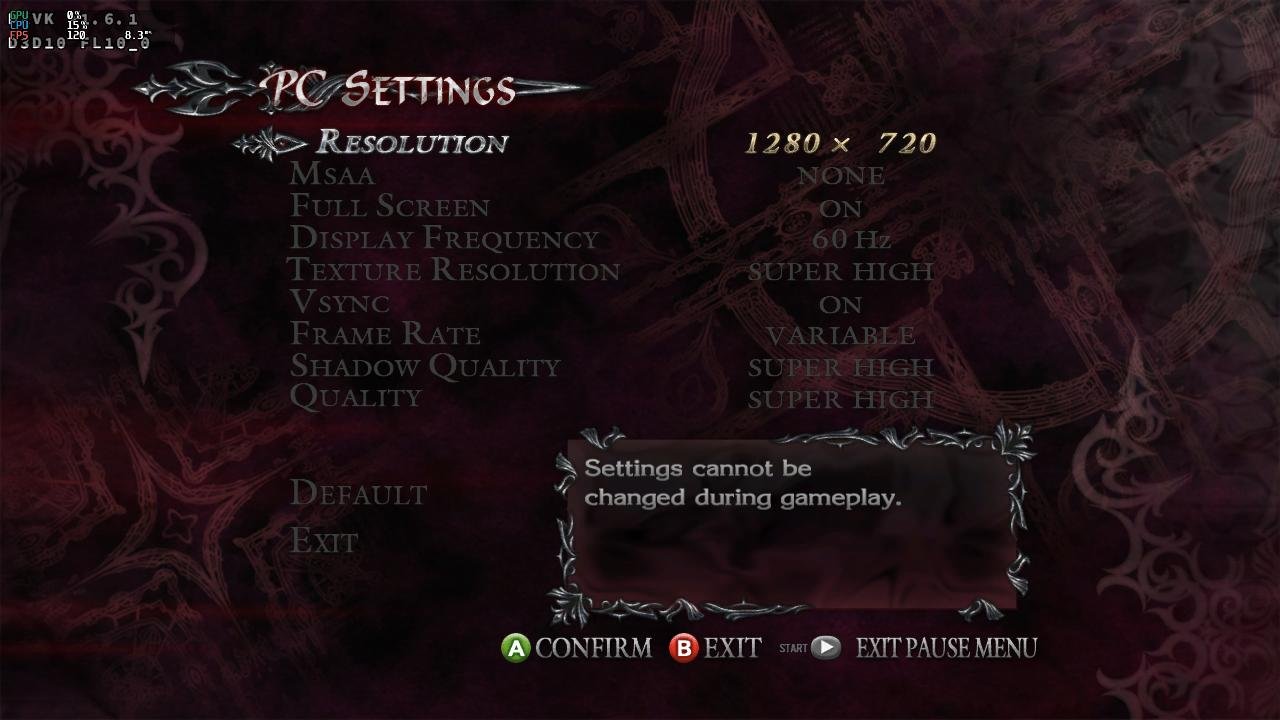
Gaming experience with Orange Pi 5 (RK3588) on Armbian
KhanhDTP replied to KhanhDTP's topic in Orange Pi 5
Armbian 25.11.2 Noble XFCE (BSP Kernel: 6.1.115) + PanVk - mesa 26.0 (https://launchpad.net/~ernstp/+archive/ubuntu/mesaaco) + box64 3.9 (https://ryanfortner.github.io/box64-debs/) + wine-10.14-staging-tkg-ntsync-amd64-wow64 (https://github.com/Kron4ek/Wine-Builds/releases/tag/10.14) + DXVK-stripped v1.6.1 ~60fps@720p Noted: . The DX9 version of the game is black-screen. . The DX10 version works. However, it will crash immediately after the tutorial stage because the PanVk driver still lacks the "Geometry Shaders" feature. Devil May Cry 4 (DX10)
.thumb.jpg.75c9f9801cdbef31832de7bf2c33e903.jpg)
-

mxq pro 4k 5g allwinner h313 can't sd card boot
Sergey Lepeshkin replied to Ducdanh Nguyen's topic in Allwinner CPU Boxes
As I said above, there is no usb otg functionality. If you want shell as ordinary user - install any app which allows access to shell (I'm using "Admin hands" in local shell mode) on your tv box. In this mode 'su' refuses to escalate privileges. If you want root access, you should connect using uart (see my messages above). You will get access to u-boot and android console. There you can execute 'su' and it will give you root privileges. -
 This started happening fairly recently. If my Docker containers are left running for a period of time, this message will start appearing over and over in journalctl: dockerd[1491]: time="2025-12-27T20:55:44.808894213-05:00" level=error msg="Error writing log message" driver=json-file error="error writing log entry: write /var/lib/docker/containers/97e823567c56600b69888e6abf63189c6f586afbf6bcf06fca820eaf4ef46f7d/97e823567c56600b69888e6abf63189c6f586afbf6bcf06fca820eaf4ef46f7d-json.log: no space left on device" message= After a while, these two messages will start repeating (these were taken from a different instance of this happening, so the PID is different): rsyslogd[599]: action 'action-0-builtin:omfile' (module 'builtin:omfile') message lost, could not be processed. Check for additional error messages before this one. [v8.2504.0 try https://www.rsyslog.com/e/2027 ] rsyslogd[599]: file '/var/log/syslog'[7] write error - see https://www.rsyslog.com/solving-rsyslog-write-errors/ for help OS error: No space left on device [v8.2504.0 try https://www.rsyslog.com/e/2027 ] Looking at btop when this is happening shows that the rsyslog and dockerd processes are using up most of the CPU, along with fail2ban for some reason. The full command for dockerd is: /usr/bin/dockerd -H fd:// --containerd=/run/containerd/containerd.sock Here are all my docker packages: docker-buildx-plugin/trixie,now 0.30.1-1~debian.13~trixie arm64 [installed] docker-ce-cli/trixie,now 5:29.1.3-1~debian.13~trixie arm64 [installed] docker-ce/trixie,now 5:29.1.3-1~debian.13~trixie arm64 [installed] docker-compose-plugin/trixie,now 5.0.0-1~debian.13~trixie arm64 [installed]
 - Yesterday
-
I would check out the boards with Platinum Support. Go to the vendor sites to see if they include or sell a fan for their board. Look for something with a Rockchip RK3576, plenty of RAM, and EMMC or UFS. RK3588 usually needs a fan.
-
I reread it, but the information is not publicly available. Contact them directly? I haven't tried. Maybe they can help. Thanks for your time. I'll write back later; maybe someone will be interested.
-
That would be a good start indeed.
-
Yes, I am aware of this limitation.
-

Need help with video decode acceleration on NanoPi R6S
Blind55 replied to Blind55's topic in NanoPi R6S/R6C
@eselarm Thank you very much for the details. I am currently working with the NanoPi R6S minimal image, with kernel 6.1 based on your feedback. I started out with the rolling release version, but that cannot run Jellyfin (because it is Forky). So I going back to the Trixie version and test this now. I will report back here whether the Jellyfin server works well with the transcoding of 4K movies (like the vendor FriendlyElec distribution does) and whether 4K movie playing can be smooth on it. - Last week
-
Board that would fit though, the H4 PLUS from hardkernel, limited to 4 sata instead of 5. 120x120, but only 2 screws would fit I believe...
-
Update, this is also working .... extraargs=reboot=watchdog UPDATE: It stopped working after 3 successful reboots...
-
Ok update.. I used a USB Ethernet to update and now the local phy is showing as end0 and it works. I'm kind of doubting my story now. I know the initial login could not connect to the Ethernet. After I installed on the local emmc and upgraded via apt upgrade things work now. I think this is a non-issue.
-
Some of the Board manufacturers SDK's broke due to a deleted repository; looks like someone's having a rough end to the year.
-
Interesting question. The dxf says the part in question is labeled ED1 besides CP18 and CP14. I found both CP18 and 14 in the schematics but ED1 not. Either mislabeled or I didn't catch it. https://x.na4.eu/KOTu3/quzevoji80.jpg OrangePi-Schematic of ZERO3.pdf






.jpg.84b178a57f339c90edbc0703f3da6aaa.jpg)