Active threads
Showing topics posted in for the last 365 days.
- Past hour
-

networking in bpi-m5 with new 26.03.1 release.
gene1934 replied to gene1934's topic in Software, Applications, Userspace
So I'm still doing s-thing wrong with dd. What is correct for this later spin? using 128GB cards. - Today
-
I'd like to add my observations. The current version is 7.0.0-rc6-edge-sunxi64. The wireless interface is available, but if Ethernet is connected, it's impossible to connect to either interface via SSH. However, as soon as the Ethernet speed is set to 100, both interfaces become operational. Maybe this will help revive the hardware.
-
@bschnei - Yep.. it was modules, via uInitrd. Sadly the legacy config says the kernel bootarg param is 'initrd', so that lost me a good chunk of my life i'll never get back. using RAMDISK_START as the boot arg helped. This did, indeed, load the sata modules, which raised the disk. [EDIT: lol. RAMDISK_START apparently isn't even relevant? grep 'Unknown kernel command line parameters' *.log EspressoBin_Ultra-Bootlog.2026-04-03_001.log:[ 0.000000] Unknown kernel command line parameters "RAMDISK_START=0xa00000 biosdevname=0", will be passed to user space. EspressoBin_Ultra-Bootlog.2026-04-03_003.log:[ 0.000000] Unknown kernel command line parameters "RAMDISK_START=0xa00000 biosdevname=0", will be passed to user space. EspressoBin_Ultra-Bootlog.2026-04-03_004.log:[ 0.000000] Unknown kernel command line parameters "RAMDISK_START=0xa00000 biosdevname=0", will be passed to user space. Not sure why it's working now... ] In case this might help someone later, here's the uboot init config I used for the EspressoBin-Ultra to boot from NVMe / SATA / sda1 / SCSI: => setenv scsi_rootfs "UUID=8045e72d-9d9e-465c-a9ee-95cad5513ec8" => setenv scsi_boot_init 'scsi scan; scsi dev 0' => => setenv scsi_kernel_addr_r '0x7000000' => setenv scsi_kernel_name '/boot/Image' => setenv scsi_kernel_load "ext4load scsi 0:1 $scsi_kernel_addr_r $scsi_kernel_name" => setenv scsi_initrd_name '/boot/uInitrd' => setenv scsi_initrd_addr 0xa00000 => setenv scsi_initrd_load "ext4load scsi 0:1 $scsi_initrd_addr $scsi_initrd_name" => setenv scsi_fdt_name '/boot/dtb/marvell/armada-3720-espressobin-ultra.dtb' => setenv scsi_fdt_addr_r '0x6f00000' => setenv scsi_fdt_load "ext4load scsi 0:1 $fdt_addr_r $scsi_fdt_name" => setenv scsi_setbootargs "setenv bootargs $console root=$scsi_rootfs rw rootwait RAMDISK_START=$scsi_initrd_addr net.ifnames=0 biosdevname=0" => setenv scsi_booti "booti $kernel_addr_r $scsi_initrd_addr $fdt_addr_r" => setenv scsi_boot "$scsi_boot_init; $scsi_kernel_load; $scsi_initrd_load; $scsi_fdt_load; $scsi_setbootargs; $scsi_booti" => printenv scsi_boot scsi_boot=scsi scan; scsi dev 0; ext4load scsi 0:1 0x7000000 /boot/Image; ext4load scsi 0:1 0xa00000 /boot/uInitrd; ext4load scsi 0:1 0x6f00000 /boot/dtb/marvell/armada-3720-espressobin-ultra.dtb; setenv bootargs console=ttyMV0,115200 earlycon=ar3700_uart,0xd0012000 root=UUID=8045e72d-9d9e-465c-a9ee-95cad5513ec8 rw rootwait RAMDISK_START=0xa00000 net.ifnames=0 biosdevname=0; booti 0x7000000 0xa00000 0x6f00000 => run scsi_boot And there we go: [ 3.783163] ata1: SATA link up 6.0 Gbps (SStatus 133 SControl 300) [ 3.790704] ata1.00: ATA-11: ORICO, Y0908A0, max UDMA/133 [ 3.796101] ata1.00: 2000409264 sectors, multi 1: LBA48 NCQ (depth 32) [ 3.824725] ata1.00: configured for UDMA/133 [ 3.829607] scsi 0:0:0:0: Direct-Access ATA ORICO 8A0 PQ: 0 ANSI: 5 [ 3.839402] sd 0:0:0:0: [sda] 2000409264 512-byte logical blocks: (1.02 TB/954 GiB) [ 3.847435] sd 0:0:0:0: [sda] Write Protect is off [ 3.852470] sd 0:0:0:0: [sda] Write cache: enabled, read cache: enabled, doesn't support DPO or FUA [ 3.861614] sd 0:0:0:0: [sda] Preferred minimum I/O size 512 bytes [ 3.883685] sda: sda1 [ 3.886538] sd 0:0:0:0: [sda] Attached SCSI disk Sadly, the kernel is still panicing, during load.... which is basically where I started way back when using 2018 uboot version.... below is the summary, but attached are various boot logs. _001 and _004 are probably the only useful ones though. [ 6.518199] systemd[1]: Starting keyboard-setup.service - Set the console keyboard layout... [ 6.537048] SError Interrupt on CPU0, code 0x00000000bf000001 -- SError [ 6.537084] CPU: 0 UID: 0 PID: 171 Comm: 9 Tainted: G M 6.12.68-current-mvebu64 #5 [ 6.537096] Tainted: [M]=MACHINE_CHECK [ 6.537099] Hardware name: Globalscale Marvell ESPRESSOBin Ultra Board (DT) [ 6.537104] pstate: 20000000 (nzCv daif -PAN -UAO -TCO -DIT -SSBS BTYPE=--) [ 6.537111] pc : 0000ffff9bb2be30 [ 6.537114] lr : 0000ffff9bb2d268 [ 6.537117] sp : 0000ffffea848f80 [ 6.537119] x29: 0000ffffea848f80 x28: 0000ffff9bb51540 x27: 0000ffff9a95b8c8 [ 6.537134] x26: 0000ffff9a880000 x25: 0000ffff9bb5eb70 x24: 0000000000000000 [ 6.537144] x23: 0000000000000000 x22: 0000000000000000 x21: 0000ffff9a9771e0 [ 6.537154] x20: 0000ffff9bb51540 x19: 0000000000000000 x18: 0000000000000fff [ 6.537163] x17: 0000000000000000 x16: 00000000ffffffff x15: 00000000000a6de8 [ 6.537173] x14: 0000000000000000 x13: 0000ffffea849080 x12: 0000ffff9bb4e000 [ 6.537183] x11: 0000000000000000 x10: 0000000000000000 x9 : 0000ffff9a88ae50 [ 6.537192] x8 : 000000000001169a x7 : 0000ffff9a9771e0 x6 : 0000ffff9bb5e000 [ 6.537202] x5 : 0000ffffea849080 x4 : 0000000000000000 x3 : 0000000000000000 [ 6.537211] x2 : 0000000000601588 x1 : 0000ffff9ae62860 x0 : 0000ffff9a95a8c0 [ 6.537223] Kernel panic - not syncing: Asynchronous SError Interrupt [ 6.537228] CPU: 0 UID: 0 PID: 171 Comm: 9 Tainted: G M 6.12.68-current-mvebu64 #5 [ 6.537236] Tainted: [M]=MACHINE_CHECK [ 6.537239] Hardware name: Globalscale Marvell ESPRESSOBin Ultra Board (DT) [ 6.537243] Call trace: [ 6.537248] dump_backtrace+0x98/0xf8 [ 6.537265] show_stack+0x20/0x38 [ 6.537272] dump_stack_lvl+0x34/0x90 [ 6.537283] dump_stack+0x18/0x28 [ 6.537290] panic+0x3a8/0x410 [ 6.537299] nmi_panic+0x48/0xa0 [ 6.537306] arm64_serror_panic+0x78/0x90 [ 6.537313] do_serror+0x44/0x80 [ 6.537320] __el0_error_handler_common+0x3c/0xa0 [ 6.537330] el0t_64_error_handler+0x10/0x20 [ 6.537340] el0t_64_error+0x190/0x198 [ 6.537350] SMP: stopping secondary CPUs [ 6.537373] Kernel Offset: 0x237629600000 from 0xffff800080000000 [ 6.537377] PHYS_OFFSET: 0xffffacdfc0000000 [ 6.537380] CPU features: 0x00,00000090,00200000,4200421b [ 6.537386] Memory Limit: none [ 6.742429] ---[ end Kernel panic - not syncing: Asynchronous SError Interrupt ]--- EspressoBin_Ultra-Bootlog.2026-04-03_001.log EspressoBin_Ultra-Bootlog.2026-04-03_002.log EspressoBin_Ultra-Bootlog.2026-04-03_003.log EspressoBin_Ultra-Bootlog.2026-04-03_004.log
-

Games Compatible With Armbian on Pinebook Pro
Katsujinken replied to Katsujinken's topic in Pinebook Pro
Ooh interesting! The PBP in your video is using Manjaro though, can PPSSPP compile on Armbian? Perfect Dark aside, I haven't had any luck compiling other supposedly ARM64 compatible software like 2Ship2Harkinian etc through Armbian. If we can figure it out then maybe GoW will also be more playable on PBP through its own eventual native PC Port. -
 @thanh_tan This looks like an AI-generated adaptation of my Radxa Cubie A7Z Armbian build. The Orange Pi 4 Pro uses the same Allwinner A733, so the family config is shared, but Radxa's BSP isn't directly compatible with the Orange Pi 4 Pro without board-specific modifications. Looking at the repo, it's very early stage — The write_uboot_platform() function is just a stub that does nothing, and it's relying on whatever bootloader is already on the SD card. I wouldn't expect it to actually boot on real hardware in its current state.
 -
bellow the conclusion of 4 days of investigations and it works create dts file in tmp directory root@bananapim5:/home/gerard# cat meson-sm1-bananapi-m5-i2c0.dts /dts-v1/; /plugin/; / { compatible = "amlogic,meson-sm1"; fragment@0 { target-path = "/soc/bus@ffd00000/i2c@1d000"; __overlay__ { status = "okay"; clock-frequency = <100000>; pinctrl-names = "default"; pinctrl-0 = <&i2c2_pins>; }; }; fragment@1 { target-path = "/soc/bus@ff600000/bus@34400/pinctrl@40"; __overlay__ { i2c2_pins: i2c2_pins { mux { groups = "i2c2_sda_x", "i2c2_sck_x"; function = "i2c2"; bias-disable; drive-strength-microamp = <3000>; }; }; }; }; fragment@2 { target-path = "/soc/bus@ffd00000/i2c@1d000"; __overlay__ { #address-cells = <1>; #size-cells = <0>; rtc@68 { compatible = "maxim,ds3231"; reg = <0x68>; }; }; }; }; compile the dts on a tmp directory root@bananapim5:/home/gerard# dtc -@ -I dts -O dtb -o meson-sm1-bananapi-m5-i2c0.dtbo meson-sm1-bananapi-m5-i2c0.dts Copy the output to the /boot environnement root@bananapim5:/home/gerard# cp meson-sm1-bananapi-m5-i2c0.dtbo /boot/dtb-6.18.15-current-meson64/amlogic/overlay/meson-sm1-bananapi-m5-i2c0.dtbo modify the boot file /boot/armbianEnv.txt to setup the overlay root@bananapim5:/home/gerard# cat /boot/armbianEnv.txt verbosity=1 console=both overlay_prefix=meson fdtfile=amlogic/meson-sm1-bananapi-m5.dtb rootdev=UUID=d5516764-cadb-4a54-9453-6c500b56656c rootfstype=btrfs overlays=sm1-bananapi-m5-i2c0 usbstoragequirks=0x2537:0x1066:u,0x2537:0x1068:u root@bananapim5:/home/gerard# then a bad surprise the utility hwclock was not in the distro get the package util-linux-extra_2.39.3-9ubuntu6.3_arm64.deb and install it root@bananapim5:/home/gerard# wget http://launchpadlibrarian.net/801453777/util-linux-extra_2.39.3-9ubuntu6.3_arm64.deb --2026-04-03 10:46:26-- http://launchpadlibrarian.net/801453777/util-linux-extra_2.39.3-9ubuntu6.3_arm64.deb Resolving launchpadlibrarian.net (launchpadlibrarian.net)... 2620:2d:4000:1009::3b8, 2620:2d:4000:1009::13e, 185.125.189.229, ... Connecting to launchpadlibrarian.net (launchpadlibrarian.net)|2620:2d:4000:1009::3b8|:80... connected. HTTP request sent, awaiting response... 200 OK Length: 122602 (120K) [application/x-debian-package] Saving to: ‘util-linux-extra_2.39.3-9ubuntu6.3_arm64.deb’ util-linux-extra_2.39.3-9ubuntu6.3_arm64.deb 100%[=========================================================================================================================================>] 119.73K --.-KB/s in 0.05s 2026-04-03 10:46:26 (2.42 MB/s) - ‘util-linux-extra_2.39.3-9ubuntu6.3_arm64.deb’ saved [122602/122602] root@bananapim5:/home/gerard# dpkg -i util-linux-extra_2.39.3-9ubuntu6.3_arm64.deb Selecting previously unselected package util-linux-extra. (Reading database ... 25343 files and directories currently installed.) Preparing to unpack util-linux-extra_2.39.3-9ubuntu6.3_arm64.deb ... Unpacking util-linux-extra (2.39.3-9ubuntu6.3) ... Setting up util-linux-extra (2.39.3-9ubuntu6.3) ... Processing triggers for man-db (2.12.0-4build2) ... root@bananapim5:/home/gerard# you can reboot the module for rtc is download automaticly no need load any module boot and hwclock command to test with the version and build used on my bpi m5 v26.2.1 for Banana Pi M5 running Armbian Linux 6.18.15-current-meson64 Packages: Ubuntu stable (noble) IPv4: (LAN) 192.168.1.243 IPv6: xxxxxxx Performance: Load: 19% Uptime: 1m Memory usage: 7% of 3.67G CPU temp: 41°C Usage of /: 5% of 14G Tips: Flash Armbian from macOS, Windows, and Linux https://tinyurl.com/mryujx5u Commands: Configuration: armbian-config Monitoring : htop Last login: Fri Apr 3 09:54:29 2026 from 192.168.1.101 root@bananapim5:~# hwclock -r -f /dev/rtc1 2026-04-03 11:15:15.211101+02:00 root@bananapim5:~# root@bananapim5:~# Story not finished I try to integrate rtc1 as a fallback to ntp and chrony unfortunatly i was not able to install chrony on this distro (the last one avalaible for m5) so I try apt update and apt upgrade surprise upgrade downgrade from 6.18.15 to 6.18.10 the system but install util-linux-extra and allow chrony installation After that I create the necessary service to boot with rtc1 then start chrony and update system clock with ntp or rtc1 depending of availablility of internet root@bananapim5:/etc/systemd/system# cat sync-* ds3231-rtc.service [Unit] Description=Synchronize RTC1 with system or NTP fallback After=chronyd.service [Service] Type=oneshot ExecStart=/usr/rtc/sync-rtc1.sh [Unit] Description=Run RTC1 sync every hour [Timer] OnBootSec=5min OnUnitActiveSec=5min Unit=sync-rtc1.service [Install] WantedBy=timers.target [Unit] Description=Synchronize system time from DS3231 RTC DefaultDependencies=no Before=sysinit.target [Service] Type=oneshot ExecStart=/sbin/hwclock -s -f /dev/rtc1 RemainAfterExit=yes [Install] WantedBy=sysinit.target root@bananapim5:/etc/systemd/system# cat /usr/rtc/sync-rtc1.sh #!/bin/bash # sync-rtc1.sh # Synchronisation RTC1 <-> système avec logging # Vérifie si Chrony a des sources NTP actives NTP_OK=$(chronyc tracking | grep 'Reference ID' | grep -v '0.0.0.0') if [ -n "$NTP_OK" ]; then # Chrony OK, mettre RTC1 à jour depuis l’heure système hwclock -w -f /dev/rtc1 logger -t sync-rtc1 "NTP actif : mise à jour RTC1 depuis l'heure système" else # NTP indisponible, remettre l’heure système depuis RTC1 hwclock -s -f /dev/rtc1 logger -t sync-rtc1 "NTP indisponible : mise à jour de l'heure système depuis RTC1" fi root@bananapim5:/etc/systemd/system# end of story. log of the result 2026-04-03T13:24:30.009238+02:00 bananapim5 sync-rtc1: NTP indisponible : mise à jour de l'heure système depuis RTC1 2026-04-03T13:24:30.013803+02:00 bananapim5 systemd[1]: sync-rtc1.service: Deactivated successfully. 2026-04-03T13:24:30.014705+02:00 bananapim5 systemd[1]: Finished sync-rtc1.service - Synchronize RTC1 with system or NTP fallback. 2026-04-03T13:29:35.005855+02:00 bananapim5 systemd[1]: Starting sync-rtc1.service - Synchronize RTC1 with system or NTP fallback... 2026-04-03T13:29:36.001355+02:00 bananapim5 systemd-resolved[1433]: Clock change detected. Flushing caches. 2026-04-03T13:29:36.010529+02:00 bananapim5 sync-rtc1: NTP indisponible : mise à jour de l'heure système depuis RTC1 2026-04-03T13:29:36.016160+02:00 bananapim5 systemd[1]: sync-rtc1.service: Deactivated successfully. 2026-04-03T13:29:36.016473+02:00 bananapim5 systemd[1]: Finished sync-rtc1.service - Synchronize RTC1 with system or NTP fallback. 2026-04-03T13:30:01.478054+02:00 bananapim5 CRON[2521]: (root) CMD (/usr/lib/armbian/armbian-truncate-logs) 2026-04-03T13:34:44.331407+02:00 bananapim5 systemd[1]: Starting sync-rtc1.service - Synchronize RTC1 with system or NTP fallback... 2026-04-03T13:34:45.001445+02:00 bananapim5 systemd-resolved[1433]: Clock change detected. Flushing caches. 2026-04-03T13:34:45.010331+02:00 bananapim5 sync-rtc1: NTP indisponible : mise à jour de l'heure système depuis RTC1 2026-04-03T13:34:45.015243+02:00 bananapim5 systemd[1]: sync-rtc1.service: Deactivated successfully. 2026-04-03T13:34:45.016212+02:00 bananapim5 systemd[1]: Finished sync-rtc1.service - Synchronize RTC1 with system or NTP fallback. 2026-04-03T13:36:55.097288+02:00 bananapim5 chronyd[1725]: chronyd exiting 2026-04-03T13:36:55.098535+02:00 bananapim5 systemd[1]: Stopping chrony.service - chrony, an NTP client/server... 2026-04-03T13:36:55.106444+02:00 bananapim5 systemd[1]: chrony.service: Deactivated successfully. 2026-04-03T13:36:55.107444+02:00 bananapim5 systemd[1]: Stopped chrony.service - chrony, an NTP client/server. 2026-04-03T13:36:55.130493+02:00 bananapim5 systemd[1]: Starting chrony.service - chrony, an NTP client/server... 2026-04-03T13:36:55.296466+02:00 bananapim5 chronyd[2559]: chronyd version 4.5 starting (+CMDMON +NTP +REFCLOCK +RTC +PRIVDROP +SCFILTER +SIGND +ASYNCDNS +NTS +SECHASH +IPV6 -DEBUG) 2026-04-03T13:36:55.297080+02:00 bananapim5 chronyd[2559]: Loaded 0 symmetric keys 2026-04-03T13:36:55.298281+02:00 bananapim5 chronyd[2559]: Frequency -22.284 +/- 4.769 ppm read from /var/lib/chrony/chrony.drift 2026-04-03T13:36:55.298541+02:00 bananapim5 chronyd[2559]: Using right/UTC timezone to obtain leap second data 2026-04-03T13:36:55.302159+02:00 bananapim5 chronyd[2559]: Loaded seccomp filter (level 1) 2026-04-03T13:36:55.308879+02:00 bananapim5 systemd[1]: Started chrony.service - chrony, an NTP client/server. 2026-04-03T13:37:00.601703+02:00 bananapim5 chronyd[2559]: Selected source 2620:2d:4000:1::41 (ntp.ubuntu.com) 2026-04-03T13:37:00.602025+02:00 bananapim5 chronyd[2559]: System clock TAI offset set to 37 seconds 2026-04-03T13:37:01.826456+02:00 bananapim5 chronyd[2559]: Selected source 2001:41d0:2:c837::123 (2.ubuntu.pool.ntp.org) 2026-04-03T13:40:11.651555+02:00 bananapim5 systemd[1]: Starting sync-rtc1.service - Synchronize RTC1 with system or NTP fallback... 2026-04-03T13:40:12.008233+02:00 bananapim5 sync-rtc1: NTP actif : mise à jour RTC1 depuis l'heure système 2026-04-03T13:40:12.011630+02:00 bananapim5 systemd[1]: sync-rtc1.service: Deactivated successfully. 2026-04-03T13:40:12.012299+02:00 bananapim5 systemd[1]: Finished sync-rtc1.service - Synchronize RTC1 with system or NTP fallback. 2026-04-03T13:45:01.529270+02:00 bananapim5 CRON[2593]: (root) CMD (/usr/lib/armbian/armbian-truncate-logs) 2026-04-03T13:45:12.987841+02:00 bananapim5 systemd[1]: Starting sync-rtc1.service - Synchronize RTC1 with system or NTP fallback... 2026-04-03T13:45:14.008414+02:00 bananapim5 sync-rtc1: NTP actif : mise à jour RTC1 depuis l'heure système 2026-04-03T13:45:14.012561+02:00 bananapim5 systemd[1]: sync-rtc1.service: Deactivated successfully. 2026-04-03T13:45:14.012904+02:00 bananapim5 systemd[1]: Finished sync-rtc1.service - Synchronize RTC1 with system or NTP fallback. 2026-04-03T13:45:14.013548+02:00 bananapim5 systemd[1]: sync-rtc1.service: Consumed 1.028s CPU time. 2026-04-03T13:45:37.968500+02:00 bananapim5 chronyd[2559]: Selected source 2620:2d:4000:1::40 (ntp.ubuntu.com) root@bananapim5:/etc/systemd/system#
-
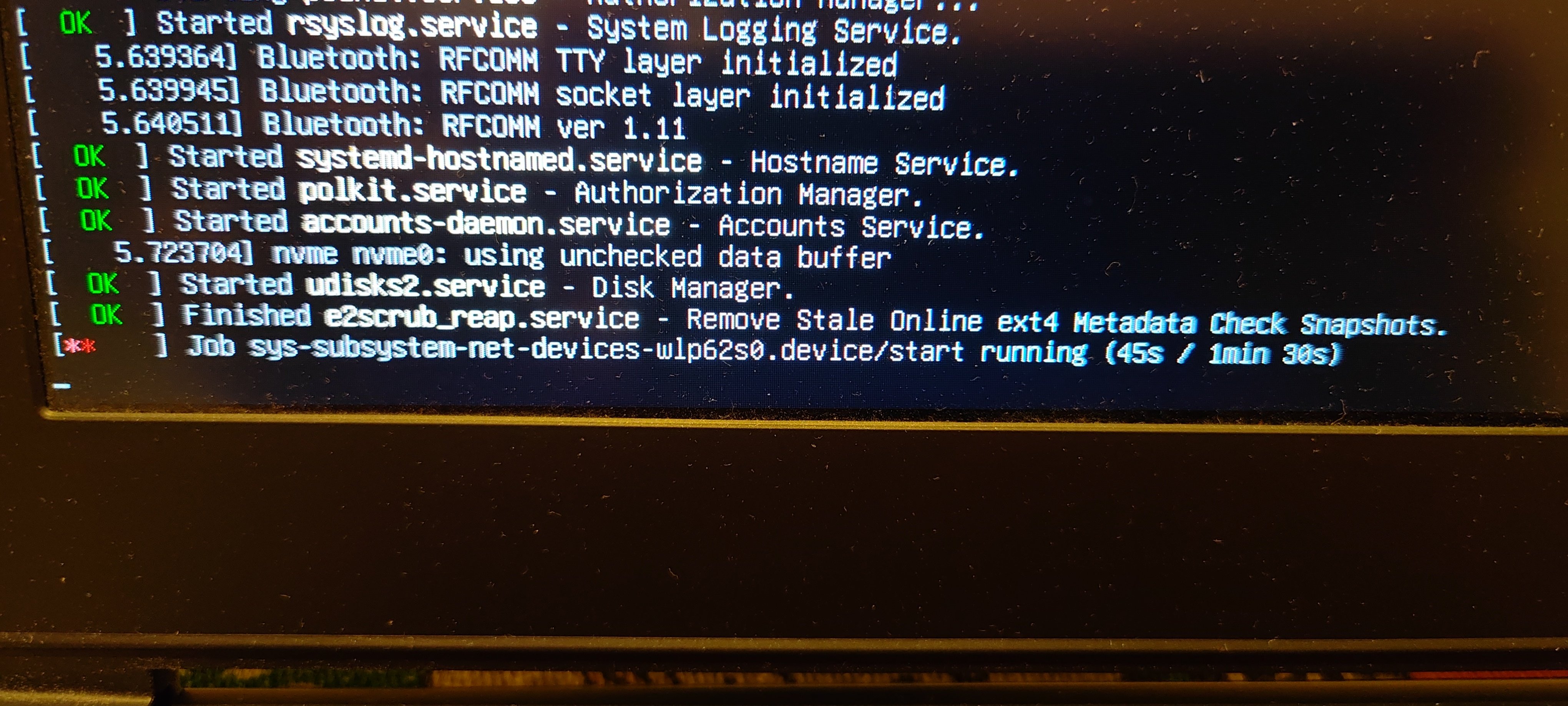
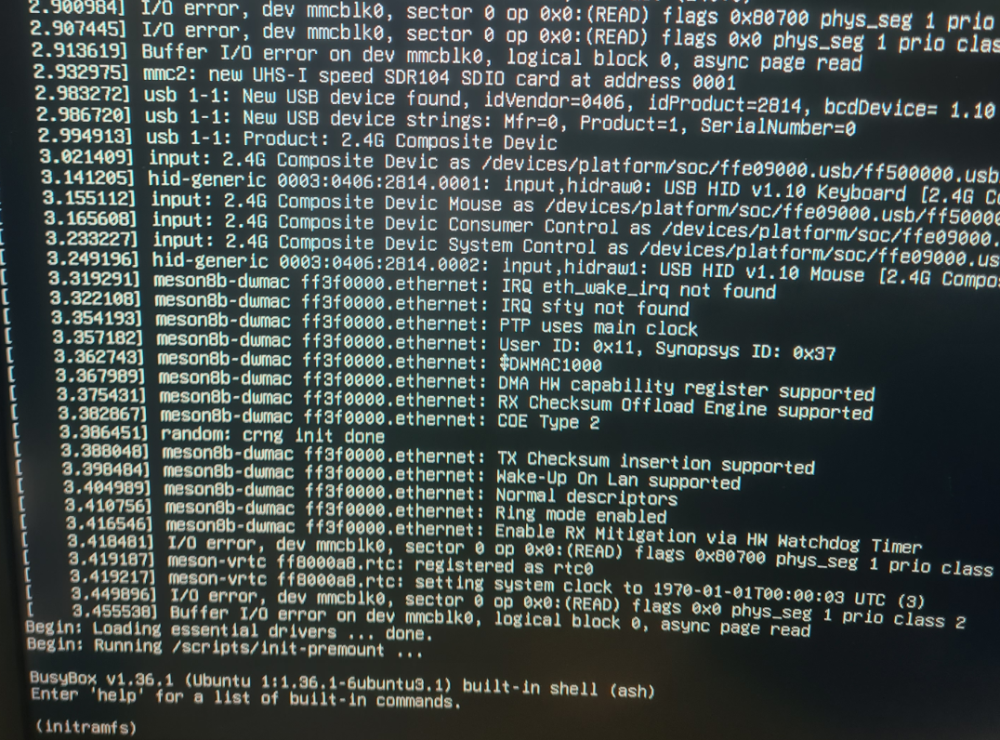
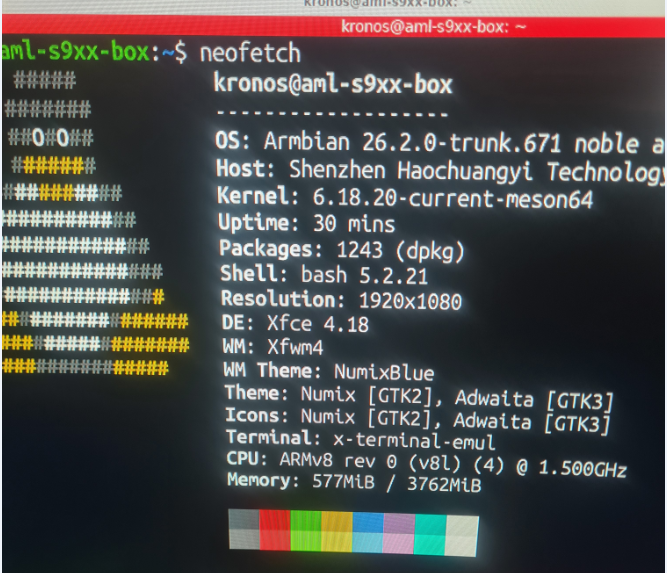
i will get that information for you.Sorry i did not give it sooner Box: H96 model x3 cpu-s905x3 rom 64gb the config file is kernel /Image initrd /uInitrd fdt /dtb/amlogic/meson-sm1-h96-max.dtb append root=UUID=54072e2a-0ddf-4b60-930c-f13cc5fc51b1 rootflags=data=writeback console=ttyAML0,115200n8 console=tty0 rw no_console_suspend consoleblank=0 fsck.fix=yes fsck.repair=yes net.ifnames=0 splash plymouth.ignore-serial-consoles I will post a neofetch of the usb flash that armibian works from on the same box strange enough when i take the sd card out the port on the box and place it in a usb card reader then boot armbian boots up ok and works(except the wifi) WHen i place the sd card back into the slot i get no errors but get stuck on initram
- Yesterday
-
 Collabora presents "Bringing BitNet to ExecuTorch via Vulkan" at PyTorch Conference Europe in Paris (April 7-8) and attends ICLR in Rio de Janeiro (April 23-27). Connect with our team to discuss machine learning and open source innovation! View the full article
 -
Open source projects like ours operate with very limited resources, and infrastructure such as mirrors is maintained on a best-effort basis. We’re aware that things are not always perfect, but addressing this properly requires dedicated maintainers - something we never had. If you’d like to help improve the situation, we’d genuinely welcome someone stepping in to take ownership of this part of the infrastructure. Improving scripts to make this information correct and other things that are missing ... Perhaps contanting mirror owner would already be a solution. I understand - but our mirror system isn’t a standard Debian-style setup. The “empty mirrors” you’re seeing are a cosmetic problem. Only status isn’t automatically pruned yet, so entries can remain listed after they’re no longer active. This does not affect users: traffic is routed through apt.armbian.com and dl.armbian.com, which only serve from working mirrors. What’s missing is automation to keep the public listing in sync - not mirror functionality itself. One of those https://actions.armbian.com/?repo=armbian.github.io needs further development. Our rsync server works: rsync -av rsync://rsync.armbian.com/dl/ I have no clue as this mirror is not under our direct control. Edit: I sent email to administrator of AARNet.
-
@Octavio Cuatrochio I just noticed your link in the first post. The board in the link is a FAKE Allwinner H313. If your board does not have a small AXP### chip then it's not an Allwinner H313.
-

How you can help test upcoming Armbian 26.02 images?
Walter Zambotti replied to Igor's topic in Advanced users - Development
The last update installed a broken firmware package which prevents the system from rebooting and there is no heartbeat. This is the tail end of the upgrade: Preparing to unpack .../40-libnss-myhostname_255.4-1ubuntu8.14_arm64.deb ... Unpacking libnss-myhostname:arm64 (255.4-1ubuntu8.14) over (255.4-1ubuntu8.12) ... Errors were encountered while processing: /tmp/apt-dpkg-install-QRewUS/02-armbian-firmware_26.2.1_all.deb E: Sub-process /usr/bin/dpkg returned an error code (1) Since the install is on the internal eMMc that pretty much prevents any recovery So just retested. Brand new download and reburnt image to eMMc. Booted completed install setup. Performed a sudo apt update and sudo apt upgrade and it immediately breaks and becomes non bootable. -
closed for off-topic
-
.thumb.jpg.20ed26dd68aaee94a94b227bf670a8eb.jpg)
HDMI audio and analog audio do not work on Opi5Plus
SuperKali replied to ずっと一人's topic in Orange Pi 5 Plus
LLM has most likely read the patch I merged into Armbian -

Hardware video acceleration with recent armbian/mainline kernel (Kodi)
maka replied to XXXBold's topic in Orange Pi 5
For lazy people like me clapper from flathub is a solution. -
@alexc Thanks for all your hard work! I’ve put together an Armbian build using your kernel—you can check it out here: https://github.com/NickAlilovic/build/tree/Radxa-mainline-WIP
- Last week
-
@andrey.lobov try to upgrade the kernel or pick a fresh image from the github repository. The tm16xx driver has been reenabled recently after having being disabled due to partial kernel upstream.
-
 After I closed the lid of my chromebook Armbian decided to die even across reboots. https://drive.google.com/file/d/1gkEzVoY5QkNcWq3MOKYUSc8nkFYg91p-/view?usp=sharing Video of what I see https://drive.google.com/file/d/17yhnIjzkiYkkVohFrLf7MKDtYyb0xfOL/view?usp=sharing
 -
Welcome to the latest Armbian Newsletter: your source for the latest developments, community highlights, and behind-the-scenes updates from the world of open-source ARM and RISC-V computing. The past two months have been particularly active for the embedded ecosystem. At EMBEDDED WORLD 2026, developers, hardware vendors, and open-source communities gathered to showcase the latest innovations shaping the future of embedded computing. In parallel, the Armbian project continues to evolve with new releases, expanded board support, and ongoing improvements to the build framework driven by the contributions of its global community and the growing demand for reliable Linux on ARM and RISC-V platforms. SPONSORED Join us in making open source better! Every donation helps Armbian improve security, performance, and reliability — so everyone can enjoy a solid foundation for their devices. Github HighlightsThis week in Armbian development saw a significant expansion of hardware support, including new board images and compatibility for devices such as the Ariaboard Photonicat 2, SpacemiT MUSE Book, NanoPC T6 Plus, and Mekotronics R58S2. Kernel patches were updated across multiple platforms, notably for Rockchip and Sunxi families, enhancing stabilityArmbian blogMichael RobinsonMy First embedded world and I Already Can’t Wait for the NextI’d been putting this off for years. Every March, I’d read someone else’s embedded world recap, tell myself “next year”, and go back to my terminal. This year I actually went and I’m still processing everything I saw. First things first: the team Before I talk about any stand orArmbian blogDaniele BriguglioArmbian Q1 2026: Technical Milestones and the Road to Embedded WorldThe first quarter of 2026 has been a period of significant technical consolidation for the Armbian project. Driven by the v26.02 (Goa) release cycle, the project has focused on three core pillars: aggressive framework refactoring, the stable rollout of the Linux 6.18 LTS kernel, and the maturation ofArmbian blogMichael RobinsonView the full article
-
The first quarter of 2026 has been a period of significant technical consolidation for the Armbian project. Driven by the v26.02 (Goa) release cycle, the project has focused on three core pillars: aggressive framework refactoring, the stable rollout of the Linux 6.18 LTS kernel, and the maturation of the Armbian Imager utility. Core Framework RefactoringA primary objective this quarter was the reduction of technical debt within the armbian/build repository. The development team initiated a systematic cleanup to improve build reliability and maintenance. Toolchain Optimization: Through a series of pull requests, including #9218, #9252, and #9256, significant "dead code" was removed from the internal toolchain. This refactoring simplifies the logic required to support a diversifying array of ARM and RISC-V architectures.mmdebstrap Transition: The framework has officially transitioned to mmdebstrap as the exclusive engine for rootfs creation (#9512). By deprecating the legacy debootstrap method, the project ensures faster, more consistent, and reproducible builds across varied host environments.Bash Modernization: Internal build scripts have been transitioned from POSIX to Bash syntax to leverage modern shell features and enhance overall script reliability.Kernel and Hardware IntegrationQ1 marked the broad adoption of the Linux 6.18 LTS kernel series, providing improved driver support and hardware abstraction for tier-1 platforms. Linux 6.18 LTS Rollout: Stable support for the 6.18.y kernel was merged for major families, including meson64, rockchip64, and UEFI targets (#9069, #9086).Hardware Support Expansion:SpacemiT MusePi Pro: Full integration and kernel patching were completed (#9422).Orange Pi RV2: Initial support and nightly build availability were established for this RISC-V target.Radxa Rock 4D & ODROID M2: These boards were elevated to the stable support tier within the 26.02 release.Firmware Updates: U-Boot was bumped to v2026.01 for several platforms. Notably, boot delays on the Orange Pi 5 series were addressed via updated U-Boot candidates (#9450).Ecosystem Tools: Armbian ImagerThe Armbian Imager has transitioned from a utility to a cornerstone of the project’s user experience, with a focus on security and onboarding efficiency. Cross-Platform Security: Code signing was implemented for both macOS and Windows artifacts to reduce installation friction for non-Linux users (imager#87).Performance Improvements: The utility now features optimized image decompression and enhanced device disconnect detection (imager#28).Automated Reporting: A new AI Actions Report workflow (armbian.github.io#165) was implemented to automate development highlights, providing greater transparency into the commit history for the community.Strategic Industry AlignmentThe technical trajectory of Q1 was intentionally aligned with Armbian’s presence at Embedded World 2026 in Nuremberg. By showcasing the framework and Imager as guests of Seeed Studio, the project demonstrated its readiness for industrial-scale deployment. The shift toward mainline kernel and U-Boot support—specifically targeting the retirement of vendor-specific bootloaders—remains a priority for long-term security and professional-grade stability. Contributors & Credits The progress in Q1 2026 is the result of sustained contributions from the Armbian Dev team and the wider community. Detailed changelogs and commit histories are available at github.com/armbian/build. View the full article
-
I'd been putting this off for years. Every March, I'd read someone else's embedded world recap, tell myself "next year", and go back to my terminal. This year I actually went and I'm still processing everything I saw. First things first: the teamBefore I talk about any stand or chip, I need to tell you what made this trip different from anything I've done before. There were five of us from the Armbian team at the show: Igor, Werner, Meko, amazingfate, and me. Five people. Four countries. Some of us had worked together for years and never met in person. You know how it is in open-source, you collaborate through GitHub, you argue about patches on the mailing list, you review each other's code at odd hours. But you don't always know the face behind the username. Meeting those people for real, shaking their hand, having a coffee together, that's something no pull request can replicate. And honestly, it was worth the trip on its own. The show itself: I wasn't ready for thisArriving at the Nuremberg Messe for the first time is a genuine shock. I knew embedded world was big. I did not know it was this big. Enormous halls, thousands of exhibitors, tens of thousands of attendees. On day one I got genuinely lost between the pavilions spent a solid half hour wandering with no idea where I was. I'm told this is a rite of passage. What surprised me most about the atmosphere is how concrete everything felt. This isn't a conference where people pitch vaporware from behind polished booths. Engineers and developers everywhere, talking about real problems, showing real hardware. You can walk from a giant like Qualcomm to a small team doing something fascinating with a handful of sensors and both conversations feel equally substantive. What we saw on the floorRockchip was a mandatory stop for us, and they didn't disappoint. On their stand: the RK3572 EVB an evaluation board we hadn't seen in person before. Reading specs in a datasheet is one thing. Seeing the board running, understanding its real-world size, its connectors, how it behaves, that's a completely different kind of knowledge. The kind you can only get by showing up. Rockchip Employees (Most left and right) and Jianfeng Liu, Mecid Urganci & Igor PecovnikSeeed Studio had live demos of AI Vision and AI Sound, and the one that genuinely impressed me was their AI camera with a built-in NPU doing real-time object recognition. I'm not talking about laggy, stuttering inference, it was smooth. Fluid. The kind of performance that makes you stop walking and just stare for a minute. Seeing that level of real-time AI running on a compact edge device was one of those moments where the future stops feeling abstract. Seedstudio x Armbian (Maximilian Riedl , Igor Pecovnik, Jianfeng Liu, Daniele Briguglio)Qualcomm brought the Arduino Ventuno Q, and this is where things got interesting and a little funny. meko had already run his benchmarks on the board when amazingfate noticed something: Chromium's hardware acceleration wasn't enabled. So he enabled it. Right there. Directly on the board. In front of the stand staff. The reaction from the Qualcomm team? Complete, genuine astonishment. They didn't see it coming. That's what happens when you bring a group of Armbian developers to a trade show, we don't just look at things, we poke at them. Armbian at the Foundries.io boothCollabora was present at the show, and amazingfate got to meet some of the team. Their kernel and GPU driver work is always relevant to what we do, so that conversation mattered even if I wasn't there for it personally. The moment that hit hardest: Armbian on the BeagleBadgeDuring a meeting with the BeagleBoard.org team inside the show, they showed us their brand new project: the BeagleBadge. Launched right there at embedded world 2026, it won Best in Show in the Wearables category; a Linux-powered wearable badge with a 4.2" ePaper display, dual-core ARM Cortex-A53, Wi-Fi 6, LoRa, and more sensors than I can list here. Built around the Texas Instruments AM62L32, manufactured by Seeed Studio. Impressive hardware. But here's the part that actually stopped me in my tracks: Armbian was running on it. There's an official "Armbian BeagleBadge demo for EW2026" image — Debian Trixie, Linux 6.12 — listed right on the BeagleBoard.org site. Our OS. On a Best-in-Show winning badge. At the world's biggest embedded show. That's not a small thing. That's the community's work showing up exactly where it matters. What embedded world taught me about where this industry is goingThree days of walking, talking, and observing gives you a pretty clear picture of the currents moving through the embedded world right now. Edge AI is not a trend anymore, it's infrastructure. Every major vendor had something running inference locally, without cloud, on modest hardware. This is real, it's shipping, and it's going to reshape what we expect embedded systems to do. Open-source has earned its seat at the table. I half-expected it to be the hobbyist corner of the show. It wasn't. Companies are building on Linux, on open stacks, on ecosystems maintained by communities like ours. That's not charity, it's strategy. And it means the work we do in Armbian matters more than we sometimes give ourselves credit for. The line between prototype and product is razor thin. At most stands you'd see a mix: shipping products, reference designs, things that will exist in six months. That gap is where the interesting information lives; what's coming, which platforms are getting serious investment, which vendors are committed to mainline Linux support. You don't learn that from a datasheet. You learn it by being there. Would I go back?Without a second thought. If you're an Armbian community member who's been putting this off the same way I was stop putting it off. The technical exposure is valuable. The networking is real. And meeting the people you build things with, face to face, is something that doesn't have a substitute. The show runs every year in Nuremberg. I'll be there. See you in 2027. 🇩🇪 View the full article
-
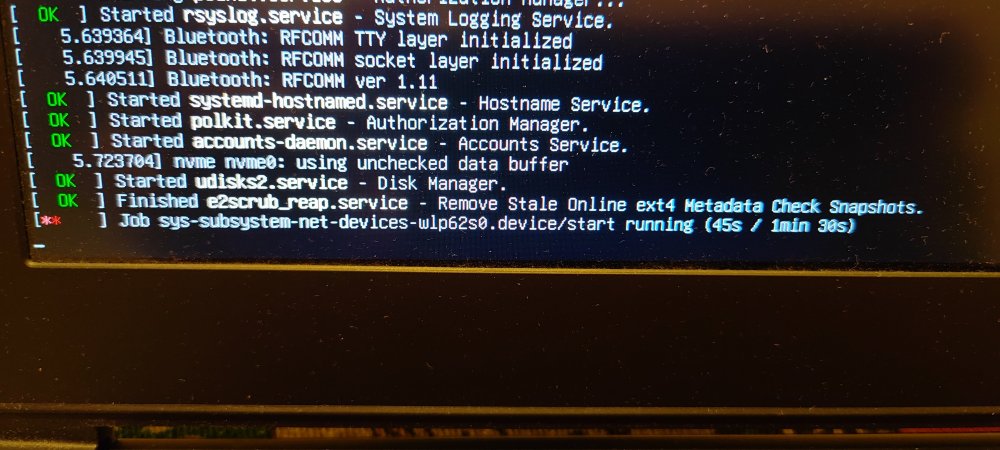
I know this might get ignored, but honestly, I don’t really mind. I just want to report something I noticed a few days ago, which I initially thought was caused by my previous setup. I was running a Radxa CM5 with a Waveshare CM4 Nano-C board, using an Armbian image for the Rock 5A. This was the only way I could get it working with mainline support. I’m aware this setup is far from standard I’m essentially using the wrong image but that’s because the Radxa CM5 IO board isn’t compatible with the Waveshare Nano board. On top of that, Armbian doesn’t officially support the CM5 RPi-CM4 IO board provided by Radxa (which does work with the Waveshare Nano, but their image is extremely unstable updating it to Trixie bricks the system). The main issue I noticed was with Wi-Fi (using a USB Wi-Fi AC dongle). By default, it’s broken. I managed to restore it using armbian-config and network setup, but even then, the system doesn’t show any Wi-Fi options in Network Manager, despite being connected and working. I didn’t report this earlier because my setup is quite unusual, and I couldn’t be sure if the issue was specific to me. However, today I tested something else. I revived my MSI GS73VR (a 2017 x86 laptop with a GTX 1060) and tried several Linux distributions. I ended up installing Armbian UEFI (the x86 version of Armbian Trixie). As a side note, the Trixie download link on the website is broken you have to dig through the internal download pages to find it. After installing it on an NVMe drive and completing the setup, everything initially worked fine. But after one reboot, I encountered the same Wi-Fi issue: freezing and inconsistent behavior. This time, I hadn’t used armbian-config or any network tweaks. The system doesn’t properly detect or display Wi-Fi in GNOME settings, even though it is actually connected and working in the background. So this seems to be a broader issue, not just related to my ARM setup. I don’t know exactly what’s wrong with Armbian, but my main criticism has always been Wi-Fi support—especially for USB dongles. It feels poorly maintained and lacks consistency. I was told years ago that mainline support would resolve these issues, but Armbian UEFI on x86 should already be at that stage, shouldn’t it? Something clearly isn’t right here. It’s frustrating because this feels like the last missing piece for an otherwise solid system. Despite my criticism, I’ll admit Armbian has grown on me. On x86, there are better alternatives like Fedora, but on ARM, Armbian is still one of the best options. Anyway, apologies if this is posted in the wrong place. The official channels require logs, and I don’t feel like rebuilding my old broken setup just to gather them. If no logs means no help, then so be it. Maybe I’m the only one experiencing this—but I doubt it. Most people probably just plug in Ethernet and avoid dealing with Wi-Fi altogether. It is what it is.
-
The flashing guide points to a github repo which mentions only xiaomi but not oneplus. Can I follow that?
-
Based on Debian 13 (Trixie), Apertis v2026 delivers updated system libraries, development tools, compilers, and core services, alongside a new default Wayland compositor, a reworked SDK, and smarter packaging pipelines. View the full article
-
Just a quick update for those who are following this thread, looks like there was a pull request for U-Boot with this fix (2026-02-02): https://github.com/armbian/build/pull/9333 Waiting for the U-Boot update i guess (i'm using `linux-u-boot-odroidm1-edge/sid` currently).
-
 Usual User, the information you linked about Linux 6.19 seems like there's progress for Rockchip. However, is there any indication that Allwinner H618 could get H265/HEVC decoding acceleration working too?