Active threads
Showing topics posted in for the last 365 days.
- Today
-
Please report here https://github.com/armbian/imager/issues
-
Thank you to everyone who spent time reading my post, and contributing to it. Having had some free days I decided to give it another try and experimented my helios64 with some of the newer images, none of which worked perfectly (my main requirement is OMV plus its miniDLNA, and couldn't get this installed on noble or trixie, although they were booting and working just fine), eventually running now some bookworm from eMMC and while it seems stable there are some performance issues* (need to re-read that bookworm issues thread again as I did not try all the fixes yet, including the dtb one). *By performance issues I mean some apparently slow reading/writing to eMMC, and network performance on 2.5gb, which I know were thoroughly discusses on that thread, just need to spend more time on trying them out I guess. I'm still a newbie into all this stuff and I was reading a lot again before the new tests. Would anyone be able to recommend some version of an archived bookworm image that I should start from? My device is connected to the router via the 1gb interface, and I have a second cable going directly to my desktop via the 2.5gb interface that lands into a 2.5gb USB-c network card. I don’t have the 2.5gb hardware fix done as when I installed it years ago it was working fine on buster with this layout and my router is 1gb only anyway. In any case, I still have the SD card with the prior setup untouched, so can revert back to it, was just thinking it makes more sense to try something new. Happy new year all of you!
-
@Thermitenjoyer You should be able to just flash it with balena etcher. https://mega.nz/fm/z3w0BTra I uploaded my radxa and orangepi image to mega, im working on NVMe support for orangepi currently, but I dont have the board on hand so im unable to test my kernel-patches. My changes are on github too: https://github.com/rvdr/build/tree/spi-nvme-patches Booting via NVMe works fine when using the sd card for the bootloader, but for some reason I get Kernel panics (not syncing: hung_task: blocked tasks) when using the spi flash for the bootloader.
-
modprobe parameter should be crystal=1, not crystal_26M_en anymore (see here) Otherwise you could try led-conf6 overlay (but I don't know if it fits your board...) which has the attribute esp,crystal-26M-en = <1> in the device tree to set the crystal to 26 MHz
-

Efforts to develop firmware for H96 MAX M9 RK3576 TV Box 8G/128G
Werner replied to Hqnicolas's topic in Rockchip CPU Boxes
standard baud rate for rockchip socs is 1500000. And for the other your cp2102 is no good for this high speed since it cannot handle it. And instead of failing it will output garbage. get ft232r, cp2104 or pl2303 based adapter. -
How to compile a UFS image that can be written using sudo dd?
-

Gaming experience with Orange Pi 5 (RK3588) on Armbian
KhanhDTP replied to KhanhDTP's topic in Orange Pi 5
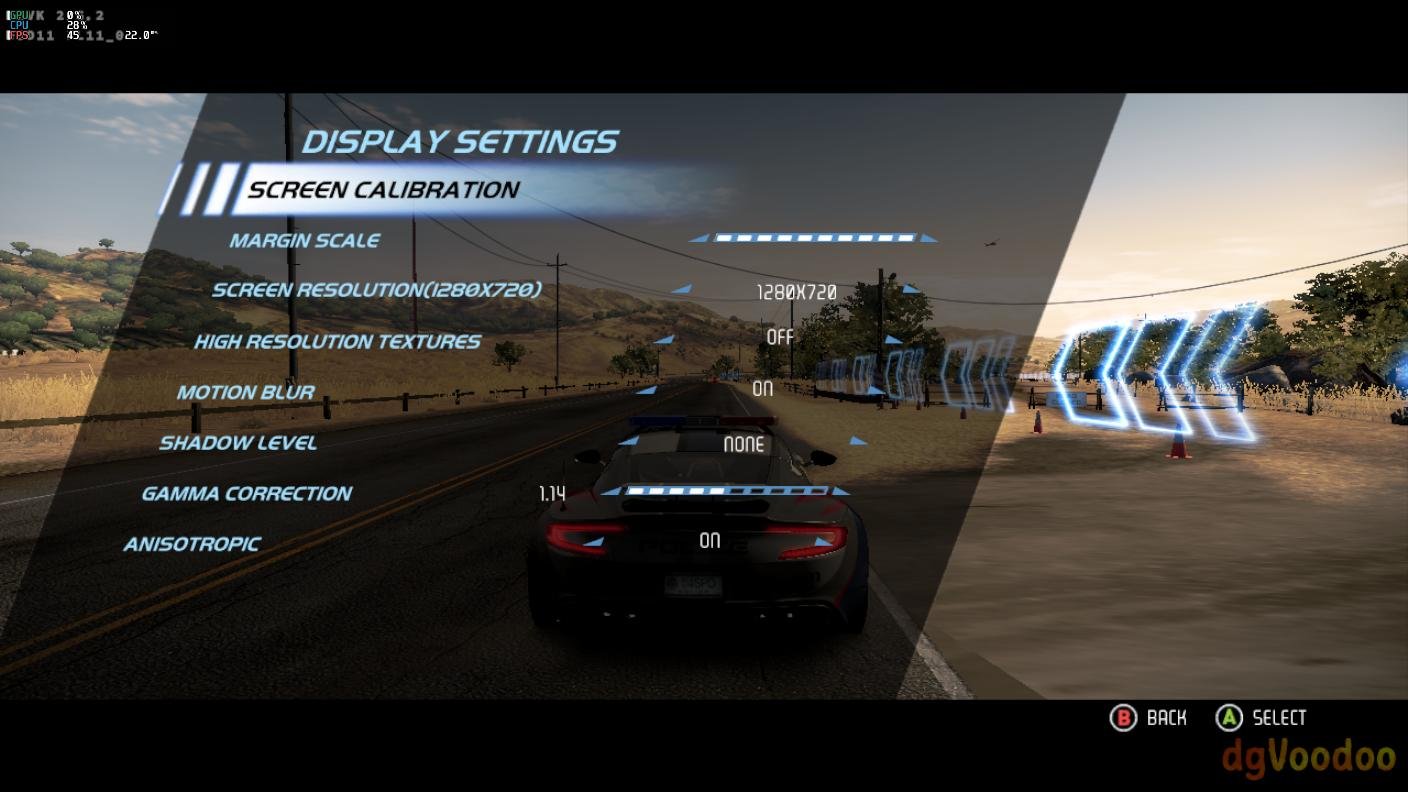
Armbian 25.11.2 Noble XFCE (BSP Kernel: 6.1.115) + PanVk - mesa 26.0 (https://launchpad.net/~ernstp/+archive/ubuntu/mesaaco) + box64 3.9 (https://ryanfortner.github.io/box64-debs/) + proton-10.0-3-amd64-wow64 (https://github.com/Kron4ek/Wine-Builds/releases/download/proton-10.0-3/wine-proton-10.0-3-amd64-wow64.tar.xz) + dgVoodoo2 (https://github.com/dege-diosg/dgVoodoo2/releases) + DXVK-stripped v2.6.2 30~60fps@720p box64 environment variables: Need for Speed Hot Pursuit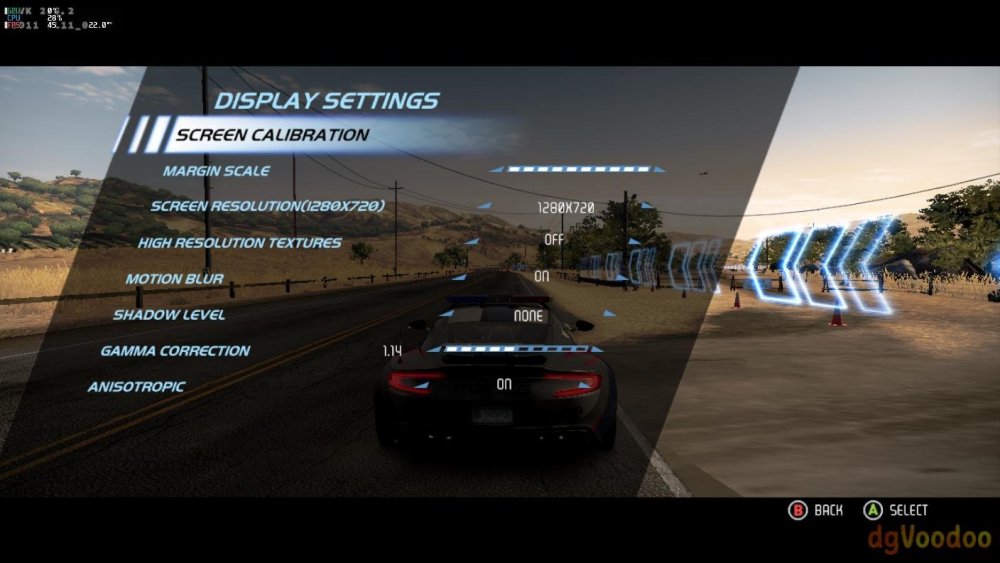
.thumb.jpg.b2de2a57be993baffcbef1706da6c2ea.jpg)
-
Open hardware is growing faster than ever and breaking in new ways.http://blog.armbian.com/content/images/2025/12/New_review1.png2025 has been a productive year for the Armbian project. As the Single Board Computer ecosystem continues to fragment and expand, Armbian has consolidated its position as the universal glue holding the open-source hardware world together. Our mission remains clear: providing a consistent, reliable build framework that generates operating system for an increasingly diverse hardware landscape. Hardware diversity and development velocityThe most visible metric of our growth is hardware support. This year, the team successfully integrated 61 new boards into the ecosystem. This represents thausands of engineering hours dedicated to debugging, kernel patching, and testing to ensure a stable experience for the end user, regardless of the underlying silicon. The heartbeat of this activity remains our build Framework, which saw 1,946 commits this year. This framework is the engine that allows Armbian to scale across architectures. Our specialized repositories also saw significant contributions: 795 commits to Rockchip Linux, 304 commits to Armbian Config, and 88 commits to the Armbian Imager. Repository2025 CommitsPrimary RoleBuild Framework1,946Core image generation engineRockchip Linux795Kernel support for Rockchip SoCsArmbian Config304System management and TUIArmbian Imager88Cross-platform flashing utility The CI/CD powerhouse: 9.2 years of compute!To maintain quality across hundreds of supported boards, our automated workflows are essential. In 2025, Armbian’s infrastructure ran for a total of 4,885,668 minutes. To put that in perspective, our servers performed the equivalent of 9.2 years of continuous compute time in a single calendar year. This massive undertaking involved 1,510,771 individual job runs, ensuring that every code contribution was properly assembled and tested and every image was built to specification before reaching your SD card. Community: more than just codeArmbian is a community-first project that thrives on shared expertise. While code is our foundation, documentation and education are what empower our users. Newsletter team is seeking contributors to create technical documentation, share practical experience, and write clear instructions and tutorials. If you have a unique project, a "how-to" guide, or an interesting Armbian use case, we encourage you to share your knowledge with the community via the Armbian Forum. Support the MissionMaintaining the infrastructure required for millions of job runs is a significant financial undertaking. If Armbian provides value to your business, research, or hobby, please consider supporting us. Contribute Expertise: Visit our Get Involved Guide to help with development or testing.Financial Support: You can donate via PayPal, Liberapay, or BTC or become a GitHub Sponsor.Every contribution directly funds build infrastructure, CI runners, mirrors, development tools, and hardware enablement, ensuring Armbian remains reliable and up to date. View the full article
-
Good afternoon. Sorry for my English. Happy New Year!!!! Can you change the current theme to MYD-lt527m-16e2d-180-e-sx? I think that's clear now. Thank you. By the way, I've made some progress. Using Android logs, I finally configured, launched, and tested two network interfaces. The iperf3 program showed an average throughput of 90 megabytes per second. Unfortunately, I can't yet extract the device tree using standard tools.
-
[Bug]: Ethernet rarely connecting successfully in Orange Pi 3 LTS
Werner replied to iMagz's topic in Allwinner sunxi
May have found something. Perhaps https://lists.openwall.net/linux-kernel/2025/09/17/618 causes issues. Here is a test image that works around this by adjusting device tree a bit. Please test and report https://testing.armbian.de/Armbian-unofficial_26.02.0-trunk_Orangepi3-lts_trixie_current_6.12.63_minimal.img.xz - Yesterday
-
Standard Debian; select what you want when you run: sudo tasksel
-

Edit ArmbianEnv.txt when machine is unable to boot?
CryBaby replied to Myriade's topic in Rockchip CPU Boxes
If there is nothing in /boot at all then its content is probably in another partition which gets mounted while booting. You will need to find that partition and mount it in your PC to modify it. -

PHC support for NanoPi R76S
Carol-5673 replied to muetzekoeln's topic in Framework and userspace feature requests
Yeah, it makes sense, sadly. The NanoPi R76S has Realtek NICs, but PHC support isn't included into the mainline kernel. The out-of-tree r8125 driver is... let's just say it's not very stable. The in-kernel driver doesn't display PHC at all, so it's not surprising that ethtool -T doesn't show anything. If you're noticing missing MACs and PHC vanishing after a reboot with r8125-9.016.01, it's generally because the driver and kernel versions don't match. That driver is quite sensitive to the internals of the kernel, and things become strange very quickly if udev or the DT bindings don't match up. It's also important to note that even when PHC works with Realtek, it's frequently not fully developed. For example, timestamping could be there, but it won't sync well with ptp4l, particularly when the system is under a lot of demand. So, for PHC accuracy and stability, this board was never meant to be used for serious time sync. In short: No PHC support for mainline kernel out-of-tree r8125 is unstable and breaks easily R76S hardware isn't very good for precise timing. If PHC is a must, Intel i210/i225-based NICs will work considerably better for you. Realtek + PHC is like being in agony mode. -

Helios64 - Unable to transfer install from eMMC to SDCard
Marru_678 replied to unfnknblvbl's topic in Rockchip
You can't truly "force" the boot sequence on Helios64 since U-Boot already checks SD, eMMC, and SATA. The SD card isn't bootable if the eMMC is still booting. Things to check quickly: SD must contain a properly written raw Armbian image (dd / balenaEtcher). You can't copy files. Check that it contains a bootloader and not simply an ext4 partition. Before starting, turn off the power completely (warm reboots might disregard SD). Once the computer has started, use lsblk -f to inspect the layout of the devices. On Helios64, the mmc numbering does change, therefore tools may conceal devices to save the live rootfs from being destroyed. If you want to be 100% sure, unplug the eMMC for a short time. If it boots, the SD is OK. The boot sequence isn't the problem; the SD image is. - Last week
-
It said "archlinux" because I took something from my notes for my Arch Linux images. It was only an example command and you can put there anything on how you named the image. I did not include image creating and bootrapping an OS into the image. I mainly wanted to show you how you can build and flash your custom u-boot. You get these "idbloader.img" and "u-boot.itb" files from the steps I laid out. If you download u-boot, bl31, ddr and compile it, you will see the files in the folder. I am sure you will understand this pretty fast. :-) Create an empty img file Create a rootfs partition (should start at 16MB) Bootstrap Debian or Ubuntu into the image Then start with the u-boot stuff above. By the time 6.19 drops, you will be a master in building images. :-)
-
if you sudo apt upgrade the firmware package for the q6a breaks wifi and i believe ethernet... I do not have a concise fix for this i reflashed my device with the latest build after doing it originally to get wifi when validating the issue i had backed up the firmware etc for the default network drivers after upgrading broke the networking drivers had to restore firmware from previous build.... Would give a fix but aint that easy if you already upgraded you need to download the previous firmware put on usb stick and slap it on either that or figure out whats broken in the last one this is kind of rambling but yeah just be careful upgrading
-
Fairly sure the current build either includes an incorrect or no ucm config for HDMI Audio support; I've seen other builds eg rock itx have this issue but I believe this may be a potential issue for the q6a build if anyone experiences there is a solution - 1. Install alsa-ucm-conf sudo apt install -y alsa-ucm-conf 2. Download configs cd /tmp curl -sL "https://github.com/alsa-project/alsa-ucm-conf/archive/refs/heads/master.tar.gz" | tar xz 3. Copy QCS6490 configs sudo cp -r alsa-ucm-conf-master/ucm2/Qualcomm/qcs6490 /usr/share/alsa/ucm2/Qualcomm/ sudo cp -r alsa-ucm-conf-master/ucm2/conf.d/qcs6490 /usr/share/alsa/ucm2/conf.d/ 4. Copy library & codec files sudo cp -r alsa-ucm-conf-master/ucm2/lib /usr/share/alsa/ucm2/ sudo cp -r alsa-ucm-conf-master/ucm2/codecs /usr/share/alsa/ucm2 5. Restart PulseAudio systemctl --user restart pulseaudio 6. Verify HDMI audio is detected pactl list sinks short If this did not work i probably just made your issue harder to fix; However if this did work congrats enjoy not having a mute computer.
-

Need help with video decode acceleration on NanoPi R6S
Blind55 replied to Blind55's topic in NanoPi R6S/R6C
Ok, as promised with a report. Current setup - NanoPi R6S - Armbian Debian trixie minimal edition, with Kernel 6.1.115 - LXQT (using X11) - Jellyfin (installed via Jellyfin website instructions, NOT using armbian-config as that sets up docker and then makes it more opaque to run it with external media) - firefox Results - Jellyfin, accessed via apps for various SmartTVs (Google Chromecast, Amazon TV, etc), runs super smooth with 4K videos, indicating functioning hardware decoding. NanoPi stays very cool even for 4K transcodes. - Firefox video playback has to, like @eselarm already said, resort to software decode. NanoPi is able to play smooth up to HD level videos in firefox, but it gets pretty hot. Comments I suppose that getting firefox hardware accelerated video decode is further out of reach now that ffmpeg has DMCA-taken-down the rockchip-mpp github repository...but what do I know. I am wondering if running LXQT with wayland would offer improvements, but I am not sure it's worth the effort. I am a relatively happy camper with this setup. -
I do not know how to fix that key / verify signature issue. It might be there because of earlier diskfull. I only know I needed new keyrings, listed in the armbian list files when I did the in-place upgrade from bookworm to trixie. There is a formal method for that I think, might be here on forum. I however did copy various things from a new Armbian Trixie image. E.g. new file is now: -rw-rw-r-- 1 root root 2297 Aug 31 22:15 /usr/share/keyrings/armbian-archive-keyring.gpg ~# sha256sum /usr/share/keyrings/armbian-archive-keyring.gpg 9d0ab1676008004f1ee0bfc0f99a6043544d8bb6df3d949f9bd30066246f9095 /usr/share/keyrings/armbian-archive-keyring.gpg For Docker problem: I don't use Docker, I have no clue why that file keeps growing.
-

Dec 25th image for Cubie a5e is not a bootable image
ariel1 replied to Meestor_X's topic in Allwinner sunxi
From my experience with trunk 130 the gmac is working on both ports. Wifi is not always working, sometimes a reboot may make the wifi to work. There is no USB 3.0 and HDMI is not working either. Running gdisk armbian.img made it bootable. The easiest way to run this command for me was from WSL. -
 After having this happen again and investigating further, it looks like my container for transmission is writing to a log file that is just ballooning bigger and bigger until the system crashes. root@modron:/var/lib/docker/containers/899f42253bb7772351219b7a65ff21347455f11950f983fb7a8883c6b93cdb17# ls -al total 101656680 drwx--x--- 4 root root 4096 Dec 27 22:28 . drwx--x--- 22 root root 4096 Dec 27 22:28 .. -rw-r----- 1 root root 104095768576 Dec 31 15:08 899f42253bb7772351219b7a65ff21347455f11950f983fb7a8883c6b93cdb17-json.log drwx------ 2 root root 4096 Dec 27 22:28 checkpoints -rw------- 1 root root 5949 Dec 27 22:28 config.v2.json -rw------- 1 root root 1776 Dec 27 22:28 hostconfig.json -rw-r--r-- 1 root root 13 Dec 27 22:28 hostname -rw-r--r-- 1 root root 172 Dec 27 22:28 hosts drwx--x--- 2 root root 4096 Dec 27 22:28 mounts -rw-r--r-- 1 root root 336 Dec 27 22:28 resolv.conf -rw-r--r-- 1 root root 71 Dec 27 22:28 resolv.conf.hash I'm not sure what this file is. Tailing it prints this out, and I'm worried trying to load it into memory with less would cause a crash: {"log":"[warn] Error from accept() call: No file descriptors available\n","stream":"stderr","time":"2025-12-31T20:06:58.854663511Z"} {"log":"[warn] Error from accept() call: No file descriptors available\n","stream":"stderr","time":"2025-12-31T20:06:58.854793008Z"} {"log":"[warn] Error from accept() call: No file descriptors available\n","stream":"stderr","time":"2025-12-31T20:06:58.855042376Z"} {"log":"[warn] Error from accept() call: No file descriptors available\n","stream":"stderr","time":"2025-12-31T20:06:58.855144456Z"} {"log":"[warn] Error from accept() call: No file descriptors available\n","stream":"stderr","time":"2025-12-31T20:06:58.855165456Z"} {"log":"[warn] Error from accept() call: No file descriptors available\n","stream":"stderr","time":"2025-12-31T20:06:58.855213288Z"} {"log":"[warn] Error from accept() call: No file descriptors available\n","stream":"stderr","time":"2025-12-31T20:06:58.855254412Z"} {"log":"[warn] Error from accept() call: No file descriptors available\n","stream":"stderr","time":"2025-12-31T20:06:58.855304285Z"} {"log":"[warn] Error from accept() call: No file descriptors available\n","stream":"stderr","time":"2025-12-31T20:06:58.855320618Z"} {"log":"[warn] Error from accept() call: No file descriptors available\n","stream":"stderr","time":"2025-12- I've been running the 4.0.5 branch of the linuxserver.io container for transmission, I'm updating to their "latest" branch and seeing if that improves anything.
 -
https://forum.armbian.com/topic/16976-status-of-armbian-on-tv-boxes-please-read-first/#comment-199170
-
 I have the following (maybe stupid) question, what needs to be done to be able to use all the features of the RK3588 by adding the dts file. Example: there used to be /dev/tpm0 which has been missing for several versions. As I said earlier, the latest dts is much shorter. My question is not an attempt to nitpick, but a serious question. And what can I help with. As in my case, there is a peculiarity. I have a FriendlyElec NanoPC-T6 and it is used in "production" in my network. And I do not have the opportunity to reinstall it. I would like to make a dts file that allows using the full functionality of the RK3588. Again, I want to say, I do not want to blame anyone or nitpick, but to find a solution, and whether I can help with anything and if Yes, how and with what. P.S. Since today is the 31st, if you want we can postpone the discussion until January 1st or 2nd
 -
Hello SteeMan, Thank you I am going to look for a usb a to usb a cable Maybe ik can make one myself Happy New Year 🎉🎉🎉
-
 I have an old MXQ Pro 4K (based on the original S905, not S905X or S905D, the original S905) which I tried to install armbian on, but I didn't know extra things were needed to set up uboot and dtb correctly, so I just flashed the image, put the SD card in my box, ran `reboot update` from Android to boot to the SD card, it showed the MXQ Pro logo, rebooted, went back to the MXQ Pro logo, and I can't get it to go past that. My box has a weird firmware issue (started immediately after a firmware restore so I don't think it's hardware damage) where the button in the headphone jack just... doesn't work, even when holding it, it still tries to boot to the eMMC, and now I have no way of getting back into Android, and I can't boot from the SD card due to the button not working, so, is there any hope for my box here? Or have I effectively hard bricked it? I don't have a USB-A to USB-A cable for USB burning tool, and I will not be purchasing one, this was a spare box I've had laying around for eons and I don't think it's worth spending any money on -- I could probably get a much better box for the same money.




.jpg.de641351531f5faeead458fcbc922f47.jpg)