
Igor
Administrators
-
Joined
-
Last visited
Everything posted by Igor
-
Supervisor sometimes losess healthy state https://github.com/home-assistant/supervisor/issues/4381 and this is not Armbian related problem. However, we will fix this problem. Future builds are going to be patched https://github.com/armbian/os/pull/177 and for already installed, users can easyily implement workaround from PR manually: creating bash script creating systemd service that execute that script enable that service Copy and paste instructions for older builds! Login via SSH and execute: sudo bash -c 'cat << EOF > /usr/local/bin/supervisor_fix.sh #!/bin/bash while true; do if ha supervisor info 2>&1 | grep -q "healthy: false"; then echo "Unhealthy detected, restarting" | systemd-cat -t $(basename "$0") -p emerg systemctl restart hassio-supervisor.service sleep 600 else sleep 5 fi done EOF' sudo chmod +x /usr/local/bin/supervisor_fix.sh sudo bash -c 'cat << EOF > /etc/systemd/system/supervisor-fix.service [Unit] Description=Supervisor Unhealthy Fix [Service] ExecStart=/usr/local/bin/supervisor_fix.sh [Install] WantedBy=multi-user.target EOF' sudo systemctl enable supervisor-fix sudo systemctl start supervisor-fix

-
Temporarily network maintenance issue at that segment Sadly can't fix remote. Tomorrow... Wrote on mobile
-
-
You can try default Armbian way, but beware this case was not tested, so its recommended for making a full HA backup so you can restore in no time. Mine too: igorp@odroidn2:~$ df -h Dat. sist. Vel. Upor. Prost Upo% Priklop na udev 1,7G 0 1,7G 0% /dev tmpfs 372M 5,9M 366M 2% /run /dev/mmcblk0p1 29G 5,4G 24G 19% / tmpfs 1,9G 0 1,9G 0% /dev/shm tmpfs 5,0M 0 5,0M 0% /run/lock tmpfs 4,0M 0 4,0M 0% /sys/fs/cgroup tmpfs 1,9G 0 1,9G 0% /tmp /dev/zram1 47M 38M 5,7M 87% /var/log tmpfs 372M 0 372M 0% /run/user/1000 I see no reasons to upgrade anywhere. Especially not to buggy USB3 storage.
-
Open a PR here https://github.com/armbian/build/tree/main/patch/kernel/archive/rockchip-6.1/overlay If he doesn't want to be contacted, there is nothing we can do. This is volunteering position at best effort principle. Some have time, interests and love, some don't. When we notice maintainer becomes unresponsive, board is (at release cycle) moved from "Standard" to "Community support" unless someone else take it over ... https://github.com/ich777/pikvm-rockpi-e This would be much better to be done as extension to the build framework. Examples: https://github.com/armbian/os/blob/main/userpatches/extensions/ha.sh https://github.com/armbian/os/blob/main/userpatches/extensions/openhab.sh Docs: https://docs.armbian.com/Developer-Guide_Extensions/ There is another person, that is around, doing similar https://github.com/srepac/kvmd-armbian perhaps teaming up and do it properly & maintainable? And with IMO less efforts.
-
Try those things that didn't work for @pgd just to make sure ... Also welcome to make a PR https://github.com/armbian/os/blob/main/userpatches/targets-release-apps.template#L35-L57
-
Yes. I have also updated instructions in the 1st post.
-
32bit, expect troubles ... make image and try? How-to is in the first post.
-
Yes, its kernel / low level hardware issue with this particular device. We will look into this, but this won't happen "over the night". I tried with mainline based kernel on Odorid M1 and it works there. It also says warning about "docker and privileges" but reboot fixes that warning. Backup / restore works ...
-
I managed to recreate this problem on VIM4 ... This HW has some old factory kernel, which could be the reason. Trying on some other device first.
-
I am having one almost identical device (Khadas VIM1S, same kernel) for testing. Installed add-on: Logs https://pastebin.com/raw/JVpwyx1C shows no problems. Are you using our images with preinstalled HA supervisor? If you DIY-ed, you need to fix this problem on your own. Here are some clues. Also did you try to reboot at least once?

-
IMO, probably just some simple on/off commanding from known (Python) environment is the key? "WiringPi" association / brand name / keyword just don't want to die off Yes, its on the level "OS is not working" without telling anything, not even where, what image, what hw. Additional details: "Logs? Why do you need that???" I could not agree more. IMO commercialization-consumerism of Linux, where RPi (and clones) played critical role, is the reason why we are seeing this. Often its discouraging when you help someone with a usable instructions or tip, but then you realize he is a decade away from understanding what you are telling him ...
-
-
-
-
If you switch to automation (apt.armbian.com), then routing should be fine as we only keep a small selection of mirrors, that are verified, ATM. This is a workaround, that significantly affects performance - for some people/locations, updating is painfully slow. In a day, two, we will re-enable all mirrors.
-
Re-adding bullseye too?
-
Can you provide what you get from: sudo apt update sudo apt upgrade Dot it 3x.
-
-
-
Such board does not exists. It exists with H2+. Which is H3 - 4k video. Which is anyway irrelevant for this use case. Armbian support it as any other Linux distribution. https://docs.armbian.com/User-Guide_Board-Support-Rules/ This means. We don't know if images https://www.armbian.com/orange-pi-r1/ works and if you will have problems, you are on your own to fix them. As this is old and simple board, it will probably just work.
-
Yeah, mirrors syncing / checking which are in sync is not working perfectly well. Yet. In a day, those random errors should be gone.
-
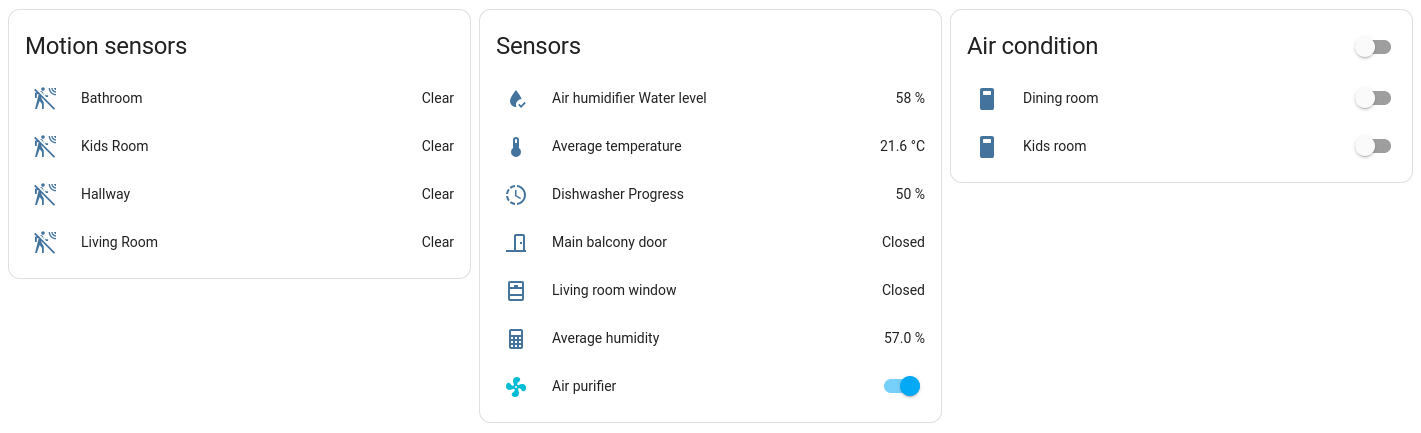
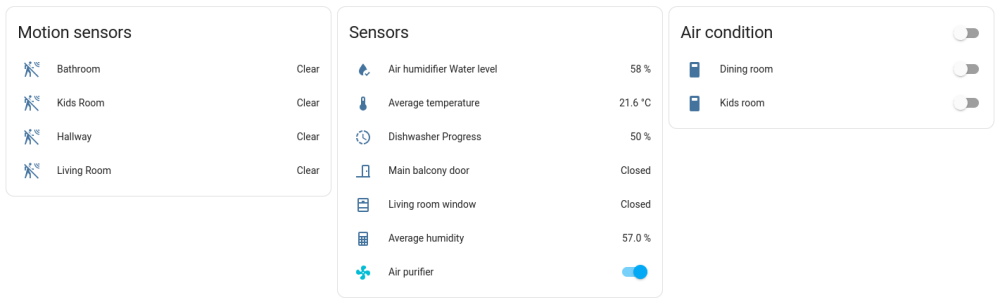
Download Armbian with HA (v25.2) Then boot the image, wait few minutes and login via http://ip_address_of_armbian_running_ha:8123 (official onboarding manual) Home Assistant Supervised is, more or less, a full blown Home assistant. Install Home Assistant on any Armbian Bookworm (experimental) Main difference between HA OS and Armbian with HA is that underlying OS here is clean Armbian Debian Bookworm and there is custom dedicated buildroot OS that is provided for a few single board computers, primarily for Raspberry Pi. We provide HA on a small selection of single board computers, but in theory, its possible to run this on (almost) all that are possible to build. I am running HA on Odroid N2+ and it works without any problems. I have z-wave network with sensors and switches, air humidifier, Android TV, Android phones, dishwasher, ... Things works flawlessly, much better then few years back when I started with home automation for a first time, with OpenHab. This time it was setup from scratch and in a matter of days, most of devices are in function, playing with automation. Tested on: Odroid N2/N2+ Odroid M1 Nanopi R4S Rock 5B Uefi-x86 Orangepi 5 Nanopi M6 Rpi400 Khadas VIM1S Khadas VIM4 (Amlogic vendor kernel trouble, failing / need inspection) Bananapi M2 Pro Provided for but untested (images you find on board downloads locations, seek them here https://www.armbian.com/download/😞 DIY Contribute Support: The supervised installation method on Armbian is not officially supported by the Home Assistant project. Additionally, installation on hardware that is not officially supported is also outside the scope of support provided by the Armbian team. You are welcome to report high-level application issues that are reproducible on the official Home Assistant Operating System (HAOS) within the Home Assistant community or here on this forum. For any hardware-related topics, you may use the this forum; however, please be aware that official support from the Armbian team is not guaranteed. single board computer hardware https://www.armbian.com/bugs home assistant functions https://community.home-assistant.io/ (make sure to bring up only issues that are application related, high level issues, that are likely present in official HAOS software)

-
Some users may experience issues when downloading new v23.11 images from our website or also sometimes with apt not having the new packages. The reason is that we had a (not so) small whoopsie at the very last minute and the infra is still recovering and syncing. Easiest workaround would be to simply try multiple times until the redirector hits a mirror that has the files you want to download. Alternatively go directly to https://fi.mirror.armbian.de/ which (seems to) have all the files atm. Will work with apt as well.
-
This week's meeting topics: - Check remaining Jira tickets https://www.armbian.com/participate/ - Review issues https://github.com/armbian/build/issues - Review pull requests https://github.com/armbian/build/pulls The general goal of weekly meetings: - To discuss the three (3) issues of the week - Discussions will be documented to respective Jira tickets so they can be tracked - Three (3) new issues will be selected from Jira for the next meeting A weekly developers' meeting aims to coordinate the development of the build engine, continuous integration, operating system features, and low-level support. Meetings are hosted on Jitsi (Video), IRC, and Discord (Text). While we would prefer you attend on Jitsi when possible, we will also monitor text chat during the call for those unable to join Jitsi. Please RSVP either way. Do you want to participate or help in some way? Meetings are focused on developers' top-level topics, and it's expected that they understand embedded software development, software testing, or operating system management. Knowledge of at least BASH & Python is expected in terms of programming languages. Since meetings are held in public, any registered community member can join and listen. If you want to suggest issues for the next week, you have to be recognized Armbian contributor. If you want to become one, resolve at least one intermediate-level issue and tell us something about yourself. This is needed to communicate efficiently and to give you access to our organization infrastructure Jira, Github, hardware lab, and servers. @Contributor/Maintainer