Active threads
Showing topics posted in for the last 365 days.
- Past hour
-
I tried u-boot 2026.04 from rolling release, still has same problem: DDR 9fa84341ce typ 24/09/06-09:51:11,fwver: v1.18 ch0 ttot10 ch1 ttot10 ch2 ttot10 ch3 ttot10 ch0 ttot16 LPDDR4X, 2112MHz channel[0] BW=16 Col=10 Bk=8 CS0 Row=16 CS1 Row=16 CS=2 Die BW=16 Size=2048MB ch1 ttot16 channel[1] BW=16 Col=10 Bk=8 CS0 Row=16 CS1 Row=16 CS=2 Die BW=16 Size=2048MB ch2 ttot16 channel[2] BW=16 Col=10 Bk=8 CS0 Row=16 CS1 Row=16 CS=2 Die BW=16 Size=2048MB ch3 ttot16 channel[3] BW=16 Col=10 Bk=8 CS0 Row=16 CS1 Row=16 CS=2 Die BW=16 Size=2048MB Manufacturer ID:0x1 DQS rds:h6,h1 CH0 RX Vref:28.9%, TX Vref:20.8%,22.8% DQ rds:h5 h1 l0 l0 l1 h1 h1 h2, l0 l0 h1 h2 h1 h2 h1 h4 DQS rds:l0,h1 CH1 RX Vref:29.7%, TX Vref:21.8%,20.8% DQ rds:h4 l0 h3 h5 l1 h6 h1 h2, h1 h6 h3 h7 h1 h2 h2 l1 DQS rds:h1,l0 CH2 RX Vref:32.2%, TX Vref:20.8%,20.8% DQ rds:h3 l0 h5 h2 h1 h6 l0 h1, h1 h4 h3 h1 h1 h3 h5 h4 DQS rds:h1,h1 CH3 RX Vref:29.7%, TX Vref:23.8%,22.8% DQ rds:h1 h1 h1 h4 h4 l0 h1 h1, l0 h3 h7 l1 l0 h3 h1 h3 stride=0x2, ddr_config=0x4 hash ch_mask0-1 0x20 0x40, bank_mask0-3 0xa00 0x1400 0x2800 0x0, rank_mask0 0x401000 change to F1: 528MHz ch0 ttot10 ch1 ttot10 ch2 ttot10 ch3 ttot10 change to F2: 1068MHz ch0 ttot12 ch1 ttot12 ch2 ttot12 ch3 ttot12 change to F3: 1560MHz ch0 ttot14 ch1 ttot14 ch2 ttot14 ch3 ttot14 change to F0: 2112MHz ch0 ttot16 ch1 ttot16 ch2 ttot16 ch3 ttot16 out U-Boot SPL 2026.04_armbian-2026.04-S88dc-P9ef2-H95ba-Va0a8-B138f-R448a (Apr 25 2026 - 16:56:23 +0000) Trying to boot from SPI ## Checking hash(es) for config config-1 ... OK ## Checking hash(es) for Image atf-1 ... sha256+ OK ## Checking hash(es) for Image u-boot ... sha256+ OK ## Checking hash(es) for Image fdt-1 ... sha256+ OK ## Checking hash(es) for Image atf-2 ... sha256+ OK ## Checking hash(es) for Image atf-3 ... sha256+ OK INFO: Preloader serial: 2 NOTICE: BL31: v2.3():v2.3-868-g040d2de11:derrick.huang, fwver: v1.48 NOTICE: BL31: Built : 15:02:44, Dec 19 2024 INFO: spec: 0x13 INFO: code: 0x88 INFO: ext 32k is not valid INFO: ddr: stride-en 4CH INFO: GICv3 without legacy support detected. INFO: ARM GICv3 driver initialized in EL3 INFO: valid_cpu_msk=0xff bcore0_rst = 0x0, bcore1_rst = 0x0 INFO: l3 cache partition cfg-0 INFO: system boots from cpu-hwid-0 INFO: disable memory repair INFO: idle_st=0x21fff, pd_st=0x11fff9, repair_st=0xfff70001 INFO: dfs DDR fsp_params[0].freq_mhz= 2112MHz INFO: dfs DDR fsp_params[1].freq_mhz= 528MHz INFO: dfs DDR fsp_params[2].freq_mhz= 1068MHz INFO: dfs DDR fsp_params[3].freq_mhz= 1560MHz INFO: BL31: Initialising Exception Handling Framework INFO: BL31: Initializing runtime services WARNING: No OPTEE provided by BL2 boot loader, Booting device without OPTEE initialization. SMC`s destined for OPTEE K ERROR: Error initializing runtime service opteed_fast INFO: BL31: Preparing for EL3 exit to normal world INFO: Entry point address = 0x800000 INFO: SPSR = 0x3c9 U-Boot 2026.04_armbian-2026.04-S88dc-P9ef2-H95ba-Va0a8-B138f-R448a (Apr 25 2026 - 16:56:23 +0000) Model: Xunlong Orange Pi 5 SoC: RK3588S DRAM: 8 GiB Core: 726 devices, 33 uclasses, devicetree: separate MMC: mmc@fe2c0000: 0 Loading Environment from nowhere... OK In: serial@feb50000 Out: serial@feb50000 Err: serial@feb50000 Model: Xunlong Orange Pi 5 SoC: RK3588S Net: eth0: ethernet@fe1c0000 Hit any key to stop autoboot: 0 <comment: stopped for mannual command > => nvme scan <comment: No NVMe drive found> => boot Scanning for bootflows in all bootdevs Seq Method State Uclass Part Name Filename --- ----------- ------ -------- ---- ------------------------ ---------------- Scanning global bootmeth 'efi_mgr': Card did not respond to voltage select! : -110 Cannot persist EFI variables without system partition Scanning bootdev 'mmc@fe2c0000.bootdev': Card did not respond to voltage select! : -110 Card did not respond to voltage select! : -110 Card did not respond to voltage select! : -110 Card did not respond to voltage select! : -110 scanning bus for devices... USB EHCI 1.00 USB OHCI 1.0 USB EHCI 1.00 USB OHCI 1.0 USB XHCI 1.10 Bus usb@fc800000: 1 USB Device(s) found Bus usb@fc840000: 1 USB Device(s) found Bus usb@fc880000: 1 USB Device(s) found Bus usb@fc8c0000: 1 USB Device(s) found Bus usb@fcd00000: 1 USB Device(s) found Scanning bootdev 'ethernet@fe1c0000.bootdev': ethernet@fe1c0000 Waiting for PHY auto negotiation to complete....... done BOOTP broadcast 1 BOOTP broadcast 2 DHCP client bound to address 192.168.0.50 (257 ms) missing environment variable: pxeuuid Retrieving file: pxelinux.cfg/01-02-2a-1c-db-3c-a0 Using ethernet@fe1c0000 device TFTP from server 192.168.0.1; our IP address is 192.168.0.50 Filename 'pxelinux.cfg/01-02-2a-1c-db-3c-a0'. Load address: 0xe00000 Loading: T T <comment: went through predefined boot devices and stuck at waiting for TFTP server, which doesn't exist> When SD card plugged in, u-boot went through boot devices and found that it is bootable and load OS: DDR 9fa84341ce typ 24/09/06-09:51:11,fwver: v1.18 ch0 ttot10 ch1 ttot10 ch2 ttot10 ch3 ttot10 ch0 ttot16 LPDDR4X, 2112MHz channel[0] BW=16 Col=10 Bk=8 CS0 Row=16 CS1 Row=16 CS=2 Die BW=16 Size=2048MB ch1 ttot16 channel[1] BW=16 Col=10 Bk=8 CS0 Row=16 CS1 Row=16 CS=2 Die BW=16 Size=2048MB ch2 ttot16 channel[2] BW=16 Col=10 Bk=8 CS0 Row=16 CS1 Row=16 CS=2 Die BW=16 Size=2048MB ch3 ttot16 channel[3] BW=16 Col=10 Bk=8 CS0 Row=16 CS1 Row=16 CS=2 Die BW=16 Size=2048MB Manufacturer ID:0x1 DQS rds:h4,h1 CH0 RX Vref:29.3%, TX Vref:20.8%,21.8% DQ rds:h7 h1 l0 l0 l0 h1 h2 h2, l0 l0 h1 h2 h1 h3 h1 h4 DQS rds:l0,h2 CH1 RX Vref:29.3%, TX Vref:21.8%,20.8% DQ rds:h3 l0 h2 h4 l2 h4 l0 h1, h1 h4 h2 h4 h1 h2 h1 l1 DQS rds:h1,l0 CH2 RX Vref:32.2%, TX Vref:20.8%,20.8% DQ rds:h3 l0 h5 h2 l0 h5 l0 h1, h1 h7 h3 h1 h1 h3 h5 h4 DQS rds:h1,h1 CH3 RX Vref:29.7%, TX Vref:22.8%,22.8% DQ rds:h1 l0 l0 h3 h4 l0 h1 h1, l0 h3 h7 l0 l0 h3 h1 h4 stride=0x2, ddr_config=0x4 hash ch_mask0-1 0x20 0x40, bank_mask0-3 0xa00 0x1400 0x2800 0x0, rank_mask0 0x401000 change to F1: 528MHz ch0 ttot10 ch1 ttot10 ch2 ttot10 ch3 ttot10 change to F2: 1068MHz ch0 ttot12 ch1 ttot12 ch2 ttot12 ch3 ttot12 change to F3: 1560MHz ch0 ttot14 ch1 ttot14 ch2 ttot14 ch3 ttot14 change to F0: 2112MHz ch0 ttot16 ch1 ttot16 ch2 ttot16 ch3 ttot16 out U-Boot SPL 2026.04_armbian-2026.04-S88dc-P9ef2-H95ba-Va0a8-B138f-R448a (Apr 25 2026 - 16:56:23 +0000) Trying to boot from SPI ## Checking hash(es) for config config-1 ... OK ## Checking hash(es) for Image atf-1 ... sha256+ OK ## Checking hash(es) for Image u-boot ... sha256+ OK ## Checking hash(es) for Image fdt-1 ... sha256+ OK ## Checking hash(es) for Image atf-2 ... sha256+ OK ## Checking hash(es) for Image atf-3 ... sha256+ OK INFO: Preloader serial: 2 NOTICE: BL31: v2.3():v2.3-868-g040d2de11:derrick.huang, fwver: v1.48 NOTICE: BL31: Built : 15:02:44, Dec 19 2024 INFO: spec: 0x13 INFO: code: 0x88 INFO: ext 32k is not valid INFO: ddr: stride-en 4CH INFO: GICv3 without legacy support detected. INFO: ARM GICv3 driver initialized in EL3 INFO: valid_cpu_msk=0xff bcore0_rst = 0x0, bcore1_rst = 0x0 INFO: l3 cache partition cfg-0 INFO: system boots from cpu-hwid-0 INFO: disable memory repair INFO: idle_st=0x21fff, pd_st=0x11fff9, repair_st=0xfff70001 INFO: dfs DDR fsp_params[0].freq_mhz= 2112MHz INFO: dfs DDR fsp_params[1].freq_mhz= 528MHz INFO: dfs DDR fsp_params[2].freq_mhz= 1068MHz INFO: dfs DDR fsp_params[3].freq_mhz= 1560MHz INFO: BL31: Initialising Exception Handling Framework INFO: BL31: Initializing runtime services WARNING: No OPTEE provided by BL2 boot loader, Booting device without OPTEE initialization. SMC`s destined for OPTEE K ERROR: Error initializing runtime service opteed_fast INFO: BL31: Preparing for EL3 exit to normal world INFO: Entry point address = 0x800000 INFO: SPSR = 0x3c9 U-Boot 2026.04_armbian-2026.04-S88dc-P9ef2-H95ba-Va0a8-B138f-R448a (Apr 25 2026 - 16:56:23 +0000) Model: Xunlong Orange Pi 5 SoC: RK3588S DRAM: 8 GiB Core: 726 devices, 33 uclasses, devicetree: separate MMC: mmc@fe2c0000: 0 Loading Environment from nowhere... OK In: serial@feb50000 Out: serial@feb50000 Err: serial@feb50000 Model: Xunlong Orange Pi 5 SoC: RK3588S Net: eth0: ethernet@fe1c0000 Hit any key to stop autoboot: 0 Scanning for bootflows in all bootdevs Seq Method State Uclass Part Name Filename --- ----------- ------ -------- ---- ------------------------ ---------------- Scanning global bootmeth 'efi_mgr': Cannot persist EFI variables without system partition 0 efi_mgr ready (none) 0 <NULL> ** Booting bootflow '<NULL>' with efi_mgr Loading Boot0000 'mmc 0' failed EFI boot manager: Cannot load any image Boot failed (err=-14) Scanning bootdev 'mmc@fe2c0000.bootdev': 1 script ready mmc 1 mmc@fe2c0000.bootdev.part /boot/boot.scr ** Booting bootflow 'mmc@fe2c0000.bootdev.part_1' with script Boot script loaded from mmc 0:1 244 bytes read in 5 ms (46.9 KiB/s) 31493216 bytes read in 2669 ms (11.3 MiB/s) 41200128 bytes read in 3487 ms (11.3 MiB/s) 165243 bytes read in 43 ms (3.7 MiB/s) Working FDT set to 12000000 Trying kaslrseed command... Info: Unknown command can be safely ignored since kaslrseed does not apply to all boards. Unknown command 'kaslrseed' - try 'help' ## Loading init Ramdisk from Legacy Image at 12180000 ... Image Name: uInitrd Image Type: AArch64 Linux RAMDisk Image (gzip compressed) Data Size: 31493152 Bytes = 30 MiB Load Address: 00000000 Entry Point: 00000000 Verifying Checksum ... OK ## Flattened Device Tree blob at 12000000 Booting using the fdt blob at 0x12000000 Working FDT set to 12000000 Loading Ramdisk to eadf7000, end ecbffc20 ... OK Loading Device Tree to 00000000ece04000, end 00000000ece94fff ... OK Working FDT set to ece04000 [image_setup_libfdt] called [image_setup_libfdt] calling fdt_fixup_ethernet [fdt_fixup_ethernet] called [fdt_fixup_ethernet] alias #0: name='gpio0', path='/pinctrl/gpio@fd8a0000' [fdt_fixup_ethernet] alias #1: name='gpio1', path='/pinctrl/gpio@fec20000' [fdt_fixup_ethernet] alias #2: name='gpio2', path='/pinctrl/gpio@fec30000' [fdt_fixup_ethernet] alias #3: name='gpio3', path='/pinctrl/gpio@fec40000' [fdt_fixup_ethernet] alias #4: name='gpio4', path='/pinctrl/gpio@fec50000' [fdt_fixup_ethernet] alias #5: name='i2c0', path='/i2c@fd880000' [fdt_fixup_ethernet] alias #6: name='i2c1', path='/i2c@fea90000' [fdt_fixup_ethernet] alias #7: name='i2c2', path='/i2c@feaa0000' [fdt_fixup_ethernet] alias #8: name='i2c3', path='/i2c@feab0000' [fdt_fixup_ethernet] alias #9: name='i2c4', path='/i2c@feac0000' [fdt_fixup_ethernet] alias #10: name='i2c5', path='/i2c@fead0000' [fdt_fixup_ethernet] alias #11: name='i2c6', path='/i2c@fec80000' [fdt_fixup_ethernet] alias #12: name='i2c7', path='/i2c@fec90000' [fdt_fixup_ethernet] alias #13: name='i2c8', path='/i2c@feca0000' [fdt_fixup_ethernet] alias #14: name='serial0', path='/serial@fd890000' [fdt_fixup_ethernet] alias #15: name='serial1', path='/serial@feb40000' [fdt_fixup_ethernet] alias #16: name='serial2', path='/serial@feb50000' [fdt_fixup_ethernet] alias #17: name='serial3', path='/serial@feb60000' [fdt_fixup_ethernet] alias #18: name='serial4', path='/serial@feb70000' [fdt_fixup_ethernet] alias #19: name='serial5', path='/serial@feb80000' [fdt_fixup_ethernet] alias #20: name='serial6', path='/serial@feb90000' [fdt_fixup_ethernet] alias #21: name='serial7', path='/serial@feba0000' [fdt_fixup_ethernet] alias #22: name='serial8', path='/serial@febb0000' [fdt_fixup_ethernet] alias #23: name='serial9', path='/serial@febc0000' [fdt_fixup_ethernet] alias #24: name='spi0', path='/spi@feb00000' [fdt_fixup_ethernet] alias #25: name='spi1', path='/spi@feb10000' [fdt_fixup_ethernet] alias #26: name='spi2', path='/spi@feb20000' [fdt_fixup_ethernet] alias #27: name='spi3', path='/spi@feb30000' [fdt_fixup_ethernet] alias #28: name='spi4', path='/spi@fecb0000' [fdt_fixup_ethernet] alias #29: name='ethernet0', path='/ethernet@fe1c0000' [fdt_fixup_ethernet] env var for alias 'ethernet0' is 'ethaddr', value='02:2a:1c:db:3c:a0' [fdt_fixup_ethernet] Patching node '/ethernet@fe1c0000' (offset 40388) with MAC 02:2a:1c:db:3c:a0 [fdt_fixup_ethernet] alias #30: name='mmc0', path='/mmc@fe2c0000' [fdt_fixup_ethernet] SUMMARY: aliases found=31, attempted=1, skipped=0, patched=1 Starting kernel ...
- Today
-
https://blog.aurel32.net/upstream-opensbi-spacemit-k1.html will try dev version of u-boot and openbsi
-
@alexc Thanks, is KVM supported on this kernel?
-
Hello, I ruun an Helios4 myself, and I've been struck by the kernel image size issue some time ago. I managed to recover using an old version, but now need to upgrade... I foolishly tried an 'apt update', which obviously end up in a non booting board. I manage to get it boot with the latest version on SD, but can not manage to make it work from SPI... Could you please explain how to get the updated u-boot loaded into SPI ? No try using nand-sata-install I've made make a difference.
-
 Good morning. git clone https://github.com/NickAlilovic/build.git --branch v20251014 ~/build/patch-u-boot/u-boot-aw/150-1dd-x96q-lpddr3-defconfig.patch "+CONFIG_SPL_IMAGE_TYPE_SUNXI_TOC0=y" ~/build/patch-u-boot/u-boot-aw/secure-boot.patch ./compile.sh choice = x96q-lpddr3 2026-04-26_0851h.txt boot sequence, shutdown -r and dmesg Thanks in advance. 2026-04-26_0851h.txt
 -
Hi, For Tanix TX68 to get all USB ports working it was enough to toggle status = "disabled" to "okay" in transpeed-8k618 DTS. (unfortunatelly i cannot spin up an external HDD by it while having soldered 2x18650 UPS, to little amps available) Getting WiFi / BT to work on the other hand is not solved. BT: - modules loaded out of the box, no errors in dmesg after changing something in DTS but hcitool dev/scan show nothing WiFi: - modprobe: ERROR: could not insert 'aic8800_fdrv': No such device - I tried modifying parts of Transpeed DTS to align with vendor Android DTS with no result Probably same issue as on T95Z Plus: I tried its image: https://github.com/LYU4662/t95zplus-h618-build same error. I diffed android DTS between T95Z & TX68 - almost identical tp95_android.dts tx68_android.dts
- Yesterday
-
Dear community, I just wanted to politely and respectfully ask whether somebody from the Orange Pi 5 or Orange Pi 5 Plus maintainer group wants to maintain the Orange Pi 5 Pro as well? It's using almost the same SoC, a Rockchip RK3588S. Right now, the device is on "community" maintenance, which is a bit sad since its brother/sister boards are on "standard". This means everyone who uses it has to use rolling release instead of being on a stable version. Being relatively close to the other two RK3588-based boards, I hope this can be done? But I don't want to sound like an ass for asking. I just wanted to use the two "Pro" I've bought for projects that need reliability, and was a bit saddened to hear they're rolling release-only. Kind regards
-
So out of luck, I have tried multiple fixes that I can find, tested other SD cards and still ending up with the same error. Booting: mmc 0 error: no such partition grub rescue> Will try to do some more digging and keep the post updated
-

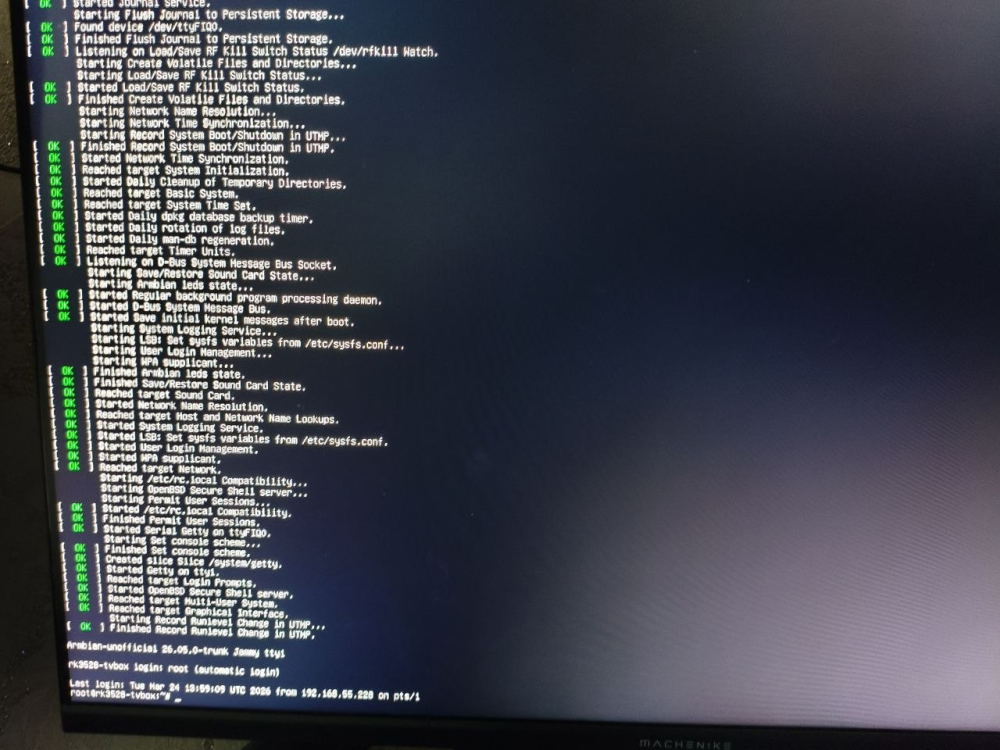
H96 Max RK3528 - Cannot boot Armbian from TF/SD card
0KTAV1US replied to 0KTAV1US's topic in Rockchip CPU Boxes
-

The microphone (on Android) does not work after installing Armbian?
Igor replied to KAHrel's topic in Orange Pi 5 Plus
When SPI is erased, the board falls back to the bootloader on the SD card. If you want to run Armbian, or Linux in general, the bootloader often needs to be updated - in this case on SPI. This can be done with armbian-install. Android support is not verified and is outside the scope of Linux maintainers. It may continue to work, or it may break. - Last week
-

NAS kit w/ NEO LTS: RTC not surviving reboots
Makda Mujji replied to Makda Mujji's topic in Allwinner sunxi
Starting from Trixie, some paths have changed. Here is the complete walkthrough for the process: Install necessary tools (i2c-tools and hwclock are not present by default in Armbian trixie): sudo apt install i2c-tools util-linux-extra Edit armbianEnv.txt: sudo nano /boot/armbianEnv.txt Append i2c0 to the line that says overlays=...: overlays=... i2c0 ("..." denotes some overlays already written, do not delete them). Reboot (compulsory to load i2c module): sudo reboot now Inquire availability of module rtc-ds1307 in the kernel (present in trixie): sudo modinfo rtc-ds1307 If it returns some description, the module is present. If not, then install its driver from GitHub. Open modules file: sudo nano /etc/modules Add line rtc-ds1307 in it. Save and close. Run the following command: sudo i2cdetect -y 0 It should return 68 in the grid: 0 1 2 3 4 5 6 7 8 9 a b c d e f 00: -- -- -- -- -- -- -- -- 10: -- -- -- -- -- -- -- -- -- -- -- -- -- -- -- -- 20: -- -- -- -- -- -- -- -- -- -- -- -- -- -- -- -- 30: -- -- -- -- -- -- -- -- -- -- -- -- -- -- -- -- 40: -- -- -- -- -- -- -- -- -- -- -- -- -- -- -- -- 50: -- -- -- -- -- -- -- -- -- -- -- -- -- -- -- -- 60: -- -- -- -- -- -- -- -- 68 -- -- -- -- -- -- -- 70: -- -- -- -- -- -- -- -- Then add module to start up: sudo modprobe rtc-ds1307 sudo echo ds1307 0x68 > /sys/class/i2c-dev/i2c-0/device/new_device The DS1307 should now be available at /dev/rtc1, which you can check: sudo ls /dev/ | grep rtc Initialize rtc1 (once) sudo hwclock --rtc /dev/rtc1 --systohc Create a new file rtc_ds1307.sh: sudo nano /usr/local/bin/rtc_ds1307.sh Add following lines in it: #!/bin/bash echo "Creating entry for rtc_1307 service" | systemd-cat -p info sudo echo ds1307 0x68 > /sys/class/i2c-dev/i2c-0/device/new_device echo "Done" | systemd-cat -p info echo "Symlinking /dev/rtc1 to /dev/rtc" | systemd-cat -p info sudo ln -f -s /dev/rtc1 /dev/rtc echo "Done" echo "Syncing RTC time to system time" | systemd-cat -p info sudo hwclock --hctosys --noadjfile --utc -f /dev/rtc1 echo "Done" Save and exit. Make this file executable: sudo chmod +x /usr/local/bin/rtc_ds1307.sh Create a systemd service to run this script at startup: sudo nano /etc/systemd/system/rtc_ds1307.service Add following lines in it: [Unit] Description=Synchronize system clock to RTC Requires=systemd-modules-load.service After=systemd-modules-load.service ConditionPathExists=/sys/class/i2c-dev [Service] Type=oneshot RemainAfterExit=yes ExecStart=/usr/local/bin/rtc_ds1307.sh [Install] WantedBy=multi-user.target Save and exit. Enable the service: sudo chmod 644 /etc/systemd/system/rtc_ds1307.service sudo systemctl enable rtc_ds1307.service Reboot and check system date time by running: timedatectl -
Is there an armbian with home-assistant installed?
-
 So I'm fairly new to Armbian (although I have already managed to successfully create a custom build with most of what I need). Sadly, I've very much hit a blocker. I really need to use linux-tools/perf on an RK3588 board with a vendor kernel (I'm using the Mali OpenCL, and the ARM packages are mostly locked) and I need to do some performance tuning. I cannot figure out how to get these tools deployed. 1. There are no linux-tools packages build -- which is fair enough, I'm probably in a minority. Some parts of the tools directories are culled during a cleaning process for the headers, I can see that 2. I am happy to copy over the kernel source and build on the device, but this is a patched vendor kernel. Can I just rsync across `cache/sources/linux-kernel-worktree`? Is that the patched kernel source tree? 3. There are some old allusions in the forums to using armbian-config to get sources -- I'm guessing that's long deprecated 4. Would it be appropriate at some point to create a .deb for the actual kernel sources, just in case -- or even, ideally, the linux-tools packages themselves? I am very happy to invest effort into helping make this happen, but I am starting from cold into this fairly complex build infrastructure, so any help or pointers I'd be extremely grateful.
 -
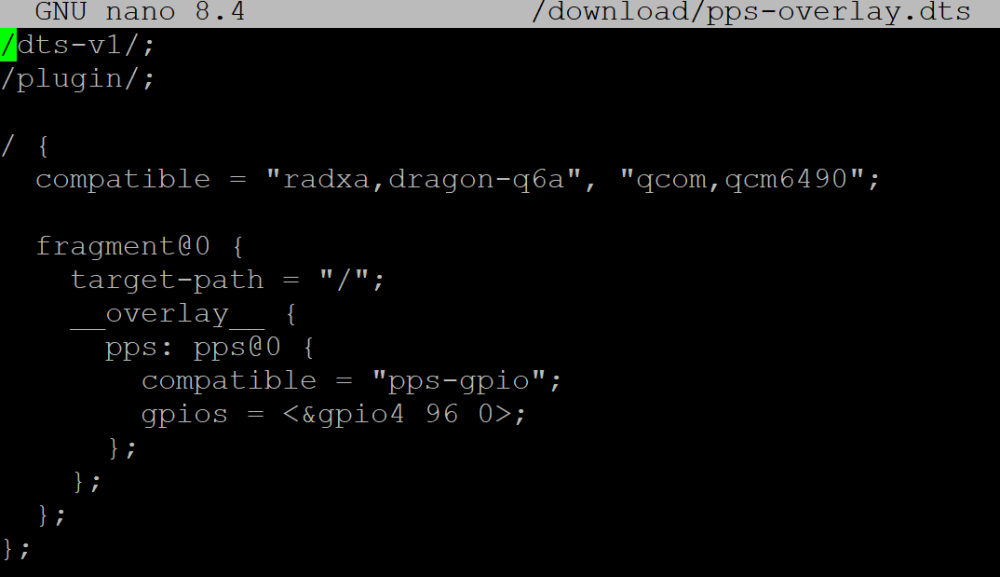
How to install Armbian on an eMMC module? Simply using Armbian Imager with the image file doesn't work—the system won't boot. The official Radxa OS boots fine from the same eMMC module.
-
 Hello everyone, I bought an H96 Max M9 TV box. I mainly use it for YouTube and watching movies, but later I wanted to use it for gaming, including emulators and modern community-made ports. This TV box, with its 8GB of RAM, has a lot of potential, but it is being wasted due to a common issue: the file manager. The problem is not the file explorer apps you install—I’ve tried them all—but the system’s storage manager (Android’s SAF), which seems to be poorly implemented or limited by the firmware. This causes issues such as: Selecting folders in PPSSPP (memory stick) Access for emulators like Dolphin Emulator Installing game ports that should run perfectly on this TV box, but cannot be installed due to bugs in the system file manager To be honest, I’m not very knowledgeable about these topics, but if anyone has experienced this or knows a possible solution and can share the information, I would really appreciate it in advance.
 -
Hi, trying to build custom image, from your repo. Building from branch mxq-pro couldn't get to booting from emmc, but your provided firmware does fine, what am i missing there?
-

USB 3.0 port does not show connected device.
jarda9 jarda9 replied to jarda9 jarda9's topic in Rockchip
As a workaround I installed Armbian_community_26.2.0-trunk.732_Orangepi3b_trixie_vendor_6.1.115_minimal .img.xz and USB is OK, anyway ethernet is functional. -

20USD 4GRAM RK3528 host (cheap dq08 tvbox)
sr4armbian replied to fensoft's topic in Rockchip CPU Boxes
@fensoft I am using your current image 3.0.0_r2 in H96 Max M1 with USB Hub + USB to Ethernet adapter successfully. Its really energy efficient solution which can run 24 x 7 without costing much. However I am trying to set this up on a dq08 box with 4 GB/64 GB Model. I am able to install dq08_ha_supervised_3.0.0_r2.zip without any issue. However due to recent support changes from the application, I am unable to continue further with the setup. I tried to install docker version to set this up but getting error "invalid argument: in-kernel BTF is malformed (1 line(s) omitted)". Not seeing much on this error in the interwebs but there are suggestions that this could be due to old kernels/. Is there a way we can update this kernel and OS to Armbian Trixie or will it brick the dq08? Have you got a chance to look at the updated installer image? -
same here: RADXA 4SE
-

How to install correct linux-headers?
Werner replied to Stanislav Chizhik's topic in Software, Applications, Userspace
Okay so then we have some issues here This is clearly wrong since these packages come from upstream Debian and cannot/will not work with Armbian kernels. This shall be reported here: https://github.com/armbian/configng/ Then you were lucky some working headers were present https://docs.armbian.com/Developer-Guide_Build-Preparation/ Or in very short: git clone the repo ./compile.sh BOARD=rockpi-4bplus BRANCH=current kernel Check output/debs for your packages Install via dpkg -i on the target board -
I'm having the same issue after upgrading. I do backups on an HDD via USB for the two drives on my HC4 I was on Bullseye this year and was planning on moving up to Bookworm for a bit, but was hit with the issue. I decided to jump then into Trixie in the hopes that a more recent kernel would fix it, but I'm still facing it. kernel: Linux odroidhc4 6.18.10-current-meson64 dmesg error msg: usb usb1-port2: connect-debounce failed
-
The orange pi zero 2w is configured to only start u-boot from the microSD in the built-in microSD. You would have to: * recompile that uboot to load the initramfs and the kernel from your alternative storage (did you really mean HDD? which connector would you use?) or * load initramfs and kernel from the typical microsd /boot partition, but configure the kernel argument line to accept the HDD as the rootfs (make sure that the initramfs contains the kernel modules, and the hdd name is in the /etc/fstab file) or https://jamesachambers.com/orange-pi-zero-2-usb-ssd-boot-guide/
-
@lsdlsd88 hello! Thanks for sharing the photos and the serial logs; it looks like the stock firmware did not pick up the sdcard at all. The sdcard seems to be detected, but for some reason the rockchip miniloader of the stock firmware does not it as first source. Are you able to retrieve the first 100-200 megabytes of the original firmware via serial? You should be able to use dd even within Android. edit: ah-ha ok, I understand! there is misconfiguration in the webserver and the link changes; thanks, I updated it!
-
Yes, you can completely resize it. You can also turn it to ZFS volume, and boot off of it. Just rebuild u-boot with ZFS support. Or ask, and I will provide patches required to have it.