Active threads
Showing topics posted in for the last 365 days.
- Past hour
-
My guess is that there is some code missing in the board config to make it available. Similar to this: function post_config_uboot_target__extra_configs_for_rock5b_mainline_environment_in_spi() { display_alert "$BOARD" "u-boot configs for ${BOOTBRANCH} u-boot config BRANCH=${BRANCH}" "info" run_host_command_logged scripts/config --set-val CONFIG_ENV_IS_NOWHERE "n" run_host_command_logged scripts/config --set-val CONFIG_ENV_IS_IN_SPI_FLASH "y" run_host_command_logged scripts/config --set-val CONFIG_ENV_SECT_SIZE_AUTO "y" run_host_command_logged scripts/config --set-val CONFIG_ENV_OVERWRITE "y" run_host_command_logged scripts/config --set-val CONFIG_ENV_SIZE "0x20000" run_host_command_logged scripts/config --set-val CONFIG_ENV_OFFSET "0xc00000" } @schwar3kat any chance to have a look?
-
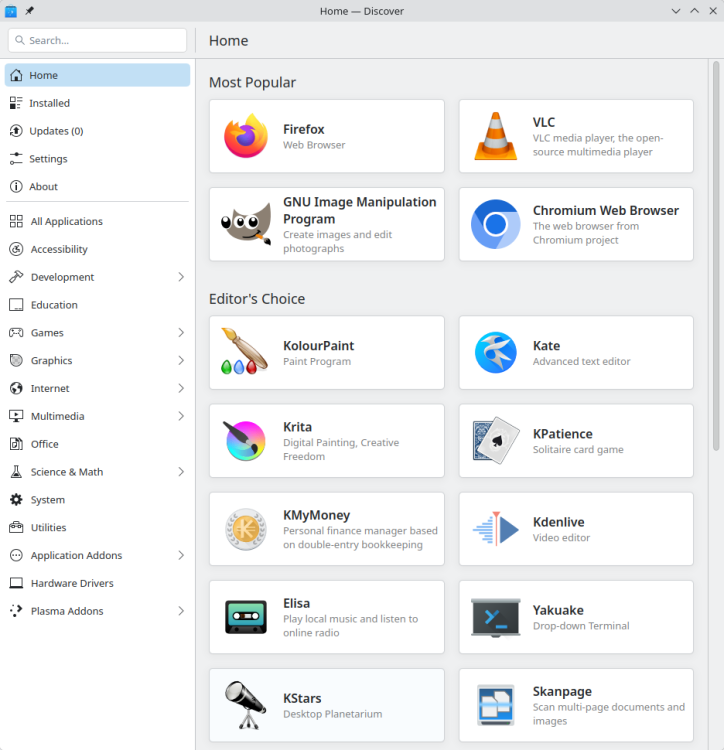
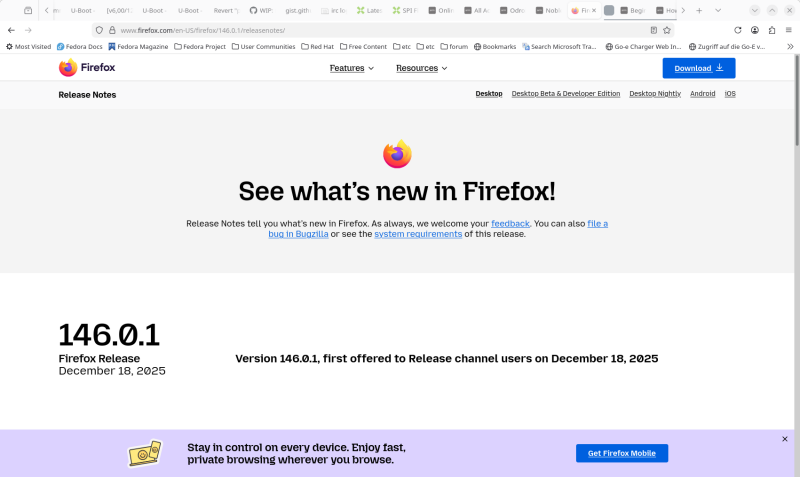
 Well, I can't complain about the up-to-dateness of my natively installed browser. Damn, everything is out of date again- It's urgently time for the latest updates for my distribution to become available.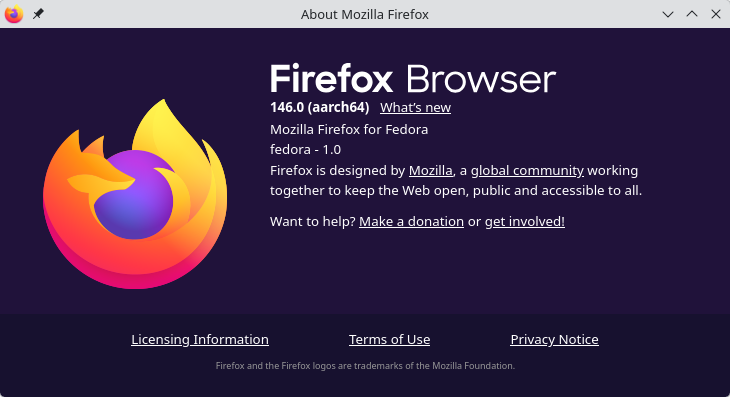
- Today
-
Thanks. Found a post from @igor basically stating the same. I'll continue to work on the RV2 here for that reason.
-
 This became messy way too fast. I went down a rabbit hole that was the wrong one! The key issue here is that the current "noble" is Ubuntu based and thus is not Debian per say, especially with regards to "snaps". So whoever reads this thread from the O/P I would say the solution is to hope that at some point an Armbian "trixie" distro with desktop will be released, until then use the "bookworm" release if you are allergic to "snaps".
 -
the pin holes are connected to the ht1628 Front Display driver. You can connect here individual keys or a key matrix.However, the ht1628 driver for this has not yet been implemented in Armbian.
-

Unisoc UWE5621DS on RK3566 device? calling Orange Pi experts
CY Liu replied to dieselnutjob's topic in Off-topic
Could you pls share howto? I'm working on S9053La, cannot find solution so far, thanks! -

Gaming experience with Orange Pi 5 (RK3588) on Armbian
KhanhDTP replied to KhanhDTP's topic in Orange Pi 5
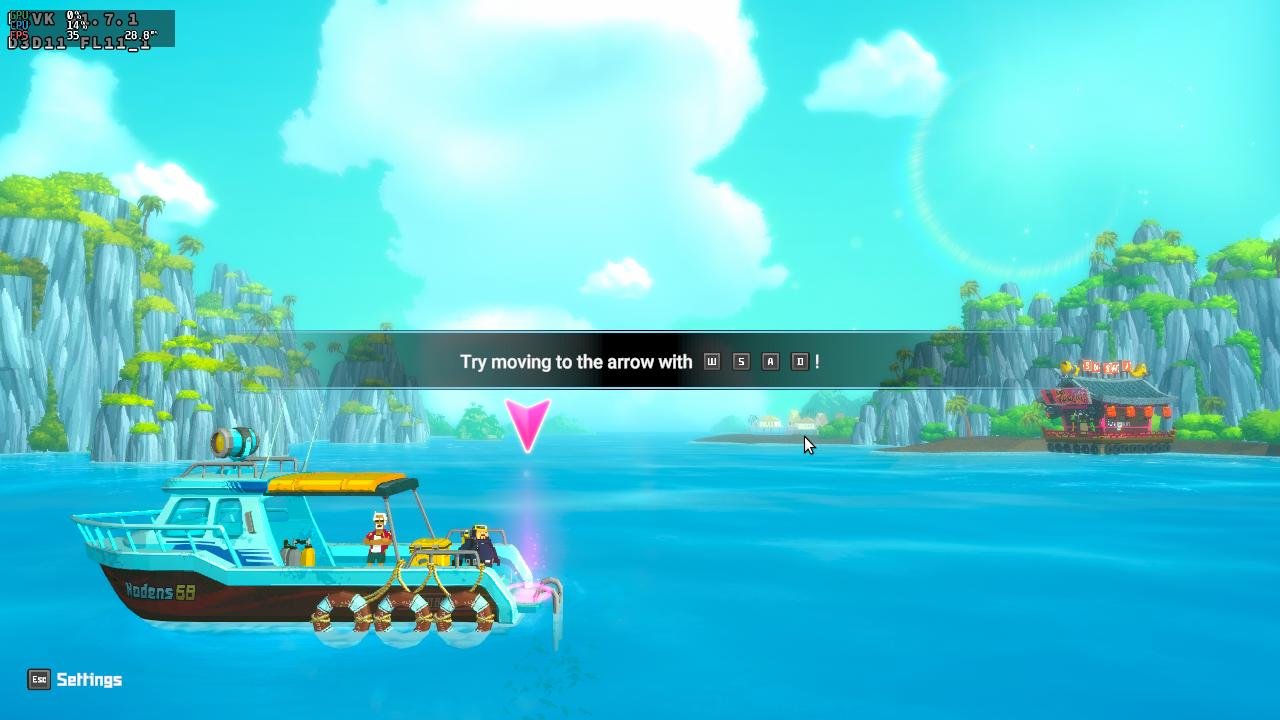
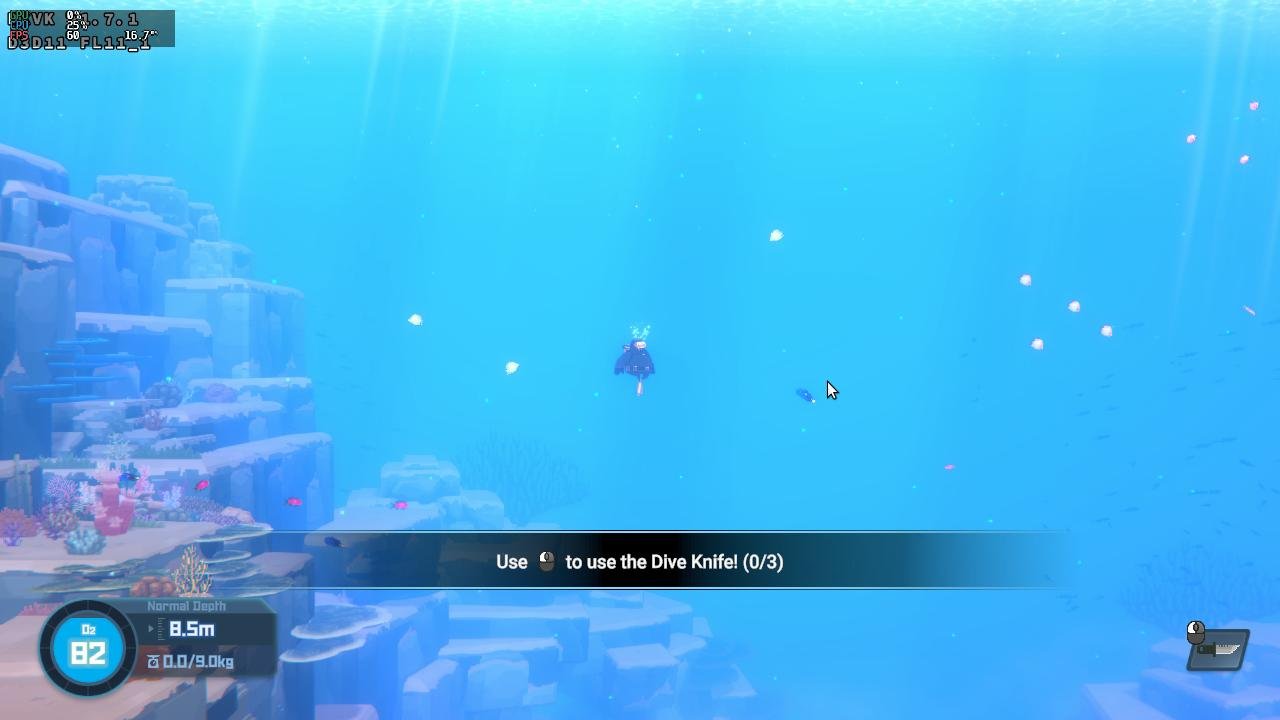
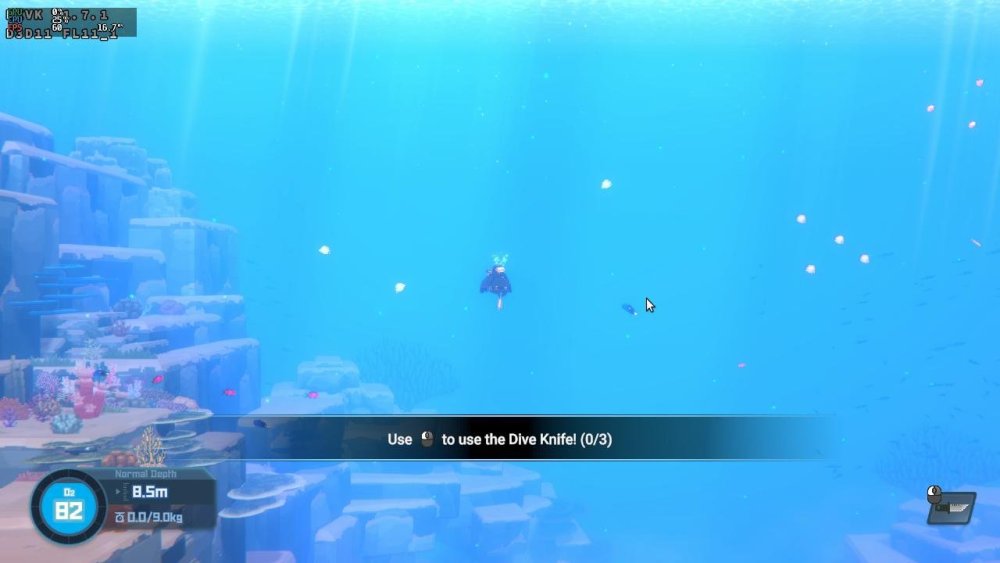
Armbian 25.11.2 Noble XFCE (BSD Kernel: 6.1.115) + PanVk - mesa 26.0 (https://launchpad.net/~ernstp/+archive/ubuntu/mesaaco) + FEX-Emu 2510 + hangover-10.18 (https://github.com/AndreRH/hangover/releases/tag/hangover-10.18) + Dxvk 1.7.1 (stripped) ~60fps@1080p Dave The Diver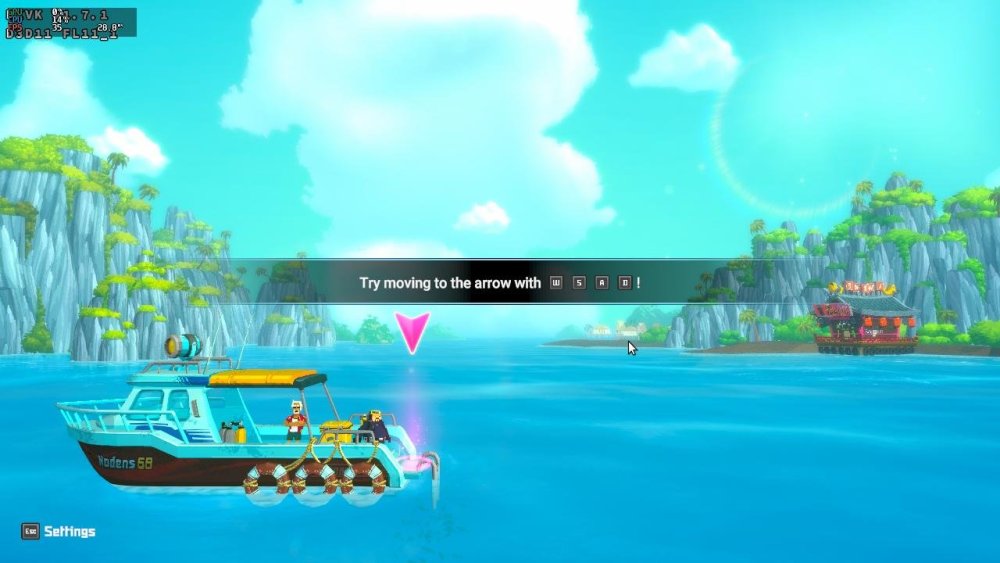
-
I'll try building the image again today with a new git clone, without changing anything except the userpatchers configuration. If I don't add the module this way, it won't be enabled in the text menu. I'll report back on my progress later.I created an image without changing the boardconfig. I used the default configuration for userpatches, which is used for compilation. I added one line, CONFIG_DRM_PANEL_MIPI_DBI=m, and the image built successfully. Afterwards, I booted and checked the kernel module with the command modinfo panel-mipi-dbi; the module is enabled. I also checked the configuration in /boot/config(umane); the module is enabled there too. I added DTS with the command sudo armbian-add-overlay , and also added the binary from the Pancake repo. After rebooting, the result didn't change at all; the screen was white. The output of dmesg | grep spi shows the same as in the previous post.
-
@Pop AlexI haven't spent a lot of time on GPU acceleration but I know there's another member here who has worked on it. He's using the official Radxa's GPU drivers. https://github.com/chainsx/build/blob/a0527bd977bbe55b13c1f46ec46d0aab4369c798/extensions/radxa-bxm-img-gpu.sh
-
@kvvvp Build from branch v20251014 (kernel 6.17.2)
-
how to apply a patche for t527? i have updated Armbian now and ready to build a test image to share to everybody
-
 https://fi.mirror.armbian.de/oldarchive/ If its not there, its gone.
 - Yesterday
-
Hi, sudo systemctl stop media-nano-Z.mount it really works, but if you forget to do it manually, then when you try to reboot or turn off the single-board computer, it will freeze, because it tries to unmount the disk itself, apparently using umount. Okay, I did all this after upgrading to Armbian 26.2.0-trunk.86 trixie armv7l, and when I tried to unmount the drive the old way with umount, I found that everything worked. It looks like the problem is already fixed.
-

H2/H3: "old problem" Link (eth0) is Up/Down syndrom
eselarm replied to guidol's topic in Allwinner sunxi
This is based on mines, running Armbian Trixie: - NM can work without dhclient, it has it DHCP internally as well. So maybe look at that instead of AI with old info and certainly no clue about a specific SBC - modern kernel it is end0 - systemd-networkd is also an option - you also might use ifupdown still, also not needed, NM can do internally as well -
I am not sure if this will lead to problems. The SBC is a Radxa ROCK3A. It might be EVB was used for development and never changed. Maybe won't matter as later on kernel rock-3a dtb is loaded. But could be a reason for issues I saw (year ago) with mainline u-boot, therefor I use Radxa's one / legacy.
-
Maybe. If it is better you'll have to see. Install package 'linux-u-boot-rockpi-4c-edge' and with dpkg -L linux-u-boot-rockpi-4c-edge you can see where the u-boot binary is located, then: strings <u-boot binary> | grep armbian
-
@Sarang He Try these images https://github.com/NickAlilovic/build/releases/tag/20250306
-
Ricardo put some real effort into Rk3528 here :https://github.com/armbian/build/pull/9102 Since the 2A/2F are using the same SoC this should actually help a lot.
-
I can confirm the above `flash-image-DDR4-1g_1cs_5-1200_750` image boots to U-Boot on the ESPRESSObin Ultra. I wasn't able to test past that because U-Boot isn't being built with Standard Boot enabled (which I use): WTMI-devel-18.12.1-a3e1c67 WTMI: system early-init SVC REV: 5, CPU VDD voltage: 1.260V Setting clocks: CPU 1200 MHz, DDR 750 MHz CZ.NIC's Armada 3720 Secure Firmware d6d9646-dirty (Nov 5 2025 09:00:30) Running on ESPRESSObin Ultra NOTICE: Booting Trusted Firmware NOTICE: BL1: v2.12.8(release):95bbf00da NOTICE: BL1: Built : 09:02:55, Nov 5 2025 NOTICE: BL1: Booting BL2 NOTICE: BL2: v2.12.8(release):95bbf00da NOTICE: BL2: Built : 09:02:56, Nov 5 2025 NOTICE: BL1: Booting BL31 NOTICE: BL31: v2.12.8(release):95bbf00da NOTICE: BL31: Built : 09:02:56, Nov 5 2025 serial_mvebu serial@12000: pinctrl_select_state_full: uclass_get_device_by_phandle_id: err=-19 U-Boot 2025.10_armbian-2025.10-Se50b-P3205-H05ce-V9535-Bbf55-R448a (Nov 05 2025 - 09:00:02 +0000) DRAM: 1 GiB Core: 48 devices, 24 uclasses, devicetree: separate WDT: Not starting watchdog@8300 Comphy chip #0: Comphy-0: USB3_HOST0 5 Gbps Comphy-1: PEX0 5 Gbps Comphy-2: SATA0 6 Gbps Target spinup took 0 ms. AHCI 0001.0300 32 slots 1 ports 6 Gbps 0x1 impl SATA mode flags: ncq led only pmp fbss pio slum part sxs PCIe: Link down MMC: sdhci@d0000: 0, sdhci@d8000: 1 Loading Environment from SPIFlash... SF: Detected mx25u3235f with page size 256 Bytes, erase size 4 KiB, total 4 MiB OK Model: Globalscale Marvell ESPRESSOBin Board Net: eth0: ethernet@30000 [PRIME] Hit any key to stop autoboot: 0 Flags not supported: enable CONFIG_BOOTSTD_FULL bootflow - Boot flows Usage: bootflow scan - boot first available bootflow If you enable Standard Boot and want me to test again, happy to. Cheers!
- Last week
-

Help wanted to test a new OpenVFD alternative
blackc replied to Jean-Francois Lessard's topic in Amlogic meson
Hello! I have a strange behavior at compiling As i knew, fwnode_for_each_available_child_node_scoped was committed to kernel at 2024 year.. Thats my kernel Any ideas? -
One might think that if this was a perfect world. The reality is that very few people want to spend the time to find and read tutorials/FAQs/documentation. They just come to these forums and expect expert hand holding support for free from people who are volunteering their time. Igor has a lot more important things to be working on to keep Armbian afloat then even responding to posts in these forums. While I don't personally deal with rockchip sbc's, so I can't help you specifically here, as a moderator of these forums, I end up answering the same questions over and over again simply because people expect free support, not a community of people just trying to help. In the spirit of open source the easiest way for someone to contribute to help others is to dig in, learn and then contribute back what they have learned either through these forums, through contributing to the Armbian documentation or through actual code. (I'm mostly writing this, so that Igor doesn't need to take his time to respond, since I want him to be using his time elsewhere)
-
@PH Ph there is graphics acceleration but not on chromium. If you can still boot android then you can extract your dts. Not sure what's wrong with PhoenixCard. I rarely use it. That's mostly for Android images.
-
SSH Login Speed Issue: Armbian significant slower than DietPi on RPi4B
Werner replied to 1ssuc's topic in Raspberry Pi
Interesting. Also because independent from userspace (Bookworm or Trixie) our kernel/firmware package is the very same. -

Critique or improve my method to get a lightweight LabWC desktop
forumtrekker replied to robertoj's topic in Allwinner sunxi
With modifications to lightdm.conf I got lightdm working with your tutorial, however lightdm and labwc don't seem to use the SPI display. I verified the setup works on an HDMI screen (with a large box of random color artifacts filling the right quarter side, but that's hopefully just because it was a TV I tested with. I don't really care about HDMI). Do i need to specify lightdm / labwc to use the /sys/class/drm/card0-SPI-1? I'm curious if you simply launched LightDM and had it use the SPI display by default, without changing any configurations (as that is what it sounds like you achieved) I'm realizing I don't know enough about how wayland works to even know how to start debugging the issue or getting it to use the tinydrm device or even the legacy framebuffer device it adds for compatibility. Maybe I need to get Raspbian running and copy their configuration files, since Raspbian Trixie runs on wayland. The only difference between your guide and my setup is I am running kernel 6.18, as I can't seem to find how to compile or install kernel 6.13. Available installable kernels are 6.12, 6.14, and 6.18 as of 26.0.2 Armbian Trixie. The steps you outline in the github repo work with some modification, namely I will edit to include the lightdm.conf when I get home, since it requires modification from the original installed version. Further, certain packages are uninstallable, or named differently than in your guide. Here is the one line APT command to install all the packages you list, with the package names fixed. Certain packages don't seem to be required at all - namely freerdp, providing the windows equivalent of VNC, so its not included in this list. There are likely others and I assume you collected these packages to install from multiple guides / forums, so the inconsistencies are understandable. sudo apt install libcairo2-dev libpango1.0-dev libxml2-dev libglib2.0-dev libdisplay-info-dev hwdata libgbm-dev libdisplay-info-dev libseat-dev libinput-dev libpango1.0-dev libpangocairo-1.0-0 libcairo2-dev libglib2.0-dev libpixman-1-dev libxkbcommon-dev liblcms2-dev libxcb-xinput-dev libxcb-errors-dev libxcb-render-util0-dev libxcb-present-dev libxcb-res0-dev libxcb-dri3-dev libxcb-ewmh-dev libxcb-icccm4-dev libxcb-composite0-dev cmake libxml2-dev libliftoff-dev build-essential cmake libwayland-dev wayland-protocols libegl1-mesa-dev libgles2-mesa-dev libdrm-dev libgbm-dev libinput-dev libxkbcommon-dev libudev-dev libpixman-1-dev libsystemd-dev libcap-dev libxcb1-dev libxcb-composite0-dev libxcb-xfixes0-dev libxcb-xinput-dev libxcb-image0-dev libxcb-render-util0-dev libx11-xcb-dev libxcb-icccm4-dev libwinpr3-dev libpng-dev libavutil-dev libavcodec-dev libavformat-dev universal-ctags expat libexpat1 libexpat1-dev seatd foot librsvg2-dev scdoc gettext appmenu-gtk-module-common libaccountsservice-dev gir1.2-accountsservice-1.0 liblightdm-gobject-dev liblightdm-gobject-1-0 libgtk-3-dev gnome-common nasm meson I am running Armbian Trixie, and I did not need to install any packages from trixie-backports or oldstable-backports to get your setup to work properly. EDIT: It actually seemed to be my SPI clock speed was too high for the display. Lowering it to a conservative 16 or 20 MHz gets labwc to work, without having to configure and specify the display to output on. -
Driving the ili9488 LCD (4.0 inch cheap chinese clone)
forumtrekker replied to robertoj's topic in Allwinner sunxi
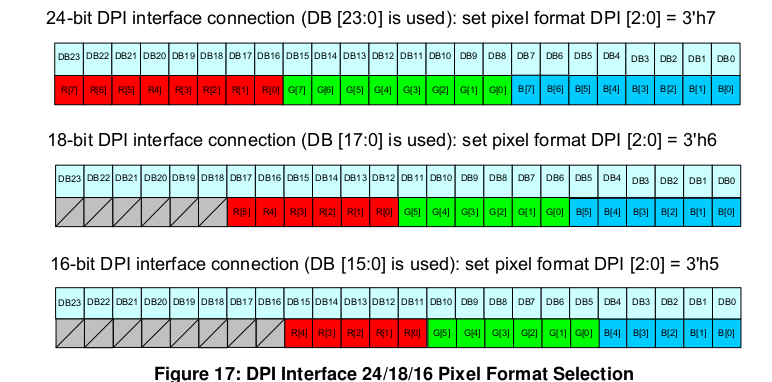
Will comment on the new thread, since the initial question of driving SPI displays with tinyDRM has been answered. Although, I'm starting to wonder if the kungfupancake modifications are inadequate for my display, since I still cannot get a full plymouth boot log to display (it seems to "run off the screen" a little at some point then just stop). Maybe its overflowing some buffer or the display is mis-sized or something and the screen is attempting to display physically off the screen? I don't really know. I might need to peruse LCDwiki to find other init commands. Edit: Actually it seems to be the SPI speed. A conservative 16 or 20 MHZ gets the display working, with significantly unusable screen tearing any higher than that. I have a direct jumper connection but my jumper cables are pretty long (about 20 cm) and some are crossed over, which might mean there is some interference. Will try shortening, since the low 16 or 20 MHz speed has very low FPS rates. It is strange because your display seems to work on 40MHz Edit 2: The ili9488 data sheet indicates it can use 16, 18, and 24 bit color modes, however attempting to use 16 bit (r5g6r5 on the format line) results in a worse tearing and garbled messes. Looks like it is over DPI or DSI only, not SPI. Also in the data sheet is indicatons that 20 MHz is the max framerate, explaining why higher rates are unstable. Should have read the data sheet! Everything seems to be working according to the hardware specifications, so squeezing more framerate is seeing if panel-mipi is capable of partial updates or seeing if I can up the data bus width.0 Edit 3: Confused again, because later in the data sheet, SPI mode states 8 colors (R1G1B1), 65k colors (R5G6B5) and 262K colors (R6G6B6) are supported, yet panel-mipi states only 666 is supported. Running 565 under panel-mipi shows the artifacts and tearing making it unusable, and trying 111 results in a white screen. This forum implies the LCD CAN use 565 mode. I'm quite confused, and this has probably become the wrong forum for this discussion? https://forum.clockworkpi.com/t/lcd-ili9488-really-doesnt-support-565-rgb-mode/16573 Edit 4: This github thread indicates that the datasheet is in error, and does NOT support 565 color, so looks like this display is restricted to 9-12 fps. Bummer. https://github.com/notro/panel-mipi-dbi/issues/2 Edit 5: This thread shows some ili9488 can work on 16 bit 565 mode?? Will try messing with panel-mipi init codes, but maybe this only applies for microcontrollers. https://forum.clockworkpi.com/t/ideas-for-improving-lcd-speed/17159/16 Edit 6: The MIPI DBI states the following formats, taken from this site: Coupled with editing the init line from 18 bit to 16 or 3 bit color mode, in accordance to the thread I linked in edit 5 . Still, yields no different results: it actually seems like editing the color init line in the bin file does nothing, and what actually matters is the color format specified in the DTS. R5G6B5 still shows garbled mess, and any of the four 3 bit color modes only shows a white screen.