Active threads
Showing topics posted in for the last 365 days.
- Past hour
-
You're in luck. Major work has been done. https://github.com/armbian/build/pull/9049 Still needs testing Once this is merged 4A and other more recent Allwinner Soc related work can be rebased on top of that.
-
That would be my best guess too. Check other PRs which add support for boards to get some clues how to achieve. If there are questions, feel free to state.
-

Gaming experience with Orange Pi 5 (RK3588) on Armbian
KhanhDTP replied to KhanhDTP's topic in Orange Pi 5
(https://www.pcgamingwiki.com/wiki/Vampire_Survivors) Vampire_Survivors is a 64-bit / Direct3D 11.1 game. You may not be setting DXVK (stripped) properly. Set var environments as below: export WINEDLLOVERRIDES="d3d12,d3d12core,d3d11,dxgi,d3d10,d3d10_1,d3d10core,d3d9,d3d8,dinput8=n,b" Download the DXVK (stripped) here: https://github.com/khanh-it/dxvk/releases/tag/releases (You may want to try to know which version works best for this game) Extract and then copy the x64/d3d11.dll, x64/dxgi.dll files to the game's executable file. If you're setting up the DXVK properly, you will see the output with something like the following: - Today
-
Hi @Nick A, I have an identical motherboard as shown on page 1. Ik316-emcp_v1.0 2021.06.01 I can boot from the SD card, but it doesn't detect the internal memory. The Wi-Fi isn't working either, but that's already explained in the topic. How can I tell if the EMCP is damaged? Or if it's not being identified correctly? I have a CH431A available if needed. I believe it's possible to access UART via CH431. Previous reports suggest that the internal memory worked on this model, but I'm not certain of that. However, I must inform you that I was unable to install the supposed ROM on this model using PhoenixTool or PhoenixCard, This could indicate a failure in the emcp in the storage block. Thank you in advance for your support. boot.log
-
Well, two things. 1: The cpu clock changing on the fly was not the issue. That may just be an old issue with H3 series SOCs. 2: The XU4 likes running at 1.4ghz continually just fine. fwiw I'm using a newish 5v 4a power supply. It doesn't even get warm or spin up the fan while printing.
-
 AFAIK, this is only good for installing a desktop,etc, NOT upgrading a version of Debian. I am trying to stay on topic here. So yes, "tasksel" will allow me to install a desktop but what is more pertinent to the situation I have would be to upgrade from "bookworm" to "trixie", if the "noble" release is going to be a stubborn problem for me. There is some other strangeness with the "noble" distro where for example I cannot run "synaptic" from the XFCE menu, instead I have to open a terminal and use "sudo synaptic". I am sure there are other issues as well. I doubt very much it is the pi-hole as the "bookworm" distro of Armbian has no DNS issues, nor do any Linux Mint/Dietpi distros that I currently use. Ditto with the Armbian "trixie IOT" distro currently available, that has no issues with DNS either. It would be ideal if there was a list of all the software that is installed in the current "bookworm" distro such that if I use the "Trixie IOT of Armbian" I can duplicate the desktop setup/installation which includes LibreOffice, Emacs, Firefox, etc. Where can I find that information or is there an install script that is used that can be downloaded for Armbian to install the software suite? Thanks for your help and understanding.
 -
I also have the same problem, it used to work fine with an older version of armbian and the old 4.4 Kernel, but after an upgrade it just stopped working. The following should serve as a test when connection MOSI and MISO: ~# dd if=/dev/urandom bs=1 count=16 status=none | spi-pipe -d /dev/spidev1.0 -s 1000000 -b 16 | hexdump -C Querying my MCP3008 it just returns all zeros: ~# printf '\x01\x80\x00' | spi-pipe -d /dev/spidev1.0 -s 100000 -b 3 | hexdump -C 00000000 00 00 00 |...| 00000003 I'm using the following DT: /dts-v1/; /plugin/; /{ metadata { title = "Enable spidev on SPI1"; compatible = "unknown"; category = "misc"; exclusive = "GPOI3_B2", "GPOI3_B3", "GPOI3_B4", "GPOI3_B5"; description = "Enable spidev on SPI1 on pin 39, 40, 41 & 42."; }; }; &spi1 { status = "okay"; pinctrl-names = "default"; pinctrl-0 = <&spi1_clk &spi1_csn0 &spi1_miso &spi1_mosi>; #address-cells = <1>; #size-cells = <0>; spidev@0 { compatible = "rockchip,spidev", "armbian,spi-dev"; reg = <0>; spi-max-frequency = <50000000>; }; }; The SPI is showing up, but it's just always producing zeros, it seems there's just something wrong with a newer SPI driver or something, maybe a new kernel upstream fix or kernel patch is needed here. I sadly don't have a backup of the old image to test with, but it the same rust software I wrote that worked before, doesn't work anymore now and it can't even talk to itself anymore. I don't have an oscilloscope to see exactly whats going on, but something funky is happening with the clock signal indeed: ~# cat /sys/kernel/debug/clk/clk_spi1/clk_rate 108333334 Max clock should be 50M as per the DTS file, but it seems the driver just ignores this. Event though spi-config shows something else (when reconfiguring it): /dev/spidev1.0: mode=0, lsb=0, bits=8, speed=100000, spiready=0 I also don't find any way to build an old kernel 4.4 image anymore (the legacy branch doesn't exist anymore), so I can't do that either and the edge-based Kernel 6.18.0-rc6-edge-rockchip64 also don't bring any improvements it seems.
- Yesterday
-
Thanks for sharing your updates, any idea about the function of the 8 pin holes close the lcd display?
-
Weird. I set verbosity to 7 but still nothing. See this https://paste.armbian.eu/zubunigowi.vbnet Nothing afterwards. Claude suggested adding the parameter SERIALCON="ttyS0" because apparently the default is ttyS2, which does not match rk3528. Let's see if it's just a hallucination. EDIT: nope. Still no luck. EDIT2. Something is wrong with the serial console on the vendor image too. I cannot type in it. It is connected correctly.
-
 @Mohammad Adel You need a image with a AXP313a (Power Management IC). Try these images. Armbian-unofficial_25.05.0-trunk_Tanix-tx6s-axp313_bookworm_edge_6.12.11_xfce_desktop.img.xz Armbian-unofficial_25.05.0-trunk_Transpeed-8k618-t_bookworm_edge_6.12.11_xfce_desktop.img.xz Armbian-unofficial_25.05.0-trunk_Vontar-h618_bookworm_edge_6.12.11_xfce_desktop.img.xz Armbian-unofficial_25.05.0-trunk_X98h_bookworm_edge_6.12.11_xfce_desktop.img.xz If it still doesn't boot. You might have secure boot enabled. You can try to compile this image. It includes secure boot. https://github.com/NickAlilovic/build/tree/mainline If it's still not working. Then it might be your Dram Settings. You should install a Usb to serial device on your UART. So we can see your debug messages.
 -
@MrBros1509 I think you want to read this thread:
-
 @Galeno Fernandes What does your question have to do with Armbian? It doesn't look like you are using Armbian at all. These forums are for Armbian linux.
 -
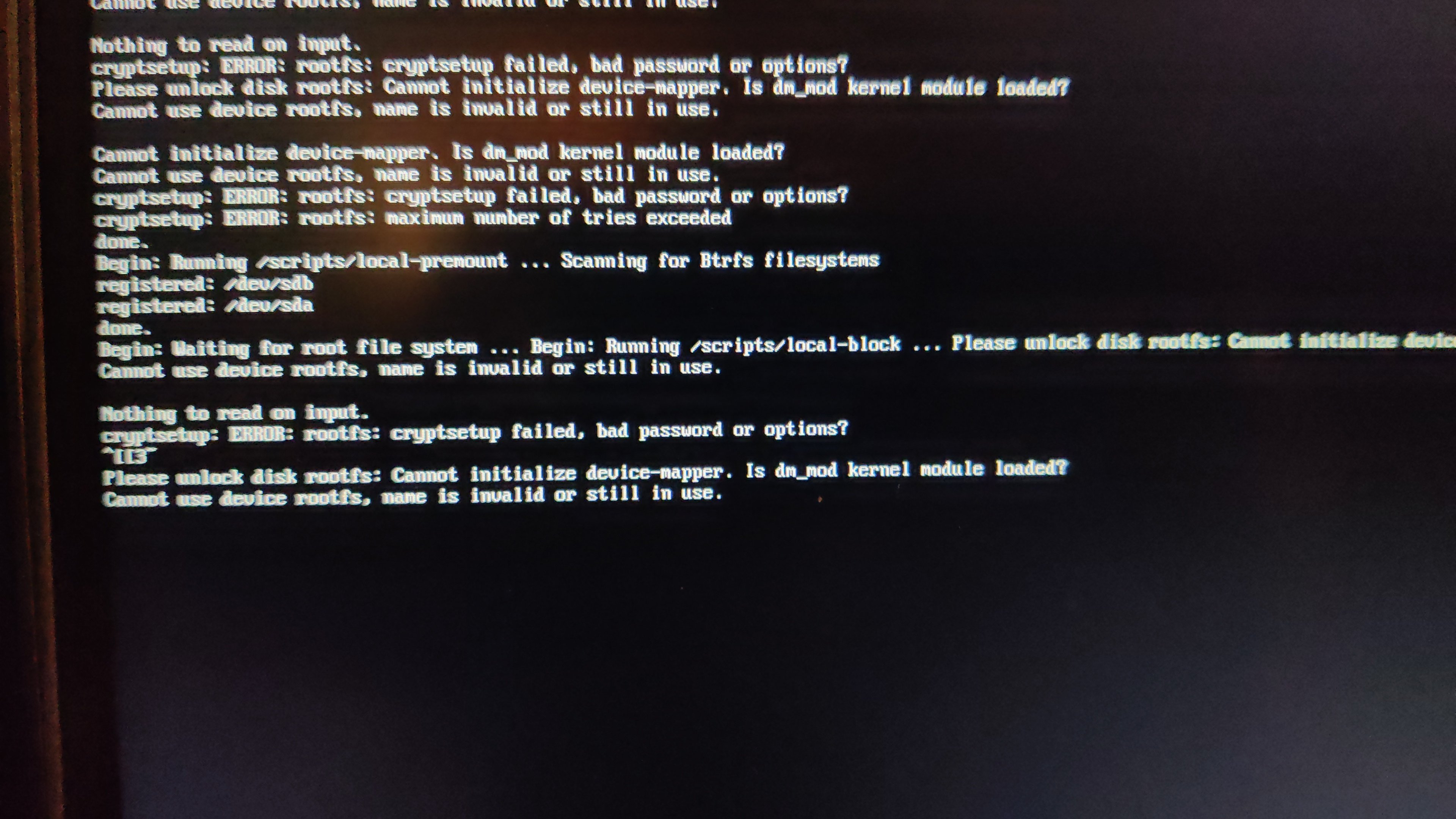
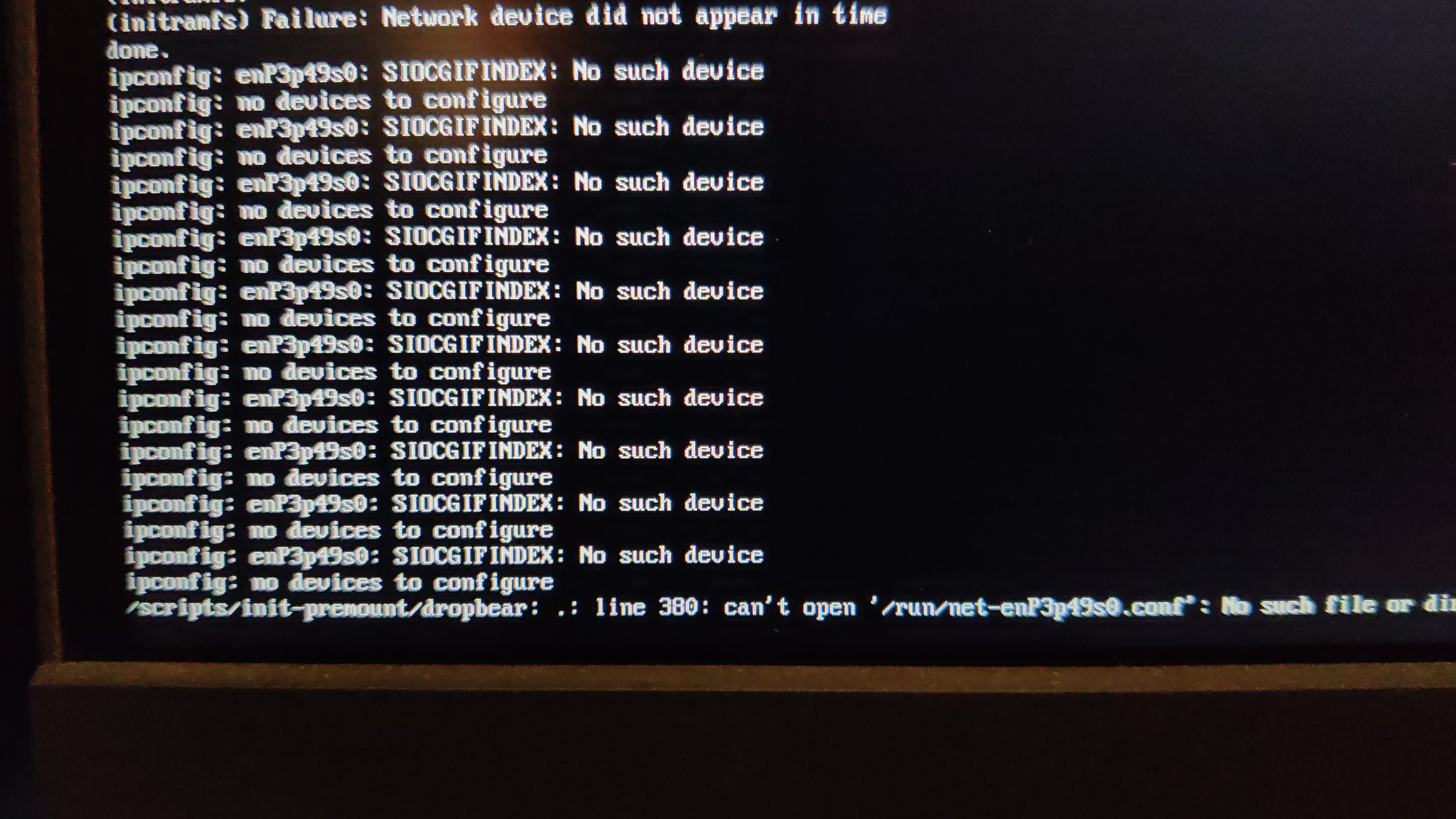
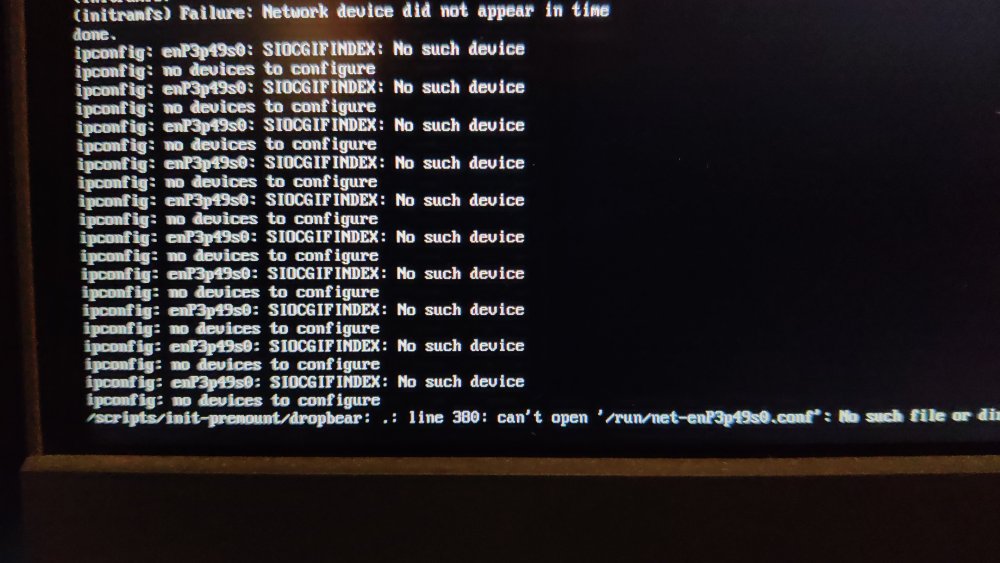
 After my last update on my radxa5-ITX, apart from the name changes of the NIC (related?), I remarked that I could not cryptroot-unlock the root partition because of dm_mod apparently missing from initramfs. To give some context, this is how I set things up some while ago and things went pretty smooth until recently. Too bad armbian does not keep the previous kernel (though I get the reason why). Inspecting the boot partition, cat config-6.1.115-vendor-rk35xx | grep DM_CRYPT CONFIG_DM_CRYPT=m the kernel seems to have been compiled with the proper option and lsinitramfs initrd.img-6.1.115-vendor-rk35xx | grep 'usr.*cryptsetup' usr/lib/aarch64-linux-gnu/libcryptsetup.so.12 usr/lib/aarch64-linux-gnu/libcryptsetup.so.12.9.0 usr/lib/cryptsetup usr/lib/cryptsetup/askpass usr/lib/cryptsetup/functions usr/sbin/cryptsetup and initramfs seems properly linked to the relevant libraries so I do not understand why device mapper remains unavailable. At this point, I have no hypothesis except a very unlikely one An unlikely hypothesis Could failure to initialize the device mapper have nothing to do with dm_mod availability but be solely the side effect of Because I always unlocked the root part either from console or from a dropbear session, I understood device mapper init as an anterior step, independent from NIC availability. But is it really the case. What am I missing?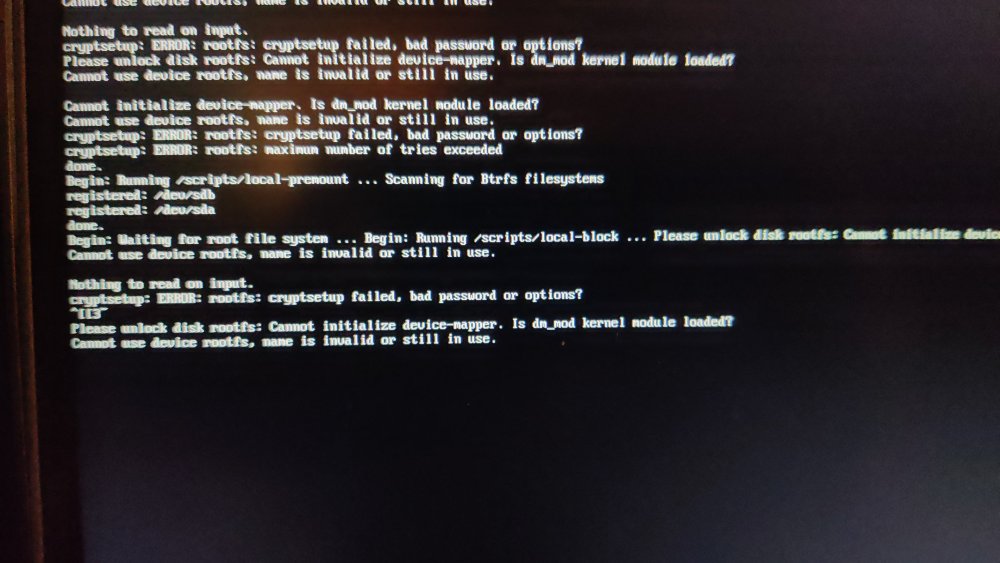
-
@Igor wrote about upcoming Muse Pi Pro (a SpacemiT K1 board). Orange Pi RV2 features a "Ky X1" SoC which may be a variant of the SpacemiT SoC and at least similar to the already compile-able Banana Pi F3 board. However, Xunlong seems to be serious about the differences, since the published patch sets on github.com/orangepi-xunlong to kernel and u-boot have a GPL-2 copyright notice, stating I expect my RV2 arriving tomorrow. Thus, it would be very appreciated if support for this board pops up in time 😉 Otherwise I may try my luck with adding Armbian support on my own (without expecting success soon). For clarification, I compiled a list of RISC-V64 boards currently available: Banana Pi F3, runs on SpacemiT K1 8-core X60 RISV-V@1.5? (2 TOPS NPU, 2x1 Gbit, M.2@m, mPCIe, eMMC@soldered, SD/TF) Orange Pi RV, runs on StarFive JH 7110 4-core RISC-V@1.5 (1x1 Gbit, M.2@m, SD/TF, SPI-flash) Orange Pi RV2, runs on Ky X1, 8-core RISC-V@1.5, variant of SpacemiT K1? (2 TOPS NPU, 2x1 Gbit, M.2@m2280, M.2@m2230, SD/TF, eMMC@socket, SPI-flash) Muse Pi Pro runs on overclocked SpacemiT K1 8-core X60 RISC-V@1.8 (2 TOPS NPU, 1x1 Gbit, M.2@m, mPCIe, eMMC@soldered, SPI-flash) Best // Sven-Ola
-
moved
- Last week
-
Actually, hope is not all lost. The image downloaded for the 4c from Armbian. Has the sources set to beta. So, I changed them and was able to install armbian-config. Although it isn't officially supported on the version I'm using. It does the job. Disabled kernel and firmware updating. Also, add Radxa's Bookworm repo. Ran a upgrade and all is well. Should last me a few years. Until the day I decide I want to throw a bunch of my time at an other SBC.
-
@John Taylor I finally had some time to test this today and it is working fine for me. I built a fresh image on an ubuntu laptop, copied the image to a SD card, it mounted fine on ubuntu, where I edited the extlinux.conf file and then used the SD card to boot on an amlogic based TV box. You mention etcher as your sd card tool. Etcher in recent versions (recent being the last two years or so) is known to have problems. It is no longer recommended for use with Armbian images. I have noticed that in particular if Etcher is burning a compressed image it doesn't work for me. But I have had some success if the image is uncompressed first. But others have reported that it fails in general.
-

Efforts to develop firmware for H96 MAX V56 RK3566 8G/64G
GmP replied to Hqnicolas's topic in Rockchip CPU Boxes
First of all, thank you to @Hqnicolas and all the members for this great effort. Just bought an H96 rk3566, having this hardware configuration: BOARD LABEL: HCY-RK3566-1X32-V20 2023-01-13 SOC RK3566 PMIC RK809-5 LAN RTL8211F DISPLAY FD6551 WIFI AIC8800D40 eMMC H26M74002HMR - SK Hynix eMMC 5.1 NAND Flash 64Gb. It seems to be a mix of the other versions described in this topic, although very close to the one of @WINEDS (thanks for the hints). Everything seems to work so far. Installed using rockchip dev tools, as advised. here its: _ _ _ _ _ /_\ _ _ _ __ | |__(_)__ _ _ _ __ ___ _ __ _ __ _ _ _ _ (_) |_ _ _ / _ \| '_| ' \| '_ \ / _` | ' \ / _/ _ \ ' \| ' \ || | ' \| | _| || | /_/ \_\_| |_|_|_|_.__/_\__,_|_||_|_\__\___/_|_|_|_|_|_\_,_|_||_|_|\__|\_, | |___| |__/ v26.2 rolling for h96-tvbox-3566 running Armbian Linux 6.12.61-current-rockchip64 Packages: Debian stable (trixie) Support: for advanced users (rolling release) IPv4: (LAN) 192.168.111.228, 192.168.111.91 (WAN) xxxxxxxxxxx Containers: big-bear-photoprism-db Performance: Load: 8% Uptime: 46 minutes Memory usage: 6% of 7.50G CPU temp: 38°C Usage of /: 31% of 57G To enable Bluetooth I have used this small overlay in /boot/overlay-user/ (which enables SPDIF as well): /dts-v1/; /plugin/; /* &{/serial@fe650000} */ &uart1 { status = "okay"; dma-names = "tx\0rx"; bluetooth { status = "disabled"; }; }; &spdif { clock-names = "mclk\0hclk"; status="okay"; }; The followings are the drivers used for wifi-bluetooth wget https://github.com/radxa-pkg/aic8800/releases/download/4.0%2Bgit20250410.b99ca8b6-3/aic8800-firmware_4.0+git20250410.b99ca8b6-3_all.deb wget https://github.com/radxa-pkg/aic8800/releases/download/4.0%2Bgit20250410.b99ca8b6-3/aic8800-sdio-dkms_4.0+git20250410.b99ca8b6-3_all.deb dpkg -i aic8800-firmware_4.0+git20250410.b99ca8b6-3_all.deb dpkg -i aic8800-sdio-dkms_4.0+git20250410.b99ca8b6-3_all.deb Service to enable bluetooth : [Unit] Description=Bluetooth HCI Attach (AIC8800) After=systemd-modules-load.service Requires=systemd-modules-load.service After=dev-ttyS1.device Requires=dev-ttyS1.device [Service] Type=oneshot # Load AIC module ExecStartPre=/sbin/modprobe aic8800_btlpm_sdio # Just a small delay ExecStartPre=/bin/sleep 2 # Attach HCI ExecStart=/usr/bin/hciattach -s 1500000 /dev/ttyS1 any 1500000 flow nosleep To re-enable display in Linux 6.12 another small overlay is required: (the display itself it is not scrolling and available at: /sys/class/leds/display/value ) /dts-v1/; /plugin/; &{/i2c-aux-display} { compatible = "i2c-gpio"; #address-cells = <0x01>; #size-cells = <0x00>; display@24 { compatible = "fdhisi,fd6551"; reg = <0x24>; #address-cells = <0x01>; #size-cells = <0x00>; tm16xx,digits = [04 03 02 01]; tm16xx,segment-mapping = [00 01 02 03 04 05 06]; led@0,0 { reg = <0x00 0x00>; function = "alarm"; }; led@0,1 { reg = <0x00 0x01>; function = "usb"; linux,default-trigger = "usb-host"; }; led@0,2 { reg = <0x00 0x02>; function = "pause"; linux,default-trigger = "mmc2"; }; led@0,3 { reg = <0x00 0x03>; function = "play"; linux,default-trigger = "mmc0"; }; led@0,4 { reg = <0x00 0x04>; function = "colon"; }; led@0,5 { reg = <0x00 0x05>; function = "lan"; linux,default-trigger = "stmmac-0:00:link"; }; led@0,6 { reg = <0x00 0x06>; function = "wlan"; linux,default-trigger = "mmc1"; }; digits { status = "disabled"; }; leds { status = "disabled"; }; }; }; rk3566-bt-fix.dtso rk3566-led-fix.dtso -
 My solution is to compile the image like this: ./compile.sh INSTALL_HEADERS=yes Then scp the driver on the machine, and execute echo "obj-m += panel-mtf0397swi.o" > Makefile make -C /lib/modules/`uname -r`/build M=$PWD cp panel-mtf0397swi.ko /lib/modules/$(uname -r)/kernel/drivers/gpu/drm/panel/ depmod -a
 -
Hi @eselarm, thanks for the detailed response. I've checked my boot.cmd and boot.scr is ancient ( from Aug 2023 ). I'm going to try to set the variables beforehand, as I see in the output they are blank ( devtype, devnum, prefix ). When I succeed I guess the next step will be to set these variables in U-Boot, but nowadays there's no gpt partition table in SPI with the uboot_env, so I guess will need to figure it out later ( via env or find the boot.scr in the NVMe ), first I want to try to boot from NVMe manually. Thanks again
-
Hello everyone,does anyone have working armbian for rockchip 3228a with lpddr3 for x96q V20?
-
Hello, im trying to flash back Android in the nand, but i can't seem to be able to put the motherboard in maskrom mode. any help would be appreciated.
-
Hello there. I have more or less the same request as @tmb I bought Helios64 when it came out and had to stop using it when the core team shut down in 2021. Since 2021, all storage has been managed by my Proxmox server. But I'm currently thinking about upgrading the hardware of my PC and my Proxmox server. And my Helios64 is still there, not being used for anything, which is a shame. Do you think that in 2025, we will be able to use the Helios64 as a NAS server for “family” storage and homelab storage needs ? If so, with which OS / App? Lastest Armbian / Openmediavault ? Thank you.
-
Thank you for testing!
-
Hey there! I’ve been running Home Assistant Supervised on Armbian for a while, but lately I keep seeing a repeat issue after system upgrades (Docker or kernel updates). After upgrading, some HA containers stop unexpectedly, for example: odroid-c2-homeassistant:2025.12.2 exits with code 137 aarch64-addon-configurator:5.8.0 exits with code 143 My current setup runs on Helios64/RK3399 · kernel 6.12.58-current-rockchip64 · Docker CE 29.1.3 (f52814d). After digging a bit, I noticed this line in dmesg right after the failures -> apparmor="DENIED" operation="signal" profile="hassio-supervisor" signal=kill I also found the small watchdog script (supervisor_fix.sh) that restarts the Supervisor when it reports unhealthy, but the upgrade breakage seems to slip through. I’m just thinking out loud here, but maybe something like a post-upgrade AppArmor refresh, or some other small adjustment, could help ? Not sure what makes the most sense, so any input would be really appreciated. Thanks for your time and for all the work you put into Armbian!