Active threads
Showing topics posted in for the last 365 days.
- Today
-
Using Network-manager as a slave to armbian-config, no root pw. sudo for everything. Let me see if I can login from "ssh -X gene@amanda" using the ip in my hosts file. Yes, so I can copy/paste: This is the final screen of a "sudo apt update" commend. Had to nuke my local keys first. E: The repository 'http://ports.ubuntu.com noble Release' no longer has a Release file. N: Updating from such a repository can't be done securely, and is therefore disabled by default. N: See apt-secure(8) manpage for repository creation and user configuration details. E: The repository 'http://ports.ubuntu.com noble-security Release' no longer has a Release file. N: Updating from such a repository can't be done securely, and is therefore disabled by default. N: See apt-secure(8) manpage for repository creation and user configuration details. E: The repository 'http://ports.ubuntu.com noble-updates Release' no longer has a Release file. N: Updating from such a repository can't be done securely, and is therefore disabled by default. N: See apt-secure(8) manpage for repository creation and user configuration details. E: The repository 'http://ports.ubuntu.com noble-backports Release' no longer has a Release file. N: Updating from such a repository can't be done securely, and is therefore disabled by default. N: See apt-secure(8) manpage for repository creation and user configuration details. E: The repository 'https://apt.armbian.com noble Release' no longer has a Release file. N: Updating from such a repository can't be done securely, and is therefore disabled by default. N: See apt-secure(8) manpage for repository creation and user configuration details. E: The repository 'https://github.armbian.com/configng stable Release' no longer has a Release file. N: Updating from such a repository can't be done securely, and is therefore disabled by default. N: See apt-secure(8) manpage for repository creation and user configuration details. Same thing I'm seeing on its own monitor.
-
must i connect it to pc?
-

Driving the ili9488 LCD (4.0 inch cheap chinese clone)
robertoj replied to robertoj's topic in Allwinner sunxi
I missed the fact that you have an orange pi zero 2w... I think there's a success experience with that orange pi in this thread or in this Allwinner section. Please share if you have success -
That's the version I'm running as well, and I have no issues either. I think replacing the device tree (.dtb) at this point only helps with the onboard flash speed?
-
Ethernet should be working (after rebooting), but wifi doesnt work out of the box.
-
I currently have a X96 Air S905X3 4GB/64GB box that has 1Gbit ethernet and a USB 3.0 port that works well with Armbian. This was bought 5 years ago for only 35 USD. I would like to find another box for Armbian that also has 1000M/1Gbit ethernet + USB 3.0. The same or similar boxes are selling for 50-60USD at the moment which is a lot for an old box. Are there any other boxes with 1Gbit ethernet at a low price that work with Armbian? Not bothered about other features, wifi quality, performance otherwise - just Gbit ethernet and USB 3. Open to all processors - Amlogic, Allwinner, Rockchip etc
-
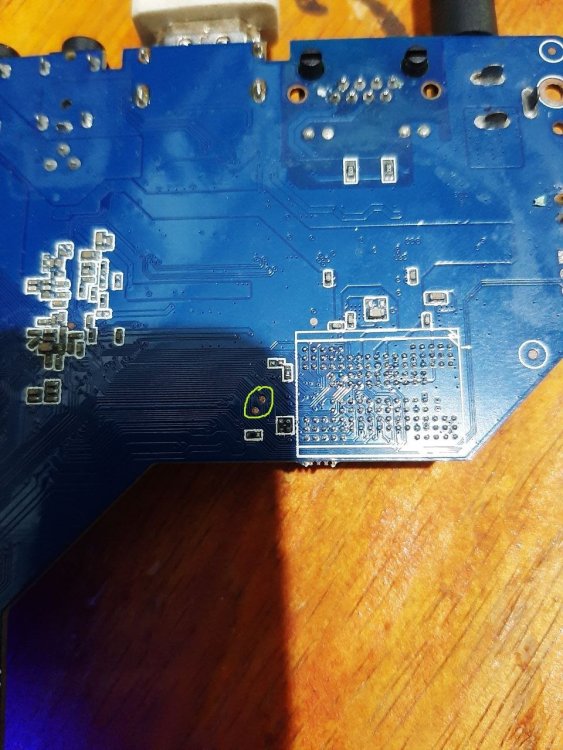
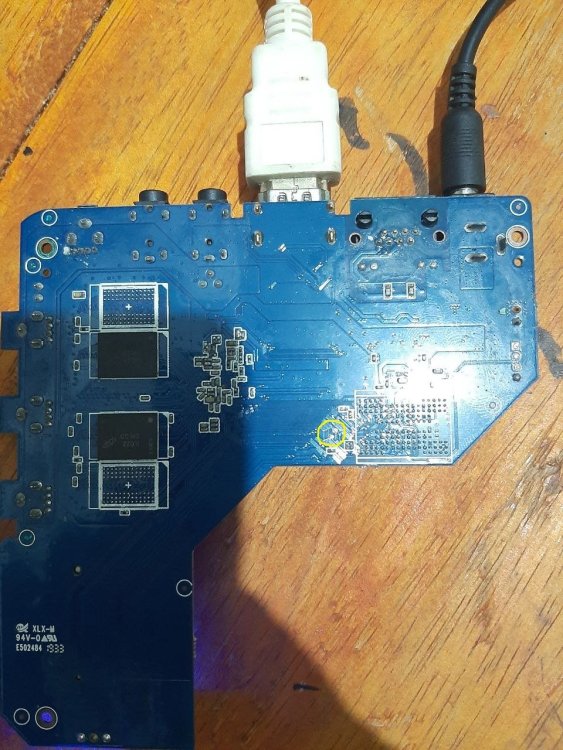
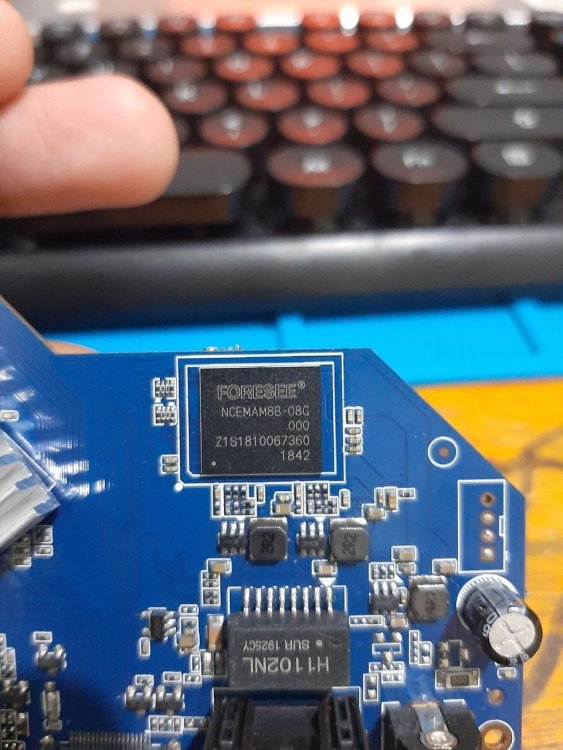
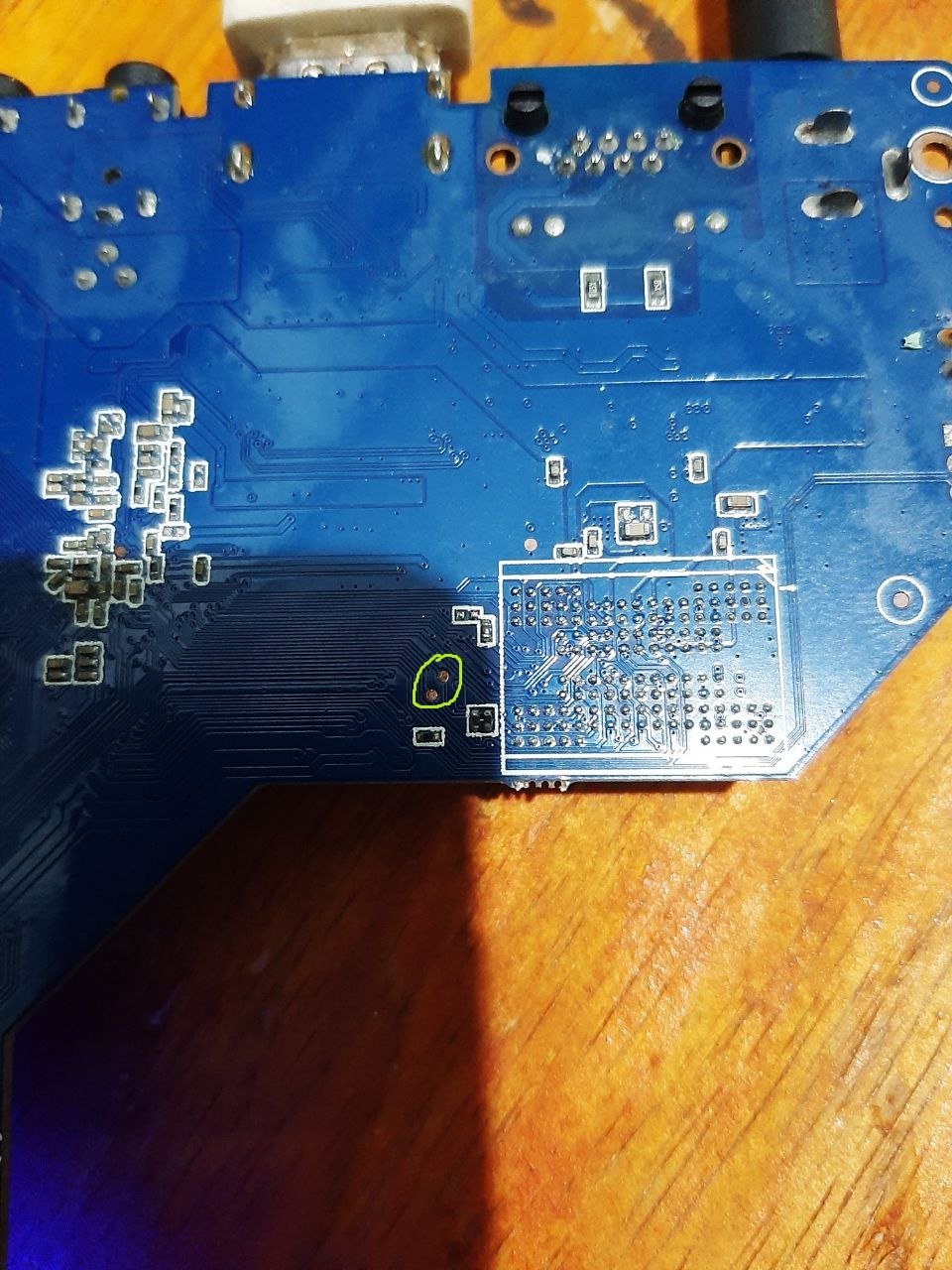
mxq pro 4k maybe "shortpin" Hope it is useful
.thumb.jpg.566e994fddc34a4e80c5a23d3375f36f.jpg)
-
Maybe are you experiencing the same issue ? https://forum.armbian.com/topic/56946-h3-reboot-issue/
-
Today I needed to reboot one of the Orange Pi which is at a remote location.... It did not come back to life.... Maybe some update removed the extraargs=reboot=warm parameter ....
-

Install on amlogic tv box without working emmc
SteeMan replied to Игорь Шаповалов's topic in Amlogic CPU Boxes
No standard way to do what you want. The Armbian images from this site depend on the original android bootloader on the emmc to boot. Since you don't have working emmd these images wont boot. Theoritically if you found a working boot loader for your box and it was put on the SD card, then you would have more options. -
Hi Armbian community, I'm trying to install Armbian on my Worldchip K16 tablet and would appreciate guidance on compatibility and installation steps. Device Specifications: · Model: Worldchip K16 · SoC: Allwinner sun50iw10p1 (likely A64/H5 variant) · CPU: Quad-core Cortex-A53 (ARMv8 64-bit) · Current OS: Android 11 · Architecture: aarch64 (ARMv8l) · GPU: Mali-400MP2 (typical for this SoC) · RAM: Unknown (estimated 2-4GB based on similar devices) · Storage: Unknown (likely 32-64GB eMMC)
-
Hi all. I reproduced the same behaviour on my custom uboot built with enabled debugging. The problem is not solved, but I got more detailed information. It turns out spl freezes at loading main uboot loader. Here is part from logs: Jumping to U-Boot... SPL malloc() used 0x198 bytes (0 KB) image entry point: 0x4a000000 More detailed logs can be found here
-
If inserted, SD is booted first. If not inserted or SD read err, NOR flash is booted. NOR flash in turn boots from lower 2280 NVME. I have added boot-from-upper 2230 NVME to uboot. To install Boot via SD. Log in as root. Start armbian-install Select 7 Install to MTD Put fresh image to NVME via dd of=/dev/nvme... Eject SD, press [reset] If anything is wrong, start over with 1. Boot via SD. I am not sure wich NVME (upper or lower?) is used first. Note: If you put the same image to both NVMEs and insert SD, you may have up to three ext4 partitions with the same UUID in the box. So on reboot it is very unclear which of the three ext4 is used as root. Check with df -h /. If necessary, you can use uuidgen from uuid-runtime package and tune2fs -U as well as nano to change extlinux.conf for a different ID. HTH // Sven-Ola
-
So if this works for you and you apparently know how to change bootloader, I can not really say or conclude more in addition to what is already said. I do not use images nor Imager and also do not own the ITX, I only tried to see if this issues is maybe something RK3588 generic.
-
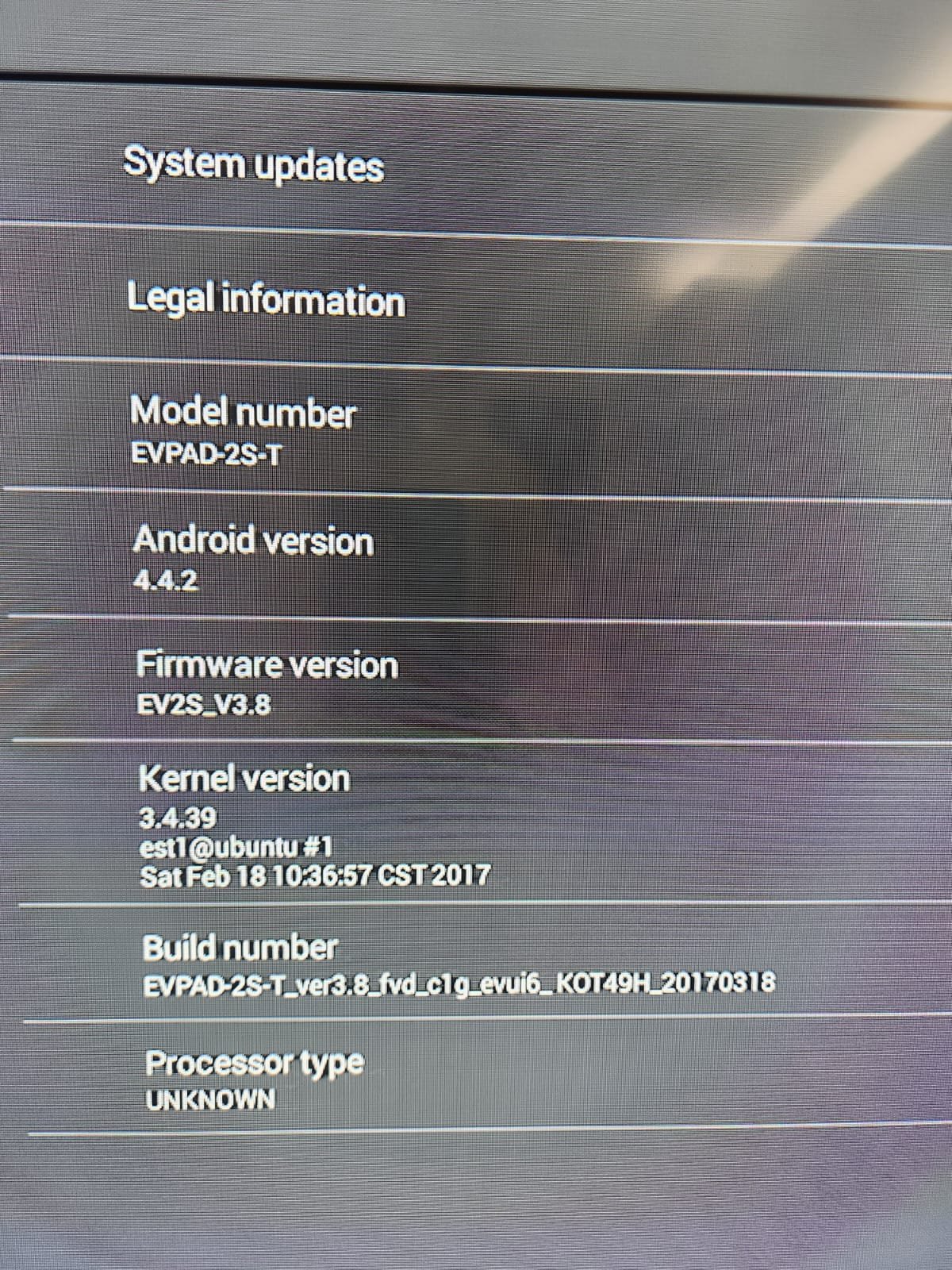
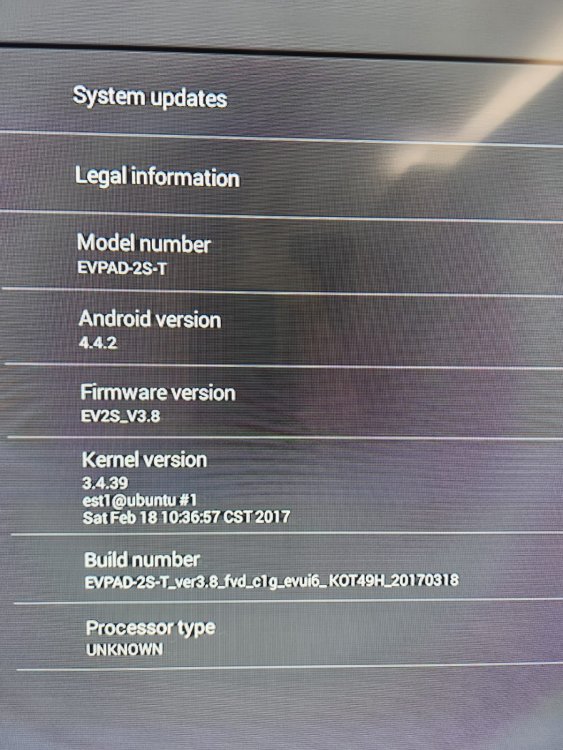
Hi all, I know this is a bit of a long shot given the age of the hardware, but I’m wondering if anyone here has ever experimented with running Armbian on an EVPad 2S (the old Android TV box). I’ve been tinkering with some older devices and thought it might be interesting to see if this one can be repurposed. I’ve attached a screenshot of the system info - unfortunately, it’s pretty sparse. The box is running Android 4.4.2 with kernel version 3.4.39, but the processor type is listed as “UNKNOWN,” and I haven’t found much documentation on the chipset or board layout. so before I dive deeper I wanted to ask: Has anyone managed to get Armbian (or any Linux distro) running on it? Are there known limitations with the chipset or bootloader that make it a dead end? Any tips, resources, or even “don’t bother” experiences would be appreciated. Thanks in advance for any insights - sometimes these older boxes surprise us, but I realize support may be very limited.
-
Hi @ff255, It's been a while, I'm assuming you are still getting the same error as mentioned below: Applying kernel provided DT fixup script (rockchip-fixup.scr) ## Executing script at 09000000 Wrong Ramdisk Image Format Ramdisk image is corrupt or invalid SCRIPT FAILED: continuing... The output you shared helps, but can you share a little bit more? Would need to know the following for your case: Filesize of your kernel image file Filesize of your initrd file If possible, filesize of the DT file being loaded. With those three values, we should be able to calculate the correct load addresses and try booting. (All this also presuming that your issue is that the load addresses used by U-Boot/the bootscript do not leave enough room for either a kernel or initrd file, causing one of those to overlap the start of the other.) Groetjes,
- Yesterday
-
Hello all, nice to see helios64 is still alive. I have mine and i was a bit worried about needing to switch to something else, there is not really other stuff as cool as this one. I'm using my helios64 since i go it for small it task: small webserver, xmpp server, vpn, NAS. Btrfs "raid1-like" work without issue for me an allow me to upgrade the disks one by one (it allow different sizes). The UPS shutdown mechanism stuff still work without issue. I'm thinking about upgrading it to armbian trixie to use quadlet (podman feature) on it. I just have to find the motivation. It frighten me a bit because there is very few discussion and mostly about issues in this forum.
-
Booting armbian manually from u-boot shell over UART
SteeMan replied to user03's topic in Amlogic CPU Boxes
Yes you can work to make things better. But since I don't have this box (nor even one with that specific cpu version) there isn't anything I can really help you with. But anything you find/improve can be submitted back to Armbian as a PR. This stuff is all community supported, thus it depends on people like you to make improvements and submit them back for others to benefit from. -
 Hi Everyone, I managed to have it booted off the SD card only without FEL fiddling (also because my A-to-A OTG cable was dumb so I've soldered a UART and get on there trying to dodge the hardcoded protected boot on eMMC by playing with u-boot and tricking it with DTB hacks forcing an internal eMMC disable in favor of SD boot.) I've ultra simplified the procedure for mere mortals: 1- Flash Pine64 Armbian image on an SD card 2- Flash the "magic 1st Magabyte" (dd brutally the first meg) 3- Insert the SD card in your Remix Mini 4- Boom The stupid part is that I've done this in a 24 hours rush and kind of tried of backtrack what I did to make it happen... I'm not able to reproduce it but I have all the notes here: https://gist.github.com/penzoiders/582bfab2c9265716dd375fb5e7679bcf if anyone of the deveolpers is interested in this I can ship to the maintainers a couple of units (I have dozens of these used-to-be-ewaste devices). I'll attach the 1M magic boot sector. remix_mini_armbian_first_1m_pine64.bin
 -
A long time ago, I made an armbian guide, which included adding a kernel patch. Can you try this method? "Move them* to ~/armbian-2023.05/build/userpatches/kernel/archives/sunxi-6.1 (using the scp command or sshfs)" * would mean the cpio file (use diff3 to convert to patch file**) and any linux configuration patches needed to make your initramfs. ** diff3 linux_orig_source_folder linux_source_folder_with_cpio_file https://github.com/robertojguerra/orangepi-zero-full-setup/blob/main/README2.md#73-add-the-tv-encoder-driver-to-the-linux-kernel-source
-

[Bug]: Ethernet rarely connecting successfully in Orange Pi 3 LTS
c0rnelius replied to iMagz's topic in Allwinner sunxi
This unit on Armbian has bigger problems than the Ethernet not coming up. such as: I believe that stems from the current U-Boot being used. If I flash mine and use my DTS that comes up correctly and the ethernet. Sorry but bringing this unit up to snuff would take more time than I'm currently willing to put in right now. If a window opens up in the future, I'll look into it. -

Support for TV Boxes with Amlogic S905X4
Ngọc Hải Lê replied to calusbr's topic in Amlogic CPU Boxes
I have a Magicsee N5 Max X4 TV box (Amlogic S905X4). Has anyone tried this with this model? I tried removing the # S905X4_Generic symbol, but it still gives an error when booting. Could you please help me? Thank you! -
It is not recommended to match ZFS with vendor kernel(s). In general. Use mainline based current / edge kernels. Here v6.18.y we also might not have suitable ZFS yet as the kernel is too fresh. But if not today, it will be avail within days / weeks.
-
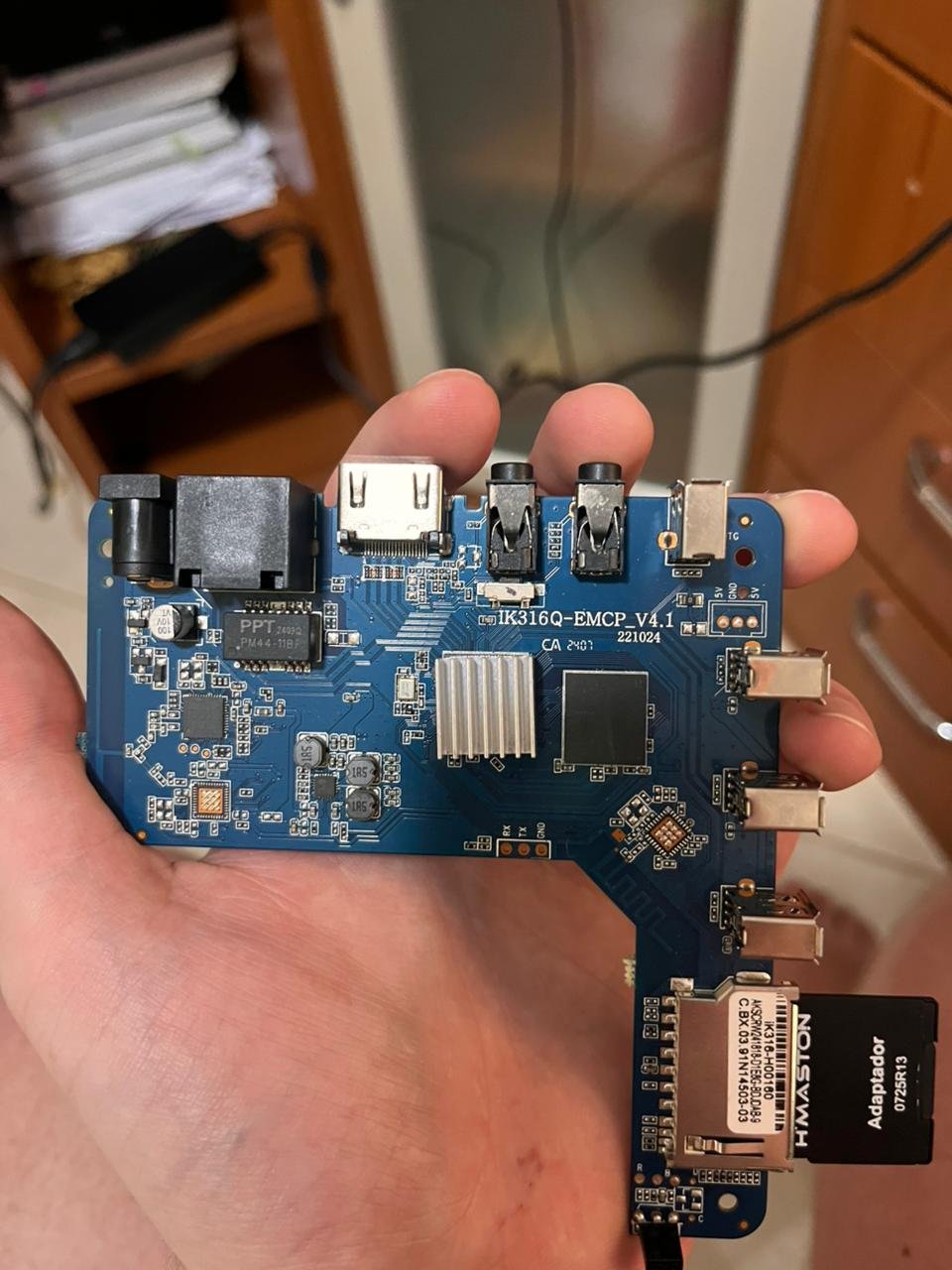
 Managed to find how to solve the issue! For anyone with the same board revision (IK316Q-EMCP_V4.1) and LPDDR3 memory who is struggling to boot standard images: I tried multiple generic builds (Ophub, etc.) and DTB edits without success. The solution was using this specific pre-configured image version from the sicXnull repository. The working image is: Armbian-unofficial_24.11.0-trunk_X96q_bookworm_current_6.6.44_mate_desktop.img.xz Download Link: https://github.com/sicXnull/armbian-build/releases/download/v24.8.0-trunk.425/Armbian-unofficial_24.11.0-trunk_X96q_bookworm_current_6.6.44_mate_desktop.img.xz It booted immediately. Hope this helps others with this specific hardware.
 -
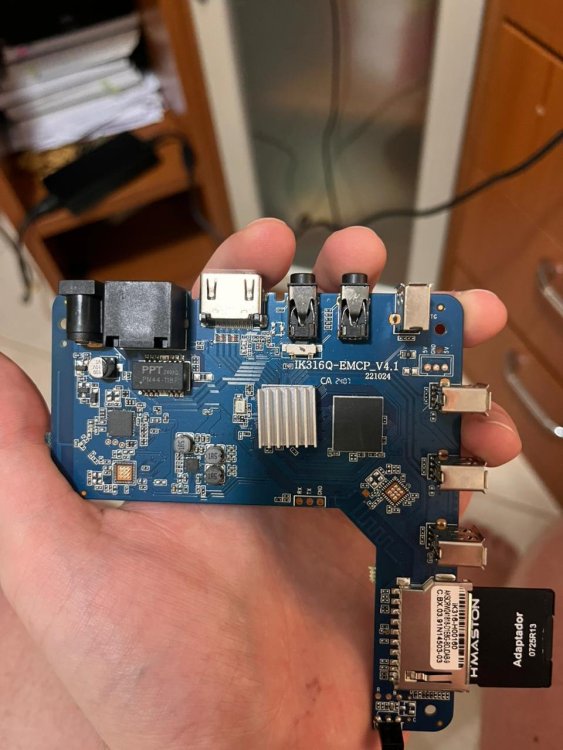
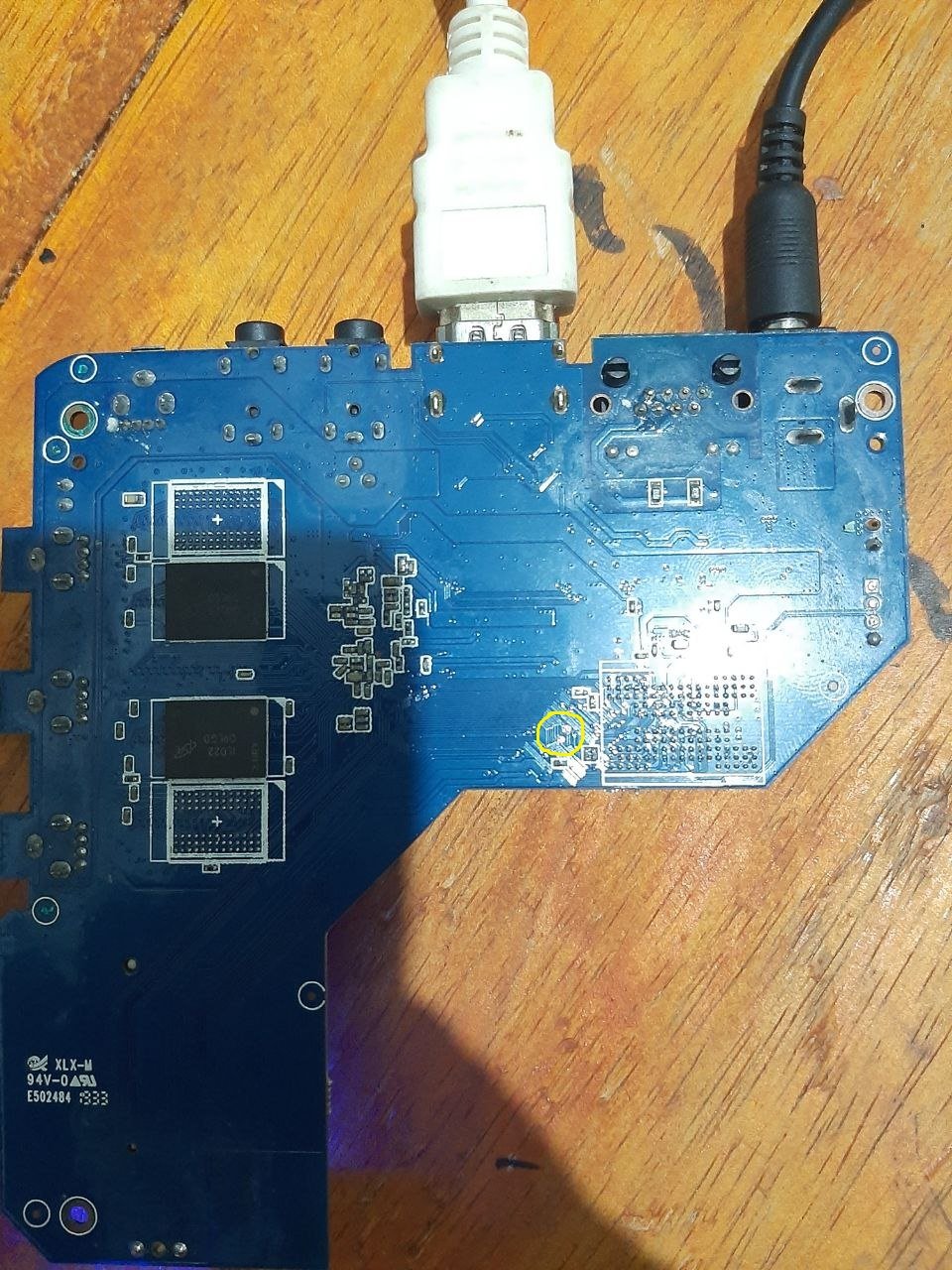
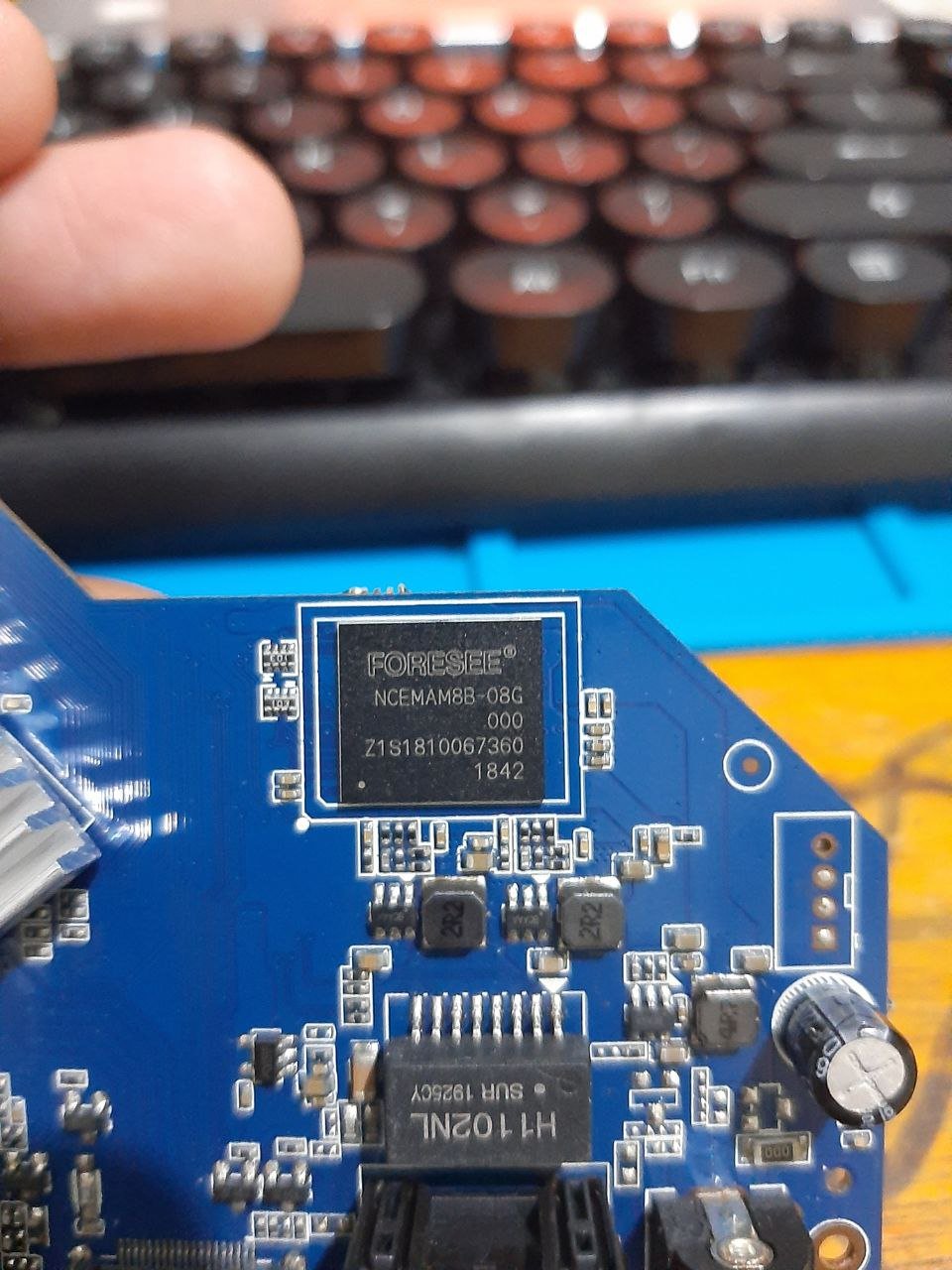
Hello!! I am looking for help to boot Armbian on a generic TV Box sold as "MXQ Pro 4K 5G". I have tried multiple images (including official and community builds from sicXnull), but I only get a black screen or signal loss immediately after the boot attempt. Device Specifications: Model on case: MXQ Pro 4K 5G Board ID: IK316Q-EMCP_V4.1 SoC: Allwinner H313 (identified as sun50iw9p1 in Android) RAM: 1GB (Single chip configuration) Storage: 8GB eMMC Current Status: I am able to boot into the stock Android. To attempt the Armbian boot, I've tryed the Power up method, the power up pressing the hidden AV switch, using the reboot update command from a terminal emulator within Android. The issue: Upon executing the reboot command, the Android system shuts down, the display signal cuts off (or stays black), and the device never initializes Armbian (no HDMI output, no LEDs blinking differently). What I have tried:






.jpg.44b2897ad04e4cc12493ec40c16ec3e0.jpg)