All Activity
- Past hour
-
 yet still giving enough to write a answer. flaming over LPEs (or any vulnerability) does not solve any issues. I suggest to read the license again to get a clue who's responsible about fixing things in general: https://github.com/armbian/build/blob/5e60c0183d035bfd5179373e1eac284790e08904/LICENSE#L265-L268 Both parties also shall read the terms of use again, the very first bullet point in particular. I will not give this hint a second time. fixes will land upstream, stable builds will adapt four times a year. For everyone wants things faster, options were provided.
 -
@Levy Barbosa I was able to boot and install! Instructions Download Armbian from: https://www.armbian.com/boards/aml-s9xx-box Use: - Debian 13 (Trixie) Minimal - Current kernel (6.18.26) Create bootable USB with Rufus/Balena Etcher. S805X-P241 Specific Changes After writing the image, before booting: 1. Set correct DTB - Open armbi_boot partition - Edit extlinux/extlinux.conf - On line 4, change DTB to: meson-gxl-s805x-p241.dtb 2. Set correct u-boot - In armbi_boot, copy u-boot-s905x-s912 - Rename copy to u-boot.ext 3. Boot - Insert USB into USB2 port (closest to power input) - Hold reset button (between USB ports) while applying power - Release after 15 seconds First Login Username: root Password: 1234 Change password when prompted. Notes - Wi-Fi works - Ethernet is 100 Mbps
- Today
-
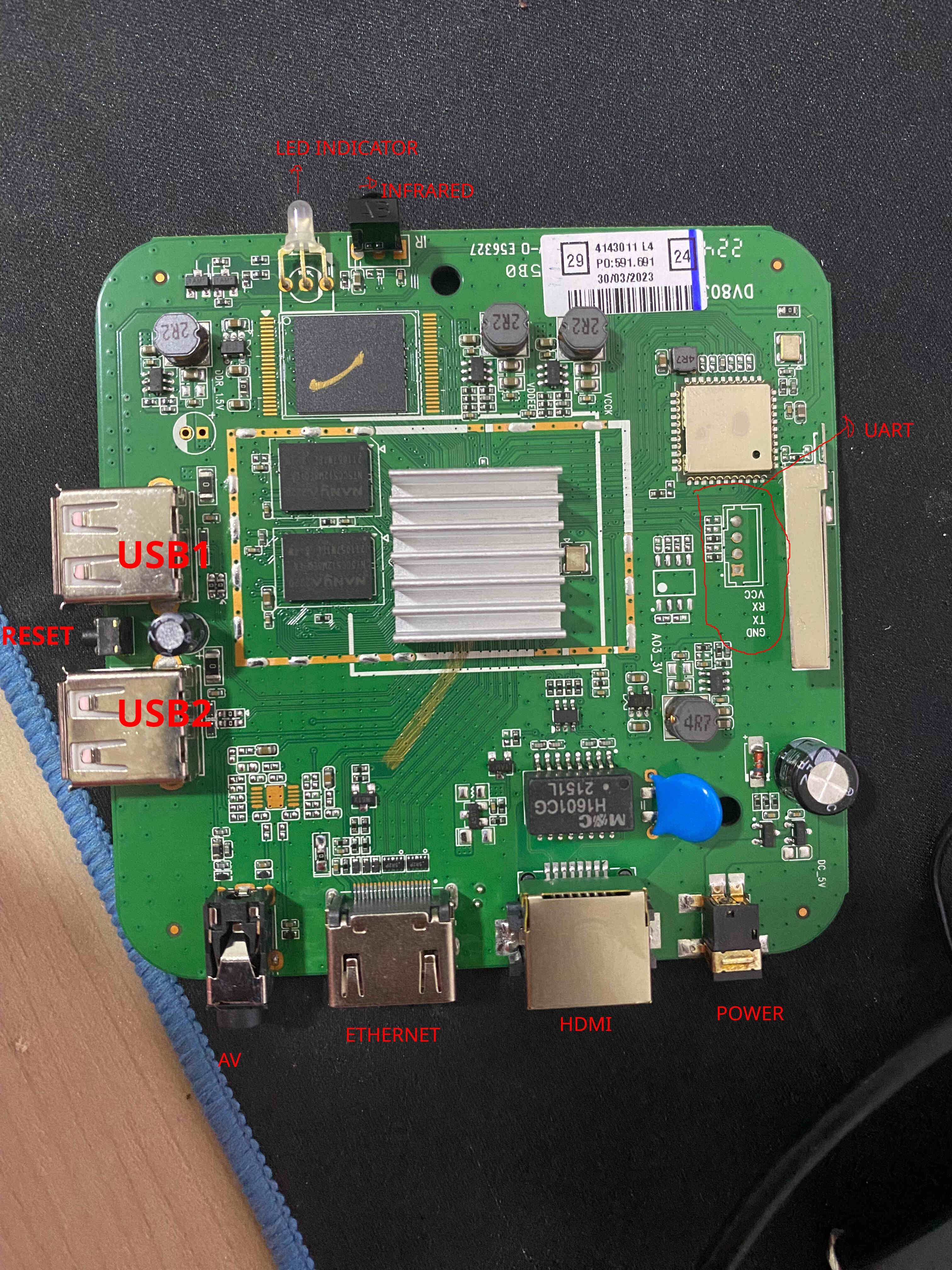
 TV Box Name: Intelbras IzyPlay Board name: DV8038 CPU: Amlogic S805X (GXL Meson, Rev D) Armbian build file name: Armbian_community_26.2.0-trunk.821_Aml-s9xx-box_trixie_current_6.18.26_minimal.img.xz DTB file used: meson-gxl-s805x-p241.dtb Kernel Version: 6.18.26-current-meson64 Distribution Installed: Debian 13 (Trixie) Working Ethernet: Yes Max Ethernet Speed that works: 100 Mbps Does wifi work: Yes Does bluetooth work: No Does HDMI audio work: Not tested (headless setup) Additional Comments: - Board has 1GB RAM (908MB available) and 7.3GB eMMC - HDMI output works (tested on a DELL P2219H) - Reset button is between USB1 and USB2 ports - USB2 port is required for booting (closest to power input) - To boot from USB: hold reset button while applying power, release after 15 seconds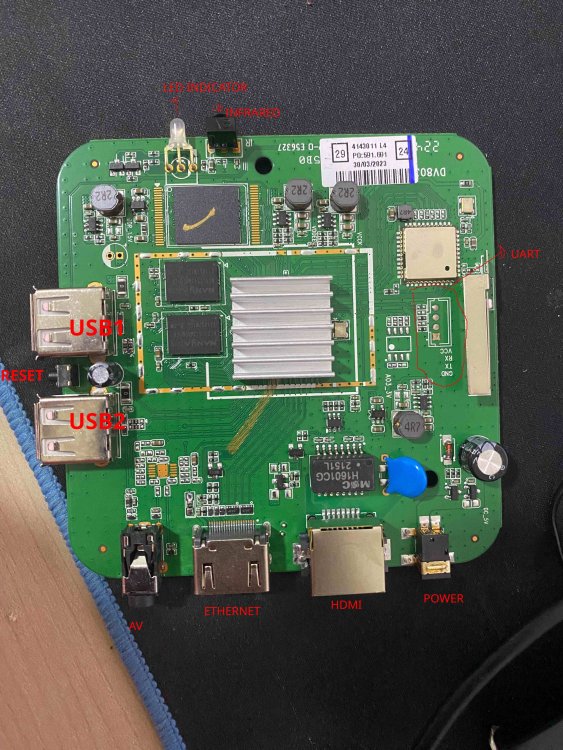
-

Helios64 - Armbian Trixie with linux 6.18 (incl. opp-microvolt patch)
BipBip1981 replied to ebin-dev's topic in Rockchip
Thank @iav -
 @iav Yes, thank you. I'll be able to test the PR for you next week.
 -
@guenter I have resolved the NVMe SSD detection issue. The updated device tree access path is listed below. https://github.com/Arthur97172/Armbian-Community-Build/blob/main/patch/kernel/archive/rockchip64-6.18/dt/rk3568-yy3568.dts
-
@iav Thank you very much !
-
https://github.com/hillac/jetson-nano-armbian-build/blob/main/jetson-armbian-26.md I got a 26 trixie image with the 6.18.29 kernel booting headless. No hdmi. Boot logs over uart were showing 'tegra-pmc 7000e400.pmc: failed to get resets for venc: -517' so I just removed the problem reset from venc in the dtb. This reset was in the dtb for the working 23.8.1 image, so it's not the root cause, but at least it boots properly.
-
Hi @ebin-dev, @SymbiosisSystems, and everyone in this thread, Following the recurring instability reports here and in the older topic ( https://forum.armbian.com/topic/30074-helios64-armbian-2308-bookworm-issues-solved/ ), I've packaged your opp-microvolt workaround as an opt-in DT overlay in the Armbian build framework. PR: https://github.com/armbian/build/pull/9822 — adds the overlay to both Armbian kernel trees: `rockchip64-current` (6.18) and `rockchip64-edge` (7.0). What you get once this lands: - `rockchip-rk3399-helios64-cpu-stability.dtbo` ships inside the regular `linux-dtb-{current,edge}-rockchip64` package. No hand-patching of DTBs, no separate downloads; `apt upgrade` keeps the overlay in sync with whatever DTB your kernel ships. - **Not enabled by default** — for the people whose Helios64 "just works", the mainline OPPs stay untouched. I don't want to push a tree-wide voltage bump onto every user when only some units exhibit the instability. - Activation is the standard Armbian way, either: armbian-config → System → Kernel → Manage device tree overlays → [*] rk3399-helios64-cpu-stability → save → reboot or manually, by adding the overlay name to the `overlays=` line in `/boot/armbianEnv.txt` (the `rockchip-` prefix is implicit, because `overlay_prefix=rockchip` is already set on this board): overlays=rk3399-helios64-cpu-stability Then reboot. Voltages are exactly the ones from your post in this thread — https://forum.armbian.com/topic/58597-helios64-armbian-trixie-with-linux-618-incl-opp-microvolt-patch/?do=findComment&comment=237456 (opp00..opp06 raised to 900 / 900 / 900 / 950 / 1025 / 1100 / 1175 mV; opp07 left at the mainline 1.20 V; `max` everywhere kept at 1.25 V). Frequencies are not touched. End-to-end verified on my Helios64 with both kernels: - current / 6.18.30, Trixie SD-card image - edge / 7.0.7, Trixie SD-card image (locally built) After enabling the overlay and a reboot: for n in 0 1 2 3 4 5 6 7; do od -An -tx4 --endian=big \ /sys/firmware/devicetree/base/opp-table-1/opp0$n/opp-microvolt done opp00 000dbba0 000dbba0 001312d0 opp01 000dbba0 000dbba0 001312d0 opp02 000dbba0 000dbba0 001312d0 opp03 000e7ef0 000e7ef0 001312d0 opp04 000fa3e8 000fa3e8 001312d0 opp05 0010c8e0 0010c8e0 001312d0 opp06 0011edd8 0011edd8 001312d0 opp07 00124f80 00124f80 001312d0 ...which matches your table 1:1. U-boot log line on boot: Applying kernel provided DT overlay rockchip-rk3399-helios64-cpu-stability.dtbo confirms that u-boot picks up the `.dtbo` from `/boot/dtb/.../rockchip/overlay/` and applies it via `fdt apply` before the kernel starts. Ready-to-flash **current/6.18** images, built from the PR branch by the official Armbian builder workflow: https://fi.mirror.armbian.de/incoming/iav/helios64/archive/ - Armbian_26.5.0_Helios64_resolute_current_6.18.30_minimal.img.xz - Armbian_26.5.0_Helios64_resolute_current_6.18.30_xfce_desktop.img.xz - Armbian_26.5.0_Helios64_trixie_current_6.18.30_minimal.img.xz If any of you can grab one of those (or wait for a nightly after the PR is merged) and confirm the workaround applies cleanly through the overlay path on your board, that would help the PR land. Bug reports are welcome too. Attribution lives in the overlay README block (look for the heading `### rk3399-helios64-cpu-stability`), pointing back to forum topics 30074 and 58597, prahal and ebin-dev: https://github.com/armbian/build/blob/feat/helios64-cpu-stability-overlay/patch/kernel/archive/rockchip64-6.18/overlay/README.rockchip-overlays https://github.com/armbian/build/blob/feat/helios64-cpu-stability-overlay/patch/kernel/archive/rockchip64-7.0/overlay/README.rockchip-overlays Thanks!
-
Hi @ebin-dev, @SymbiosisSystems, and everyone in this thread, Following the recurring instability reports here and in the older topic 30074, I've packaged your opp-microvolt workaround as an opt-in DT overlay in the Armbian build framework. PR: **armbian/build#9822** — adds the overlay to both Armbian kernel trees: `rockchip64-current` (6.18) and `rockchip64-edge` (7.0). What you get once this lands: - `rockchip-rk3399-helios64-cpu-stability.dtbo` ships inside the regular `linux-dtb-{current,edge}-rockchip64` package. No hand-patching of DTBs, no separate downloads; `apt upgrade` keeps the overlay in sync with whatever DTB your kernel ships. - **Not enabled by default** — for the people whose Helios64 "just works", the mainline OPPs stay untouched. I don't want to push a tree-wide voltage bump onto every user when only some units exhibit the instability. - Activation is the standard Armbian way, either: armbian-config → System → Kernel → Manage device tree overlays → [*] rk3399-helios64-cpu-stability → save → reboot or manually, by adding the overlay name to the `overlays=` line in `/boot/armbianEnv.txt` (the `rockchip-` prefix is implicit, because `overlay_prefix=rockchip` is already set on this board): overlays=rk3399-helios64-cpu-stability Then reboot. Voltages are exactly the ones from post #237456 (opp00..opp06 raised to 900 / 900 / 900 / 950 / 1025 / 1100 / 1175 mV; opp07 left at the mainline 1.20 V; `max` everywhere kept at 1.25 V). Frequencies are not touched. End-to-end verified on my Helios64 with both kernels: - current / 6.18.30, Trixie SD-card image - edge / 7.0.7, Trixie SD-card image (locally built) After enabling the overlay and a reboot: for n in 0 1 2 3 4 5 6 7; do od -An -tx4 --endian=big \ /sys/firmware/devicetree/base/opp-table-1/opp0$n/opp-microvolt done opp00 000dbba0 000dbba0 001312d0 opp01 000dbba0 000dbba0 001312d0 opp02 000dbba0 000dbba0 001312d0 opp03 000e7ef0 000e7ef0 001312d0 opp04 000fa3e8 000fa3e8 001312d0 opp05 0010c8e0 0010c8e0 001312d0 opp06 0011edd8 0011edd8 001312d0 opp07 00124f80 00124f80 001312d0 ...which matches your table 1:1. U-boot log line on boot: Applying kernel provided DT overlay rockchip-rk3399-helios64-cpu-stability.dtbo confirms that u-boot picks up the `.dtbo` from `/boot/dtb/.../rockchip/overlay/` and applies it via `fdt apply` before the kernel starts. Ready-to-flash **current/6.18** images, built from the PR branch by the official Armbian builder workflow: https://fi.mirror.armbian.de/incoming/iav/helios64/archive/ - Armbian_26.5.0_Helios64_resolute_current_6.18.30_minimal.img.xz - Armbian_26.5.0_Helios64_resolute_current_6.18.30_xfce_desktop.img.xz - Armbian_26.5.0_Helios64_trixie_current_6.18.30_minimal.img.xz If any of you can grab one of those (or wait for a nightly after the PR is merged) and confirm the workaround applies cleanly through the overlay path on your board, that would help the PR land. Bug reports are welcome too. Attribution lives in `patch/kernel/archive/rockchip64-{6.18,7.0}/overlay/README.rockchip-overlays` under `### rk3399-helios64-cpu-stability`, pointing back to topics 30074 and 58597, prahal and ebin-dev. Thanks!
- Yesterday
-
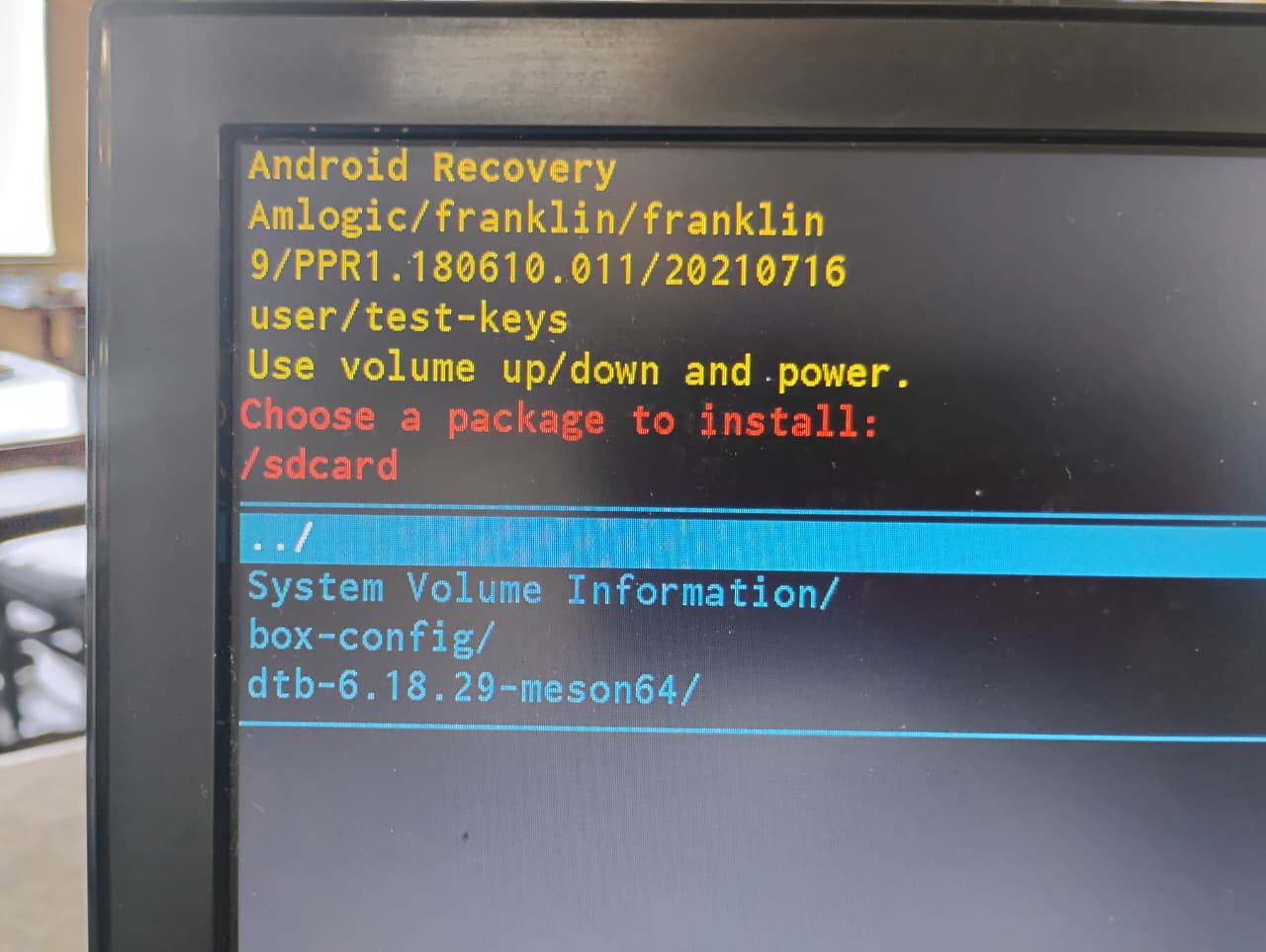
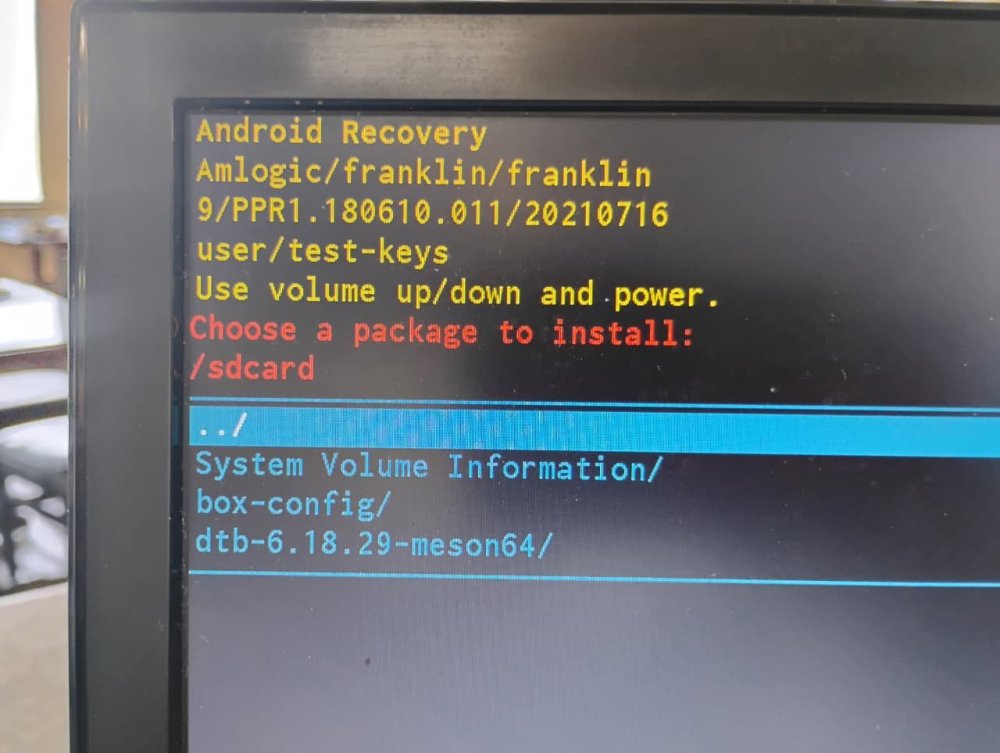
You shouldn't be getting into android recovery. How did you burn the image to the SD card? On what platform? The fact that I'm seeing things like "System Volume Information" and "box-config" which aren't directories that should exist on an Armbian image, it looks like something strange has happened to your SD card image.
-
It works. I am just showing you an easy way to connect to the board if you don't have UART or display output, even if temporarily.
-
 See how Tyr moves beyond MCU firmware boot to build the group, queue, VM, submission, and completion paths needed to run real Vulkan workloads on Mali CSF GPUs. View the full article
 -
I previously tested the USB-to-Ethernet adapter on version 6.6, and it worked perfectly. However, I haven't tested it on 6.18 yet.
-
well now i using a sd card and get this situation....
-

Rupa X88 Pro 13 - RK3528 board with images
sr4armbian replied to fedes_gl's topic in Rockchip CPU Boxes
@Joao Cordeiro Thanks for your reply. You are right, Amlogic S905X3 seems to be a good hardware without much issue for running Linux servers. -
Glad that you got it fixed and figured out a way to set this up. 🙌. I went with similar method, used USB Male to Male cable, Factory Flash Tool and maskrom pins to load the image that I have mentioned in above post, However I am still stuck with no HDMI and LED Display is not showing the clock, but a script which shows the IP address. This was part of the image created by the one who complied it. If you could share steps to get the one that is working (HDMI, Clock, Etc.,) for you would be helpful.
-

Rupa X88 Pro 13 - RK3528 board with images
Joao Cordeiro replied to fedes_gl's topic in Rockchip CPU Boxes
@sr4armbian I know of at least 3 main issues: no wifi LAN is 100mbps limited usb is 2.0 limited Also does not look like anyone is actively developing this. Since i use this as a server, i know that HDMI works to the point of showing the console, but i have no experience on a desktop environment. If you dont yet have one of this devices, dont buy one to get a linux box. Not worth it. -
You have the lspci verbose output so you can work back to get the non-verbose output as well. Should I have anything connected to the PCI lane or not? I know my USB devices work, at least with the internal controller, the question was about what exactly is the output/situation you need me to test.
-
 No risk of "starting a war," as I quite frankly don't give a damn about your opinion. The mitigations the devs have posted are easy to apply, so this is solved as far as I'm concerned. You must be really fun at parties, bedna
 -
I dont need details just lsusb and lspci without switches to see what my image 7.1 discovers on your board Of course you can pług on USB stick to see if it works also make steps like mentioned above to fix wifi aic driver
-
I'm not sure what "nothing to see with you project" means but above you I've included the most complete lspci there is. I'll send lsusb too, but there won't be much there as it works properly. Do you want me to have something connected to the USB or just print it without anything (it would be one line, unless you want verbose).
-
@sr4armbian Thanks for your response. I found a way to build the vendor release for my box with kernel 6.xxx. SD card and USB 2.0 flash drive are tested, and HDMI audio, HDMI video, Ethernet, and the front LED display are working so far. I am running it on my eMMC, but the built-in Wi-Fi and Bluetooth modules are not working. I have modified a bit of scripts to remove the HAOS part and create a firmware image that can be flashed directly via the factory flash tool using using usb cable in maskrom mode.
-
I see it is this board, quite new: http://www.orangepi.org/html/hardWare/computerAndMicrocontrollers/details/Orange-Pi-4A.html You can see at https://github.com/armbian/build/commits/main/config/boards/orangepi-4a.csc that no manintainer is defined, so up to yourself to figure out what is wrong. You need to start with attaching a serial debug cable (see 3 pins next to power key) Also I see this board has SPI-flash, there might be an old U-Boot variant in there that does not work together with mainline based 7.0.x kernel.
-

Have Armbian for Tanix TX1 QHZIW_H313_TX1_EMCP_V2.0?
Juan Esteban replied to Lesano's topic in Allwinner CPU Boxes
To my knowledge, there are two versions of this device: the "old" version and the new version, which has a 6031 Wi-Fi chip. Here are the two DTS files extracted from the original android tv firrmware for each hardware version. Hope it helps. Tanix_TX1_6031_DTS.txt Tanix_TX1_DTS.txt