Active threads
Showing topics posted in for the last 365 days.
- Past hour
-

Efforts to develop firmware for H96 MAX V56 RK3566 8G/64G
Hqnicolas replied to Hqnicolas's topic in Rockchip CPU Boxes
Bump to uboot 2026.04 tested with kernel 7.0.5 no mods, just pure mainline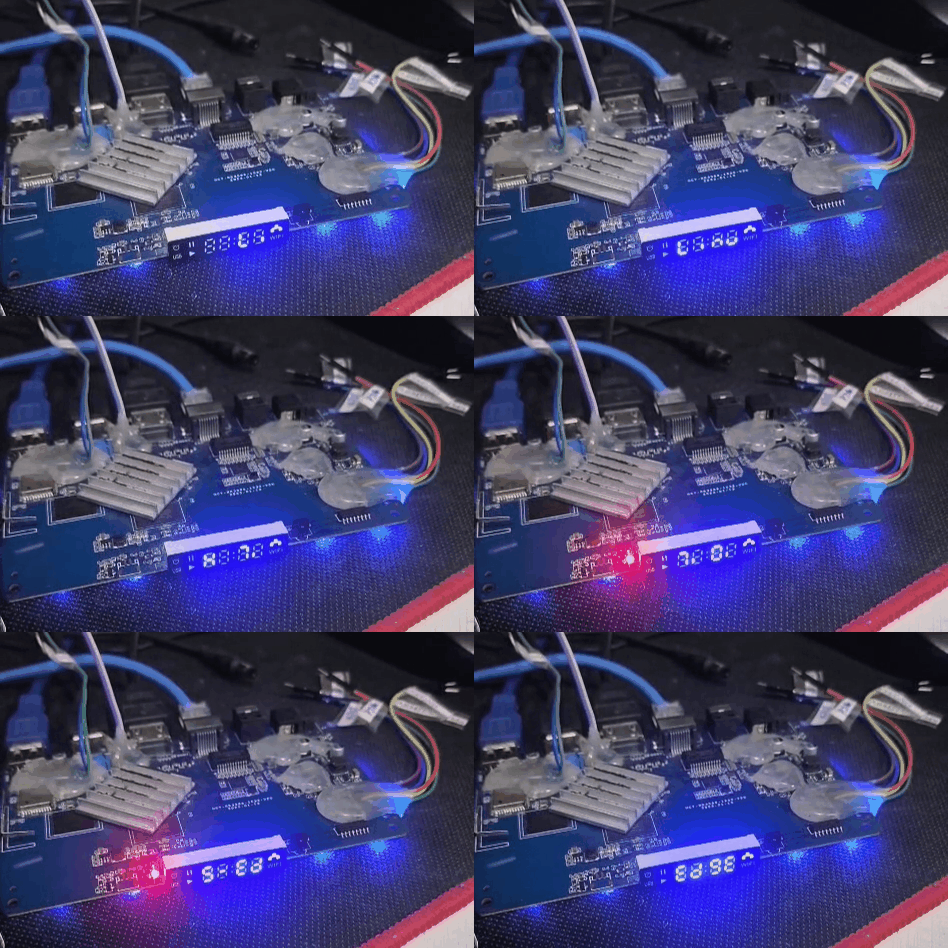
-

Regular changes in file /etc/armbian-leds.conf on ODroid-N2
iav replied to iav's topic in Software, Applications, Userspace
Wrote a PR to remedy the situation https://github.com/armbian/build/pull/9800 -
@humanus I took a second look at the log, I think it's probably due to the enabled eMMC. EDIT: I added the emmc part to my A7Z dts, it also crashes... So that's definitely the root cause. I disable it for A7S in my repo for now, you can compile it yourself with a Linux 6.18 kernel or wait for Nick. By the way A733 eMMC seems to use the same eMMC driver as A523, so probably mainline already supports it.
- Today
-
Wait for a few hours and see if it appears. My other theory, is that I removed the BCMHD DKMS driver and now the wifi is in a wrong state and hassling the CPU.
-
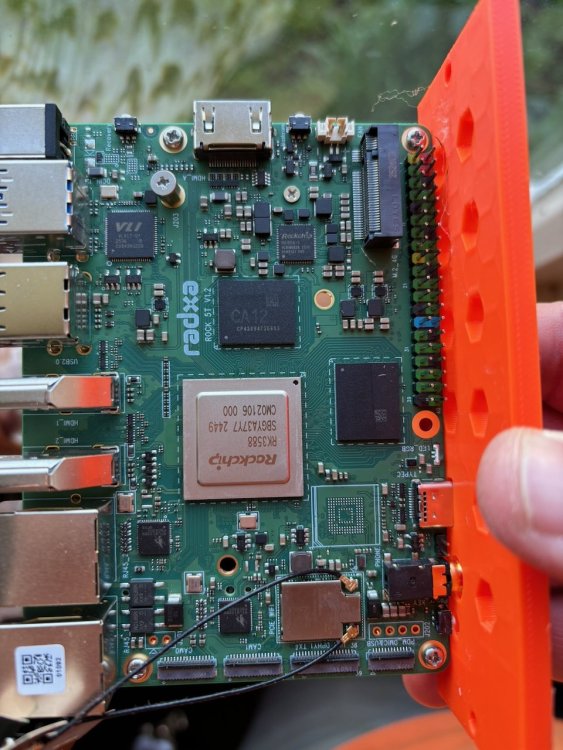
@meco hopefully this is clear enough for you.
-

A guide to installing Armbian on the H96 Max V11
Barrr replied to Maxxim's topic in Rockchip CPU Boxes
ok my findings root@rk3318-box:/boot# cat *Env.txt verbosity=1 bootlogo=true console=both overlay_prefix=rockchip fdtfile=rockchip/rk3318-box.dtb rootdev=UUID=a3e848f3-8d54-412d-9184-5bc40ab76686 rootfstype=ext4 overlays=hdmi-audio rk3318-box-cpu-hs rk3318-box-led-conf1 rk3318-box-wlan-ap6334 usbstoragequirks=0x2537:0x1066:u,0x2537:0x1068:u root@rk3318-box:/boot# sudo ln -s /usr/lib/firmware/brcm/brcmfmac4334-sdio.bin /usr/lib/firmware/brcm/brcmfmac4334-sdio.rockchip,rk3318-box.bin ### it was missing according the log sudo rm /usr/lib/firmware/brcm/brcmfmac4334-sdio.rockchip,rk3318-box.txt ### this one did not do the job , you could ofcourse backup ... sudo wget -O /usr/lib/firmware/brcm/brcmfmac4334-sdio.rockchip,rk3318-box.txt https://pastebin.com/raw/00gLSkKS ### the nvram hosted in this topic after the reboot the wifi worked fine for me -

Immament major changes in rk3588s-orangepi-5* DTS files.
Werner replied to Rocksheep's topic in Advanced users - Development
perhaps the patch is no longer necessary once this lands upstream. We will see once we get there -
 Hi Werner. I have done so already around half an hour ago.
 -
Please note that it is a known issue that Turnip / Vulkan broken on Snapdragon SM8550 / Adreno 740 on Mesa 25.3.x. See https://gitlab.freedesktop.org/mesa/mesa/-/work_items/14656 The workaround is to apply patch from https://github.com/batocera-linux/batocera.linux/blob/master/board/batocera/patches/mesa3d/001-fix-freedreno-vulkan.patch and rebuild 001-fix-freedreno-vulkan.patch
-
duplicate https://forum.armbian.com/topic/59601-sd-card-boot-cant-find-my-sda1hdd-after-warning-and-fsck/?do=findComment&comment=237240
-
That's default Debian behavior. Ubuntu includes sbin in PATH afaik. In any case Armbian does not alter this.
-

Trying to boot Armbian on LinknLink iSG Box SE
Rob Mills replied to Sancho's topic in Rockchip CPU Boxes
Hi guys, I too have one of these paperweights I'd like to use for a real HA instance to have as a backup if my actual server takes a dump. I was hoping for root access as I'm not a novice when it comes to custom bootloader and roms on other devices but this is a whole different monster. Any tips would be appreciated. - Yesterday
-

Need help with video decode acceleration on NanoPi R6S
Blind55 replied to Blind55's topic in NanoPi R6S/R6C
Just as an update, for anyone who cares. The above setup worked well, but I couldn't help but attempting to get video hardware acceleration in a browser. Since my post above, Armbian support for the Nanopi R6S went platinum (thanks to @Efe Çetin), kernel 7 came out and mesa 26 should provide all that is needed for vaapi/v4l2 support in firefox. Unfortunately, minimal Armbian Debian with kernel 7 combined with mesa 26 looks to be some time away - that would allow me to run sway, and likely with firefox using video decode acceleration. OTOH, vendor kernel at 6.1 doesn't seem to allow sway to run at all. So I tried Armbian Debian 13 minimal with kernel 6.18, which runs sway just fine, but the mesa version is stuck at 25.2 which in the standard Debian package does not by default support the rockchip hardware yet, I think. In addition, there seems to be some incompatibility with the repository provided here (or I am doing something wrong, which I wouldn't deny). Fortunately, looking at the Armbian git files I saw that the standard Armbian Ubuntu Noble with vendor 6.1 and Gnome (KDE version doesn't run well) appears to a) work fine with wayland, and b) automatically uses the Amazingfate (liujianfeng1994) PPA. This provides chromium with video hardware decode support, and I can still set up jellyfin. So at this point, without having to compile everything myself from scratch, this is the best setup from my perspective. Shout out to @Efe Çetin for making it this convenient - which it truly is, even though Gnome isn't my preferred DM. -
 I have a Orange Pi Zero2W with Armbian. I flashed a SD-card, and then I copy the system and boot to a usb- hdd (sda) and the system boot to sda Want hdd because It write much data and USB 2 don't take mush more speed. But I get a warning about a file-error or something so I run fsck on sda(hdd) that was a systemdisk, but when I run I choose to do it read-only, but anyway it does not boot any more. I think I can take the usb-hdd and run fsck from another computer? I have one system with Ubuntu on a Intel 6 gen, and Raspberry pi 500 and 5. The Pi-machine have raspberry-pi OS and the other Ubuntu 24.04.Does the machine or system have any significans? Or is there another fix to fix so the /boot on SD-card can find sda on USB? /Cheers /Edit. I posted under Orange Pi Zero2, but that was wrong place, and get moved, but at the same time get my thread classed as solved, but the solving was just to get the question on right place. I have also cleared my question a little bit and I can not take away the other.
 -
I started to have similar issue with recent rolling release (after 26.2.1) mainline kernels: 6.18.2x, 7.0.x, 7.1.0-rc. https://paste.armbian.com/yobewudugo The log seems having all previous boot logs of this board and 6.18.10, 6.18.8 and 6.1.115 can enumerate NVMe SSD but others can't. I did a PCI rescan with 7.1.0-rc2 after booting the board and NVMe SSD was found and corresponding kernel log can be found in the 1st kernel log. I have Armbian image on SD card, btw. sudo bash -c "echo 1 > /sys/bus/pci/rescan"
-
@Gwainer If you haven't bought a TV box yet, stay where you are. Direct your resources to supporting companies that keep open source running. Here is a list of where you should spend your resources. https://armbian.com/partners
-
this is my [fix plan](https://github.com/icecreamzhao/rock5b-plus-fan-fix)
-
Hello everyone, I urgently need help, as I am on the verge of throwing my Khadas out the window. I bought a used Khadas Vim3L HTPC Kit (S905D3) and want to use it for Navidrome and Audiobookshelf. The FLAC files are located on an external 2.5" WD Elements hard drive, first I intended to format this hard drive to ext4 and set it up in the setup process but it doesnt work and the first thing now is to setup the system,i will add the hd later. Currently, the Vim boots into CoreELEC (which appears to be installed on the internal storage of the vim). Im a total noob and thats my first vim / Board. I just can't seem to get it to work; no matter what I do, it always boots into CoreELEC. I have flashed the recommended Debian 13 (Trixie) → Minimal / CLI image (Armbian_25.11.1_Khadas-vim3l_trixie_current_6.12.58_minimal.oowow.img.xz) using balenaEtcher—onto two different SD cards as well as a USB stick, and I am attempting to boot from them. I have tried various key combinations, but nothing works. For example, when I attempt the method suggested by ChatGPT: Recovery Button Method Unplug the power supply Insert the SD card Hold down the FUNCTION button Briefly press RESET Continue holding the FUNCTION button for another 2–3 seconds I briefly see the Khadas logo, and then it reboots; this process then gets stuck in a loop. I tried using three different power adapters and usb-c cables, thinking that might be the issue... but it was always the same result. I tried a different SD card and various USB sticks and different formats always the same outcome. As a test, I even selected a different image just to see if it would progress any further, but again, I just saw the Khadas logo followed by a boot loop. As soon as I remove the SD card or USB stick, it boots back into CoreELEC from the internal storage. Now I’ve read on another site that I shouldn't use BalenaEtcher, but instead format the SD card/USB stick to FAT32 and place the image in the root directory. I did exactly that and tested it on both the USB 3.0 and 2.0 ports and with the SD because it boots before usb ?!?. Then: disconnect the power supply. Insert the USB stick. Connect HDMI + keyboard. Hold down the FUNCTION button. Plug in the power supply. Immediately press RESET briefly. Continue holding FUNCTION for another 3–5 seconds. And once again, I only see the Khadas logo for a sec and am stuck in a boot loop. Could someone please give me a direct link or the name of the correct image, and tell me the right key combination I need to press or let me know what I'm doing wrong? A step by step guide for an idiot would be great and sorry if the question is stupid, i watched youtube videos, read in the forum etc. but i dont get it, i need really your help. Thank you
-
 @ebin-dev good idea, I can try that. For the moment I seem to have a stable system running 25.11.2 with the 6.12.58 kernel and the l2-cache and op1-opp patches loaded as kernel overlays. My use case for the Helios64 is as a NAS with OMV8 and ZFS. Who is the maintainer of this board now ? I'm happy to test images on my hardware and it would be good if the latest builds worked out of the gate without having to patch them.
 -
 I have just cleaned-up / changed (again) things w.r.t. network names for my Nanopi-R6C. Same as Nanopi-R4S, it has 'wan' and 'lan', where wan is on-chip ethernet and lan is external PCIe connected. Double check for the R4S, but I am almost sure. So a mainline kernel in principle just numbers them eth<x> depending on timing and other things. New kernel behavior is that the on-chip gets named end0 and for my Nanopi-R6C the external gets named enP3p49s0, as that represents how it is HW connected via PCI-e. That is 7.0.<x-flavor> generic distro kernel. Then Armbian has 2 udev rules to rename to wan? and lan?. That is where the problem was and is for me as I use various different bootloader/firmware. I removed those udev rules as I run standard main distros as well and I need the names for bridges and vlans etc future proof and I don't care about names wan and lan (not using it as router). But if you want to keep that naming, check bootloader version (U-Boot I guess for you) and also udev rules and maybe other patches for RK3399 and/or R4S.
 - Last week
-
I prefer to stay on stable release. I updated an old version because of copy fail CVE . It's very strange that i'm the only one with this bug. Can I update only the uboot part?
-
 Today I realized a higher version of zfs-dkms(2.4.1) was actually offered in the Armbian repository. So I entered the command below to upgrade zfs-dkms to 2.4.1 and it was successful:
 -
Maybe because it's a "zombie" system with systemd removed and the monitor tools fails to address Here's the dmesg of current system blank
-
Seems like the same "issue" like here. tl;dr: upstream uses "otg" to allow user to change the usb port behaviour as they like. https://forum.armbian.com/topic/59094-usb-2-port-not-available/#comment-237191
-
 Search root for this motherboard. The device is tvbox Fobem Duo