Active threads
Showing topics posted in for the last 365 days.
- Past hour
-
This is from Hardkernel, I don't have an Amlogic SBC, but I once saw petitboot is sort of boot-selection and/or OS installer (menu driven) thing. Same as for Rockchips where old RK35xx mostly 2017.09 based U-Boot does not work with newer mainline based kernel, you can expect the same here. So wherever that U-Boot is stored (SPI-flash, eMMC), you need to make sure it is not used, so wipe it or bypass it or overwrite it with the U-Boot binary that comes with the Armbian image you try to boot. In your currently running system, so with old kernel but new userspace, you should be able to use armban-config to flash the current and kernel 6.18 matching U-Boot to the specific storage where petitboot is now stored. But means overwriting, I would first save it, done that for some other ARM boards (also smartphones) at least as you never know if you might need the exact old/vendor firmware/bootloader for fixing some problem many years from now. So make sure you know the right sector numbers for that Amlogic SoC where it look for bootloader at power on. Can be found in docs (Hardkernel) or see /usr/lib/u-boot/platform_install.sh
- Today
-
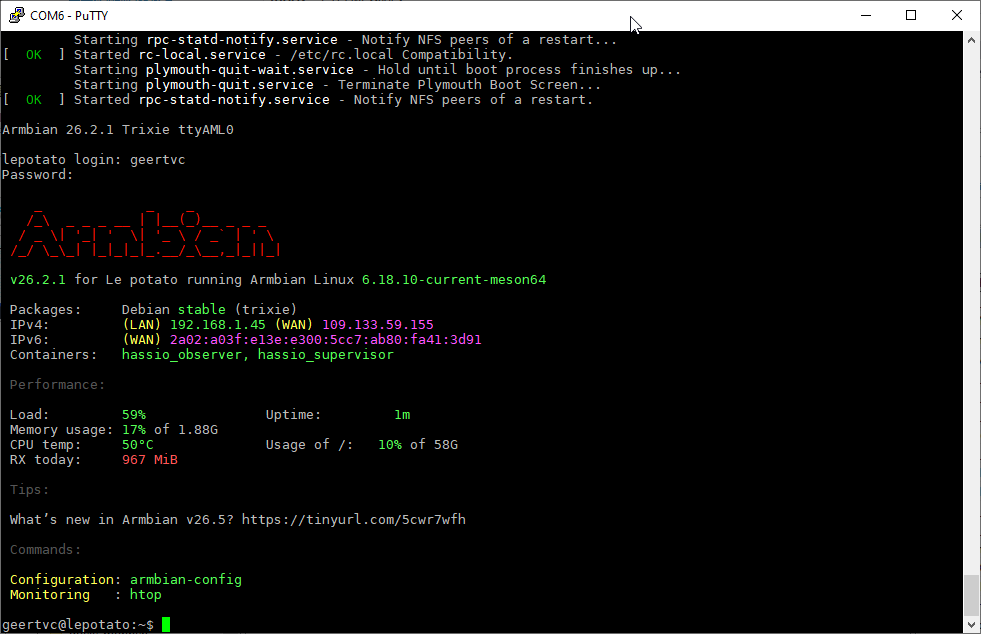
Update: if I wait long enough, then I finally see the Reboot screen. After reboot, I can go to http://<IP_address_Le_Potato>:8123 and I do see the Home Assistant intro screen. After creating an account, giving the location parameters and so on, I finally get the Home Assistant screen. I see in the command terminal that the following containers are available: hassio_observer hassio_supervisor See attached image. However, when I go to Settings, I don't see the Add-ons section. I admit I'm not a Home Assistant expert yet (first steps into HA) but I thought that the superviisor was just to have the Add-ons section available to the user? That's the reason I tried the Armbian Home Assistant image, hoping the Add-ons section would be available. Do I have to make myself a "supervisor" (again, I'm not a Home Assistant expert yet...)? If so, how can this be done? I need MQTT and Zigbee2MQTT, hence the need for the Add-ons section, which I currently don't have... Best, --Geert
-
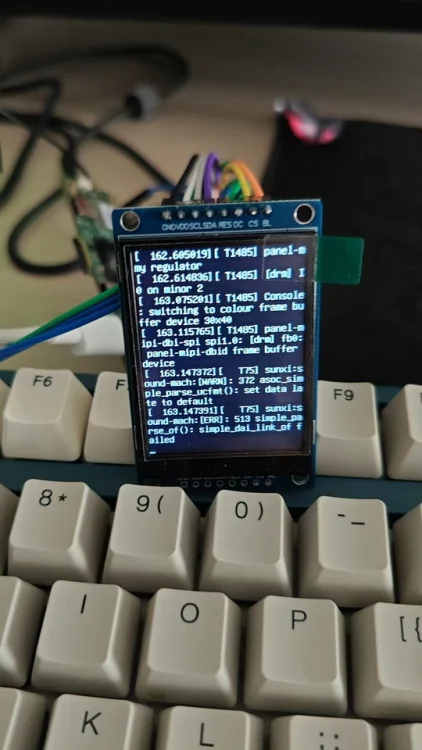
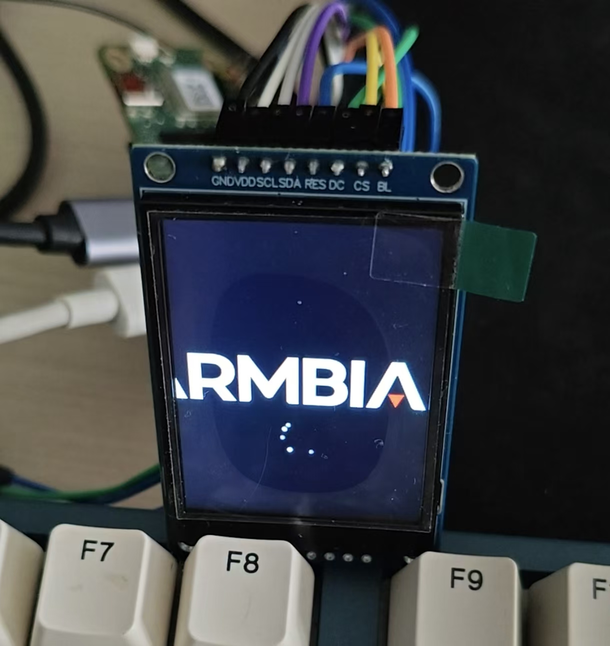
Thanks for the great work Nick. I recently bought a SPI screen and managed to drive it with panel-mipi-dbi in the newer kernel (apparently this module didn't exist in Radxa's official image with kernel 5.15). The panel was a ST7789V 240*320 TFT LCD and I have a A7Z, with the `Radxa-cubie-A7a-a7z-v0.6.4` server image installed. And I have put the work on [Github](https://github.com/parker-int64/sun60i-a733-dtoverlays). During the experiment, I discovered that the PWM (used for display backlight) in the allwinner BSP seems to have a bug. The Allwinner Sunxi PWM driver may incorrectly reverts the PWM pin to GPIO input immediately after switching the pinctrl state. Thus I can control the PWM with the file nodes but can't attached it to related pins. For example, I'm using the `sun60i-a733-pwm1-7.dtso` overlay, which is supposed to enable the PJ25. After enabling the overlay, I noticed that the PWM nodes were created and I can controll these nodes. But the pinctrl suggest that it was unclamied: $ cat /sys/kernel/debug/pinctrl/2000000.pinctrl/pinmux- pins | grep PJ25 pin 313 (PJ25): UNCLAIMED Later on, AI found out that the `devm_pinctrl_put(pctl);` in bsp/drivers/pwm/pwm-sunxi.c may have been incorrectly called on the clean stage of the `sunxi_pwm_pin_set_state`: 520 static int sunxi_pwm_pin_set_state(struct device *dev, char *name) 521 { 522 struct pinctrl *pctl; 523 struct pinctrl_state *state = NULL; 524 int err; 525 526 pctl = devm_pinctrl_get(dev); 527 if (IS_ERR(pctl)) { 528 sunxi_err(dev, "pinctrl_get failed\n"); 529 err = PTR_ERR(pctl); 530 return err; 531 } 532 533 state = pinctrl_lookup_state(pctl, name); 534 if (IS_ERR(state)) { 535 sunxi_err(dev, "pinctrl_lookup_state(%s) failed\n", name); 536 err = PTR_ERR(state); 537 goto exit; 538 } 539 540 err = pinctrl_select_state(pctl, state); 541 if (err) { 542 sunxi_err(dev, "pinctrl_select_state(%s) failed\n", name); 543 goto exit; 544 } 545 546 exit: 547 /* 548 * devm_pinctrl_put() releases the last pinctrl reference, 549 * causing pinmux_disable_setting() to restore the pin to 550 * its default GPIO function. The devres framework will 551 * release this resource automatically when the device is 552 * destroyed. 553 */ 554 devm_pinctrl_put(pctl); 555 return err; 556 557 } Also it gives me a workaround `sunxi-pwm-child-pinctrl.c`, introduces an additional pinctrl reference, preventing `devm_pinctrl_put()` from reducing the reference count to zero. Both the patch file and the workaround source is available on Github. However I only tried the workaround since I have some trouble compile the full kernel at the moment, will try some time later and update more details on Github. And at last the pwm-backlight worked as expected and my LCD light up.
- Yesterday
-
If you can experiment with the board, then try few other kernels: https://docs.armbian.com/User-Guide_Armbian-Config/System/#alternative-kernels and report where wifi will be up.
-
 There is a previous topic on this from 2020, but it's closed and not much action was taken except discussing workarounds. I'd like to continue this. Looking at the kernel configs in this repo, many of them have CONFIG_RT_GROUP_SCHED=y. This does not play nicely with modern systemd (cgroups v2), breaking things like rtkit-daemon. See https://bugs.gentoo.org/569546 and https://bugzilla.redhat.com/show_bug.cgi?id=655321. rtkit is an important part of making pulseaudio and pipewire work smoothly, as well as for many other low-latency applications. There are a few currently available workarounds, but none are ideal: 1. Linux 6.16 or later has boot time param rt_group_sched=0 to override it, but there is still some runtime overhead. No exact alternative for earlier kernels. 2. kernel.sched_rt_runtime_us=-1 in sysctl.conf -- potentially dangerous as it removes the 95% CPU time safeguard for RT processes, leading to lockups when badly behaving processes exist. 3. disable cpu and cpuset cgroup controllers in systemd configs -- has a lot of other side effects, like preventing systemd's CPU limits for services Since the last post on this (linked above), forcefully assigning an rt time time slice won't even work anymore, since cgroup v2 doesn't even have that ability anymore. So this kernel config option is somewhat useless now.
 -
thanks. The image has been launched. I will try to test gpio and mipi camera.
-

Helios64 - Armbian Trixie with linux 6.18 (incl. opp-microvolt patch)
BipBip1981 replied to ebin-dev's topic in Rockchip
Hello, I use with 6.18.15 the two way below. - new way with armbian-config and choses the overlay stabilty file for helios64 - the old way with my old dtb file for 6.18.xx kernel that i downloaded in this forum and work good with all 6.18.xx kernel until 6.18.10 kernel (rk3399-kobol-helios64.dtb-6.18.18-opp.zip) Have a good day -
I already did the apt update & upgrade, it actually seems like the 6.18.35 did solve that issue - or at least, that's how I'd read the newer "armbianmonitor -u" as posted here: https://paste.armbian.com/orawuzawun PS: I didn't test again if it works now without the script for reasons of lack of access to the bananapi + local screen + local keyboard in case it still came up without end0 - bot the output of armbianmonitor at least doesnt show up that failure you pointed at.
-
Added https://github.com/armbian/build/pull/10213
-

does rockpro64 armbian cli come with non free software?
eselarm replied to renky's topic in Pine RockPro64
You should check with: grep non-free /etc/apt/sources.list.d/*.sources And remove the non-free components and also remove/purge all packages that belong to non-free. You probably need some 'man apt-get' to figure out how to select those. - Last week
-
Of course. Kernel upgrade is handled via standard apt get update and upgrade. If you need to change to specific kernel, use https://docs.armbian.com/User-Guide_Armbian-Config/System/#alternative-kernels Make sure to update all packages before going that route, IIRC this problem is related to u-boot. Which is updated after all packages are up2date with armbian-install utility,
-

Hardware video acceleration with recent armbian/mainline kernel (Kodi)
robertoj replied to XXXBold's topic in Orange Pi 5
If you are using the friendlyelec image, can you really say "mpv is vanilla from Debian"? I am really asking, because I haven't used friendlyelec in a long time, and I don't remember if they have their own DEB repository. Can you identify the ffmpeg version and compilation options? Same with mpv. Run $ ffmpeg with no options, and it will print out the version and the libraries that were activated. $ apt list ffmpeg $ apt list mpv $ mpv --version $ cat /etc/issue $ uname -a I do remember that friendlyelec has some extra video abilities, because they maintain their own patches with bleeding edge code, while the official ffmpeg and mpv maintainers are still checking whether to accept the pull requests. Is it even possible to run "armbianmonitor -u" in friendlyelec? Do you see "v4l2-request" or "va-api" (or "vaapi") anywhere in the mpv log? is your gnome desktop running under X11 or Wayland? (last time I used friendlyelec with Kodi, the graphic server was gbm, and there was no desktop, only Kodi). If you run $ mpv --vo=gpu -v my.mp4 , mpv will print a more verbose log, with more details of how its running. -
Software complexity is extreme ... And only x86 I would assume, so there is very little of interests for us. It is enough that packages are assembled at different time, so they will have different (bugs &) fixes. Either Ubuntu will get this bug or xtradebs will be fixed. Soon both wil be fixed or both broken .... unless bug is down to the OS level. Where snap will win with its, presumbly, stabilized OS container.
-
I discovered via an only partly working ssh (I thought was WiFi signal strenght issue or so) that a new version of firewalld was installed and also new conf file that had default set to public instead of trusted (what should be fine for LAN only direct traffic). On a typical generic client-only laptop/computer you probably won't notice. Best is to keep that default and add a zone= statement to the NM profile for a specific connection. I have seen the same for systemd-networkd, but not done anything myself with it. Also should not happen on Debian Stable, but rolling distro is another story.
-

RADXA Cubie A5E 1GB RAM Armbian CLI stucks while uboot via sdcard
Guation replied to chapeaufer's topic in Allwinner sunxi
Hi xaja34, The patches and all code modifications used to build the 1 GB Cubie A5E images are already present in my repository. I pushed the complete Git commits alongside the prebuilt images that I published in the Releases section. You can find the changes here: radxa-cubie-a5e-armbian-build@202f1bf Best regards, Guation -
 Weston 16 expands HDR and color management support, improves Perfetto debugging and DRM backend performance, and adds new protocol and renderer capabilities for more efficient and flexible Wayland compositor development. View the full article
 -
 Use framework and DIY. That's what it is made for
 -
that looks like a very ambitious undertaking
-

Kernel 6.12.13 Breaks WiFi on Xiaomi Elish
leynyasha replied to armbian_user_1's topic in Xiaomi Elish
sudo ip link set dev wlp1s0 down sudo ip link set dev wlp1s0 address 02:00:00:00:00:01 sudo ip link set dev wlp1s0 up sudo systemctl restart NetworkManager -

/etc/armbian-release outdated
quaSimba replied to Tinchonet's topic in Software, Applications, Userspace
Same problem here. There are two other (older) threads without a real solution. Has anyone found a fix? -

How to install Armbian on a Netgate SG-2100 (mvebu_armada-37xx)?
Frank SIerra replied to Saitama's topic in Other families
Now that I posted this I revisited the debian install the only thing missing was to add the root partition before booting setenv bootargs root=/dev/sda3 rw Of course the networking does not work as the interfaces on the dtb are for freebsd If I manage to properly build this I will post the steps to create the installer (if possible having network enabled so netinst could be used arm debian has the drivers for the network controllers already compiled mv88e6xxx) and some kind of step by step guide how to -

Trying to boot Armbian on LinknLink iSG Box SE
Caleb Gilmour replied to Sancho's topic in Rockchip CPU Boxes
@Sancho this is really cool, and helped to turn that device from paperweight to usable linux OS. Everything seems "ok", though wifi is jittery at best. I also tried building my own image from the github repo, but after completing the build and repack steps, it fails to send to the device. $ sudo ~/Linux_Upgrade_Tool/upgrade_tool uf output/factory/apftool-rs-patched/Armbian-unofficial_26.08.0-trunk_Linknlink-isg-box-se_bookworm_vendor_6.1.115-factorytool.img Loading firmware... Support Type:3528 FW Ver:c.0.00 FW Time:2026-07-16 02:46:46 Loader ver:1.04 Loader Time:2023-12-13 16:28:48 Start to upgrade firmware... Test Device Start Test Device Success Check Chip Start Check Chip Success Get FlashInfo Start Get FlashInfo Success Prepare IDB Start Prepare IDB Success Download IDB Start Download IDB Success Download Firmware Start Download Firmware Fail I'd love to experiment more with it, but no idea how to get past this part. -
Unnoficial Image: Download Link enabled CMA, increased CMA to 32mb and enabled rknn Board logs: https://paste.armbian.com/hoqejiqeno Build logs: https://paste.armbian.eu/cekehuhule Installing ffmpeg with encoders and decoders, armhf - armv7: ffmpeg-rockchip-armhf.zip On rv1126 armbian device: cd /media/usb/esp32-rv1126-ffmpeg-rockchip ./install-on-target.sh Verify: /opt/ffmpeg-rockchip/bin/ffmpeg -hide_banner -encoders | grep -Ei 'rkmpp|mpp' /opt/ffmpeg-rockchip/bin/ffmpeg -hide_banner -decoders | grep -Ei 'rkmpp|mpp' /opt/ffmpeg-rockchip/bin/ffmpeg -hide_banner -filters | grep -Ei 'rkrga|rga' Please don't trust pre-compiled files. compile yourself: Use this only if you really want hardware H.264 encode for the go2rtc bridge. A normal upstream FFmpeg build with --enable-rkmpp may expose Rockchip decoders but not the encoder set needed here. For encoder support, use an encoder-capable Rockchip FFmpeg fork such as nyanmisaka/ffmpeg-rockchip, which documents h264_rkmpp, hevc_rkmpp, and mjpeg_rkmpp under encoders. Build FFmpeg With RKMpp Encoders: sudo apt update sudo apt install -y \ git build-essential pkg-config cmake meson ninja-build \ yasm nasm libdrm-dev libudev-dev The MPP and RGA sources below are hosted on Gitee. If git clone prompts with Username for 'https://gitee.com':, sign in with a Gitee account. That prompt is expected for these URLs and is not an FFmpeg/RKMpp build error. Build and install Rockchip MPP runtime and headers: mkdir -p ~/src cd ~/src if [ -d rkmpp/.git ]; then git -C rkmpp pull --ff-only elif [ -e rkmpp ]; then echo "rkmpp exists but is not a git checkout; move it aside or choose a new directory" >&2 exit 1 else git clone -b jellyfin-mpp --depth=1 https://gitee.com/nyanmisaka/mpp.git rkmpp fi cd rkmpp cmake -S . -B build \ -DCMAKE_BUILD_TYPE=Release \ -DCMAKE_INSTALL_PREFIX=/usr/local \ -DBUILD_SHARED_LIBS=ON \ -DBUILD_TEST=OFF cmake --build build -j"$(nproc)" sudo cmake --install build sudo ldconfig Build and install RGA. The FFmpeg fork can use RGA for hardware color conversion/scaling; this is useful because the ESP32 camera enters as raw YUYV and encoders usually want a YUV420/NV12-style input. cd ~/src if [ -d rkrga/.git ]; then git -C rkrga pull --ff-only elif [ -e rkrga ]; then echo "rkrga exists but is not a git checkout; move it aside or choose a new directory" >&2 exit 1 else git clone -b jellyfin-rga --depth=1 https://gitee.com/nyanmisaka/rga.git rkrga fi if [ -d rkrga_build ]; then meson setup --reconfigure rkrga_build else meson setup rkrga rkrga_build \ --prefix=/usr/local \ --libdir=lib \ --buildtype=release \ --default-library=shared \ -Dcpp_args=-fpermissive \ -Dlibdrm=false \ -Dlibrga_demo=false fi meson compile -C rkrga_build sudo meson install -C rkrga_build sudo ldconfig Build FFmpeg to /opt/ffmpeg-rockchip so it does not overwrite the system FFmpeg: set -e cd ~/src if [ -d ffmpeg-rockchip/.git ]; then git -C ffmpeg-rockchip pull --ff-only elif [ -e ffmpeg-rockchip ]; then echo "ffmpeg-rockchip exists but is not a git checkout; move it aside or choose a new directory" >&2 exit 1 else git clone --depth=1 https://github.com/nyanmisaka/ffmpeg-rockchip.git ffmpeg-rockchip fi cd ffmpeg-rockchip make distclean >/dev/null 2>&1 || true # RV1126 is ARMv7-A. Disabling ARMv5TE avoids assembler failures in # libavcodec/arm/mlpdsp_armv5te.S on some armhf toolchains. PKG_CONFIG_PATH=/usr/local/lib/pkgconfig:/usr/local/lib/arm-linux-gnueabihf/pkgconfig:/usr/lib/arm-linux-gnueabihf/pkgconfig \ ./configure \ --prefix=/opt/ffmpeg-rockchip \ --enable-gpl \ --enable-version3 \ --enable-libdrm \ --enable-rkmpp \ --enable-rkrga \ --disable-armv5te \ --enable-shared \ --disable-static \ --disable-doc \ --disable-debug make -j"$(nproc)" sudo make install echo /opt/ffmpeg-rockchip/lib | sudo tee /etc/ld.so.conf.d/ffmpeg-rockchip.conf sudo ldconfig This only disables FFmpeg's CPU hand-written assembly. It does not disable the Rockchip MPP encoder or RGA support, and it is acceptable for this camera path because the input is only 320x240 @ 3 fps. Verify that FFmpeg was built with actual encoders: /opt/ffmpeg-rockchip/bin/ffmpeg -hide_banner -encoders | grep -Ei 'rkmpp|mpp' /opt/ffmpeg-rockchip/bin/ffmpeg -hide_banner -decoders | grep -Ei 'rkmpp|mpp' /opt/ffmpeg-rockchip/bin/ffmpeg -hide_banner -filters | grep -Ei 'rkrga|rga' Expected Result: /opt/ffmpeg-rockchip/bin/ffmpeg -hide_banner -encoders | grep -Ei 'rkmpp|mpp' /opt/ffmpeg-rockchip/bin/ffmpeg -hide_banner -decoders | grep -Ei 'rkmpp|mpp' /opt/ffmpeg-rockchip/bin/ffmpeg -hide_banner -filters | grep -Ei 'rkrga|rga' V..... h264_rkmpp Rockchip MPP (Media Process Platform) H264 encoder (codec h264) V..... hevc_rkmpp Rockchip MPP (Media Process Platform) HEVC encoder (codec hevc) V..... mjpeg_rkmpp Rockchip MPP (Media Process Platform) MJPEG encoder (codec mjpeg) V..... av1_rkmpp Rockchip MPP (Media Process Platform) AV1 decoder (codec av1) V..... h263_rkmpp Rockchip MPP (Media Process Platform) H263 decoder (codec h263) V..... h264_rkmpp Rockchip MPP (Media Process Platform) H264 decoder (codec h264) V..... hevc_rkmpp Rockchip MPP (Media Process Platform) HEVC decoder (codec hevc) V..... mjpeg_rkmpp Rockchip MPP (Media Process Platform) MJPEG decoder (codec mjpeg) V..... mpeg1_rkmpp Rockchip MPP (Media Process Platform) MPEG1VIDEO decoder (codec mpeg1video) V..... mpeg2_rkmpp Rockchip MPP (Media Process Platform) MPEG2VIDEO decoder (codec mpeg2video) V..... mpeg4_rkmpp Rockchip MPP (Media Process Platform) MPEG4 decoder (codec mpeg4) V..... vp8_rkmpp Rockchip MPP (Media Process Platform) VP8 decoder (codec vp8) V..... vp9_rkmpp Rockchip MPP (Media Process Platform) VP9 decoder (codec vp9) ... overlay_rkrga VV->V Rockchip RGA (2D Raster Graphic Acceleration) video compositor ... scale_rkrga V->V Rockchip RGA (2D Raster Graphic Acceleration) video resizer and format converter ... vpp_rkrga V->V Rockchip RGA (2D Raster Graphic Acceleration) video post-process (scale/crop/transpose)
-
Gemini info 😞 ..... In the official, pure Armbian for Banana Pi M2 Pro, enabling SPI is currently extremely difficult (and even impossible for the average user) If you absolutely need the SPI bus for your project: Operating system change: SPI works without any problems on official system images provided directly by the board manufacturer (BPI-M2 Pro Debian/Ubuntu with kernel 4.9 from Amlogic). The manufacturer uses an older but fully modified kernel (Kernel BSP), where all pins are rigidly and correctly assigned. Or... Staying with Armbian: If you must stick with Armbian, it's safer to abandon SPI attempts and—if possible—connect the target device to a free I2C bus or UART serial communication (which work flawlessly in Armbian on this board). But ultimately, the Armbian system developer will have to decide. (Maybe there is some method to enable SPI on the latest Armbian images/firmware?) 🙂 Check https://docs.banana-pi.org/en/BPI-M2_Pro/BananaPi_BPI-M2_Pro Armbian older firmware (bananapi manufacturer's firmware) (bookworm): https://drive.google.com/drive/folders/1DPkc7AHEZVS7PT_yzhNH1Dfuiz99mE0p
-
I'm facing the same issue and haven't found a way to enable USB 3.0. There doesn't seem to be an overlay like the one in Radxa OS for enabling it. If anyone knows how to get USB 3.0 working, I'd really appreciate the help.