Active threads
Showing topics posted in for the last 365 days.
- Past hour
-
The same is happening to me on v26.2.1 for Banana Pi M5BananaPi M5 on debian trixie.
- Today
-
I just checked at my ROCK5B running Armbian userspace: # sudo apt update # sudo apt list -a linux-headers-*current-bcm2711 linux-headers-current-bcm2711/trixie 26.2.1 arm64 linux-headers-current-bcm2711/trixie 25.11.2 arm64 linux-headers-current-bcm2711/trixie 25.8.2 arm64 linux-headers-current-bcm2711/trixie 25.8.1 arm64 linux-headers-current-bcm2711/trixie 25.5.1 arm64 linux-headers-current-bcm2711/trixie 25.2.3 arm64 linux-headers-current-bcm2711/trixie 25.2.2 arm64 linux-headers-current-bcm2711/trixie 24.11.1 arm64 linux-headers-current-bcm2711/trixie 24.8.2 arm64 linux-headers-current-bcm2711/trixie 24.5.1 arm64 linux-headers-current-bcm2711/trixie 24.2.1 arm64 So you can install them with: # sudo apt install linux-headers-*current-bcm2711 You will get the latest if you do not select explicit version 6.18.9, I got 6.18.10 as that seems to be the latest now. Armbian also has edge and legacy, but for normal release all 64-bit Raspberry Pis is named 'current-bcm2711', which should be the equivalent of 'rpi-v8', which is the normal 4k pages downstream kernel in Raspberry Pi OS 64-bit. It might be you originally had the dedicated rpi5b installation, so you simply had not gotten the headers maybe. Armbian has no 16k pages kernel, if you want that, you need to build yourself, but note that this comes with quite some of issues, many people are not aware and cannot fix issues due to that. See 2+ years of trouble w.r.t. that on RPL forums. I do not use Ubuntu based Armbian, but Debian based, but should not matter for that kernel packages as those are Armbian on top of either distro.
-
SOLVED by enable on BIOS
- Yesterday
-
 Hi everyone, I’m working on an RK3568-based platform (Yocto build, Rockchip BSP) and I’ve reached a blocker regarding OP-TEE / Trusted Application (TA) development. Anyone knows how to get RK3568 + Linux + OP-TEE source/build path Rockchip vendor SDK with RK3568 OP-TEE source a repo showing rk3568 + optee_os + TA dev kit for
 -
@ssdm2nvme Hi, whats up? I tried everything you recommended, including following some other tutorials beforehand, but I still can't get past the TV box's "BIOS" screen. It keeps restarting repeatedly, and I can never actually access the system. Do you have any idea what it could be?
-
guess it kernel/driver issue The driver does not request the stmmaceth (emac1-25M) clock during probe. Without this clock the MDIO bus does not function on cold boot - PHY ID reads as 0x00000000 and kernel falls back to Generic PHY instead of YT8531. Ethernet does not work until warm reboot.
-
I've just installed Ubuntu KDE vendor image and now the proper refresh rates are detected. Thank you However, now it seems video players are not working properly. No HW decoding and no audio. It works if I play youtube videos through via Chrome though Strange thing is that after the clean installation, lots of basic KDE packages were missing (dolphin, Konsole, mpv, etc), which I had to install via apt. After that I also performed a apt full-upgrade, but it didnt solve the problem Tried to play h264 and 265 with no success I add some logs, but feel free to request more if they may help
-
I have a Orange Pi Zero 3 4GB Board. It uses a Micron LPDDR4X RAM and H618 Processor. I have tried a plethora of distros and tried to change Uboot and DTB but unable to make it work. Spent days on Gemini and Claude but no luck. Below is the output from UART debuggger: The Highlight being Unhandled Exception EL3. U-Boot SPL 2025.04-armbian-2025.04-S3482-Pf089-H8869-V3d5b-Bb703-R448a-dirty (May 25 2025 - 14:46:18 +0000) DRAM base address is defined as 0x40000000 DRAM has 16 b/raw, 10 b/col, 4 B/width, 2 #rank and 8 #bank DRAM top address must be less than 0x100000000 DRAM: 4096 MiB Trying to boot from MMC1 Unhandled Exception in EL3. uart_opizero3.txt
-
I think most important is that people make sure they can fix their own issues if a HW/computer fails. I found high-availability interesting, but for just my house (or even 2 places/countries at the same time) I found it too much to make it all work. The thing I could maybe use is DRDB, however I see v9 is under development since 2011 and it still is not in mainline kernel. Compared to that I have some script to transfer latest differential Btrfs snapshot from 1 computer to the other on-the-fly, I doubt I can really benefit from DRDB, but maybe I set up a test and see what it does. I use only ARM64 for 24/7 servers, so no x86_64 <=> ARM64 incompatibility. So same as for ZFS for example, it is external to Linux distro and my experience is that complicated issues/failures always happen at the wrong moment, e.g. also no internet and/or mains power failure etc. So I try to minimize the amount of 'external' HW/SW modules, certainly if the backing company is commercial and in whatever country far away from where I am. Proxmox is nice, but also 'external'. Same for even Docker, so I have actually no such containers. But it all depends on how much you are involved in various HW and SW. As you can see in my earlier message, I already forgot HA was available as generic aarch64 image, so that says enough. I use several custom (own) HW (like 'changed' solar inverter) and HomeAssistent does not support it, so I actually do not really use it. It is mostly C-code and Node-RED in conjunction with various micro-controllers. A good test is to disconnect internet (power-off fiber-RJ45 box in my case) and/or also do an ad-hoc power cut (no cheating with UPS). And then see if you can get it all running again within a certain time frame (what you think is acceptable, like before temperature in freezer gets > -10 or so).
-
@humanus You are a very nice guy!
-
Hi team, I am on the latest vendor release of gnome installed via armbian installer. Kernel is linux-image-6.1.115-*-rk2410. When I look for audio drivers I do not see card 3: rockchiphdmiin [rockchip,hdmiin], device 0: fddf8000.i2s-dummy_codec hdmiin-dc-0 [fddf8000.i2s-dummy_codec hdmiin-dc-0] Subdevices: 1/1 Subdevice #0: subdevice #0 I got the board very recently and the forum is a little mesay about the hdmi rx functionality. It would be a great help if anyone can help me out on this, let me know if i am missing anything.
- Last week
-

CSC Armbian for RK322x TV box boards
Vinicius Guastala replied to jock's topic in Rockchip CPU Boxes
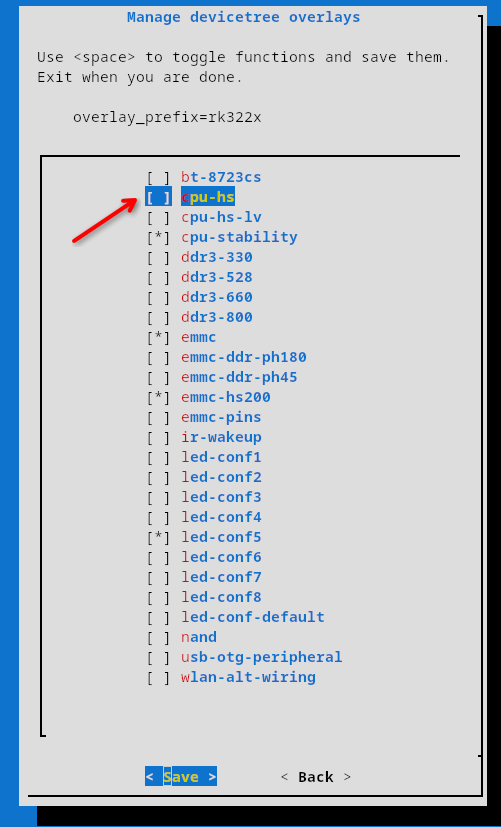
Hi @Tavares R You should definetly check the "Media framework installer v0.1" by Jock, on this link -> https://forum.armbian.com/topic/34923-csc-armbian-for-rk322x-tv-box-boards/page/10/#comment-102655 Also, this other link contains a repo to install some patched libs to at least use decoded video -> https://forum.armbian.com/topic/32449-repository-for-v4l2request-hardware-video-decoding-rockchip-allwinner/ Hope it helps, but reality check is the rk3229 is just too weak to properly handle a full DE running a modern browser... Something also worth trying is to enable the "cpu-hs" overlay. it will "overclock" the rk3229 from 1200Mhz to 1400Mhz, giving some extra performance, but keep low expectations... PS: Are you brazillian by any means? Tavares is a very common last name in Brazil.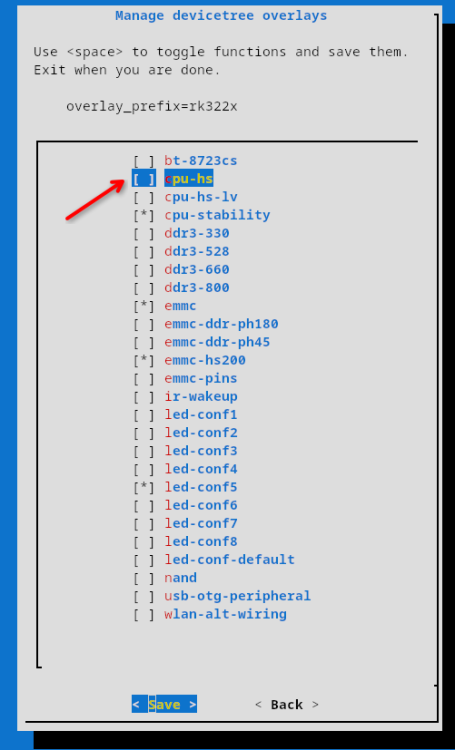
-
@Morales Morales when I have more free time.. busy with work the next couple of months.
-
@Droll, something worth to check out is the SMB version your server is running... They have slightly different authentication, so the mount command differs a bit: SMBV1: sudo mount -t cifs -o vers=1.0,username=your_username,password=your_password //server_ip/share_name /mnt/myshare SMBV2: sudo mount -t cifs -o vers=2.0,username=your_username,password=your_password //server_ip/share_name /mnt/myshare
-
Suggestions will be very appreciated.
-
@Arthur Gu Thank you for the effort and congratulations for your success. I will try it in the next days.
-
 yet still giving enough to write a answer. flaming over LPEs (or any vulnerability) does not solve any issues. I suggest to read the license again to get a clue who's responsible about fixing things in general: https://github.com/armbian/build/blob/5e60c0183d035bfd5179373e1eac284790e08904/LICENSE#L265-L268 Both parties also shall read the terms of use again, the very first bullet point in particular. I will not give this hint a second time. fixes will land upstream, stable builds will adapt four times a year. For everyone wants things faster, options were provided.
 -
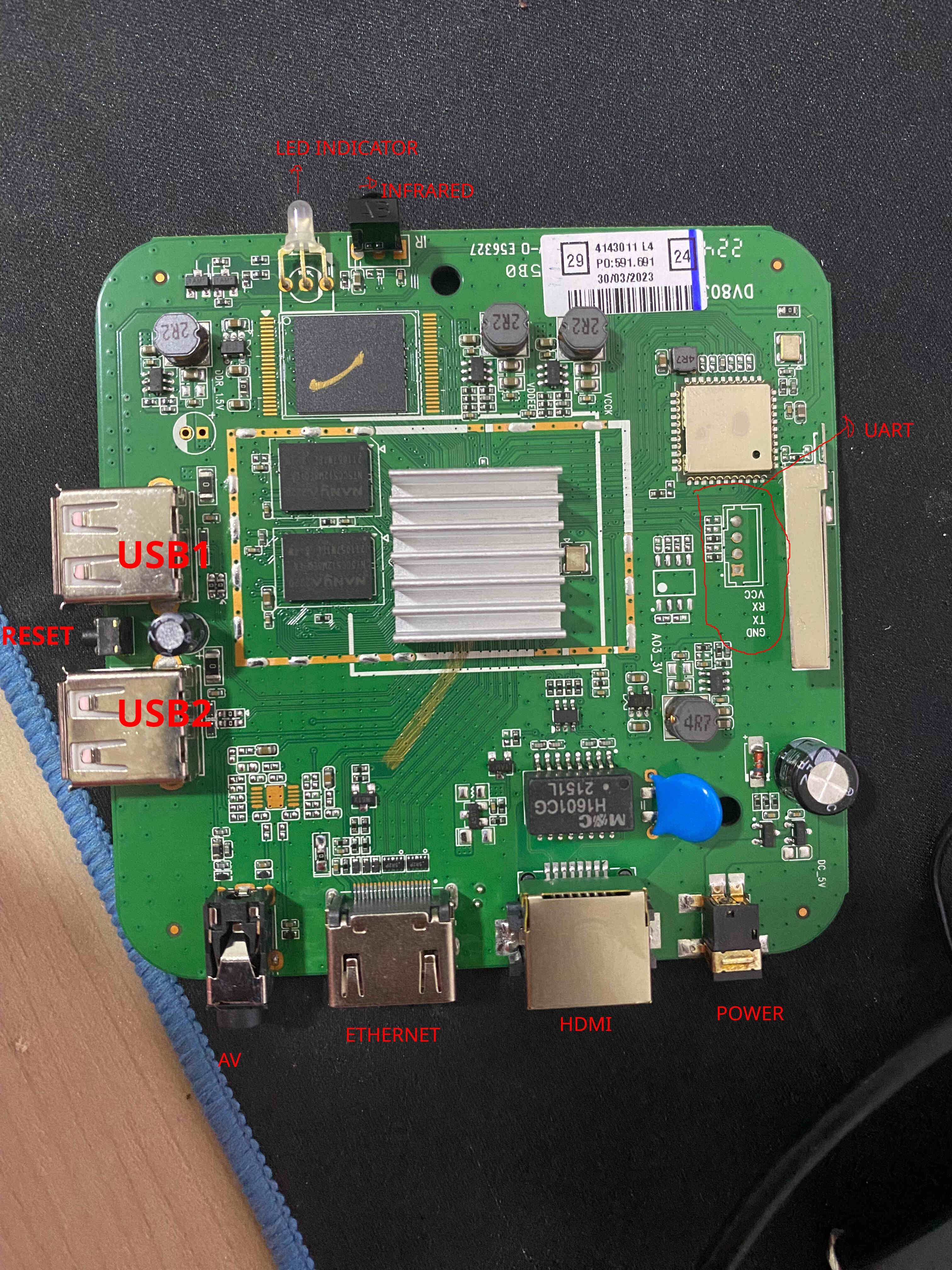
 TV Box Name: Intelbras IzyPlay Board name: DV8038 CPU: Amlogic S805X (GXL Meson, Rev D) Armbian build file name: Armbian_community_26.2.0-trunk.821_Aml-s9xx-box_trixie_current_6.18.26_minimal.img.xz DTB file used: meson-gxl-s805x-p241.dtb Kernel Version: 6.18.26-current-meson64 Distribution Installed: Debian 13 (Trixie) Working Ethernet: Yes Max Ethernet Speed that works: 100 Mbps Does wifi work: Yes Does bluetooth work: No Does HDMI audio work: Not tested (headless setup) Additional Comments: - Board has 1GB RAM (908MB available) and 7.3GB eMMC - HDMI output works (tested on a DELL P2219H) - Reset button is between USB1 and USB2 ports - USB2 port is required for booting (closest to power input) - To boot from USB: hold reset button while applying power, release after 15 seconds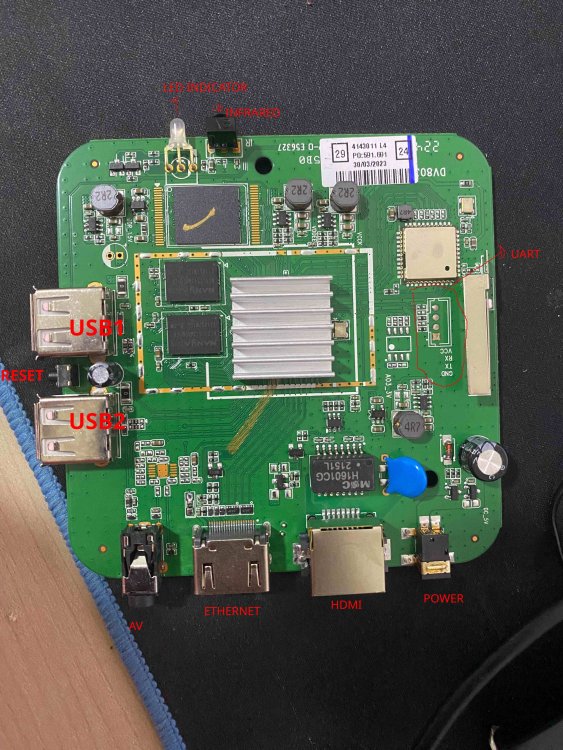
-

Helios64 - Armbian Trixie with linux 6.18 (incl. opp-microvolt patch)
BipBip1981 replied to ebin-dev's topic in Rockchip
Thank @iav -
https://github.com/hillac/jetson-nano-armbian-build/blob/main/jetson-armbian-26.md I got a 26 trixie image with the 6.18.29 kernel booting headless. No hdmi. Boot logs over uart were showing 'tegra-pmc 7000e400.pmc: failed to get resets for venc: -517' so I just removed the problem reset from venc in the dtb. This reset was in the dtb for the working 23.8.1 image, so it's not the root cause, but at least it boots properly.
-
You shouldn't be getting into android recovery. How did you burn the image to the SD card? On what platform? The fact that I'm seeing things like "System Volume Information" and "box-config" which aren't directories that should exist on an Armbian image, it looks like something strange has happened to your SD card image.
-
 See how Tyr moves beyond MCU firmware boot to build the group, queue, VM, submission, and completion paths needed to run real Vulkan workloads on Mali CSF GPUs. View the full article
 -

Rupa X88 Pro 13 - RK3528 board with images
sr4armbian replied to fedes_gl's topic in Rockchip CPU Boxes
@Joao Cordeiro Thanks for your reply. You are right, Amlogic S905X3 seems to be a good hardware without much issue for running Linux servers. -
Glad that you got it fixed and figured out a way to set this up. 🙌. I went with similar method, used USB Male to Male cable, Factory Flash Tool and maskrom pins to load the image that I have mentioned in above post, However I am still stuck with no HDMI and LED Display is not showing the clock, but a script which shows the IP address. This was part of the image created by the one who complied it. If you could share steps to get the one that is working (HDMI, Clock, Etc.,) for you would be helpful.
-
You have the lspci verbose output so you can work back to get the non-verbose output as well. Should I have anything connected to the PCI lane or not? I know my USB devices work, at least with the internal controller, the question was about what exactly is the output/situation you need me to test.